Introdución
This manual provides detailed instructions for the Kinglucky A8 Upgraded Clip-On Open-Ear Earbuds. Please read this manual thoroughly before using the product to ensure proper operation and to maintain optimal performance.
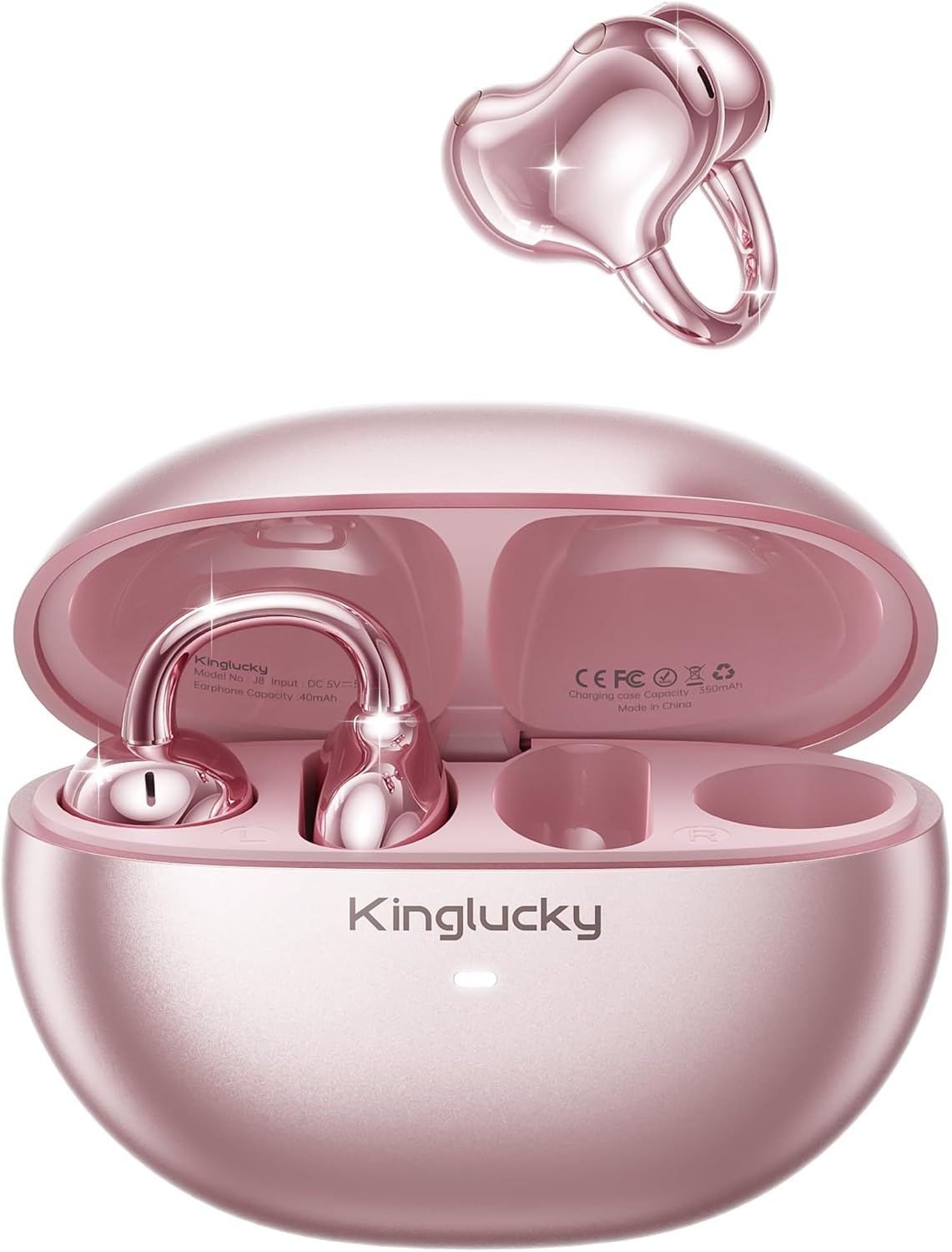
Image: Kinglucky A8 Clip-On Open-Ear Earbuds and their charging case. The earbuds are shown both inside and outside the case, highlighting their rose gold pink color and unique clip-on design.
O que hai na caixa
Verifica que todos os elementos estean presentes no paquete:
- Kinglucky A8 ClipFree Earbuds
- Estuche de carga
- Cable de carga USB-C
- Manual de usuario (este documento)

Image: A visual representation of the package contents, showing the gift wrapping box, the charging case, the ClipFree A8 earbuds, and a USB-C charging cable.
Configuración
1. Carga dos auriculares e da funda
Before first use, fully charge the earbuds and the charging case. Place the earbuds into the charging case. Connect the USB-C charging cable to the charging port on the case and plug the other end into a USB power source. The indicator light on the case will show charging status.
- A full charge provides up to 6 hours of playtime for the earbuds.
- The charging case extends total playtime to approximately 50 hours.
2. Como usar os auriculares
The Kinglucky A8 earbuds feature a flexible C-shaped clip design for comfortable and secure placement. Each earbud weighs approximately 4.0g.
- Gently clip the earbud onto the top edge of your ear.
- Adjust the earbud slightly up or down to find your most comfortable and secure fit. The open-ear design allows you to remain aware of your surroundings.

Image: A two-panel diagram illustrating the correct way to wear the clip-on earbuds. The first panel shows gently clipping the earbud onto the ear, and the second shows adjusting it for a perfect fit.
3. Emparellamento Bluetooth
The earbuds utilize Bluetooth 5.4 for stable and efficient connection.
- Abre a caixa de carga. Os auriculares entrarán automaticamente no modo de emparellamento.
- No teu dispositivo (teléfono intelixente, tableta, etc.), vai á configuración de Bluetooth.
- Select "Kinglucky A8" from the list of available devices.
- Once connected, you will hear an audio confirmation, and the indicator light on the earbuds will change.
Instrucións de funcionamento
Controis táctiles
The Kinglucky A8 earbuds feature intuitive touch controls on each earbud for managing audio playback and calls.

Image: A visual guide to the touch controls. It shows icons for music and calls, detailing single taps for volume/answer, double taps for play/pause, and press-and-hold for rejecting calls.
| Acción | Función |
|---|---|
| Toque un só | Volume Up / Volume Down (depending on earbud) or Answer Call |
| Toca dúas veces | Reproducir/Pausa música |
| Mantén premido (2 segundos) | Rexeitar chamada / Activar asistente de voz |
Emparejamento multipunto
The Kinglucky A8 earbuds support MultiPoint Pairing, allowing simultaneous connection to two devices. This enables seamless switching between your phone, tablet, smartwatch, or computer without needing to manually disconnect and reconnect.

Image: A visual showing the Kinglucky A8 earbuds connected to both a smartphone and a laptop simultaneously, illustrating the MultiPoint Pairing feature.
Mantemento
Limpeza
To maintain optimal performance and hygiene, regularly clean your earbuds and charging case. Use a soft, dry, lint-free cloth. Avoid using abrasive materials, alcohol, or chemical cleaners.
Resistencia á auga (IP56)
The Kinglucky A8 earbuds are rated IP56 for water resistance. This means they are protected against dust ingress and high-pressure water jets from any direction. They are suitable for use during workouts, light rain, and daily activities where sweat or splashes may occur. They are not designed for submersion in water.

Image: A graphic depicting the Kinglucky A8 earbuds with water droplets, emphasizing their IP56 water-resistant rating and suitability for active use.
Resolución de problemas
If you encounter issues with your Kinglucky A8 earbuds, refer to the following common solutions:
- Auriculares sen emparellamento:
- Asegúrate de que os dous auriculares estean cargados.
- Volva colocar os auriculares na funda, péchaa e ábrea de novo para volver entrar no modo de emparellamento.
- Desactiva e activa o Bluetooth do teu dispositivo.
- Forget "Kinglucky A8" from your device's Bluetooth list and try pairing again.
- Sen son ou volume baixo:
- Check the volume levels on both your device's and the earbuds.
- Asegúrate de que os auriculares estean conectados correctamente ao dispositivo.
- Limpa calquera residuo dos altofalantes dos auriculares.
- Problemas de carga:
- Verifica que o cable de carga e o adaptador funcionan correctamente.
- Asegúrate de que os contactos de carga dos auriculares e do interior da funda estean limpos e libres de obstrucións.
- Conexión intermitente:
- Asegúrate de que o dispositivo estea dentro do alcance efectivo de Bluetooth (normalmente 10 metros/33 pés) sen obstáculos significativos.
- Evitar fortes interferencias electromagnéticas.
If problems persist, please contact Kinglucky customer support for further assistance.
Especificacións
| Característica | Detalle |
|---|---|
| Nome do modelo | A8 |
| Tecnoloxía de conectividade | Sen fíos (Bluetooth 5.4) |
| Colocación do oído | Orella aberta (con clip) |
| Factor de forma | True Wireless |
| Tempo de reprodución (auriculares) | Ata 6 horas por carga |
| Tempo de reprodución total (co estoxo de carga) | Ata 50 horas |
| Peso dos auriculares | Aproximadamente 4.0 g cada un |
| Clasificación de resistencia á auga | IP56 |
| Micrófonos | Dual beamforming with ENC noise cancelling |
| Material | Plástico |
| Impedancia | 32 ohmios |
| Dispositivos compatibles | Cellphones and other Bluetooth-enabled devices |
Garantía e Soporte
Kinglucky products are designed for reliability and performance. For warranty information or technical support, please refer to the official Kinglucky websitio web ou póñase en contacto directamente co servizo de atención ao cliente.
You can visit the Kinglucky store for more information: Kinglucky Official Store


