Introdución
The Kestrel 4K Eyeglasses are designed to discreetly capture high-quality 4K Ultra HD video. This manual provides essential information for the proper setup, operation, and maintenance of your Kestrel 4K Eyeglasses to ensure optimal performance and longevity.
Produto rematadoview
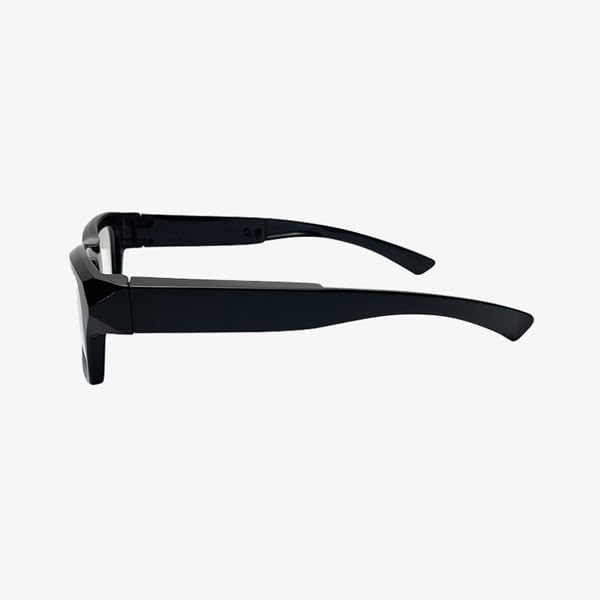
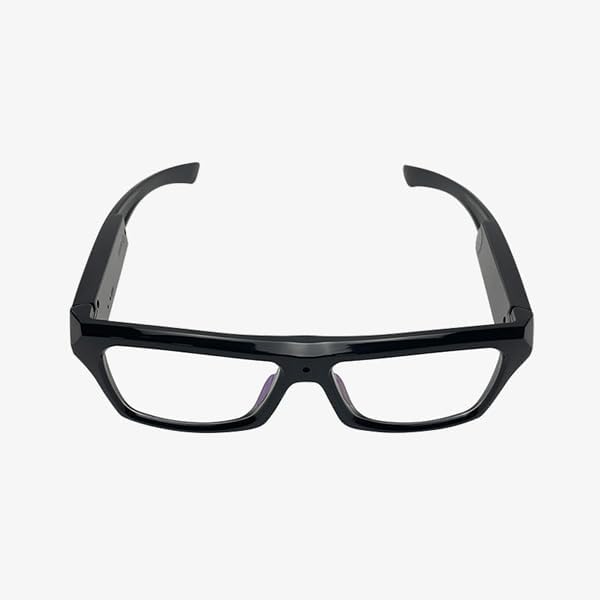
The Kestrel 4K Eyeglasses combine the appearance of traditional eyewear with advanced video recording capabilities. Key features include a subtle pinhole camera, durable TR90 frame, and IPX5 waterproof rating.


Configuración
1. Cargando o dispositivo
Before first use, fully charge the Kestrel 4K Eyeglasses. Connect the provided charging cable to the Micro USB port located on the arm of the glasses. Connect the other end to a USB power source (e.g., computer USB port, wall adapter). The charging indicator light will provide feedback on the charging status. A full charge provides up to 70 minutes of continuous recording.
2. Inserción dunha tarxeta MicroSD
The Kestrel 4K Eyeglasses require a MicroSD card (not included with this model) for storing recordings. Locate the MicroSD card slot on the arm of the glasses. Gently insert the MicroSD card with the gold contacts facing down until it clicks into place. The device supports capacities from 8GB to 256GB. Ensure the card is formatted to FAT32 for optimal compatibility.

Instrucións de funcionamento
1. Acendido/apagado
- To power on: Locate the ON/OFF switch on the right arm (refer to Figure 6). Slide the switch to the 'ON' position. The indicator light will illuminate.
- Para apagar: Deslice o interruptor de acendido/apagado á posición "OFF". O indicador luminoso apagarase.
2. Gravación de vídeo
Once powered on and a MicroSD card is inserted, the device is ready to record.
- To start recording: Gently tap the touch-sensitive control located on the right arm. The indicator light will change to indicate recording has begun.
- To stop recording: Tap the touch-sensitive control again. The indicator light will revert to standby mode.
- Videos are saved automatically to the MicroSD card in 4K UHD resolution.
3. Acceso ás gravacións
Para view your recordings, remove the MicroSD card from the eyeglasses. Insert the MicroSD card into a compatible card reader connected to a computer or a device that supports MicroSD card playback. The video files will be in H.265 format.
Mantemento
- Limpeza: Use a soft, dry cloth to clean the lenses and frame. For stubborn smudges, a slightly damp cloth with mild, non-abrasive cleaner can be used, ensuring no liquid enters the electronic components.
- Almacenamento: Store the eyeglasses in a cool, dry place away from direct sunlight and extreme temperatures when not in use.
- Coidado da batería: Para prolongar a duración da batería, evite descargala completamente con frecuencia. Cargue o dispositivo regularmente, mesmo se non o está a usar.
- Resistencia á auga: The Kestrel 4K has an IPX5 waterproof rating, meaning it is resistant to splashes and light rain. Do not submerge the device in water.
Resolución de problemas
| Problema | Causa posible | Solución |
|---|---|---|
| O dispositivo non se acende. | A batería está esgotada. | Cargue o dispositivo completamente. |
| Non se pode gravar vídeo. | No MicroSD card inserted or card is full/corrupted. | Insert a formatted MicroSD card. Check card capacity or try a different card. |
| A calidade do vídeo é mala. | A lente está sucia; iluminación insuficiente. | Clean the camera lens. Ensure adequate lighting conditions for recording. |
| O dispositivo non responde. | Fallo temporal do software. | Power off the device and then power it back on. |
Especificacións
- Nome do modelo: Kestrel 4K
- Número de modelo: 4KCC-Kestrel-2025
- Resolución de captura de vídeo: 4K Ultra HD (3840 x 2160)
- Formato de captura de vídeo: H.265
- ViewÁngulo de ing: 67 graos
- Memoria: Supports MicroSD cards up to 256GB (card not included)
- Duración da batería: Up to 70 minutes continuous recording
- Material do cadro: TR90
- Resistencia á auga: IPX5
- Dimensións: 10 x 3 x 2.7 polgadas (L x W x H)
- Fabricante: Zetronix
Garantía e Soporte
This product is covered by a 30-day return policy from the date of purchase. For technical support or warranty inquiries, please contact Zetronix customer service. Refer to your purchase documentation for specific contact details or visit the official Zetronix websitio.
Fabricante: Zetronix
Política de devolución: 30 días (reembolso/substitución)