1. Introdución
Thank you for choosing the BUGANI OWSB11 Open Ear Wireless Bluetooth Headphones. These headphones are designed to provide a comfortable listening experience while maintaining awareness of your surroundings. Featuring advanced Bluetooth 5.4 technology, immersive HiFi sound, and an IPX5 waterproof rating, they are ideal for various activities including workouts, cycling, and daily use. This manual provides detailed instructions for setup, operation, and maintenance to ensure optimal performance and longevity of your device.

Image: BUGANI B18 Open Ear Headphones banner. This image displays the product name and a tagline, showcasing the sleek design of the headphones and charging case.
2. Contido do paquete
Comprobe se o paquete contén os seguintes elementos:
- BUGANI OWSB11 Open Ear Wireless Bluetooth Headphones (Left & Right)
- Estuche de carga
- Cable de carga USB-C
- Manual de usuario
3. Produto rematadoview
Familiarize yourself with the components of your BUGANI OWSB11 headphones and charging case.

Image: BUGANI OWSB11 Open Ear Wireless Headphones in their charging case. This image shows both earbuds securely placed within the compact charging case, ready for use or charging.
Compoñentes dos auriculares:
- Gancho para a orella: Provides a secure and comfortable fit over the ear.
- Área de control: Touch-sensitive surface for various functions.
- Micrófono: Para chamadas e comandos de voz.
- Indicador LED: Mostra o estado (emparellamento, carga, etc.).
Compoñentes da caixa de carga:
- Porto de carga (USB-C): Para conectar o cable de carga.
- LED indicador de carga: Mostra o estado de carga da caixa.
4. Iniciación
4.1. Cargando o dispositivo
For optimal performance, fully charge your headphones and charging case before first use.
- Carga do estuche: Connect the provided USB-C cable to the charging port on the case and to a USB power adapter (not included). The case's LED indicator will show charging status and turn solid when fully charged.
- Cargando os auriculares: Place the earbuds into the charging case. Ensure they are correctly seated. The earbuds will automatically begin charging. The LED indicators on the earbuds will show their charging status.
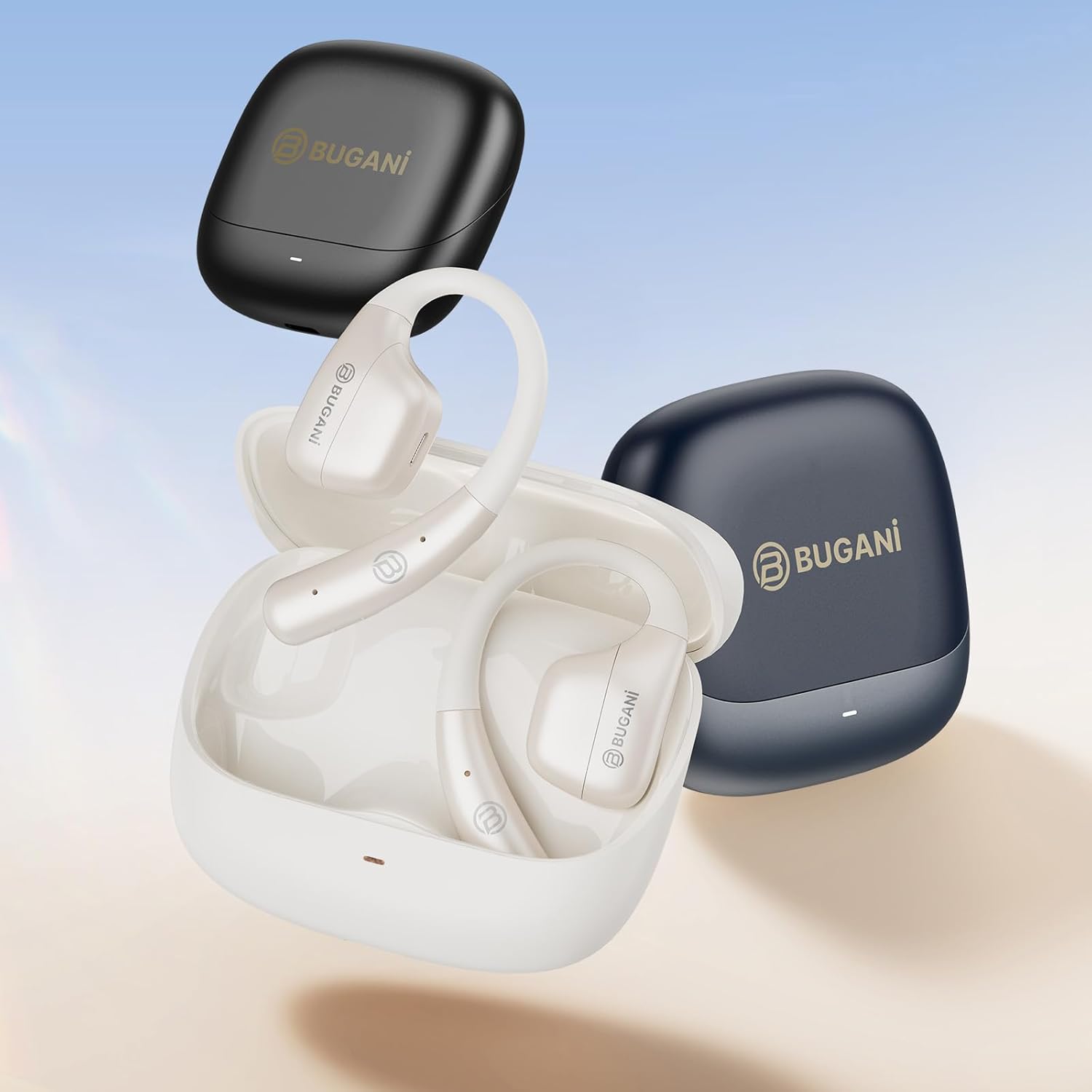
Image: An illustration showing the extended battery life cycle of the BUGANI OWSB11 headphones and charging case. This graphic highlights the 6.5 hours of music time, 1.5 hours of charging time, and 26 hours of total cycle playtime.
4.2. Acendido/apagado
- Encendido: Abre a caixa de carga e os auriculares acenderanse automaticamente. Como alternativa, mantén premida a área de control táctil de ambos auriculares durante 3 segundos.
- Apagado: Volve colocar os auriculares na caixa de carga e pecha a tapa. Apagaranse automaticamente. Como alternativa, mantén premida a área de control táctil de ambos auriculares durante 5 segundos.
4.3. Emparellamento Bluetooth
The BUGANI OWSB11 headphones utilize Bluetooth 5.4 for a fast and stable connection.
- Primeira parella:
- Abre a caixa de carga. Os auriculares entrarán automaticamente no modo de emparellamento e os seus indicadores LED parpadearán.
- No teu dispositivo (teléfono intelixente, tableta, etc.), activa o Bluetooth.
- Busca "BUGANI OWSB11" in the list of available Bluetooth devices and select it to connect.
- Once connected, the earbud LED indicators will turn off or flash slowly.
- Reconectando: After initial pairing, the earbuds will automatically connect to the last paired device when removed from the charging case and Bluetooth is enabled on your device.

Image: Diagram illustrating the Bluetooth 5.4 technology chip for stable connectivity. This image highlights the advanced Bluetooth 5.4 chip, emphasizing its role in providing a fast and reliable wireless connection.
5. Uso dos auriculares
The touch control area on each earbud allows you to manage music playback, calls, and other functions.
5.1. Reprodución de música
- Reproducir/Pausa: Toca un só auricular en calquera dos auriculares.
- Próxima pista: Toca dúas veces no auricular dereito.
- Pista anterior: Toca dúas veces no auricular esquerdo.
5.2. Xestión de chamadas
- Responder/Finalizar chamada: Toca un só auricular en calquera dos auriculares.
- Rexeitar a chamada: Mantén premido calquera dos auriculares durante 2 segundos.
5.3. Control de volume
Volume control is typically managed directly from your connected device. Some models may support earbud-based volume control; refer to specific product details if available.
5.4. Situational Awareness (Open-Ear Design)
The open-ear design of the BUGANI OWSB11 allows you to hear your audio while remaining aware of your surroundings. This feature enhances safety during outdoor activities and allows for easy conversations without removing the earbuds.

Image: A person wearing the BUGANI OWSB11 Open Ear Wireless Headphones, demonstrating the secure and comfortable fit. This image illustrates how the open-ear design sits on the ear, allowing for situational awareness.
6. Coidados e mantemento
6.1. Limpeza
Regular cleaning helps maintain the performance and hygiene of your headphones.
- Limpe os auriculares e a caixa de carga cun pano suave, seco e sen fiapos.
- Non empregue produtos de limpeza abrasivos, alcol nin disolventes químicos.
- Asegúrate de que os contactos de carga estean limpos e secos.
6.2. Resistencia á auga (IPX5)
The BUGANI OWSB11 headphones are rated IPX5, meaning they are protected against low-pressure water jets from any direction. This makes them suitable for workouts and light rain.
- Non mergullo os auriculares na auga.
- Avoid exposure to saltwater or other corrosive liquids.
- If wet, dry thoroughly before placing them back in the charging case or charging.

Image: The BUGANI OWSB11 Open Ear Wireless Headphones with water droplets, highlighting their IPX5 waterproof rating. This image visually confirms the product's resistance to sweat and splashes.
6.3. Almacenamento
Garda os auriculares na súa funda de carga cando non os uses para protexelos e mantelos cargados.
7 Solución de problemas
Se tes algún problema, consulta as seguintes solucións habituais:
| Problema | Posible Solución |
|---|---|
| Os auriculares non se acenderon. | Ensure the charging case and earbuds are charged. Place earbuds in the case and close/open the lid. |
| Non se pode emparellar co dispositivo. | Make sure Bluetooth is enabled on your device. Ensure earbuds are in pairing mode. Forget "BUGANI OWSB11" from your device's Bluetooth list and try pairing again. |
| Non se escoita son dun ou dos dous auriculares. | Check device volume. Ensure earbuds are properly paired. Try resetting the earbuds (refer to manufacturer's websitio web para obter instrucións específicas de restablecemento se é necesario). |
| Problemas de carga. | Check the USB-C cable and power adapter. Ensure charging contacts on earbuds and case are clean and dry. |
8. Especificacións
Technical details of your BUGANI OWSB11 Open Ear Wireless Bluetooth Headphones:
- Número de modelo: OWSB11
- Versión Bluetooth: 5.4
- Capacidade da batería do auricular: 70 mAh (cada un)
- Capacidade da batería do estuche de carga: 500 mAh
- Tempo de reprodución dos auriculares: 8-10 hours (single charge)
- Tempo de reprodución total (con funda): Ata 60 horas
- Clasificación impermeable: IPX5
- Peso do artigo: 6.3 onzas
- Dimensións do paquete: 5.12 x 4.45 x 1.85 polgadas
9. Información de seguridade
Please read and follow these safety guidelines to prevent damage or injury:
- Non desmonte, repare nin modifique o produto.
- Manteña o produto lonxe de temperaturas extremas, luz solar directa e chamas abertas.
- Evite escoitar a volume alto durante períodos prolongados para evitar danos auditivos.
- Manter fóra do alcance dos nenos e animais.
- Elimina o produto e as baterías de forma responsable segundo a normativa local.
10. Garantía e soporte
BUGANI products are designed for reliability and performance. For warranty information, technical support, or customer service inquiries, please refer to the contact information provided on the BUGANI official website or your purchase platform. Please retain your proof of purchase for warranty claims.
Para obter máis asistencia, visite o BUGANI Store on Amazon.


