Introdución
This manual provides essential information for the safe and efficient use of your SUPVAN T50M Pro Label Maker. Please read these instructions carefully before operating the device and retain them for future reference.
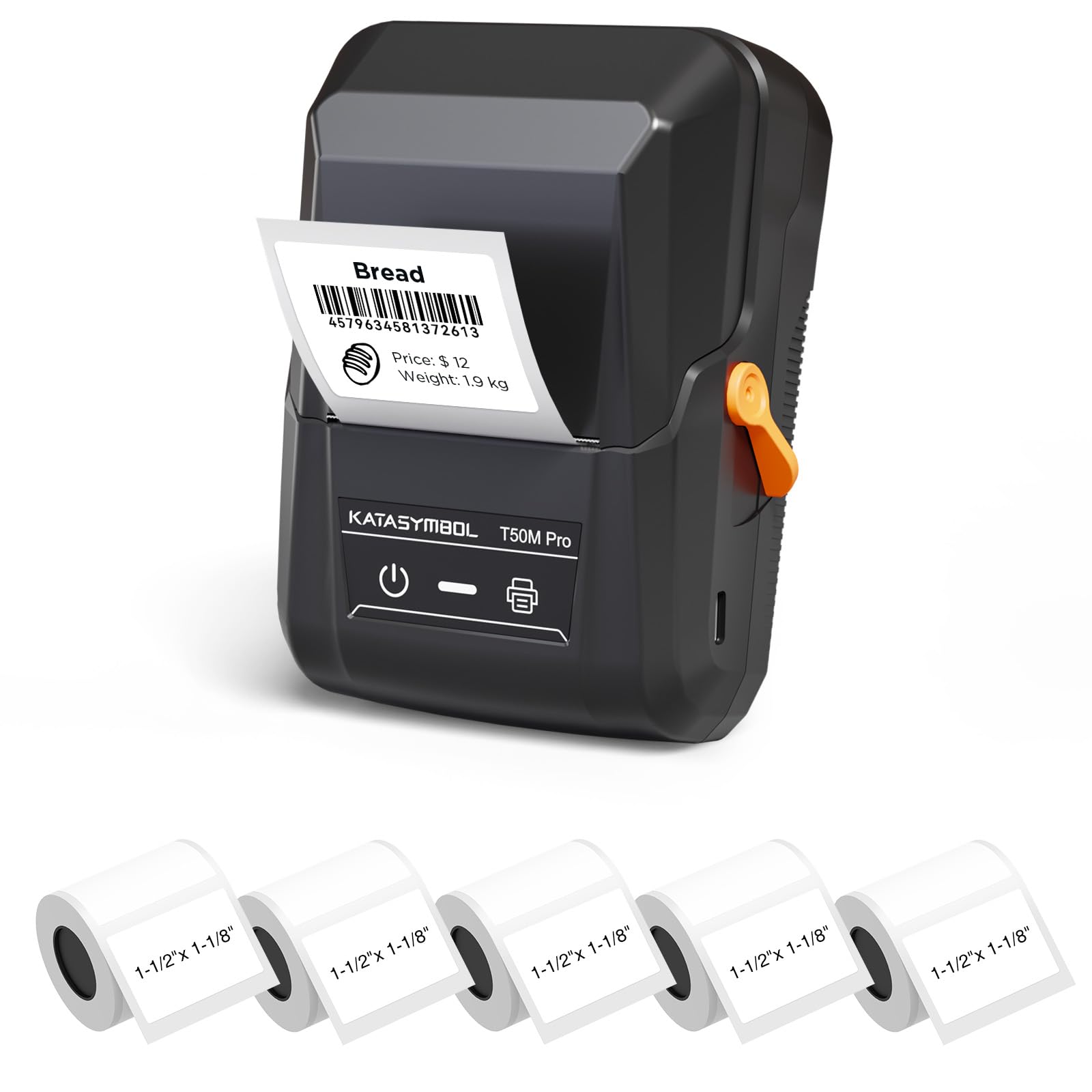
Image: The SUPVAN T50M Pro Label Maker, a compact thermal printer.
Contido do paquete
Verifica que todos os elementos estean presentes no teu paquete:
- SUPVAN T50M Pro Label Maker
- 5 rolls of 1.57'' × 1.18'' (40mm × 30mm) white labels (250 labels/roll)
- USB Cable (for charging and connectivity)
- Manual de usuario (este documento)
Guía de configuración
1. Cargando o dispositivo
Before first use, fully charge the label maker using the provided USB cable. The device features a 1200 mAh built-in rechargeable battery, offering extended use on a single charge.
2. Installing the Label Roll
The T50M Pro uses thermal paper, eliminating the need for ink or toner. Follow these steps to install a label roll:
- Abra a tapa do compartimento das etiquetas.
- Introduza o rolo de etiquetas coa superficie de impresión cara arriba.
- Ensure the label edge is aligned with the printer's feed mechanism.
- Close the cover. The device's Smart RFID Auto-Detection will recognize the label size automatically.

Image: Illustration of loading thermal paper into the label maker. The device uses thermal printing technology, requiring no ink or toner.
3. Instalación e conexión da aplicación
Download the official SUPVAN app from your device's app store. The app provides all editing functions and is free to use.
- Acenda a etiquetadora.
- Open the SUPVAN app on your smartphone or tablet.
- Follow the in-app instructions to connect to your T50M Pro via Bluetooth or USB.
Instrucións de funcionamento
1. Creating Labels with the App
The SUPVAN app offers a comprehensive suite of editing tools:
- Edición de texto: Choose from over 40 fonts.
- Image & Picture Integration: Add custom images and logos.
- Modelos: Access over 140 free, constantly updated templates for various uses.
- Auto Label Size Recognition: The app automatically detects the loaded label size, reducing errors.

Image: The SUPVAN app's editing interface, demonstrating font choices, image integration, and automatic label size detection.

Image: A selection of over 140 free templates available within the SUPVAN app, suitable for diverse labeling needs.
2. Impresión de etiquetas
After designing your label in the app, select the "Print" option. Ensure the label maker is connected and has sufficient battery. The T50M Pro supports various label styles and sizes, printing 3/4 to 2-inch wide labels.

Imaxe: Examples of labels created with the T50M Pro, including address labels, price tags, and decorative labels, demonstrating support for various styles.

Image: A visual comparison highlighting the high-quality image output from the SUPVAN T50M Pro's app compared to other label makers.
3. Aplicacións comúns
The SUPVAN T50M Pro is suitable for a wide range of labeling tasks:
- Pequenas empresas: Shipping addresses, product information, QR codes, brand logos.
- Oficina e escola: Nome tags, folder labels, documentation, asset tagging.
- Organización da casa: Pantry labels, storage bins, personal items.

Image: Demonstrates diverse uses for the label maker, such as labeling containers in a pantry, creating product labels, printing shipping labels, and organizing school supplies.
Mantemento
1. Limpeza do cabezal de impresión
Para garantir unha calidade de impresión óptima, limpe periodicamente o cabezal de impresión térmica. Use un pano suave e sen fiapos lixeiramenteampened with isopropyl alcohol. Do not use abrasive cleaners or sharp objects.
2. Coidado da batería
Recharge the device when the battery indicator is low. Avoid fully discharging the battery frequently to prolong its lifespan. Store the device in a cool, dry place when not in use for extended periods.
3. Almacenamento de etiquetas
Store label rolls in a cool, dry place away from direct sunlight and heat to prevent degradation of the thermal material.
Resolución de problemas
1. O dispositivo non se acende
- Ensure the device is fully charged. Connect it to a power source using the USB cable.
- Manteña premido o botón de acendido durante uns segundos.
2. Printing Issues (Blank or Faint Prints)
- Check if the label roll is installed correctly with the printing surface facing up.
- Asegúrate de que o rolo de etiquetas non estea baleiro.
- Limpe o cabezal de impresión como se describe na sección Mantemento.
- Verify that the label type is compatible with the T50M Pro.
3. App Connectivity Problems
- Asegúrate de que o Bluetooth estea activado no teu dispositivo móbil.
- Make sure the label maker is turned on and within range.
- Restart both the label maker and the app.
- If issues persist, try reinstalling the app.
4. Label Misalignment
- Ensure the label roll is properly seated and aligned in the compartment.
- The Smart RFID Auto-Detection should prevent most misalignment issues; if not, try re-seating the roll.
Especificacións
| Característica | Detalle |
|---|---|
| Nome do modelo | T50M Pro |
| Marca | SUPVAN |
| Tecnoloxía de impresión | Térmica |
| Tecnoloxía de conectividade | USB, Bluetooth |
| Interface de hardware | USB |
| Saída da impresora | Monochrome (Black Ink Color) |
| Tamaño máximo do soporte | 1.57'' × 1.18'' (40mm × 30mm) - 3/4 to 2-inch wide labels supported |
| Característica especial | Portable, Smart RFID Auto-Detection, BPA-free labels |
| Batería | Batería recargable incorporada de 1200 mAh |
| Dimensións | Aprox. 5" x 3.7" x 2.3" |
| Peso | Aprox. 0.6 libras |
| Compoñentes incluídos | Label Maker, Labels, USB Cable |

Image: The compact design of the T50M Pro, highlighting its portability, lightweight nature, and 1200 mAh rechargeable battery.
Garantía e Soporte
Información da garantía
For detailed warranty information, please refer to the warranty card included with your product or visit the official SUPVAN websitio. Os termos e condicións da garantía poden variar segundo a rexión e o vendedor.
Atención ao cliente
If you encounter any issues or have questions regarding your SUPVAN T50M Pro Label Maker, please contact SUPVAN customer support through their official websitio web ou o vendedor onde se comprou o produto.
Tamén podes visitar o SUPVAN Store on Amazon para obter información adicional sobre o produto e recursos de asistencia.


