Introdución
This manual provides comprehensive instructions for the setup, operation, and maintenance of your Lepro OE1 AI Smart RGBICW LED Corner Floor Lamp. Please read this manual thoroughly before use to ensure proper functionality and safety.
Contido do paquete
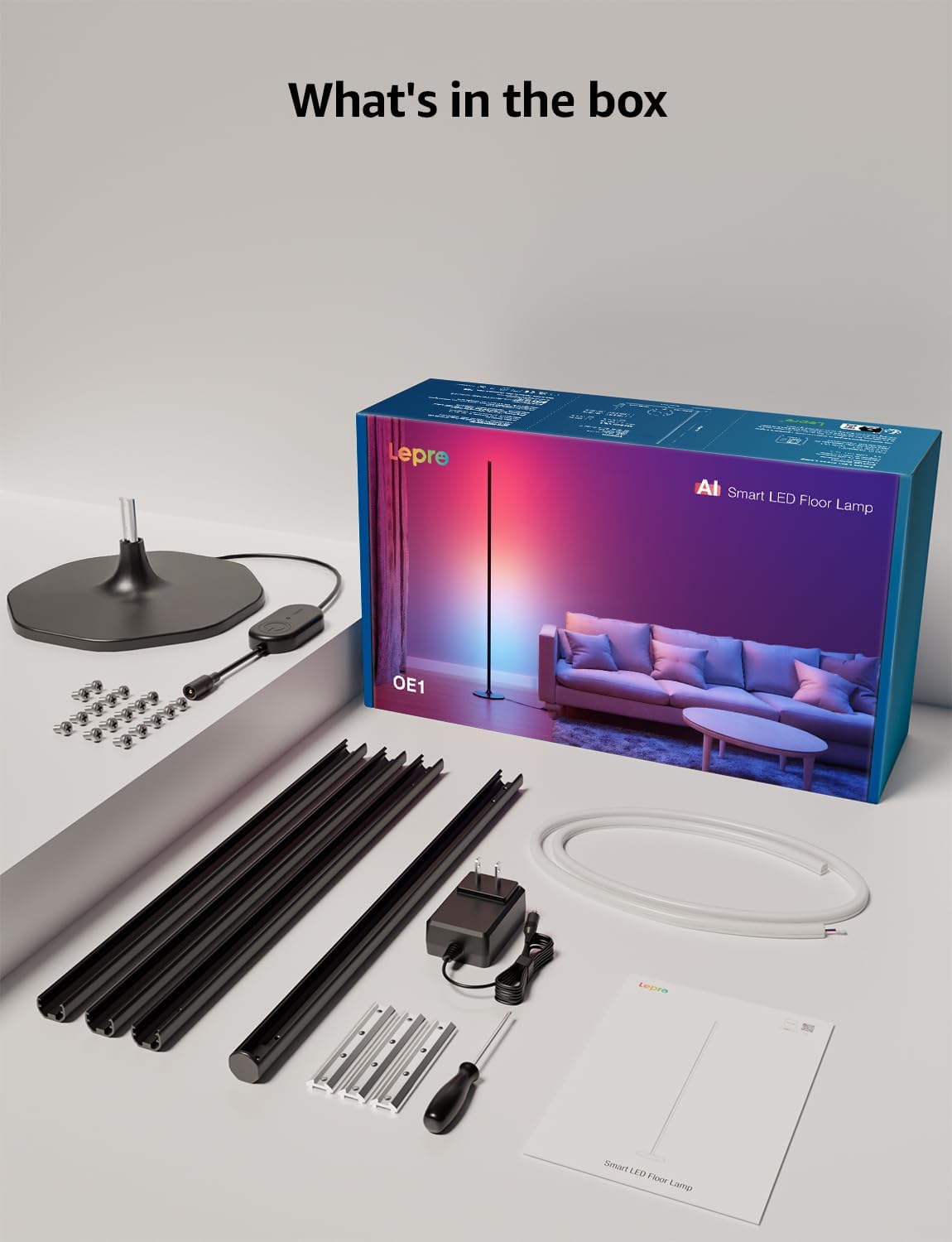
Verifica que todos os compoñentes estean presentes no paquete:
- Lamp Base
- Metal Poles (multiple sections)
- Metal Connecting Pieces
- Tiras de luces LED
- Parafusos e chave de fenda
- Adaptador de alimentación
- Manual de usuario
Configuración e montaxe
Follow these steps to assemble and set up your Lepro OE1 floor lamp:
- Assemble the Metal Poles: Align the metal slots of the pole sections with the connecting pieces. Use the provided screws and screwdriver to tighten them securely. Continue this process until all pole sections are connected to form the main lamp corpo.
- Fixar á base: Secure the assembled metal pole to the lamp base using the designated screws.
- Inserir tira de LED: Carefully insert the LED strip light into the channel of the assembled metal pole. Ensure the strip's bottom connector aligns with the wire from the base.
- Conectar cableado: Connect the wire from the LED strip to the wire extending from the lamp base.
- Position the LED Strip: Gently press and adjust the LED strip from the middle outwards to ensure it sits flush and evenly within the pole's channel. Do not cut the strip lights, as this will cause damage.
- Conexión de alimentación: Conecte o adaptador de alimentación ao lamp and then plug it into a standard electrical outlet.

Descarga e conexión da aplicación
The Lepro OE1 lamp is controlled via the Lepro app. It is compatible with 2.4GHz WiFi networks only. Ensure your phone's Bluetooth is enabled during the pairing process.
- Download the "Lepro" app from your device's app store. (Note: Not compatible with "Lepro Lampux" or "Smart Life" apps).
- Rexistra unha nova conta ou inicia sesión.
- Ensure your phone's Bluetooth is on and connected to a 2.4GHz WiFi network.
- In the app, select "Add Device" and follow the on-screen instructions to pair your OE1 lamp.
Video 1: Step-by-step guide on how to assemble the Lepro OE1 AI floor lamp.
Video 2: Instructions on how to connect the OE1 AI floor lamp to the Lepro app.
Instrucións de funcionamento
The Lepro OE1 lamp offers various control methods and lighting features:
1. Lepro App Control
The Lepro app provides full control over your lamp's functions:
- LightGPM 4 - Personalized AI Lighting Designer: Use voice or text prompts to describe your desired mood or scene. The AI will generate lighting effects tailored to your preferences. The more you use it, the more it adapts.
- DIY Lighting: Customize your ambiance with over 16 million RGB colors and various effects. Adjust colors, brightness, and speed. Save your custom settings and explore community ideas within the app.
- Sincronización de música: The RGB+ICW color-changing floor lamp reacts to music beats, creating dynamic lighting effects.
- Photo-to-Vibe: Upload a photo of your room, a movie poster, or a game character, and LightGPM will generate a lighting design to match the image's theme.
- Iluminación branca cálida: For daily use, the lamp provides 1000 lumens of warm white light at 2700K, adjustable from 1% to 100% brightness.
- Xestión remota: Controla o teu lamp remotely via the Lepro App, even when away from home.
- Programación: Set automatic on/off timers for convenience.


2. Control por voz (Alexa e Asistente de Google)
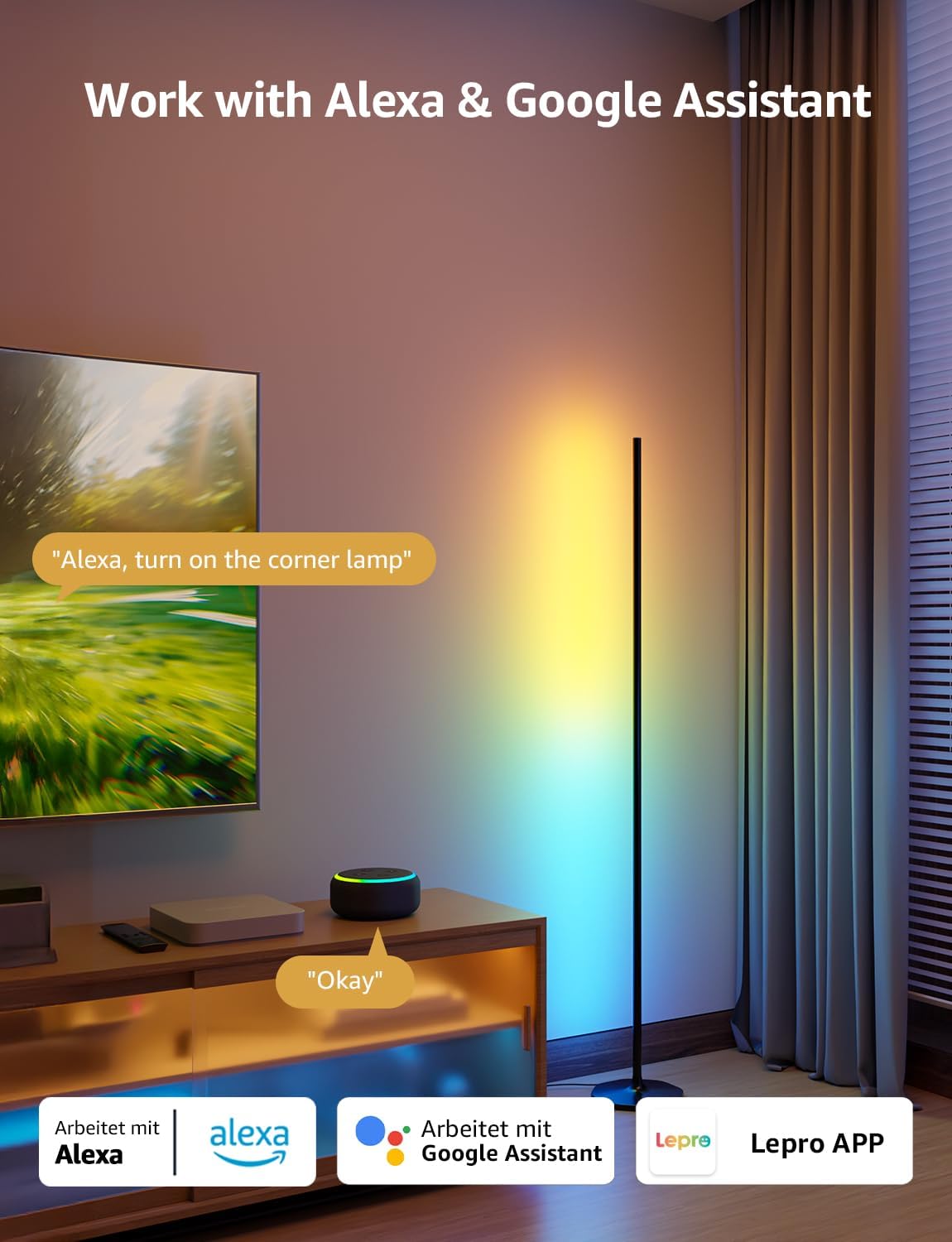
The OE1 lamp supports effortless voice control through Amazon Alexa and Google Assistant. Link your Lepro account with Alexa or Google Assistant in their respective apps to enable voice commands.
- Example commands: "Alexa, turn on the corner lamp," "Hey Google, set the floor lamp to blue," "Alexa, dim the floor lamp ao 50%".
3. Control de grupo
For multiple Lepro AI devices, simultaneous group control is supported through the Lepro app, allowing you to manage all your smart lights together.
Mantemento
To ensure the longevity and optimal performance of your Lepro OE1 floor lamp:
- Limpeza: Limpe o lamp with a soft, dry cloth. Avoid using abrasive cleaners or solvents that may damage the finish or LED strip.
- Colocación: Coloque o lamp on a stable, flat surface. Avoid areas with excessive moisture or direct exposure to sunlight, which can affect the LED lifespan.
- Potencia: Always disconnect the power adapter before cleaning or performing any maintenance.
Resolución de problemas
If you encounter issues with your Lepro OE1 floor lamp, consulte as seguintes solucións habituais:
- Lamp non se acende:
- Asegúrate de que o adaptador de alimentación estea ben conectado tanto a lamp e unha toma de corrente que funcione.
- Comprobe se a toma de corrente funciona conectando outro dispositivo.
- Unable to connect to the Lepro app:
- Verify your smartphone's Bluetooth is enabled.
- Confirm your WiFi network is 2.4GHz. The lamp does not support 5GHz WiFi.
- Ensure your phone is connected to the same 2.4GHz WiFi network as the lamp durante a configuración inicial.
- Proba a restablecer o lamp (see "Resetting the Lamp" below).
- O control por voz non funciona:
- Ensure your Lepro account is correctly linked with your Alexa or Google Assistant app.
- Check your internet connection for both the lamp and your voice assistant device.
Restablecendo a Lamp
If you experience persistent issues or need to re-pair your lamp, perform a factory reset:
- Locate the control button on the power cable.
- Manteña premido o botón durante 5 segundos.
- A flashing blue light on the lamp indicates a successful reset. The lamp is now ready for re-pairing with the Lepro app.
Video 3: Visual demonstration of how to reset the Lepro OE1 AI floor lamp.
Especificacións
| Característica | Detalle |
|---|---|
| Marca | Leproso |
| Número de modelo | OE1 |
| Dimensións do produto | 7.87" D x 7.87" W x 55.11" H |
| Peso do elemento | 2.86 libras |
| Tipo de fonte de luz | LED |
| Brillo | 1000 lúmenes |
| Temperatura da cor | 2700 Kelvin (Branco Cálido) |
| Cor clara | RGB, branco cálido |
| Wattage | 20 vatios |
| Voltage | 120 voltios (CA) |
| Método de control | Voice, App (Lepro App) |
| Conectividade | Bluetooth, 2.4G WiFi (5GHz not supported) |
| Vida Media | 20000 horas |
| Material | Aluminio |
| Tipo de acabado | Mate |
| Uso interior/exterior | Interior |
| Requírese montaxe | Si |
| UPC | 810168791135 |
Garantía e Soporte
For warranty information or technical support, please refer to the official Lepro websitio web ou póñase en contacto directamente co servizo de atención ao cliente. Garde o recibo da compra para calquera reclamación de garantía.
Optional protection plans may be available for purchase separately. Please check with your retailer for details.


