1. Introdución
This manual provides detailed instructions for the assembly, operation, maintenance, and safety of your HOMCOM Double Media Storage Cabinet, Model 836-602V00BK. Please read all instructions carefully before assembly and use to ensure proper function and safety.

Figure 1: Assembled HOMCOM Double Media Storage Cabinet.
2. Características do produto
- Adjustable Media Storage: Features 12 adjustable shelves, accommodating up to 720 CDs, 396 DVDs, or 396 Blu-rays.
- Deseño de aforro de espazo: Modern design minimizes floor space while providing ample almacenamento.
- Estable e seguro: Constructed from quality particleboard and includes an anti-tipping strap for stability.
- Pantalla versátil: Can also be used to display ornaments, small potted plants, and other decor items.

Figure 2: Storage capacity details.

Figura 3: Mecanismo de andel axustable.
3. Instrucións de montaxe
Assembly of the HOMCOM Double Media Storage Cabinet is designed to be straightforward. All parts are numbered, and clear instructions are provided. It is recommended to assemble the unit on a soft, clean surface to prevent scratches.
- Desembale todos os compoñentes e verifique coa lista de pezas que se inclúe na embalaxe.
- Follow the step-by-step diagram to connect the main structural panels.
- Insert the adjustable shelves into your desired positions. Ensure they are securely seated.
- Attach the anti-tipping strap to the top rear of the cabinet and secure it to a wall stud as per safety guidelines.

Figura 4: Diagrama de montaxe coas pezas numeradas.
4. Uso e funcionamento
The media storage cabinet is designed for organizing CDs, DVDs, Blu-rays, and other small media items. The 12 adjustable shelves allow for customization of compartment heights to fit various media sizes or decorative items.
- To adjust a shelf, carefully lift it from its current position and re-insert it into the desired shelf pin holes. Ensure all four pins are fully engaged before placing items on the shelf.
- Distribuír o peso uniformemente polas baldas para manter a estabilidade.

Figura 5: Example media arrangement.
Video 1: Demonstration of the HOMCOM Double Media Storage Cabinet in use, showcasing its capacity and adjustable shelves.
5. Mantemento
To ensure the longevity and appearance of your media storage cabinet, follow these maintenance guidelines:
- Limpe as superficies cun suave, damp pano. Evite produtos de limpeza abrasivos ou produtos químicos agresivos.
- Comprobe periodicamente todos os parafusos e elementos de fixación para asegurarse de que estean ben axustados. Volva apertalos se é necesario.
- Manteña o armario lonxe da luz solar directa e da humidade excesiva para evitar danos materiais.
6. Información de seguridade
For your safety and to prevent damage to the product, adhere to the following:
- Correa antivuelco: Always install the provided anti-tipping strap to secure the cabinet to the wall. This prevents accidental tipping, especially in households with children or pets.
- Do not overload shelves beyond the specified weight capacity.
- Non permita que os nenos suban ou xoguen co armario.
- Ensure the cabinet is placed on a level surface to prevent instability.
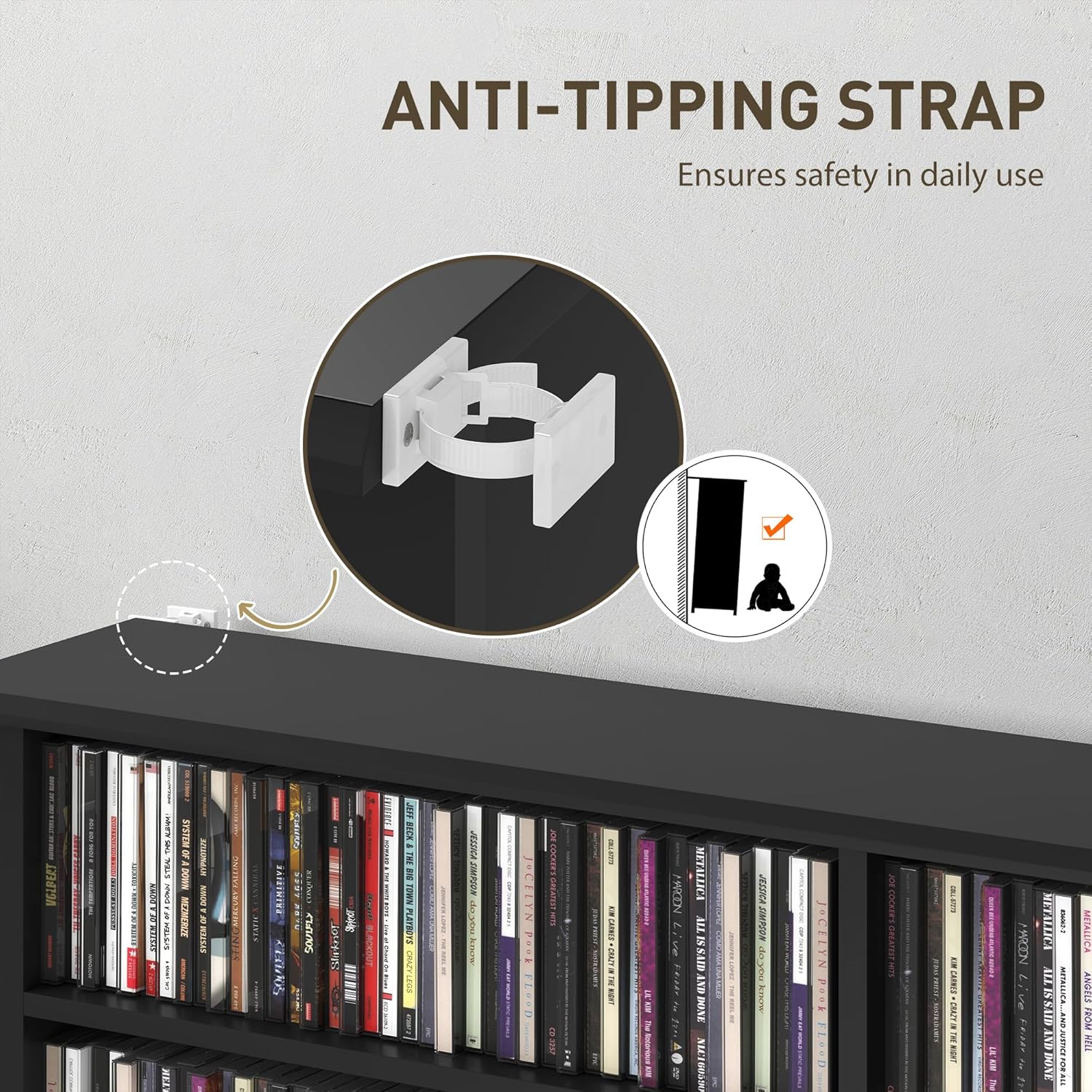
Figure 6: Anti-tipping strap installation.
7 Solución de problemas
If you encounter any issues with your HOMCOM Double Media Storage Cabinet, consider the following common solutions:
- Inestabilidade: Ensure all fasteners are tightened. Verify the cabinet is on a level surface. Confirm the anti-tipping strap is correctly installed.
- Pezas que faltan: Double-check the packaging. If parts are genuinely missing, contact customer support with your model number and a description of the missing components.
- Dificultade de montaxe: Review the assembly diagram and instructions carefully. Ensure parts are oriented correctly. Do not force components together.
8. Especificacións
| Característica | Detalle |
|---|---|
| Dimensións xerais | 106.5 x 24 x 126.3 cm (41.9 polgadas de ancho x 9.4 polgadas de fondo x 49.7 polgadas de alto) |
| Each Compartment Size | 47 x 15 x 14 cm (18.5 polgadas de ancho x 5.9 polgadas de fondo x 5.5 polgadas de alto) |
| Capacidade de peso total | 66 libras. (30 kg) |
| Material | Madeira de enxeñería |
| Remate | Melamina |
| Cor | Negro |
| Número de estantes axustables | 12 |
| Total Compartments | 16 |
| Requírese montaxe | Si |
| Tipo de montaxe | Floor Mount (with anti-tipping strap) |

Figura 7: Dimensións do produto.
9. Garantía e soporte
Your HOMCOM Double Media Storage Cabinet comes with a 90-Day Warranty Against Manufacturer Defects. For warranty claims, missing parts, or technical assistance, please contact Aosom Canada customer support.
Fabricante: Aosom Canadá
Lugar de traballo: Markham, Ontario, California
Teléfono: 1-416-792-6088