1. Introdución
Welcome to the GOBOULT Pyro Smartwatch user manual. This guide provides essential information for setting up, operating, and maintaining your new smartwatch. The GOBOULT Pyro combines advanced technology with a sleek design, offering features such as a vibrant AMOLED display, Bluetooth calling, comprehensive health monitoring, and various sports modes.
Please read this manual thoroughly to ensure proper use and to maximize your experience with the device.

Image 1.1: The GOBOULT Pyro Smartwatch in Charcoal Black. This image displays the watch face and strap, highlighting its overall design.
2. Características clave
The GOBOULT Pyro Smartwatch is equipped with a range of features designed to enhance your daily life and fitness routine:
- Pantalla AMOLED de 1.43 polgadas: Enjoy an ultra-clear and vibrant display with 600 nits brightness and Always-On Display functionality.
- Rotating Dial Navigation: Effortlessly browse menus and switch between applications.
- Bluetooth Calling 5.3: Make and receive calls directly from your wrist with enhanced audio quality.
- IP68 Water & Dust Resistance: Designed to withstand dust, sweat, and water immersion.
- 150+ Cloud-Based Watch Faces: Personalize your smartwatch to match your style.
- Máis de 120 modos deportivos: Track various fitness activities with real-time insights.
- Asistente de voz AI: Control tasks hands-free using voice commands.
- Vixilancia da saúde: Includes SpO2, heart rate, blood pressure, stress, sleep, and menstrual cycle tracking.
- Smart Productivity Features: Remote camera control, flashlight, world clock, weather updates, and 'Find My Phone' functionality.

Imaxe 2.1: Unha sobreview mostrarasing key features of the GOBOULT Pyro Smartwatch, including the working dial, Always-On Display, 600 nits brightness, 120+ sports modes, Bluetooth calling, health monitoring, and IP68 water resistance.
3. Configuración
3.1. Desembalaxe e Inspección Inicial
Ao abrir o paquete, asegúrese de que todos os compoñentes estean presentes e sen danos. A caixa debe conter:
- GOBOULT Pyro Smartwatch
- Cable de carga
- Manual de usuario (este documento)
- Tarxeta de garantía
3.2. Carga do reloxo intelixente
Before first use, fully charge your GOBOULT Pyro Smartwatch. Connect the provided charging cable to the charging port on the back of the smartwatch and to a standard USB power adapter (not included). A full charge typically takes approximately 150 minutes.
Nota: Use a compatible charger to avoid damage. The smartwatch requires 1 AAA battery (included) for internal functions, but the main power is supplied via the charging cable.
3.3. Emparellamento co teu teléfono intelixente
Para desbloquear toda a funcionalidade do teu reloxo intelixente, emparéllao co teu teléfono intelixente a través de Bluetooth:
- Download the official GOBOULT companion app from your smartphone's app store (available for Android and iOS).
- Asegúrate de que o Bluetooth estea activado no teu smartphone.
- Abre a aplicación GOBOULT e segue as instrucións que aparecen na pantalla para engadir un novo dispositivo.
- Select 'GOBOULT Pyro' from the list of available devices.
- Confirma a solicitude de emparellamento tanto no teu teléfono intelixente como no teu reloxo intelixente.
Once paired, the smartwatch will synchronize data and notifications with your phone.
4. Funcionamento
4.1. Pantalla e navegación
The GOBOULT Pyro features a 1.43-inch AMOLED display with 600 nits brightness, ensuring clear visibility even in bright sunlight. The Always-On Display (AOD) feature allows you to see essential information without fully activating the screen.

Image 4.1: The 1.43-inch AMOLED display of the GOBOULT Pyro Smartwatch, showcasing its vibrant colors and clarity, along with the Always-On Display feature and 600 nits brightness.
Navigate through menus and apps using the touchscreen and the intuitive rotating dial. Rotate the dial to scroll through lists or zoom, and press it to select items or return to the home screen.

Image 4.2: Close-up of the GOBOULT Pyro Smartwatch demonstrating the rotating action bezel for navigation through menus and options.
4.2. Personalización das esferas do reloxo
Personalize your smartwatch with over 150 cloud-based watch faces. You can change watch faces directly from the smartwatch settings or through the companion app. The app also allows for custom watch face options.

Image 4.3: A visual representation of the 150+ cloud-based watch faces available for the GOBOULT Pyro Smartwatch, including options for custom watch faces.
4.3. Chamadas por Bluetooth
With Bluetooth 5.3, you can make and receive calls directly from your smartwatch. The device features a dedicated microphone and speaker for clear, hands-free communication. Ensure your smartwatch is connected to your phone via Bluetooth for this feature to work.

Image 4.4: The GOBOULT Pyro Smartwatch displaying an incoming call, illustrating the Bluetooth calling feature with its dedicated microphone and speaker.
4.4. Modos deportivos e seguimento da actividade
The smartwatch supports over 120 sports modes, allowing you to track a wide range of physical activities. Select your desired sport from the menu to monitor real-time data such as duration, calories burned, and heart rate.

Image 4.5: The GOBOULT Pyro Smartwatch displaying a running activity summary, highlighting the availability of 120+ sports modes for tracking various physical activities.
4.5. Monitorización da saúde
The GOBOULT Pyro provides 24/7 health monitoring capabilities:
- Monitor de frecuencia cardíaca: Rexistra a túa frecuencia cardíaca continuamente.
- Monitorización de SpO2: Mide os niveis de osíxeno no sangue.
- Monitorización da presión arterial: Ofrece estimacións da presión arterial.
- Sleep & Stress Monitoring: Analyzes sleep patterns and stress levels.
- Seguimento do ciclo menstrual feminino: Axuda a controlar e predicir os ciclos menstruais.
For accurate readings, ensure the smartwatch is worn snugly on your wrist. Consult a medical professional for any health concerns; the smartwatch is not a medical device.

Image 4.6: The rear view of the GOBOULT Pyro Smartwatch, showing the optical PPG tech sensors used for health monitoring features like heart rate, SpO2, and blood pressure tracking.
4.6. AI Voice Assistant and Smart Features
Access your AI voice assistant (Siri or Google Assistant) for hands-free commands. The smartwatch also offers additional smart features:
- SMS & Push Notifications: Receive alerts for messages and app notifications.
- Control remoto da cámara: Usa o reloxo como obturador remoto para a cámara do teléfono.
- Lanterna: Activate a simple flashlight function.
- Reloxo Mundial: View horas en diferentes fusos horarios.
- Weather Details: Obtén actualizacións meteorolóxicas actuais.
- Atopar o meu teléfono: Localiza o teu teléfono intelixente emparellado.
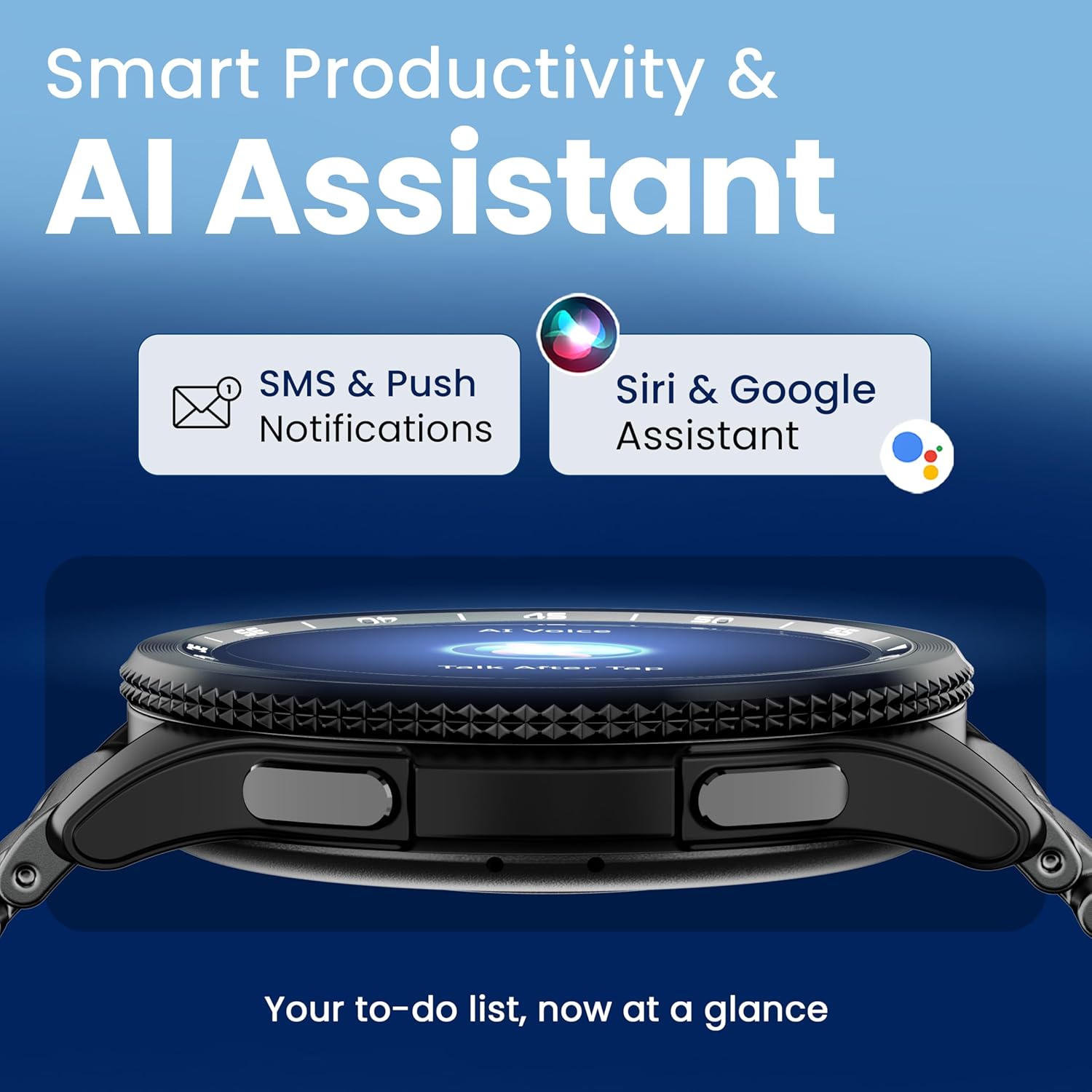
Image 4.7: The GOBOULT Pyro Smartwatch displaying the AI Voice Assistant interface, alongside icons for SMS and push notifications, indicating smart productivity features.

Image 4.8: The GOBOULT Pyro Smartwatch displaying the 'Find Phone' feature, with additional icons for remote camera control, flashlight, world clock, and weather details.
5. Mantemento
5.1. Resistencia á auga e ao po (IP68)
The GOBOULT Pyro Smartwatch is IP68 rated, meaning it is resistant to dust and can withstand immersion in water up to 1.5 meters for 30 minutes. This makes it suitable for daily wear, including during workouts and in rainy conditions. However, it is not recommended for diving, high-pressure water activities, or prolonged submersion.
Importante: Water resistance is not a permanent condition and may decrease over time with normal wear. Avoid exposing the watch to hot water, steam, or detergents, as these can compromise the seals.
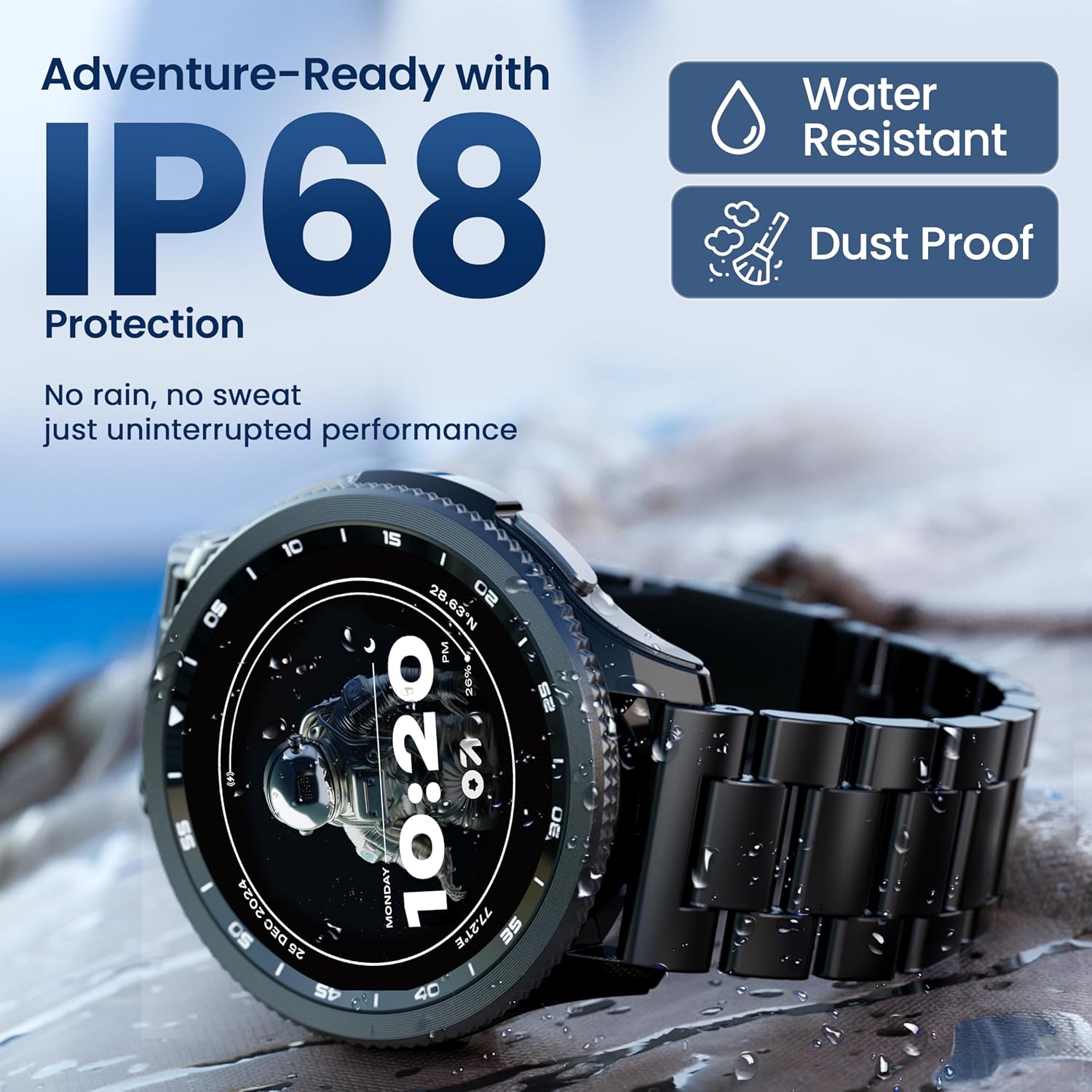
Image 5.1: The GOBOULT Pyro Smartwatch shown with water droplets, illustrating its IP68 water and dust resistance for uninterrupted performance in various conditions.
5.2. Limpeza do reloxo intelixente
To keep your smartwatch clean and functioning optimally:
- Limpe a pantalla e o corpo cun pano suave e sen fiapos.
- Se é necesario, dampEnxágüe lixeiramente o pano con auga. Evite o uso de produtos químicos agresivos ou materiais abrasivos.
- Limpe os contactos de carga regularmente para garantir unha carga eficiente.
- Se a correa é extraíble, límpea por separado segundo o tipo de material.
5.3. Coidado da batería
Para prolongar a duración da batería:
- Evita temperaturas extremas.
- Non deixes que a batería se descargue completamente antes de recargala con frecuencia.
- If storing the watch for an extended period, charge it to about 50% and power it off.
6 Solución de problemas
If you encounter issues with your GOBOULT Pyro Smartwatch, refer to the following common solutions:
| Problema | Posible Solución |
|---|---|
| O reloxo intelixente non se acende | Asegúrate de que o reloxo estea completamente cargado. Conéctao ao cargador durante polo menos 30 minutos. |
| Non se pode emparellalo co teléfono intelixente | Check if Bluetooth is enabled on your phone. Ensure the smartwatch is in pairing mode. Restart both devices and try again. Make sure the companion app is installed and updated. |
| Lecturas de saúde inexactas | Asegúrate de levar o reloxo ben axustado ao pulso, nin demasiado axustado nin demasiado solto. Limpa os sensores da parte traseira do reloxo. Evita o movemento excesivo durante as lecturas. |
| Non aparecen notificacións | Verify that notification permissions are granted to the GOBOULT app on your smartphone. Check the app's settings to ensure notifications are enabled for desired applications. Ensure Bluetooth connection is stable. |
| A batería esgotarase rapidamente | Reduce screen brightness. Disable Always-On Display if not needed. Limit background app refresh. Ensure no apps are constantly running in the background. Frequent Bluetooth calling can also consume more power. |
| Charging issues (e.g., not connecting to charger) | Ensure the charging cable is correctly aligned with the magnetic contacts on the watch. Clean the charging contacts on both the cable and the watch. Try a different USB power source. |
| Rotating dial not working | Check for any physical obstruction or debris around the dial. Gently clean the area. If the issue persists, a software glitch might be present; try restarting the watch. |
7. Especificacións
Below are the technical specifications for the GOBOULT Pyro Smartwatch:
| Característica | Detalle |
|---|---|
| Marca | GOBOULT |
| Serie modelo | Piro |
| Tamaño de visualización | 1.43 polgadas |
| Tipo de visualización | AMOLED |
| Brillo | 600 nits |
| Conectividade | Bluetooth 5.3 |
| Compatibilidade do sistema operativo | Android, iOS |
| Resistencia á auga | IP68 |
| Capacidade da batería | 300 millónsamp Horario |
| Duración media da batería | Ata 7 días |
| Tempo de carga da batería | Aproximadamente 150 minutos |
| Peso do elemento | 68 g |
| Compoñentes incluídos | Reloxo intelixente, cable de carga, manual de usuario, tarxeta de garantía |
8. Garantía e soporte
8.1. Información da garantía
Your GOBOULT Pyro Smartwatch comes with a manufacturer's warranty. Please refer to the included Warranty Card for detailed information regarding warranty terms, conditions, and duration. Keep your proof of purchase for warranty claims.
8.2. Atención ao cliente
For technical assistance, troubleshooting beyond this manual, or warranty service, please contact GOBOULT customer support. Contact details can typically be found on the Warranty Card or the official GOBOULT website. When contacting support, please have your product model (Pyro) and purchase details ready.


