1. Produto rematadoview
The Elitech DR-230-THE is a Bluetooth-enabled hygrometer and thermometer designed for precise temperature and humidity monitoring. It features a large display, extensive data storage, and smart alarm capabilities, making it suitable for various environments such as warehouses, laboratories, and cold storage facilities.
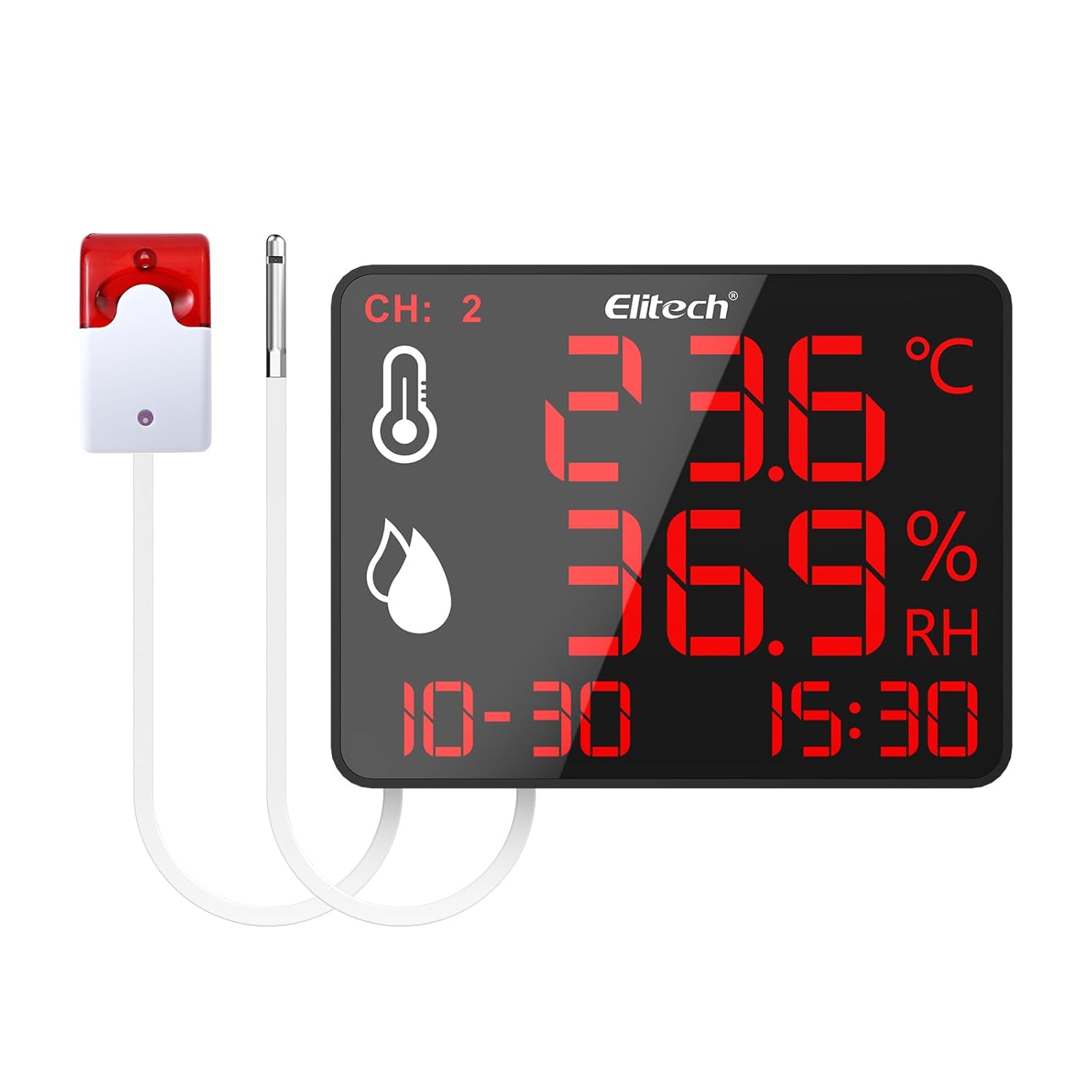
Figure 1: Elitech DR-230-THE device with external alarm and sensor.
2. Características clave
- 10.6-inch Jumbo Display: Provides clear visibility of temperature and humidity readings across large spaces.
- 30,000 Data Points Storage: Robust cyclic storage capacity with automatic overwrite to ensure continuous data recording.
- Monitorización de dobre canle: Simultaneously track two zones using external sensors.
- Alertas intelixentes: Customizable alarms including screen flashing and an optional 110dB external siren with adjustable delays.
- Conectividade Bluetooth: Monitor data remotely via the Elitech iCold app (up to 147ft range).
- Universal Power & Flexible Installation: Supports 100–240V power input with interchangeable plugs and offers wall-mounting or desktop stand options.
3. Configuración
3.1 Contido do paquete
Verifica que estean presentes todos os compoñentes:
- Elitech DR-230-THE device
- External temperature/humidity sensor(s)
- External alarm (optional, if included with model)
- Power adapter with interchangeable plugs (US, EU, UK, China standards)
- Mounting accessories (screws, wall anchors)
- Manual de usuario (este documento)
3.2 Alimentación do dispositivo
- Seleccione o enchufe axeitado para a súa rexión e conécteo ao adaptador de alimentación.
- Connect the power adapter to the Power Supply Interface on the back of the DR-230-THE device.
- Plug the power adapter into a standard 100–240V AC outlet. The device will power on automatically.
3.3 Sensor and Alarm Connection
- Locate the External Sensor Interface on the back of the device. Connect the external temperature/humidity sensor(s) to these ports.
- If your model includes an external alarm, connect it to the External Siren Interface.

Figure 2: Back panel connections including wall-mounting hole, external sensor interface, external siren interface, and power supply interface.
3.4 Opcións de instalación
The DR-230-THE offers flexible installation:
- Soporte de escritorio: Utilize the integrated back bracket for stable placement on any flat surface.
- Montaxe en parede: Use the wall-mounting hole and provided screws to secure the device to a wall. Ensure the wall can support the device's weight.
4. Instrucións de funcionamento
4.1 Mostrar máisview
The 10.6-inch display provides real-time information:

Figure 3: The 4-in-1 display shows temperature, humidity, date, and time. Device dimensions are approximately 8.5" (21.5cm) length and 6.5" (16.5cm) width.
- CH: 2: Indicates dual-channel monitoring is active.
- Icona de temperatura: Displays the current temperature reading.
- Humidity Icon: Displays the current relative humidity reading.
- Data e hora: Shows the current date and time.
4.2 Conectividade Bluetooth e integración de aplicacións
The Elitech iCold app allows for remote monitoring and configuration:
- Download the Elitech iCold app from your smartphone's app store.
- Asegúrate de que o Bluetooth estea activado no teu smartphone.
- Open the Elitech iCold app and follow the on-screen instructions to connect to your DR-230-THE device.
- Unha vez conectado, podes view real-time graphs, configure parameters, and access automatic data recording.

Figure 4: The Elitech iCold app provides real-time charts and instant PDF reports.
4.3 Rexistro e exportación de datos
The device automatically stores up to 30,000 data points. Old data is overwritten once the storage capacity is reached.
- Through the Elitech iCold app, users can export real-time charts and instant PDF reports for data analysis and record-keeping.

Figure 5: The device stores 30,000 data points, ensuring critical information is retained.
4.4 Configuración da alarma
The DR-230-THE features customizable alarms:
- Screen Flashing: The device screen will flash when readings exceed set thresholds.
- External Siren: If connected, the optional 110dB external siren will activate.
- Retardo axustable: Alarm delays can be set between 3 to 10 seconds to prevent false alerts from transient fluctuations.
Alarm thresholds and delays are configured via the Elitech iCold app.
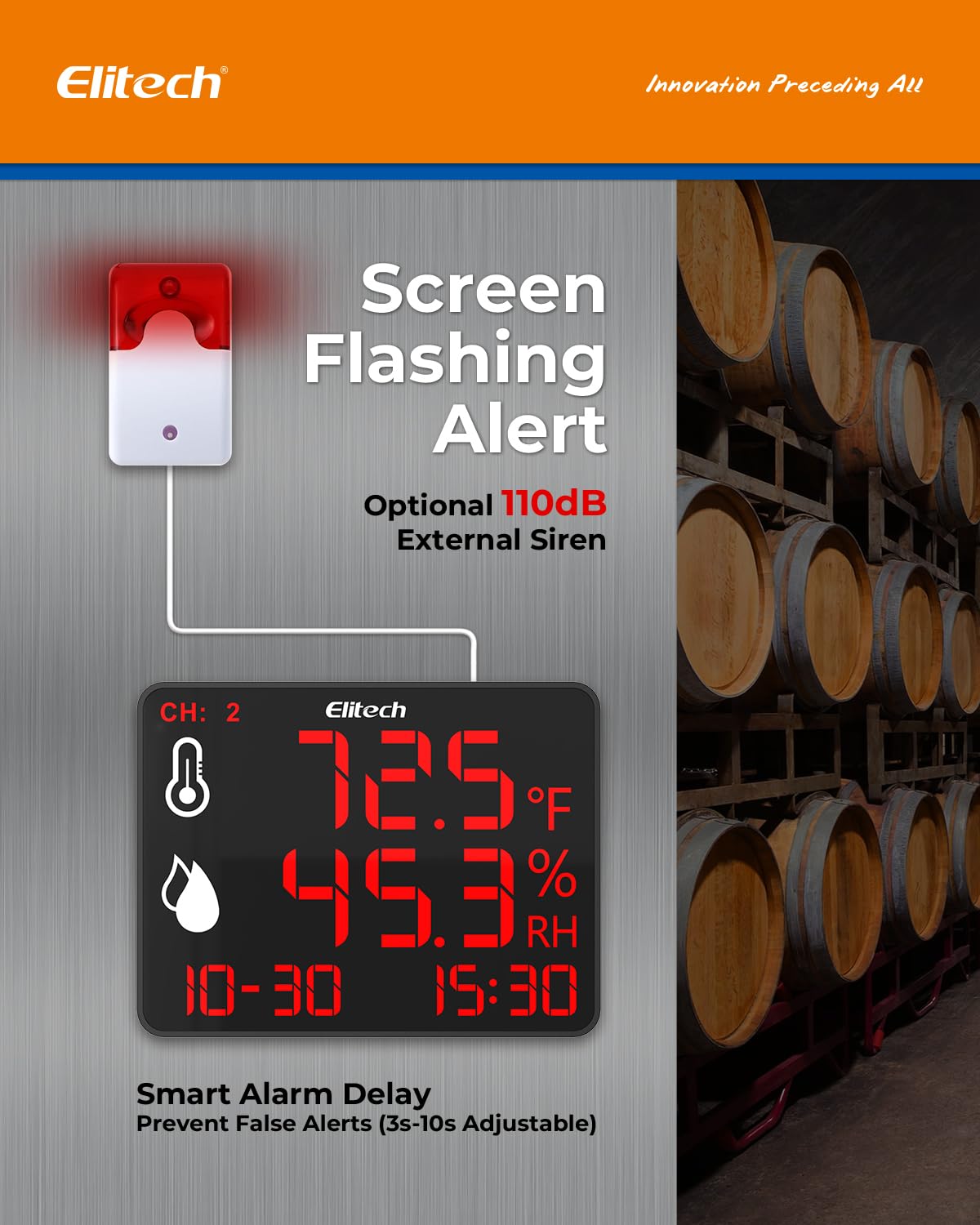
Figure 6: Screen flashing and optional 110dB external siren provide smart alerts with adjustable delays.
5. Mantemento
- Limpeza: Wipe the device and sensors with a soft, dry cloth. Do not use abrasive cleaners or immerse the device in water.
- Coidados do sensor: Keep sensors free from dust and debris to ensure accurate readings. Avoid exposing sensors to extreme physical shock or corrosive substances.
- Almacenamento: Cando non o use durante períodos prolongados, garde o dispositivo nun lugar fresco e seco, lonxe da luz solar directa.
6 Solución de problemas
| Problema | Causa posible | Solución |
|---|---|---|
| O dispositivo non se acende. | Sen fonte de alimentación ou adaptador defectuoso. | Check power connection. Ensure adapter is securely plugged into device and outlet. Try a different outlet. |
| Lecturas inexactas. | Sensor obstruction or damage; device placed in an unsuitable environment. | Ensure sensors are clean and unobstructed. Relocate the device to a stable environment away from direct heat sources or drafts. |
| Problemas de conexión Bluetooth. | Bluetooth off; device out of range; app issues. | Ensure Bluetooth is enabled on your phone. Move closer to the device (within 147ft). Restart the app or your phone. |
| Alarm not triggering. | Alarm thresholds not set correctly; alarm delay too long; external siren disconnected. | Verify alarm settings in the Elitech iCold app. Check external siren connection. |
7. Especificacións
- Tamaño da pantalla: 10.6 polgadas
- Almacenamento de datos: 30,000 data points (auto-overwrite)
- Monitoring Channels: Dual (with external sensors)
- Tipo de alarma: Screen flashing, optional 110dB external siren
- Retraso da alarma: Adjustable (3–10 seconds)
- Conectividade: Bluetooth (up to 147ft range)
- Entrada de enerxía: 100-240V CA.
- Instalación: Wall-mounting, desktop stand
8. Garantía e soporte
Para obter información sobre a garantía e asistencia técnica, consulte a páxina oficial de Elitech website or contact Elitech customer service directly. Keep your purchase receipt as proof of purchase.
Tecnoloxía Elitech Inc.
Información do vendedor


