1. Introdución
Thank you for choosing BUGANI Buds True Wireless Earbuds. This manual provides detailed instructions on how to set up, operate, and maintain your earbuds to ensure optimal performance and longevity. Please read this manual thoroughly before using the product.
2. Contido do paquete
- 1 pair of BUGANI B09 True Wireless Earbuds
- 1 Cable de carga USB-C
- 3 pairs of Eartips (S, M, L)
- 3 pairs of Silicone Ear Hooks (S, M, L)
- 1 Guía do usuario
3. Produto rematadoview
Familiarize yourself with the components of your BUGANI Buds.
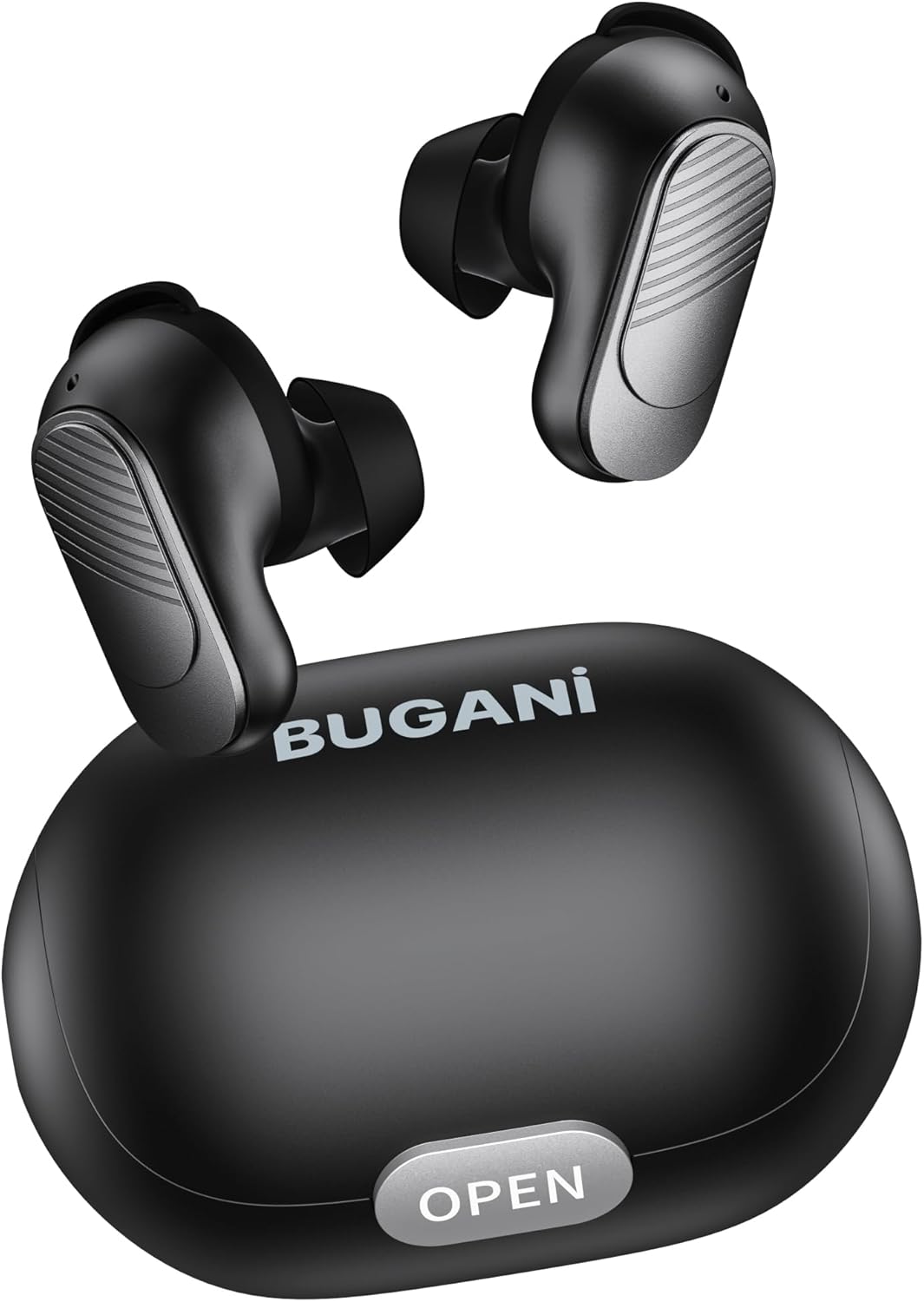
Image: BUGANI Buds True Wireless Earbuds with their charging case. The earbuds are black with silver accents, and the case is a sleek black oval shape with an "OPEN" button.

Image: An exploded diagram showing the internal components of a BUGANI Bud earbud, highlighting the driver and circuit board for enhanced sound quality.

Image: Illustration demonstrating the battery life of BUGANI Buds. It shows 6 hours of playback on a single charge and an additional 24 hours with the charging case, totaling 30 hours.

Image: A woman using BUGANI Buds during a phone call, with an inset showing the earbud and the "MIC" label, indicating the dual microphone for clear calls.

Image: A woman exercising while wearing BUGANI Buds, with an overlay showing the IPX6 water resistance icon, signifying protection against sweat and splashes.

Image: A woman wearing BUGANI Buds, with insets highlighting the lightweight design (3.9g) and the ergonomic fit with proper ear wingtips for comfort.
4. Configuración
4.1 Carga inicial
Before first use, fully charge the earbuds and the charging case. Connect the USB-C charging cable to the charging port on the case and a power source. The indicator lights on the case will show charging status.
4.2 Escolla das almofadas axeitadas
Select the eartips (S, M, L) and silicone ear hooks that provide the most comfortable and secure fit for your ears. A proper seal is crucial for optimal sound quality and noise isolation.
5. Instrucións de funcionamento
5.1 Encendido/apagado
- Encendido: Abre o estuche de carga e os auriculares acenderanse automaticamente.
- Apagado: Volve colocar os auriculares na caixa de carga e pecha a tapa. Apagaranse automaticamente e comezarán a cargar.
5.2 Emparejamento Bluetooth
- Asegúrate de que os auriculares estean na caixa de carga e que a tapa estea aberta.
- No teu dispositivo (teléfono intelixente, tableta, etc.), activa o Bluetooth.
- Busca "BUGANI Buds" in the list of available Bluetooth devices.
- Select "BUGANI Buds" to connect. Once connected, you will hear a confirmation tone.
- Os auriculares volverán conectarse automaticamente ao último dispositivo emparellado ao sacalos da funda, se o Bluetooth está activado no dispositivo.
5.3 Controis táctiles
The BUGANI Buds feature intuitive touch controls on each earbud:
| Acción | Auricular esquerdo | Earbud dereito |
|---|---|---|
| Reproducir/Pausa | Toque un só | Toque un só |
| Próxima pista | Toca dúas veces | |
| Pista anterior | Toca dúas veces | |
| Responder/Finalizar chamada | Toque un só | Toque un só |
| Rexeitar a chamada | Presión longa (2 s) | Presión longa (2 s) |
| Activa o asistente de voz | Toca tres veces | Toca tres veces |
5.4 Carga dos auriculares e da funda
- Auriculares: Place the earbuds into the charging case. They will automatically charge.
- Estuche de carga: Connect the USB-C cable to the charging port on the case and a USB power adapter (not included). The indicator lights will show the charging status.
6. Mantemento
- Limpa os auriculares e a caixa de carga regularmente cun pano suave e seco.
- Non use produtos de limpeza ou disolventes abrasivos.
- Manteña limpos os contactos de carga tanto dos auriculares como da funda para garantir unha carga axeitada.
- Garda os auriculares no seu estuche de carga cando non estes en uso para protexelos e mantelos cargados.
- Evita expoñer os auriculares a temperaturas extremas, humidade ou luz solar directa.
- While IPX6 water-resistant, do not immerse the earbuds in water.
7 Solución de problemas
| Problema | Posible Solución |
|---|---|
| Os auriculares non se emparejan |
|
| Só funciona un auricular |
|
| Mala calidade de son |
|
| Os auriculares non se cargan |
|
8. Especificacións
| Característica | Detalle |
|---|---|
| Nome do modelo | B09 |
| Marca | BUGANI |
| Tecnoloxía de conectividade | Sen fíos (Bluetooth 5.3) |
| Tecnoloxía de comunicación sen fíos | Bluetooth |
| Tipo de control | Control táctil |
| Nivel de resistencia á auga | IPX6 (Impermeable) |
| Rango de frecuencias | 20 Hz - 20,000 Hz |
| Composición da batería | Ion de litio |
| Batería recargable | Si |
| Colocación do oído | In-Ear |
| Factor de forma | In-Ear |
| Material | Plástico |
| Cor | Negro |
| ASIN | B0FBRKTKTS |
9. Garantía e soporte
For warranty information and technical support, please refer to the official BUGANI websitio web ou póñase en contacto co servizo de atención ao cliente. Garde o recibo de compra para reclamacións de garantía.
Return Policy: This product typically has a 30-day refund/replacement return policy.
Manufacturer: BUGANI


