1. Introdución
This manual provides detailed instructions for the LIGE Smartwatch Model EF14-I. It covers setup, operation, maintenance, and troubleshooting to ensure optimal performance and user experience. Please read this manual thoroughly before using your device.

Image 1: LIGE Smartwatch Model EF14-I, showcasing its design, interchangeable straps, and multiple digital watch faces.
2. Configuración
2.1 Carga do dispositivo
Before initial use, fully charge your smartwatch. The device features a 730mAh polymer battery. Use the provided magnetic charging cable. A full charge typically takes approximately 2.5 hours. The watch offers 5-7 days of daily use and up to 50 days in standby mode.

Image 2: The LIGE Smartwatch connected to its magnetic charger, illustrating its 730mAh battery capacity and extended battery life.
2.2 App Installation (FitCloudPro)
Para desbloquear todas as funcionalidades do teu reloxo intelixente, descarga e instala o FitCloudPro application on your smartphone. The app is compatible with Android 5.0+ and iOS 11.0+ devices.
- Scan the QR code provided in the watch packaging or on the watch screen to download the app.
- Alternatively, search for "FitCloudPro" in the Apple App Store (for iOS) or Google Play Store (for Android).
- Instala a aplicación no teu teléfono intelixente.
2.3 Emparejamento de dispositivos
Ensure your smartphone's Bluetooth is enabled. Open the FitCloudPro app and follow the on-screen instructions to pair your smartwatch. The device uses Bluetooth 5.0 for a stable connection.
3. Instrucións de funcionamento
3.1 Navegación básica
- Pantalla táctil: Desliza o dedo cara á esquerda, á dereita, cara arriba ou cara abaixo para navegar polos menús e as funcións. Toca para seleccionar.
- Botóns laterais: Use the physical buttons on the side of the watch for quick access to functions or to return to the home screen.
3.2 Chamadas e notificacións por Bluetooth
Once paired with your smartphone, the smartwatch supports Bluetooth 5.3 for direct calls from your wrist. You can also receive instant notifications for messages, calls, and various applications.
- Facer/Recibir chamadas: Access the call log or dial pad on the watch to initiate calls. Answer incoming calls directly on the watch.
- Notificacións de mensaxes: View incoming messages from SMS and social media apps.
- Notificacións da aplicación: Receive alerts from compatible applications.

Image 3: The smartwatch interface showing Bluetooth call functionality, message alerts, and voice assistant interaction.
3.3 Vixilancia da saúde
O reloxo intelixente ofrece funcións completas de seguimento da saúde:
- Frecuencia cardíaca: Monitorización continua da frecuencia cardíaca durante todo o día.
- Oxíxeno no sangue (SpO2): Mide os niveis de saturación de osíxeno no sangue.
- Seguimento do sono: Monitors sleep patterns, including sleep duration and quality.
- Podómetro: Tracks steps taken, distance covered, and calories burned.

Image 4: Health monitoring features of the smartwatch, including heart rate, daily activity, sleep analysis, and guided breath training.
3.4 Modos deportivos
The device supports over 110 professional sport modes, accurately tracking your activity data.
- Select your desired sport mode from the watch menu.
- The watch will record data such as steps, calories burned, and distance.
- All fitness data synchronizes with the FitCloudPro app for detailed analysis.

Image 5: The smartwatch tracking a running activity, demonstrating its multi-sport mode capabilities for various physical activities.
3.5 Funcións adicionais
- Luz LED: A powerful LED flashlight for emergencies or low-light conditions.
- Control de música: Controla a reprodución de música no teu smartphone.
- Control da cámara: Usa o reloxo como obturador remoto para a cámara do teu teléfono.
- Asistente de voz: Accede ao asistente de voz do teu teléfono intelixente.
- Tempo: View current weather information.
- Recordatorios: Set alarms, sedentary reminders, and drink water reminders.
- Buscar teléfono: Localiza o teu teléfono intelixente emparellado.
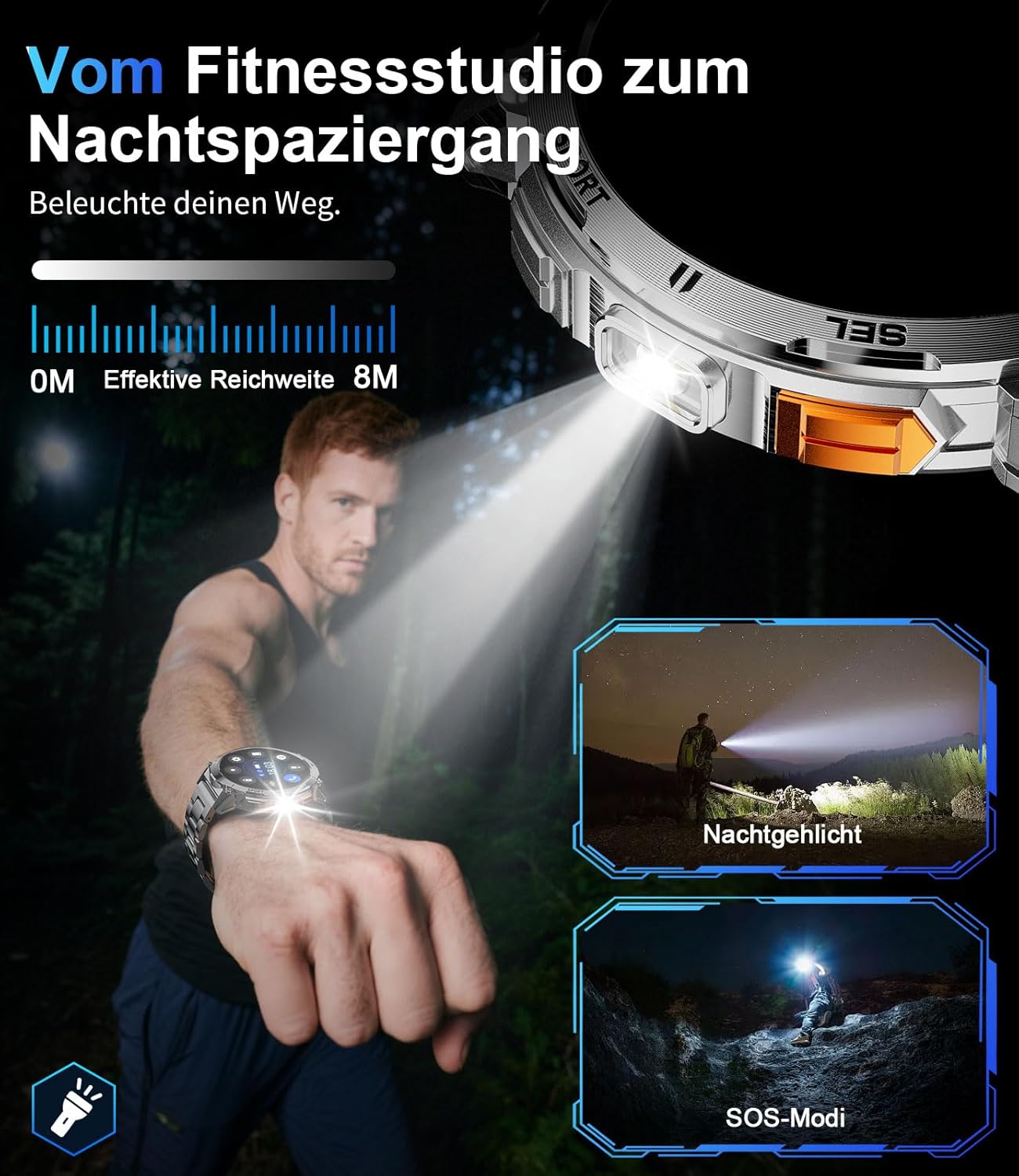
Image 6: The smartwatch's integrated LED flashlight in use, providing illumination in a dark environment.
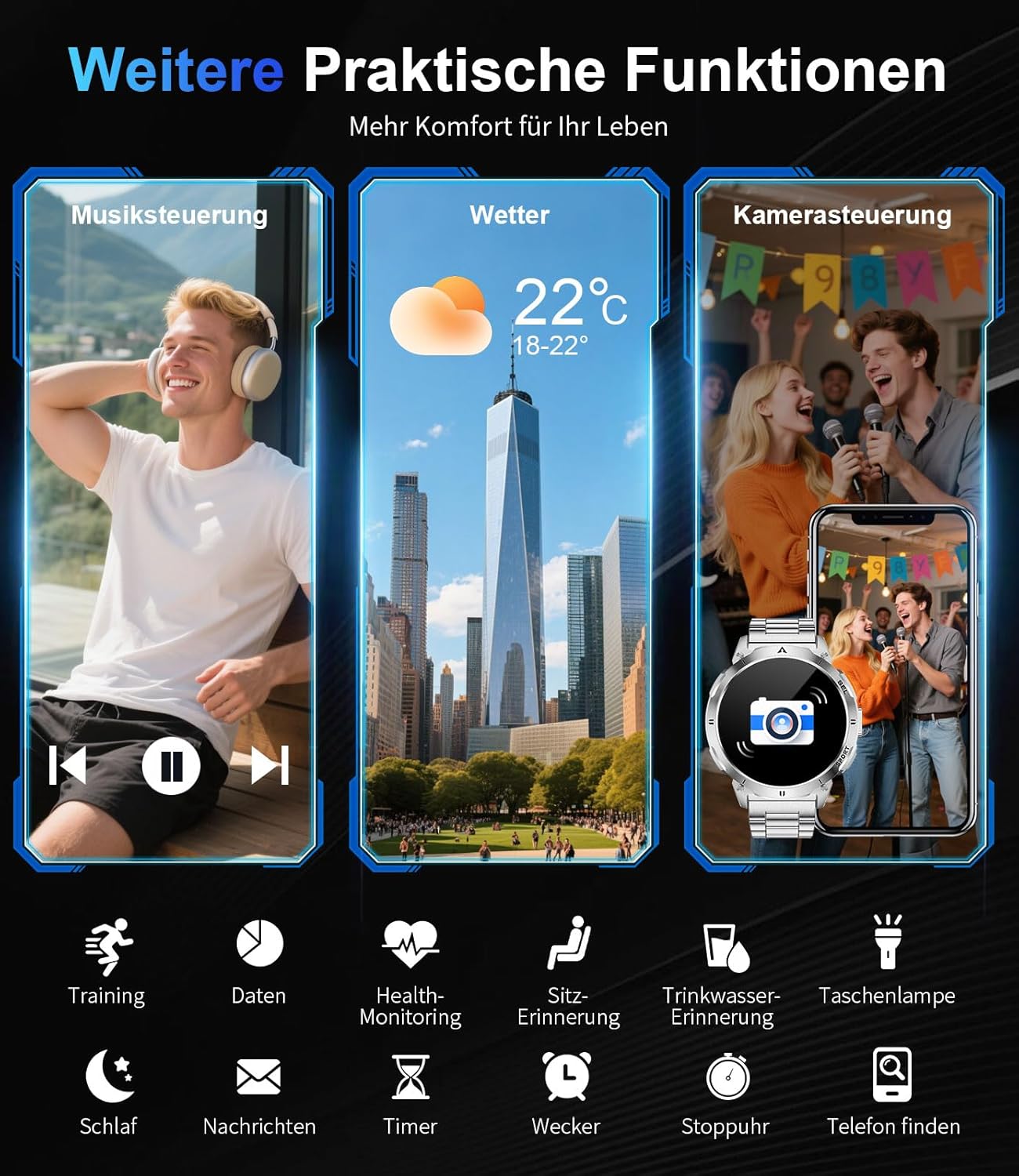
Imaxe 7: Acabadoview of additional practical functions including music control, weather display, and remote camera operation.
4. Funcións máisview
Pantalla AMOLED 4.1
The smartwatch features a 1.62-inch AMOLED display with 480x480 pixels and 850 nits brightness, ensuring clear visuals even in direct sunlight. The ONCELL touch panel provides precise and responsive control.
4.2 Deseño duradeiro
Constructed with a zinc alloy casing and a robust polycarbonate back, the smartwatch is lightweight (83g) and durable. It is 3 ATM waterproof, making it resistant to rain, sweat, and suitable for swimming.

Image 8: Visual representation of the smartwatch's durability, highlighting its resistance to shock, extreme temperatures, dust, scratches, and impacts.
4.3 esferas de reloxo personalizables
Personalize your smartwatch with over 200 watch faces available through the FitCloudPro app. You can also create custom watch faces to match your style.

Image 9: The smartwatch's extensive watch face customization options, including a preview of a custom background being set via the app.
5. Mantemento
5.1 Resistencia á auga
The LIGE Smartwatch Model EF14-I is 3 ATM waterproof. This means it can withstand splashes, rain, and brief immersion in water, such as during swimming. It is not recommended for diving or high-pressure water activities.
5.2 Limpeza
Para limpar o teu reloxo intelixente, sécao cun pano suave eamp pano. Evita o uso de produtos químicos agresivos ou materiais abrasivos, xa que poden danar o dispositivo. Asegúrate de que os contactos de carga estean limpos e secos antes de cargalo.
5.3 Coidado coa batería
To prolong battery life, avoid exposing the watch to extreme temperatures. Charge the device regularly, but avoid leaving it fully discharged for extended periods.
6 Solución de problemas
- O dispositivo non se acende: Asegúrate de que o reloxo estea completamente cargado. Conéctao ao cargador e agarda uns minutos antes de tentar acendelo.
- Non se pode emparellar co teléfono intelixente: Make sure Bluetooth is enabled on your phone and the watch is within range. Restart both the watch and your phone, then try pairing again through the FitCloudPro app.
- Datos sanitarios inexactos: Asegúrate de levar o reloxo ben axustado ao pulso, nin demasiado axustado nin demasiado solto. Limpa o sensor da parte traseira do reloxo.
- Notificacións non recibidas: Check app notification settings in the FitCloudPro app and your phone's system settings to ensure permissions are granted.
- Autonomía curta da batería: Reduce screen brightness, disable unnecessary features, and ensure background app usage is optimized.
7. Especificacións
| Característica | Especificación |
|---|---|
| Marca | LIXE |
| Número de modelo | EF14-I |
| Mostrar | 1.62-inch AMOLED, 480x480 pixels, 850 nits |
| Capacidade da batería | 730 mAh de polímero de litio |
| Duración da batería | 5-7 days (daily use), up to 50 days (standby) |
| Tempo de carga | Approx. 2.5 hours (magnetic charging) |
| Resistencia á auga | 3 ATM |
| Conectividade | Bluetooth 5.0/5.3 |
| Sistema Operativo | Wear OS (compatible with Android 5.0+, iOS 11.0+) |
| Almacenamento de memoria | 256 MB |
| Características especiais | LED Light, Pedometer, Fitness Tracker, Heart Rate Monitor, SpO2, Sleep Tracker, Bluetooth Calls, Music Player, Voice Assistant, Reminders, Alarms, Notifications, Sedentary Reminder, Calculator |
| Dispositivos compatibles | Teléfono intelixente |
| Peso | 83 g |
8. Garantía e soporte
The LIGE Smartwatch Model EF14-I comes with a 2-year warranty. Additionally, a 30-day return policy is typically offered. For technical support or warranty claims, please refer to the contact information provided with your purchase or visit the official LIGE support websitio.


