1. Introdución
This manual provides essential information for setting up, operating, maintaining, and troubleshooting your new VIBOX III-445 PC Gamer. Please read this guide thoroughly before using your computer to ensure optimal performance and longevity.
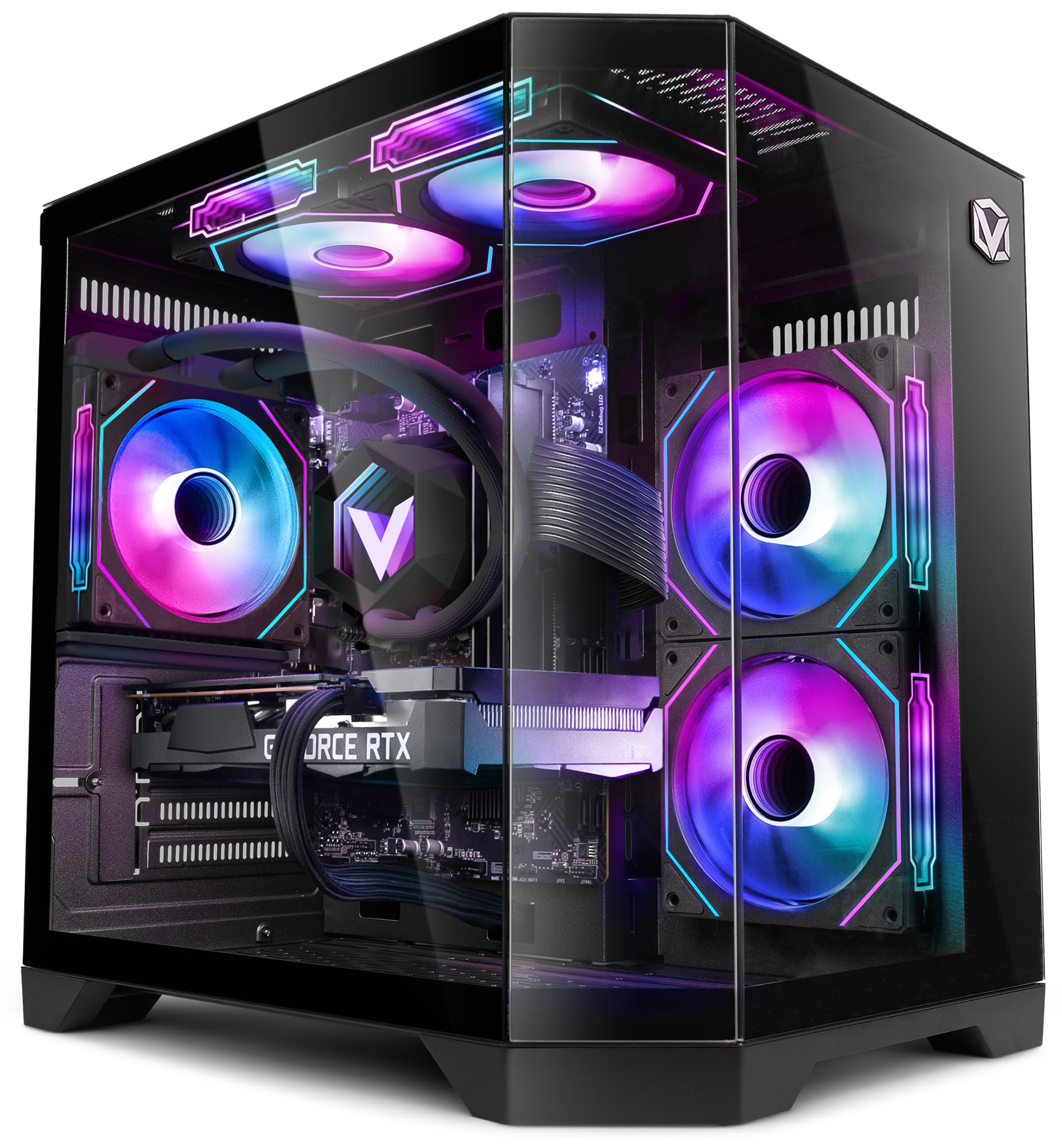
Figure 1: VIBOX III-445 PC Gamer, showcasing its internal components and RGB lighting.
2. Configuración
2.1. Desembalaxe e Inspección Inicial
- Retire con coidado o PC da súa embalaxe.
- Inspect the computer for any visible damage that may have occurred during shipping.
- Remove any internal packaging materials, such as foam inserts, designed to protect components during transit.
- Ensure all accessories (power cable, Wi-Fi adapter, documentation) are present.
2.2. Conexión de periféricos
Connect your monitor, keyboard, mouse, and other peripherals to the appropriate ports on the back and front of the PC. Refer to the image below for front panel connectivity.

Figure 2: Front panel connectivity. Includes power button, USB 2.0 ports, USB 3.0 ports, headphone jack, reset button, and RGB lighting control button.
- Monitor: Connect your monitor to the graphics card (Nvidia RTX 5060) using an HDMI or DisplayPort cable.
- Teclado e rato: Connect to any available USB ports.
- Potencia: Connect the power cable to the PC and a wall outlet.
- Rede: Use the included Wi-Fi adapter for wireless internet or connect an Ethernet cable to the LAN port for a wired connection.
2.3. First Boot and Windows 11 Setup
- Prema o botón de acendido/acendido na parte frontal do PC.
- Follow the on-screen instructions to complete the Windows 11 setup process. This typically involves selecting your region, language, creating a user account, and connecting to a network.
- Ensure all drivers are installed and updated after the initial setup. You can check for updates via Windows Update and the Nvidia website for graphics drivers.
3. Manexo do teu PC
3.1. Windows 11 Home
Your VIBOX III-445 PC comes pre-installed with Windows 11 Home, optimized for gaming and productivity.

Figure 3: Windows 11 Home operating system.
- Faster Loading Times: Benefit from DirectStorage for quicker game loading.
- Gráficos mellorados: AutoHDR improves visual quality in supported games.
- Xbox Game Pass Integration: Seamless access to a library of games.
- Optimized CPU Performance: Windows 11 is designed to leverage modern CPU architectures efficiently.
3.2. Compoñentes clave
The VIBOX III-445 is equipped with powerful components for a smooth computing experience.
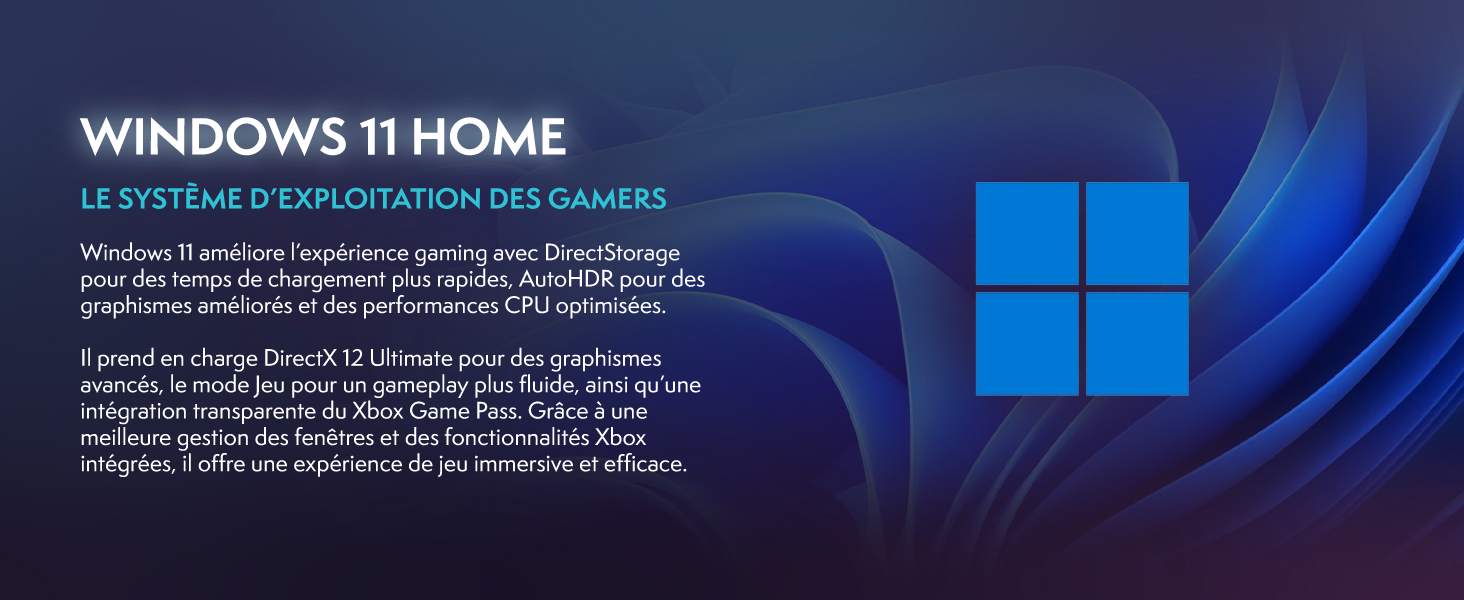
Figura 4: Máisview of the VIBOX III-445's core components.
- Procesador: Intel Core i7-12700KF (12 Cores, up to 5.0 GHz) for high-performance gaming, streaming, and content creation.
- Tarxeta gráfica: Nvidia GeForce RTX 5060 (8GB GDDR7) for advanced graphics and gaming.
- RAM: 16GB DDR4 3200MHz Dual Channel for smooth multitasking.
- Almacenamento: 500GB SSD for fast boot times and application loading.
3.3. Sistema de refrixeración
The PC features an advanced cooling system to maintain optimal temperatures.

Figure 5: VIBOX AIO 120MM liquid cooler for stable processor temperatures.

Figure 6: Reversed airflow design for optimized air circulation and reduced heat accumulation.

Figure 7: Hex RGB Infinity 120mm fans for customizable lighting and enhanced airflow.
- VIBOX AIO 120MM: Provides compact and efficient liquid cooling for the CPU.
- Reversed Airflow: Optimizes air circulation to reduce heat buildup.
- Hex RGB Infinity 120MM Fans: High-performance fans with customizable RGB lighting.
4. Mantemento
4.1. Limpeza xeral
- Exterior: Use un suave, damp cloth to clean the exterior of the case. Avoid abrasive cleaners.
- Eliminación de po: Periodically use compressed air to clean dust from fans, vents, and internal components. Ensure the PC is powered off and unplugged before cleaning.
- Filtros: If your case has removable dust filters, clean them regularly to maintain optimal airflow.
4.2. Actualizacións de software
- Actualizacións de Windows: Comprobe e instale regularmente actualizacións de Windows para garantir a estabilidade e a seguridade do sistema. Vaia a Configuración > Actualización de Windows.
- Actualizacións de controladores: Keep your graphics card drivers updated by downloading the latest versions from the Nvidia website. Other component drivers can be updated via Windows Update or the motherboard manufacturer's websitio.
4.3. Copias de seguridade do sistema
- Fai copias de seguridade dos datos importantes con regularidade nun disco duro externo ou nun almacenamento na nube para evitar a perda de datos.
5 Solución de problemas
Esta sección aborda problemas comúns cos que podes atoparte. Para problemas máis complexos, ponte en contacto co servizo de asistencia técnica.
5.1. Sen poder
- Asegúrate de que o cable de alimentación estea conectado correctamente tanto ao PC como á toma de corrente.
- Check if the power supply unit (PSU) switch on the back of the PC is in the 'ON' position.
- Proba a toma de corrente con outro dispositivo para confirmar que teña corrente.
5.2. Sen visualización no monitor
- Verify that the monitor is powered on and connected to the graphics card (Nvidia RTX 5060) ports, not the motherboard's video outputs.
- Check the monitor's input source setting (HDMI, DisplayPort).
- Asegúrate de que a tarxeta gráfica estea correctamente colocada na súa ranura.
5.3. Poor Performance or Freezing
- Pecha as aplicacións en segundo plano innecesarias.
- Ensure all drivers, especially graphics drivers, are up to date.
- Check system temperatures using monitoring software to rule out overheating.
- Executa unha limpeza e desfragmentación do disco (para discos duros, non é necesario para SSD).
5.4. Problemas de conectividade wifi
- Ensure the Wi-Fi adapter is securely plugged into a USB port.
- Check Wi-Fi settings in Windows to ensure it's enabled and connected to the correct network.
- Reinicia o teu enrutador e o módem.
- Consider using a wired Ethernet connection if Wi-Fi signal is consistently weak or unstable.
6. Especificacións
| Característica | Detalle |
|---|---|
| Marca | VIBOX |
| Número de modelo | III-445 |
| Serie | VTX-8 |
| Cor | VTX-8 Black |
| Sistema Operativo | Windows 11 Home |
| Marca de procesador | Intel |
| Tipo de procesador | Core i7-12700KF |
| Velocidade do procesador | 3.6 GHz (up to 5.0 GHz boost) |
| Número de núcleos | 12 |
| Memoria máxima compatible | 128 GB |
| Tecnoloxía de disco duro | SSD |
| Interface de disco duro | SSD |
| Capacidade de almacenamento | 500 GB |
| Marca de chips gráficos | NVIDIA |
| Descrición da tarxeta gráfica | Dedicado |
| GPU | NVIDIA GeForce RTX 5060 |
| Graphics Card RAM | 8 GB |
| Tipo de RAM de gráficos | GDDR6 |
| Socket do procesador | LGA 1700 |
| Tipo de conectividade | Wi-Fi |
| Interface de hardware | HDMI, USB |
| Número de portos HDMI | 1 |
| Número de portos USB 2.0 | 3 |
| Número de portos USB 3.0 | 3 |
| Tipo de conector | Ethernet, HDMI, USB, Wi-Fi |
| Dispositivos compatibles | Headphones, Keyboard, Printer, Monitor, Mouse |
| Dimensións do artigo (L x W x H) | 35 x 28 x 38 centímetros |
| Usos específicos do produto | Gaming, Photo Editing, Video Editing |
| Tipo de PC | Torre de ordenadores |
7. Garantía
Your VIBOX III-445 PC Gamer comes with a manufacturer's warranty:
- Partes: 2 anos
- Laboral: De por vida
Please retain your proof of purchase for warranty claims. For detailed terms and conditions, refer to the warranty documentation included with your product or visit the VIBOX official websitio.
8. Apoio
If you encounter issues not covered in this manual or require further assistance, please contact VIBOX customer support. Have your model number (III-445) and purchase details ready when contacting support.
For additional resources, visit the official VIBOX websitio:


