1. Introdución
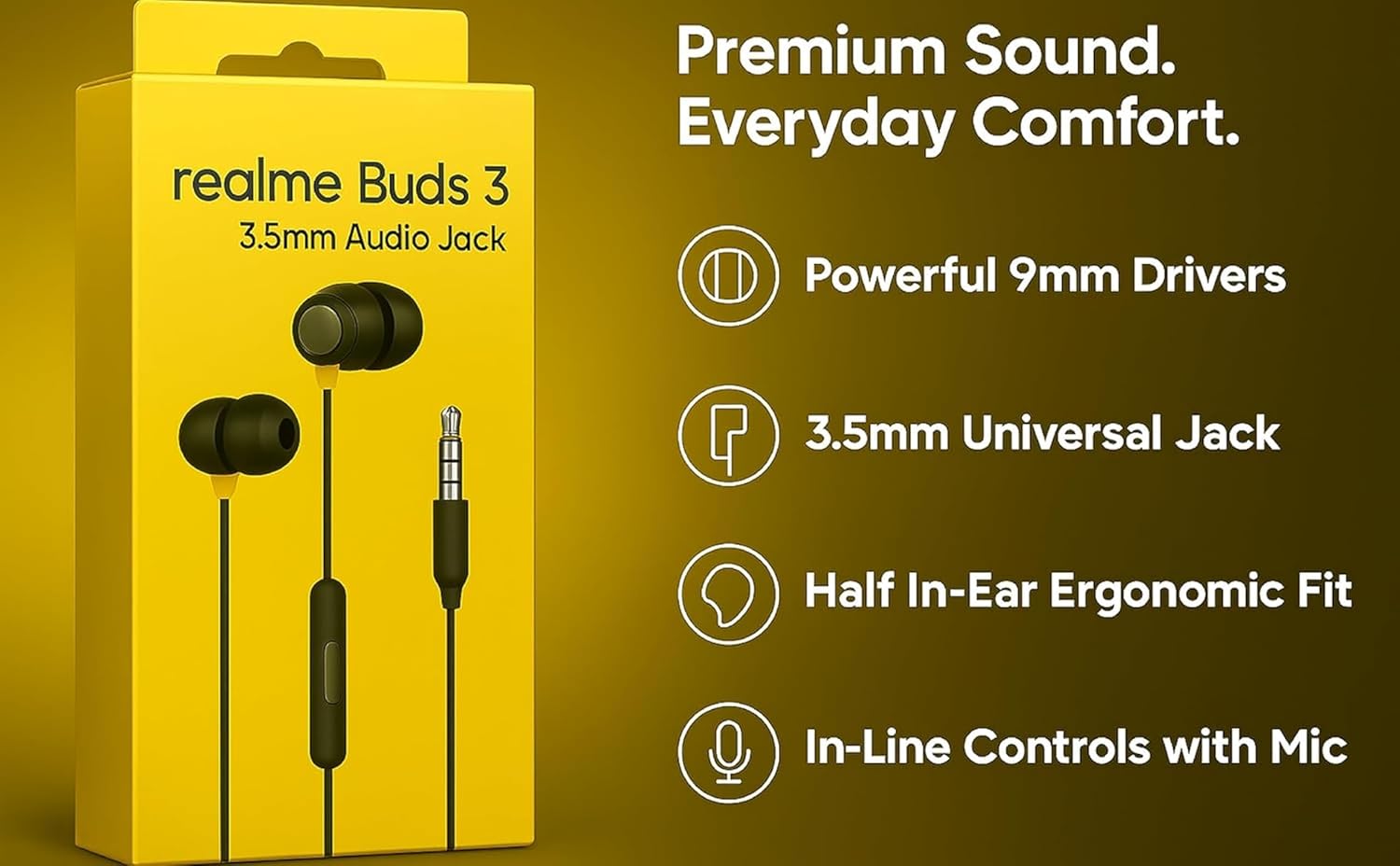
The realme Buds 3 are wired in-ear earphones designed for clear audio and convenient communication. Featuring a 3.5mm jack, 9mm dynamic drivers, and an in-line remote with microphone, these earphones offer a reliable audio solution for various devices.
2. Que hai na caixa
Carefully unpack the contents of your realme Buds 3 package. The box should contain the following items:
- 1 x realme Buds 3 Wired Earphones (Black)
- 1 x Guía de usuario
- 1 Pair x Eartip M (pre-installed)
- 1 Pair x Eartip S
- 1 Pair x Eartip L

Vídeo: Un unboxing e máisview of the realme Buds 3 wired earphones, demonstrating the package contents and initial product appearance.
3. Produto rematadoview
The realme Buds 3 are engineered for a balanced audio experience and user convenience.
Características principais:
- Controlador dinámico de 9 mm: Delivers clear audio with rich bass for an engaging listening experience.
- Universal 3.5mm Jack: Ensures broad compatibility with smartphones, laptops, tablets, and other devices with a standard 3.5mm audio port.
- In-line Mic & 3-Button Remote: Provides convenient control over music playback, calls, and voice assistant activation.
- Comfort Fit: Includes S/M/L silicone ear tips to ensure a secure and comfortable fit, enhancing passive noise isolation.
- Tangle-Resistant Braided Cable: Designed for durability and ease of use, minimizing tangles during storage and transport.
- Deseño lixeiro: Weighs approximately 40 grams, making them ideal for extended wear and portability.

4. Configuración
Follow these steps to set up your realme Buds 3 earphones:
- Seleccionar almofadas para os oídos: The earphones come with S, M, and L size ear tips. The M size is pre-installed. Try different sizes to find the most comfortable and secure fit. A good seal is crucial for optimal sound quality and passive noise isolation.
- Conectar ao dispositivo: Insert the 3.5mm audio jack into the corresponding port on your smartphone, laptop, tablet, or other compatible audio device.
- Position Earphones: Place the earbuds comfortably in your ears. Ensure the left (L) and right (R) indicators on the earbuds match the correct ear.

5. Instrucións de funcionamento
The in-line 3-button remote allows for easy control of your audio and calls.
Controis de música:
- Single Press (Center Button): Play / Pause music.
- Double Press (Center Button): Ir á seguinte pista.
- Triple Press (Center Button): Volve á pista anterior.
Xestión de chamadas:
- Single Press (Center Button): Responder a unha chamada entrante ou finalizar unha chamada activa.
- Long Press (Center Button): Rexeitar unha chamada entrante.
Axuste de volume:
- Press '+' Button: Aumentar o volume.
- Press '-' Button: Diminuír o volume.
Asistente de voz:
- Long Press (Center Button, when not in a call): Activate your device's voice assistant (e.g., Google Assistant, Siri).

6. Mantemento
To ensure the longevity and optimal performance of your realme Buds 3, follow these maintenance guidelines:
- Limpa as puntas dos oídos: Regularly remove the silicone ear tips and clean them with a soft, damp pano. Asegúrate de que estean completamente secos antes de volvelos colocar.
- Auriculares limpos: Gently wipe the earbuds with a dry, soft cloth to remove any earwax or debris. Avoid using liquids directly on the speaker mesh.
- Almacenar correctamente: When not in use, store the earphones in a clean, dry place. Utilize the tangle-resistant cable design to prevent knots and damage.
- Evita condicións extremas: Do not expose the earphones to extreme temperatures, humidity, or direct sunlight. They are not water-resistant.
- Manipular con coidado: Avoid pulling the cable forcefully or bending the 3.5mm jack at sharp angles, as this can damage internal wiring.
7 Solución de problemas
If you encounter issues with your realme Buds 3, refer to the following common solutions:
| Problema | Posible Solución |
|---|---|
| Sen son nin baixo volume |
|
| O micrófono non funciona |
|
| Poor sound quality (e.g., weak bass) |
|
| Earphones falling out easily |
|
8. Especificacións
Detailed technical specifications for the realme Buds 3 (Model RMA2419):
- Nome do modelo: realme Buds 3 (3.5mm)
- Número de modelo: RMA 2419
- Tipo de controlador de audio: Controlador dinámico de 9 mm
- Conector para auriculares: Jack de 3.5 mm
- Impedancia: 32 ohmios
- Control de ruído: Cancelación de ruído pasiva
- Tecnoloxía de conectividade: Con cable
- Tipo de control: Button Control (3-button remote)
- Característica do cable: Cordón sen enredos
- Material: Plástico
- Peso do artigo: Aproximadamente 40 gramos
- Dimensións do produto: 136 x 3.76 x 2.2 cm
- Dispositivos compatibles: Desktops, Laptops, Tablets, Telephones
- Nivel de resistencia á auga: Non resistente á auga
- País de orixe: China
9. Garantía e soporte
Your realme Buds 3 earphones come with a 6-month warranty from the date of purchase, covering manufacturing defects. Please retain your purchase receipt for warranty claims.
Para apoio:
For technical assistance, warranty claims, or further inquiries, please contact realme customer support:
- Correo electrónico: service@realme.com
- Número gratuíto: 1800 102 2777
- Websitio: www.realme.com
- Fabricante / importador: Realme Mobile Telecommunications (India) Private Limited, 3rd Floor, Tower B, Building Number 8, DLF Cyber City, Gurugram – 122002, Haryana, India.


