Introdución
The GoveeLife H5111 Refrigerator Freezer Thermometer provides accurate and real-time temperature monitoring for your refrigerator, freezer, or other environments. This device connects via Bluetooth to your smartphone, allowing you to track temperature data, set alarms, and receive alerts through the Govee Home app. For remote monitoring and advanced alerts, the thermometer can be paired with a compatible GoveeLife Wi-Fi Gateway (sold separately).
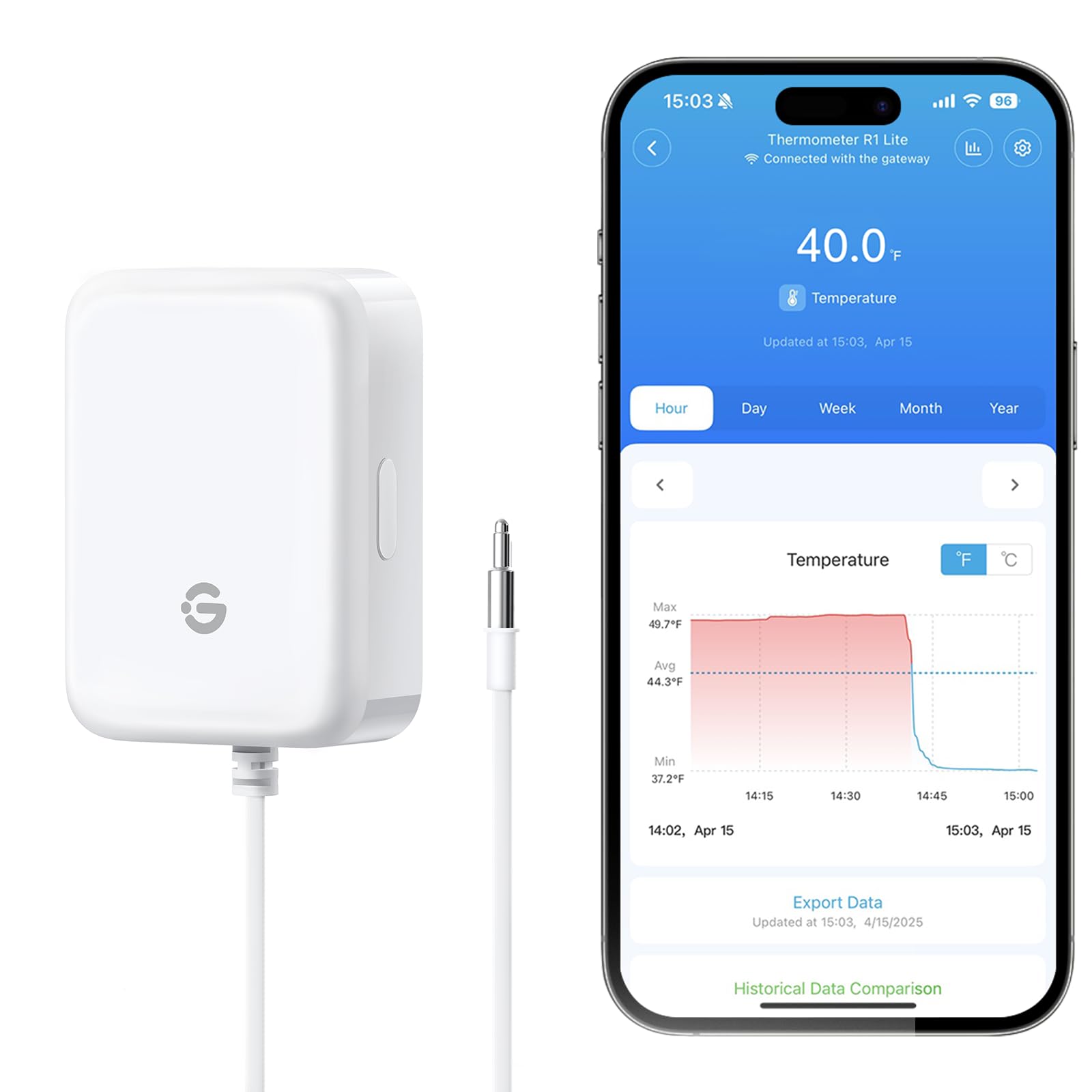
Image: GoveeLife H5111 Thermometer in use, showing app interface.
Contido do paquete
Verifica que todos os elementos estean presentes no paquete:
- Smart Thermometer with Probes (x1)
- Batería AAA (x2)
- Holder (x1)
- Cordón (x1)
- FDA Tape (x2)
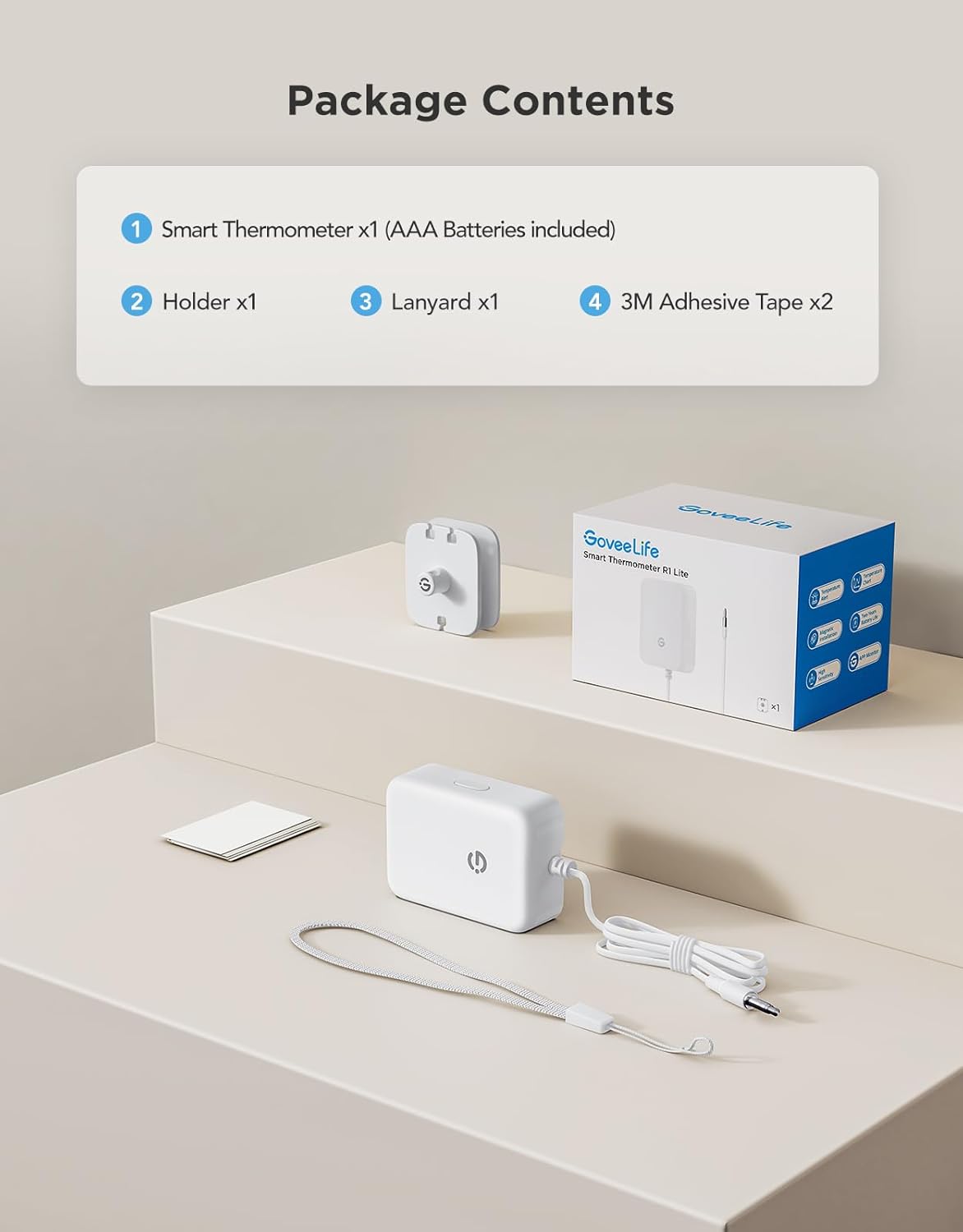
Image: All components included in the GoveeLife H5111 package.
Características do produto
- Monitorización Bluetooth en tempo real: Connects to your smartphone via Bluetooth for live and historical temperature data.
- Sensor de alta precisión: Features a 2.7mm NTC probe with ±0.9°F / ±0.5°C accuracy and a 2-second response time.
- Amplio intervalo de temperatura: Monitors temperatures from -40°F to 158°F (-40°C to 70°C).
- Alarma sonora: Built-in 80dB buzzer provides instant alerts when temperatures exceed set ranges.
- Smart Anti-False Alarm: Configurable delay to prevent alarms from short door openings.
- Compatibilidade con pasarela: Supports remote monitoring and push/email alerts when paired with a GoveeLife H5151 Gateway (sold separately).
- Multi-Sensor Support: A single gateway can manage up to 10 sensors for comprehensive home temperature management.
- 2-Year Data Storage: Access historical temperature data for up to two years.

Imaxe: Detallada view of the high-precision NTC probe.
Configuración
1. Instalación da batería
- Open the battery compartment cover on the back of the thermometer.
- Introduza dúas pilas AAA, asegurándose de manter a polaridade correcta (+/-).
- Pecha a tapa do compartimento da batería de forma segura.
2. App Download and Bluetooth Pairing
- Descarga o Govee Home aplicación desde a App Store (iOS) ou Google Play (Android).
- Open the Govee Home app and create an account or log in.
- Tap the "+" icon in the upper right corner of the app to add a new device.
- Busca model "H5111" and select it.
- Follow the on-screen instructions to pair the thermometer via Bluetooth. This typically involves pressing the button on the side of the device.

Image: Step-by-step app pairing process for the H5111 thermometer.
3. Gateway Pairing (Optional for Remote Monitoring)
To enable remote monitoring and receive alerts outside of Bluetooth range, you will need a GoveeLife H5151 Gateway (sold separately).
- Ensure your H5151 Gateway is set up and connected to your Wi-Fi network.
- In the Govee Home app, navigate to the H5111 device settings.
- Tap on "Remote View" and then "Add" to select your H5151 gateway.
- Follow the app instructions to complete the gateway pairing process.

Image: Step-by-step gateway pairing process for remote access.
4. Opcións de montaxe
The thermometer offers multiple mounting solutions:
- Magnético: Attach the thermometer directly to a metallic surface, such as the exterior of a refrigerator or freezer.
- Corda: Use the included lanyard to hang the thermometer.
- Enrolador de cables: Utilize the integrated cable winder on the holder to manage the probe cable and secure the device.

Image: Visual representation of magnetic, lanyard, and cable winder mounting options.
Instrucións de funcionamento
1. Monitorización da temperatura
- Once paired, open the Govee Home app to view the current temperature readings from your H5111 thermometer.
- The app displays real-time data and historical graphs, allowing you to track temperature fluctuations over time.

Image: App interface showing temperature monitoring via Bluetooth.
2. Configuración de alarmas
- Within the Govee Home app, navigate to the H5111 device settings.
- Set your desired upper and lower temperature thresholds for alerts.
- When the temperature goes outside these set ranges, the device will trigger an audible alarm and send app notifications. If paired with a gateway, email alerts will also be sent.

Image: Audible alarm feature in action, indicating a temperature deviation.
3. Audible Alarm Function
- The built-in 80dB buzzer provides a loud, immediate alert.
- To silence the audible alarm, press the button located on the side of the device. The buzzer can also be set to mute via the app.
4. Smart Anti-False Alarm
- Configure the anti-false alarm feature in the Govee Home app. This allows you to set a delay (e.g., 5 minutes) before an alarm is triggered.
- This prevents unnecessary alarms from brief door openings, ensuring you are only notified when a temperature issue is significant.

Image: Anti-false alarm setting in the Govee Home app.
Mantemento
- Limpeza: Wipe the thermometer and probe with a clean, damp cloth. Do not immerse the main unit in water. The probe is freezer safe.
- Substitución da batería: Replace AAA batteries when the low battery alert is displayed in the app or on the device. Ensure correct polarity.
- Almacenamento: When not in use for extended periods, remove the batteries and store the device in a cool, dry place.
Resolución de problemas
- Dispositivo sen emparellamento: Ensure Bluetooth is enabled on your smartphone and the thermometer is within range. Check battery levels. Try restarting the app and the thermometer.
- Lecturas inexactas: Verify the probe is correctly positioned and not obstructed. Ensure the thermometer is not exposed to extreme external temperatures that could affect its internal components.
- No remote alerts: Confirm that your GoveeLife H5151 Gateway is properly set up, connected to Wi-Fi, and successfully paired with the H5111 thermometer. Check your app notification settings and email spam folders.
- Audible alarm not working: Check if the buzzer is muted in the app settings. Ensure the device has sufficient battery power.
Especificacións
| Nome do modelo | H5111 |
| Marca | GoveeLife |
| Rango de temperatura | -40 °F a 158 °F (-40 °C a 70 °C) |
| Precisión | ±0.9 °F / ±0.5 °C |
| Tempo de resposta | 2 segundos |
| Conectividade | Bluetooth |
| Alarma sonora | 80 dB |
| Fonte de enerxía | 2 pilas AAA (incluídas) |
| Almacenamento de datos | 2 Years Free Data Storage |
| Coidado do produto | Apto para conxelador, limpa |
| Uso interior/exterior | Interior |
Garantía e Soporte
GoveeLife products come with a standard warranty. For specific warranty details, product support, or technical assistance, please refer to the official GoveeLife website or contact their customer service directly. You can often find support resources, FAQs, and contact information on the Govee Home app or the GoveeLife brand store on Amazon.
Soporte en liña: Visita www.govee.com for product information, FAQs, and support contact.
Soporte por correo electrónico: Contact GoveeLife customer service via the email address provided on their official websitio web ou dentro da aplicación Govee Home.


