1. Introdución
This user manual provides essential information for the safe and efficient operation of your OnePlus Watch 3 43mm Silver Steel. Please read this manual thoroughly before using the device to ensure proper functionality and to prevent damage. Keep this manual for future reference.
2. Que hai na caixa
Verifica que todos os elementos estean presentes no paquete:
- OnePlus Watch 3 (43mm Silver Steel)
- Correas de reloxo
- Cable de carga
- Guía de inicio rápido

Image: OnePlus Watch 3 43mm Silver Steel, front view with strap.
3. Produto rematadoview
3.1 Design and Components
The OnePlus Watch 3 features a 43mm round display encased in polished stainless steel. The crown and side button provide tactile control, complementing the touchscreen interface. The device is designed for comfortable wear with a fluoroelastomer band.
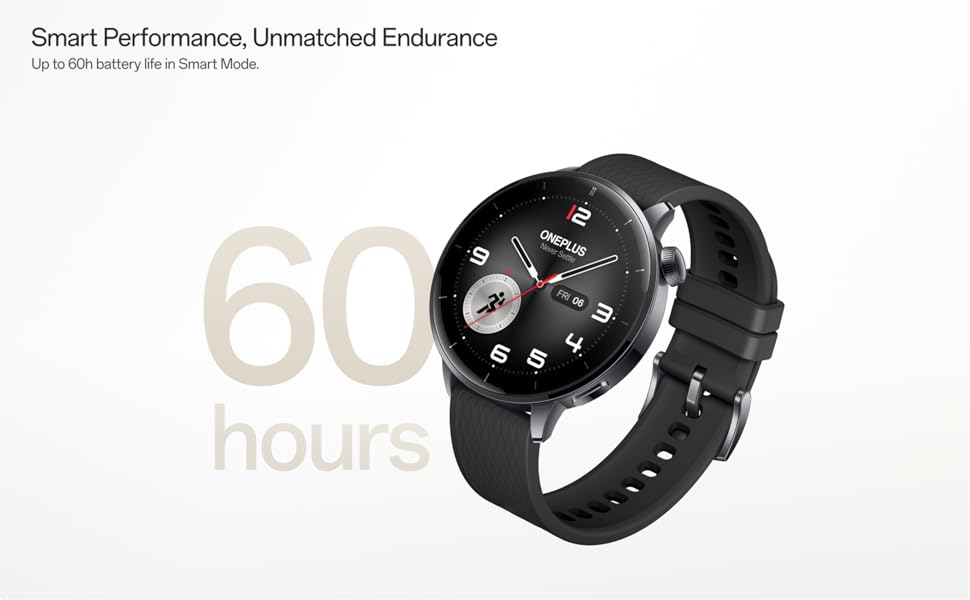
Image: OnePlus Watch 3 43mm Silver Steel, highlighting its refined design and polished stainless steel case.
3.2 Características principais
- Visualización: 1.32-inch round AMOLED touchscreen.
- Sistema operativo: WearOS.
- Almacenamento: 32 GB de almacenamento interno.
- Conectividade: Bluetooth, Multi-GNSS (Beidou, GPS, Galileo, GLONASS, QZSS).
- Resistencia á auga: Clasificación IP68.
- Batería: 345mAh Lithium-Ion, offering up to 60 hours in Smart Mode.
4. Configuración
4.1 Carga inicial
Before first use, fully charge your OnePlus Watch 3. Connect the charging cable to the watch's charging port and a compatible USB power adapter. The watch display will indicate charging status.
4.2 Acendido/Apagado
- Encendido: Press and hold the side button (crown) until the OnePlus logo appears.
- Apagado: Manteña premido o botón lateral e, a seguir, seleccione "Apagar" entre as opcións que aparecen na pantalla.
4.3 Emparellamento co teu teléfono intelixente
- Ensure your smartphone has Bluetooth enabled and is connected to the internet.
- Download and install the Wear OS by Google app from your phone's app store.
- Open the Wear OS app and follow the on-screen instructions to pair your OnePlus Watch 3.
- Accept all necessary permissions for full functionality.
5. Funcionamento do reloxo
5.1 Navegación
- Pantalla táctil: Desliza o dedo cara arriba, abaixo, á esquerda ou á dereita para navegar polos menús e as notificacións. Toca para seleccionar elementos.
- Coroa: Rotate the crown to scroll through lists or adjust settings. Press the crown to return to the watch face or access the app drawer.
- Botón lateral: Customizable for quick access to a specific app or function.
5.2 Personalización das esferas do reloxo
To change your watch face, long-press on the current watch face and swipe left or right to browse available options. Tap to select. Additional watch faces can be downloaded via the Wear OS app or Google Play Store on your watch.
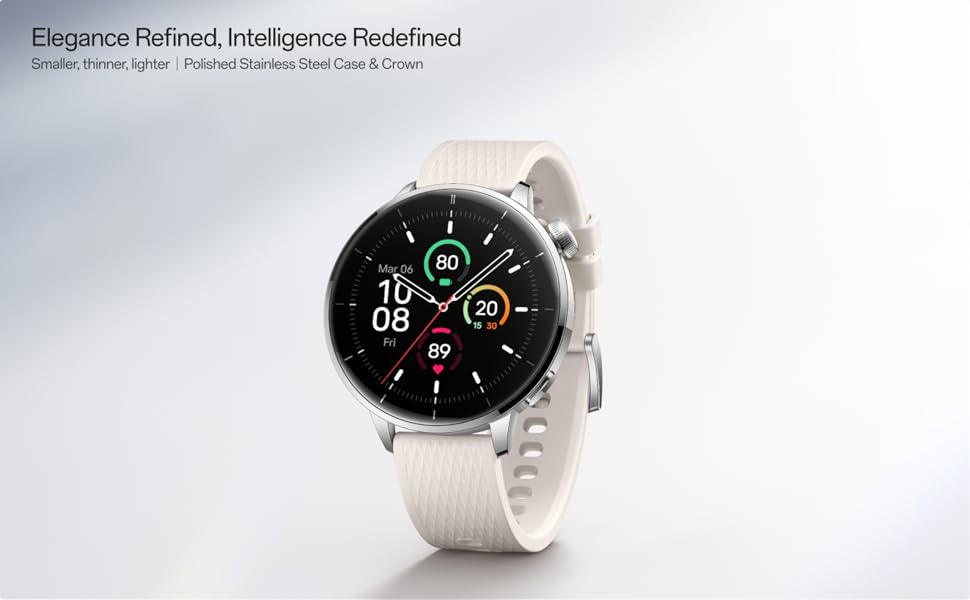
Image: Two OnePlus Watch 3 devices showing different watch faces, illustrating customization options.
6. Monitorización da saúde
The OnePlus Watch 3 offers comprehensive health tracking features:
- Monitorización da frecuencia cardíaca: Continuous tracking of your heart rate throughout the day.
- Medición do osíxeno no sangue (SpO2): On-demand and continuous blood oxygen level monitoring.
- Seguimento do sono: Monitoriza o sonotages, duration, and detects potential sleep breathing risks.
- Seguimento do ciclo: Para o seguimento dos ciclos menstruais.
- Monitorización do estrés: Analyzes heart rate variability to estimate stress levels.

Image: The OnePlus Watch 3 and a smartphone screen showing various health metrics like daily activity, heart rate, and sleep data.
7. Seguimento da actividade física
The watch supports 11 professional fitness modes and provides fat burning evaluation. Utilize the built-in Multi-GNSS for accurate outdoor activity tracking.
- Seguimento da actividade: Rexistra pasos, distancia, calorías queimadas e minutos activos.
- Modos de adestramento: Select from various modes like running, cycling, swimming, and more for tailored tracking.
- Seguimento GPS: Integrated GPS for precise route mapping during outdoor workouts.

Image: A person wearing the OnePlus Watch 3 during a cycling activity, demonstrating its use for fitness tracking.
8. Funcións intelixentes
Running on WearOS, the OnePlus Watch 3 integrates seamlessly with your digital life:
- Notificacións: Recibe chamadas, mensaxes e alertas de aplicacións directamente no teu pulso.
- Google Play Apps: Accede a unha ampla gama de aplicacións desde Google Play Store.
- Google Wallet: Make contactless payments.
- Control de música: Controla a reprodución de música no teu teléfono intelixente conectado.
- Asistente de voz: Utilize Google Assistant for hands-free commands.

Image: The OnePlus Watch 3 screen showing multiple app icons, representing its WearOS ecosystem and access to Google Play apps.
9. Xestión da batería
The OnePlus Watch 3 is equipped with a 345mAh battery, providing up to 60 hours of use in Smart Mode. Battery life can vary based on usage and settings.
- Cargando: Use the provided charging cable. A full charge takes approximately 30 minutes.
- Modo de aforro de batería: Enable this mode to extend battery life by limiting certain features.
- Tips for Extending Battery Life: Reduce screen brightness, disable always-on display, limit background app refresh, and turn off unnecessary notifications.
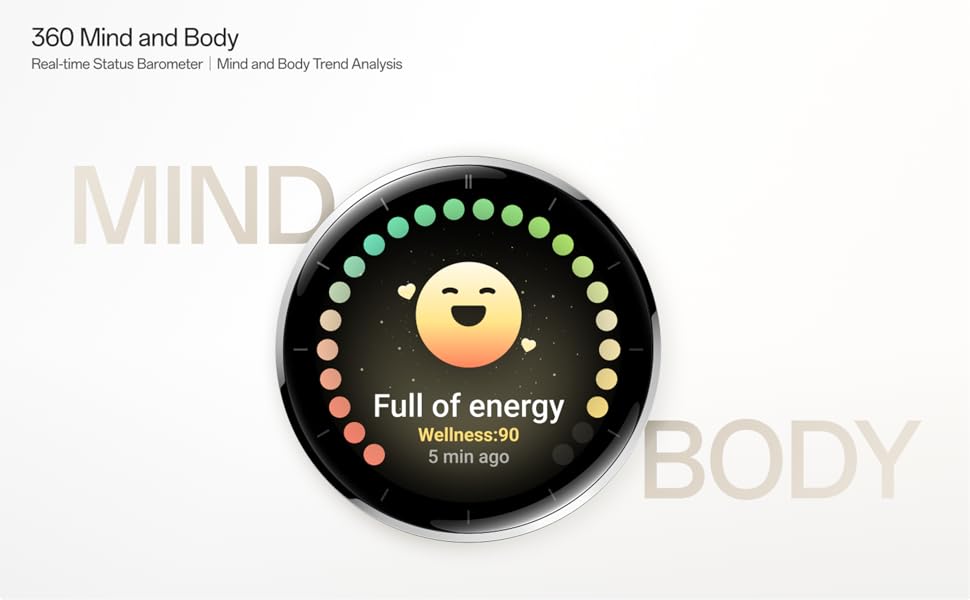
Image: The OnePlus Watch 3 with a large '60 hours' text, emphasizing its extended battery life in Smart Mode.
10. Mantemento
10.1 Limpeza
Regularly clean your watch and strap to prevent skin irritation and maintain functionality.
- Limpa a pantalla e a carcasa do reloxo cun pano suave e sen fiapos.
- Para a correa, use xabón suave e auga, despois enxágüe ben e seque completamente antes de usala.
- Evite o uso de produtos químicos agresivos ou materiais abrasivos.
10.2 Resistencia á auga
The OnePlus Watch 3 has an IP68 water resistance rating. This means it is protected against dust and can withstand immersion in water up to 1.5 meters for 30 minutes. It is suitable for everyday use and activities like hand washing or light rain. Avoid using it for diving, high-pressure water activities, or in hot water/steam.
11 Solución de problemas
If you encounter issues with your OnePlus Watch 3, try the following steps:
- O reloxo non se acende: Asegúrate de que o reloxo estea completamente cargado.
- Problemas de emparellamento: Check if Bluetooth is enabled on your phone and watch. Restart both devices and try pairing again.
- Lecturas inexactas: Asegúrate de levar o reloxo ben axustado ao pulso, nin demasiado axustado nin demasiado solto. Limpa os sensores da parte traseira do reloxo.
- Fallos/rendemento lento da aplicación: Restart the watch. If the issue persists, consider resetting the watch to factory settings (this will erase all data).
- Esgotando a batería rapidamente: Review battery management tips in Section 9.
For further assistance, refer to the official OnePlus support websitio ou póñase en contacto co servizo de atención ao cliente.
12. Especificacións
| Característica | Especificación |
|---|---|
| Número de modelo | OnePlus Watch 3 |
| Tamaño de visualización | 1.32 polgadas |
| Tipo de visualización | AMOLED |
| Sistema Operativo | WearOS |
| Capacidade de almacenamento da memoria | 32 GB |
| Conectividade | Bluetooth |
| GPS | Beidou, GPS, Galileo, GLONASS, QZSS |
| Capacidade da batería | 345 mAh de iones de litio |
| Resistencia á auga | IP68 |
| Peso do elemento | 9.9 onzas (0.28 quilogramos) |
| Dimensións do paquete | 4.72 x 4.69 x 2.56 polgadas |
13. Garantía e soporte
For warranty information, please refer to the warranty card included with your product or visit the official OnePlus website. For technical support, software updates, and frequently asked questions, please visit the OnePlus support page:


