1. Introdución
This manual provides detailed instructions for the proper use and maintenance of your OnePlus Buds 4 Wireless Earbuds. Please read this manual thoroughly before using the product to ensure optimal performance and longevity.
Contido do paquete
Verifica que todos os elementos estean presentes no paquete:
- Auriculares OnePlus Buds 4 (esquerdo e dereito)
- Estuche de carga
- Cable de carga USB-C
- Varios tamaños de puntas para os oídos (S, M, L)
- Manual de usuario (este documento)

Image: Contents of the OnePlus Buds 4 retail package, showing the earbuds, charging case, USB-C cable, and various ear tip sizes.
2. Configuración
2.1 Carga inicial
Before first use, fully charge the OnePlus Buds 4 and their charging case. Connect the provided USB-C charging cable to the charging port on the case and a power source. The indicator light on the case will show charging status.
- A full charge provides extended playback time.
- A caixa de carga ten unha batería de 530 mAh de capacidade.

Image: OnePlus Buds 4 earbuds in their open charging case, highlighting the extended battery life capability.
2.2 Emparejamento cun dispositivo
- Asegúrate de que os auriculares estean na caixa de carga e que a tapa estea aberta.
- Manteña premido o botón de función da caixa de carga ata que a luz indicadora parpadee en branco, indicando o modo de emparellamento.
- On your device (smartphone, tablet, etc.), go to Bluetooth settings and select "OnePlus Buds 4" from the list of available devices.
- Unha vez conectado, o indicador luminoso acenderase en branco fixo ou apagarase.
The OnePlus Buds 4 utilize Bluetooth 5.4 for stable connectivity and support Fast Pair for quick setup with compatible Android devices.

Image: OnePlus Buds 4 earbuds and charging case with a Bluetooth signal icon, illustrating stable connectivity via Bluetooth 5.4.
2.3 Uso dos auriculares
Choose the ear tips that provide the best seal and comfort for your ears. A proper fit is crucial for optimal sound quality and effective Active Noise Cancellation.
- Introduza con coidado os auriculares no conduto auditivo.
- Rotate them slightly until they feel secure and comfortable.
3. Instrucións de funcionamento
3.1 Controis táctiles
The OnePlus Buds 4 feature intuitive touch controls on the stem of each earbud.
| Acción | Función |
|---|---|
| Toque un só | Reproducir/Pausa música, Responder/Finalizar chamada |
| Toca dúas veces | Seguinte pista, Rexeitar chamada |
| Toca tres veces | Pista anterior |
| Premer e manter premido (esquerda/dereita) | Switch Noise Control Mode (ANC/Transparency) |
| Swipe Up/Down (Stem) | Axustar o volume |

Image: Close-up of OnePlus Buds 4 earbuds showing the area for volume swipe control on the stem.
3.2 Cancelación activa de ruído (ANC) e modo de transparencia
The earbuds feature advanced Active Noise Cancellation to reduce ambient noise and a Transparency Mode to allow you to hear your surroundings.
- Cancelación activa de ruído: Reduces external sounds for an immersive listening experience.
- Modo de transparencia: Amplifies ambient sounds, allowing you to stay aware of your environment without removing the earbuds.
- Modo adaptativo: Intelligently switches between ANC and Transparency modes based on your environment.
Switch between these modes by pressing and holding the touch area on either earbud.

Image: A person wearing OnePlus Buds 4 earbuds outdoors, illustrating the effect of Active Noise Cancellation.
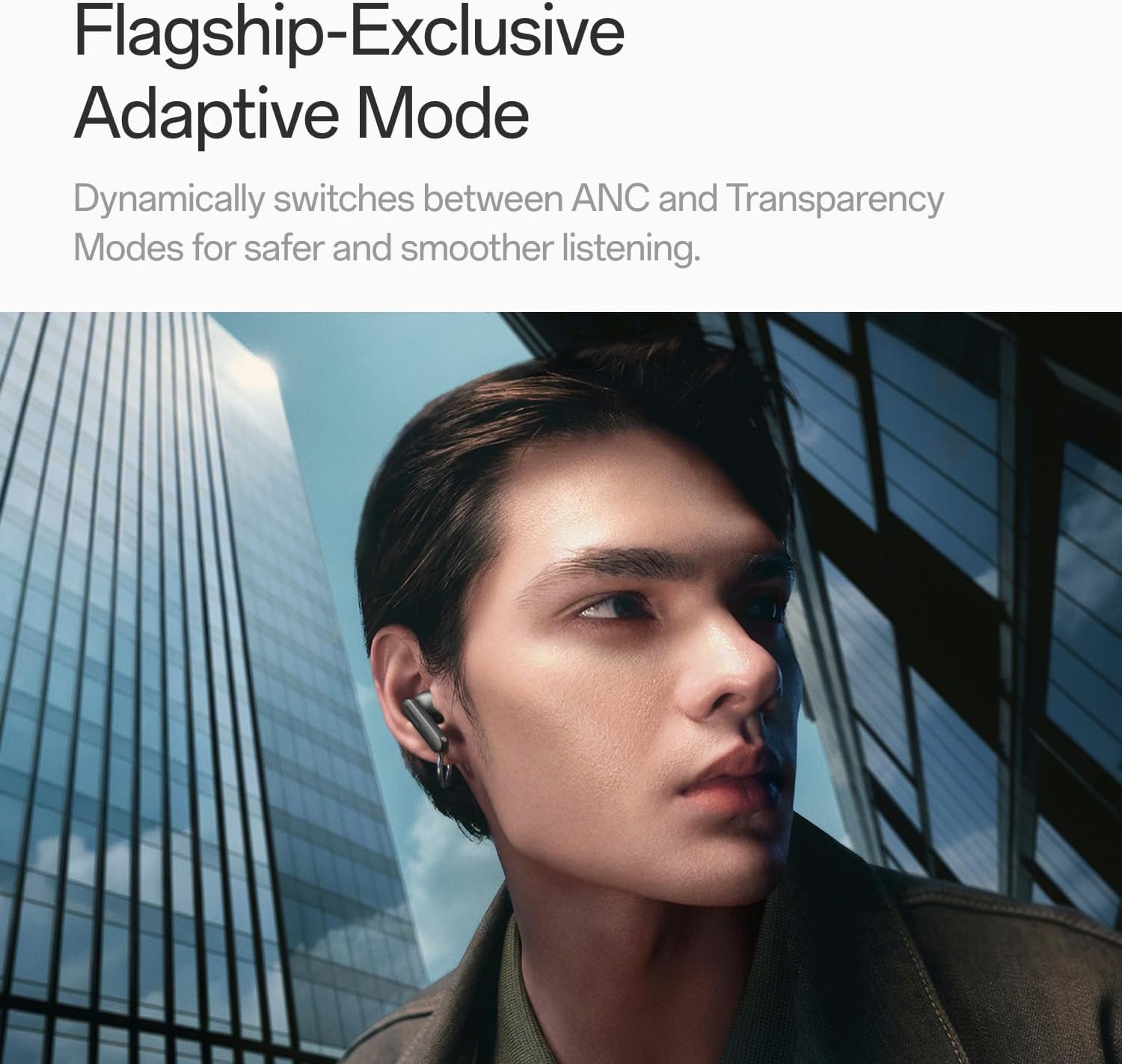
Image: A person wearing OnePlus Buds 4 earbuds in a city setting, highlighting the Adaptive Mode feature.
3.3 Funcións de audio
The OnePlus Buds 4 deliver high-quality audio with advanced technologies.
- Controladores de son de 11 mm: Provide balanced, true-to-life acoustics.
- Hi-Res Audio & LHDC 5.0: For detailed, studio-grade sound reproduction.
- Immersive 3D Spatial Audio: Creates a richer, surrounding sound experience.

Image: OnePlus Buds 4 earbuds with Hi-Res Audio and LHDC 5.0 branding, emphasizing advanced audio capabilities.

Image: OnePlus Buds 4 earbuds depicted with a visual effect suggesting immersive 3D Spatial Audio.

Imaxe: Unha explosión view diagram of a OnePlus Buds 4 earbud, highlighting its internal sound components and drivers.
3.4 Funcións de chamada
The earbuds are equipped with features to enhance call clarity.
- 3-mic AI Call Noise Cancellation: Filters out noise and wind for clear calls in various environments.
- 3x Voice Cancellation: Reduces vocal distractions in noisy settings like cafes or trains.

Image: A person lying down with OnePlus Buds 4 earbuds, representing the effect of voice cancellation for undisturbed listening.
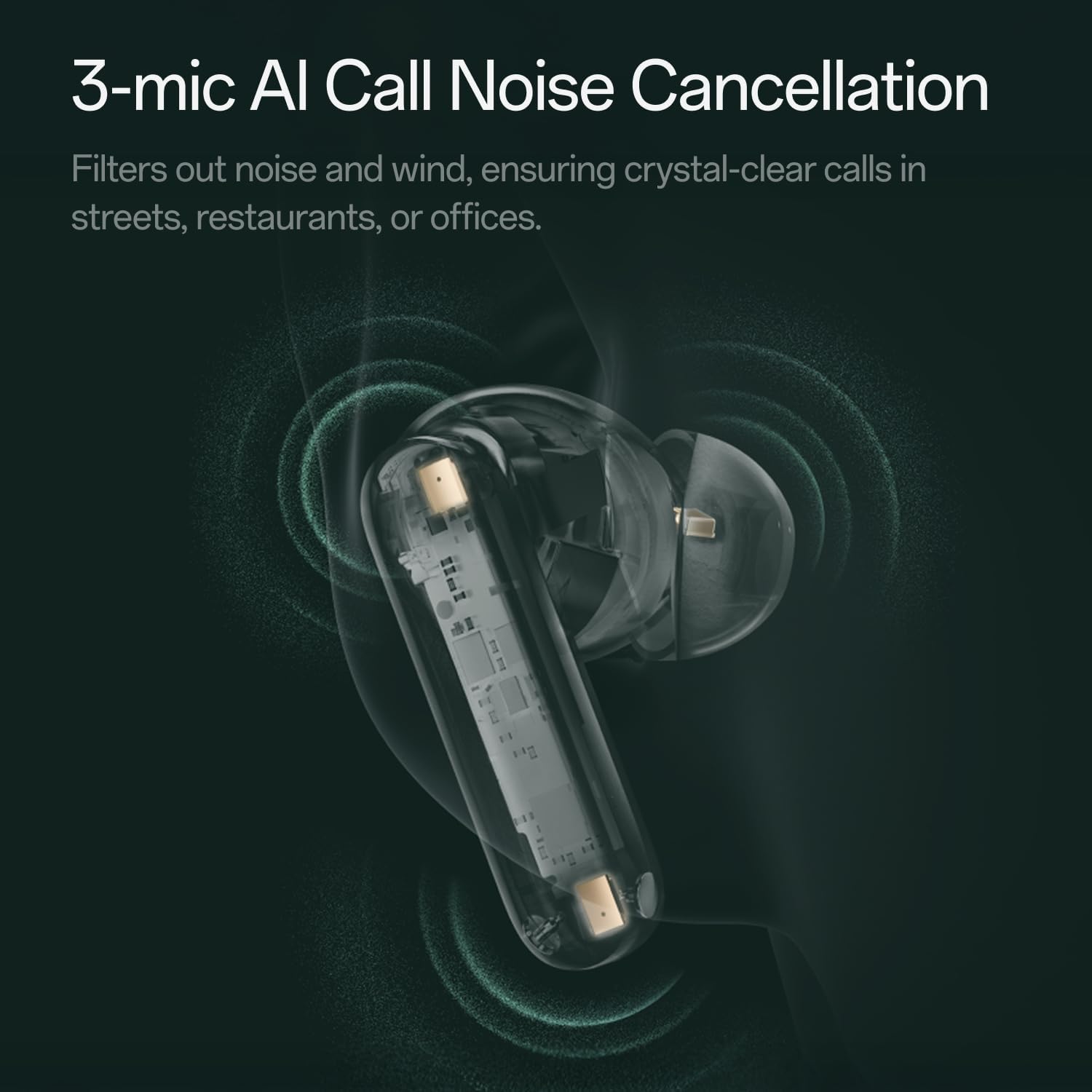
Imaxe: Unha transparente view of a OnePlus Buds 4 earbud, highlighting the 3-mic system for AI Call Noise Cancellation.
3.5 Tradución de IA
With a compatible OnePlus phone, the earbuds can facilitate real-time conversations in multiple languages.

Image: OnePlus Buds 4 earbuds alongside a smartphone screen demonstrating AI translation functionality.
4. Mantemento
4.1 Limpeza
- Limpa regularmente os auriculares e a funda de carga cun pano suave, seco e sen fiapos.
- Retire as almofadas dos oídos e límpeas con auga e xabón suave se é necesario, asegurándose de que estean completamente secas antes de volvelas colocar.
- Do not use abrasive materials or harsh chemicals.
4.2 Resistencia á auga
The OnePlus Buds 4 are water resistant. This means they can withstand splashes and sweat, making them suitable for workouts. However, they are not waterproof and should not be submerged in water.
4.3 Almacenamento
Cando non estean en uso, garde os auriculares no seu estoxo de carga para protexelos e garantir que sigan cargados.
5 Solución de problemas
If you encounter issues with your OnePlus Buds 4, refer to the following common solutions:
5.1 Problemas de emparellamento
- Ensure the earbuds are charged and in pairing mode (flashing white light).
- Desactiva e activa o Bluetooth no teu dispositivo.
- Esquece o dispositivo na configuración de Bluetooth e tenta emparellalo de novo.
- Tenta reiniciar os auriculares (consulta o manual de usuario completo para obter instrucións específicas de reinicio).
5.2 Problemas de son
- Check the earbud fit and try different ear tip sizes.
- Clean the ear tips and speaker meshes to remove any debris.
- Ensure the volume on both your device and earbuds is adjusted correctly.
5.3 Problemas de carga
- Verifica que o cable de carga estea conectado de forma segura tanto á caixa como á fonte de alimentación.
- Asegúrate de que os contactos de carga dos auriculares e do interior da funda estean limpos e libres de obstrucións.
- Proba cun cable USB-C ou adaptador de corrente diferente.
6. Especificacións
| Característica | Detalle |
|---|---|
| Nome do modelo | Auriculares OnePlus Buds 4 |
| Número de modelo | E513A |
| Marca | OnePlus |
| Cor | Zen Green |
| Colocación do oído | En Orella |
| Factor de forma | En Orella |
| Control de ruído | Cancelación activa de ruído |
| Tamaño do controlador de audio | 11 milímetros |
| Tipo de controlador de audio | Driver dinámico |
| Resposta en frecuencia | 40 Hz |
| Sensibilidade | 100 dB |
| Impedancia | 18 ohmios |
| Tecnoloxía de conectividade | Bluetooth |
| Tecnoloxía de comunicación sen fíos | Bluetooth |
| Versión Bluetooth | 5.4 |
| Alcance Bluetooth | 33 pés |
| Método de control | Toca |
| Tipo de controlador | Controis táctiles |
| Capacidade do estuche de carga | 530 mAh |
| Nivel de resistencia á auga | Resistente á auga |
| Peso do elemento | 0.15 quilogramos (5.3 onzas) |
| Compoñentes incluídos | Cable, Charging Case, Eartip, User Manual |
7. Garantía e soporte
7.1 Garantía do fabricante
The OnePlus Buds 4 are backed by a one-year manufacturer warranty. This warranty covers defects in materials and workmanship under normal use. For specific terms and conditions, please refer to the warranty card included in your product packaging or visit the official OnePlus support websitio.
7.2 Atención ao cliente
For further assistance, technical support, or warranty claims, please contact OnePlus customer service through their official websitio web ou a información de contacto proporcionada na documentación do produto.
Official OnePlus Store: OnePlus Store on Amazon


