Introdución
The Razer BlackShark V3 X HyperSpeed is a wireless esports gaming headset designed for high-performance audio and clear communication across multiple platforms. This manual provides essential information for setting up, operating, maintaining, and troubleshooting your headset.
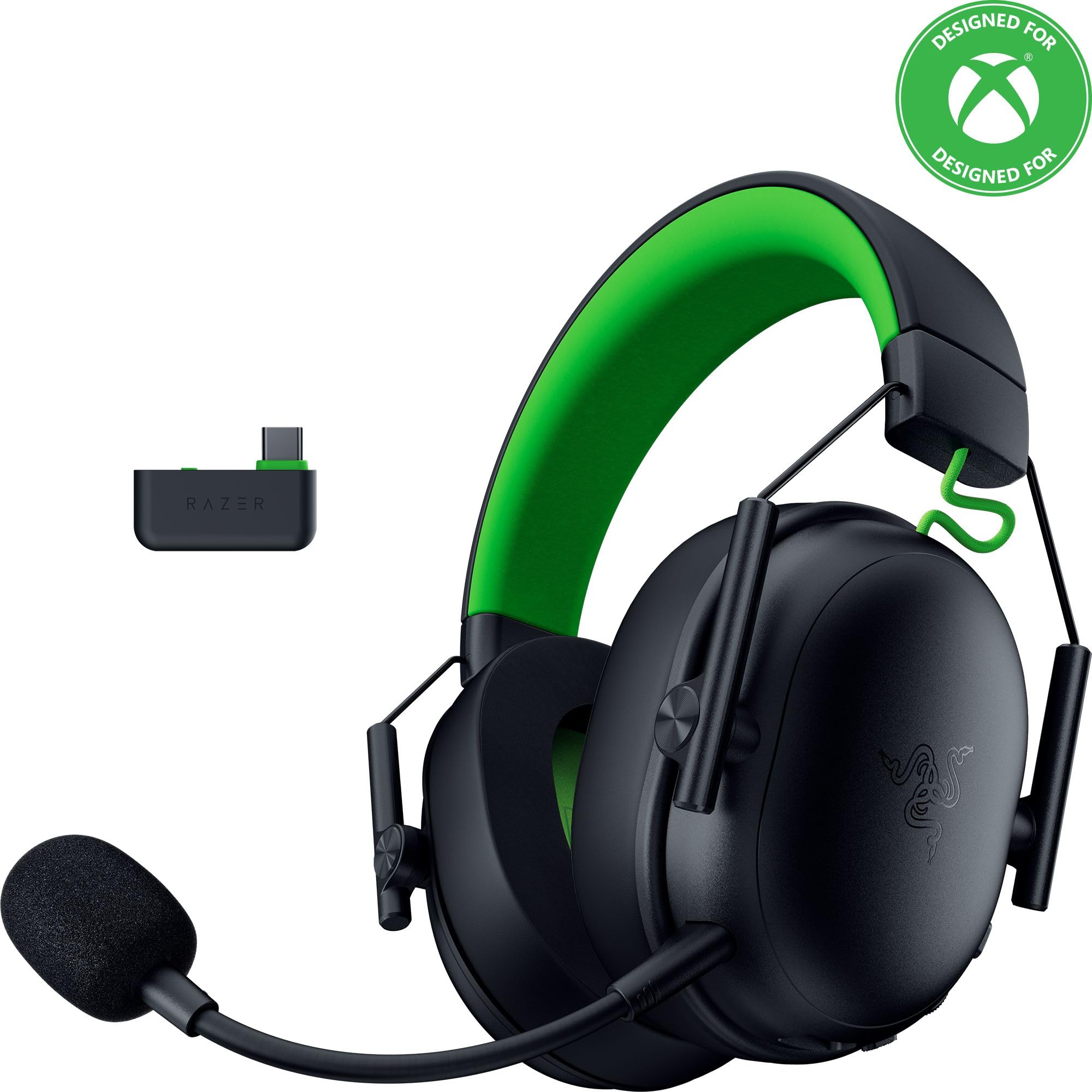
Image: The Razer BlackShark V3 X HyperSpeed Wireless Gaming Headset, showcasing its design and detachable microphone.
O que hai na caixa
Asegúrate de que todos os seguintes compoñentes estean presentes no teu paquete:
- Razer BlackShark V3 X HyperSpeed Wireless Gaming Headset
- Adaptador inalámbrico Razer HyperSpeed USB tipo C
- Detachable Razer HyperClear Cardioid 9.9mm Mic
- USB Type A to Type C Cable (for charging and wired connection)
- USB Type A to Type C Adapter Cable
- Manual de usuario (este documento)

Image: The Razer BlackShark V3 X HyperSpeed headset on a stand next to its retail packaging, illustrating the product and its box.
Configuración
1. Cargando os auriculares
Before initial use, fully charge your headset using the provided USB Type A to Type C cable. Connect the USB-C end to the headset's charging port and the USB-A end to a powered USB port.
2. Conexión do micrófono
Insert the detachable Razer HyperClear Cardioid 9.9mm Mic into the microphone port located on the left earcup. Ensure it is securely connected.

Image: Close-up of the Razer BlackShark V3 X HyperSpeed headset showing the detachable HyperClear Cardioid microphone attached.
3. Opcións de conectividade
The headset supports three modes of connectivity: 2.4 GHz HyperSpeed Wireless, Bluetooth, and wired USB-C.
- 2.4 GHz HyperSpeed Wireless (PC, Mac, PS5, Nintendo Switch, Xbox Series X|S, Xbox One):
Insert the USB Type C Razer HyperSpeed Wireless Dongle into an available USB-C port on your device. If your device only has USB-A ports, use the provided USB Type A to Type C Adapter Cable. Ensure the switch on the dongle is set to 'USB' for PC/Mac/PS5/Switch or 'XBOX' for Xbox consoles. The headset will automatically connect. - Bluetooth (Smartphones, Tablets, Handheld Gaming Devices):
With the headset powered on, press and hold the power button until the LED indicator blinks blue, indicating pairing mode. On your device, search for and select "Razer BlackShark V3 X HyperSpeed" from the list of available Bluetooth devices. - USB-C con cable:
Connect the headset directly to your device using the USB Type A to Type C Cable. This mode provides audio and microphone functionality without relying on battery power.

Image: The Razer BlackShark V3 X HyperSpeed headset alongside its USB-C wireless dongle, illustrating the wireless connectivity component.

Image: A visual representation of the headset's three connectivity modes: 2.4 GHz Wireless, Bluetooth, and USB, highlighting its versatility.
Funcionamento dos auriculares
1. Controis sobreview
Os auriculares inclúen controis intuitivos situados nos auriculares:
- Botón de encendido: Press and hold to power on/off. Single press to switch between 2.4 GHz HyperSpeed Wireless and Bluetooth modes.
- Botón de silencio do micrófono: Preme para silenciar ou activar o micrófono.
- Roda de volume: Axusta o volume xeral do son.
- Mic Monitoring Wheel: Adjusts the volume of your own voice heard through the headset (sidetone).

Imaxe: Lateral view of the Razer BlackShark V3 X HyperSpeed headset, highlighting the location of the power button, volume wheel, and mic mute button.
2. Audio Quality and Features
- Razer TriForce 50mm Drivers Gen-2: Experience powerful, clear audio with enhanced positional accuracy for competitive gaming.
- Razer HyperClear Cardioid 9.9mm Mic: The detachable microphone features a unidirectional pickup pattern to focus on your voice and minimize background noise.
- Son envolvente: Enjoy immersive surround sound with Windows Sonic on Xbox and 7.1 Surround Sound on PC for precise audio cues.

Imaxe: Unha explosión view of the Razer TriForce 50mm Drivers Gen-2, illustrating their internal components for powerful and clear audio.

Image: The Razer BlackShark V3 X HyperSpeed headset surrounded by sound waves, representing its advanced surround sound capabilities for Xbox and PC.
3. Comodidade e deseño
Weighing just 270g, the headset is designed for extended gaming sessions with plush memory foam cushions and a fatigue-free design.

Image: The Razer BlackShark V3 X HyperSpeed headset with an icon representing its ultra-lightweight design, emphasizing comfort for long gaming sessions.
4. Vídeo oficial do produto
Video: An official product video from Razer showcasing the BlackShark V3 headset line, highlighting its features and design for esports performance.
Mantemento
1. Limpeza
- Usa un pano suave e seco para limpar as superficies dos auriculares.
- For earcups, gently wipe with a damp un pano e xabón suave se é necesario e, a continuación, secar completamente. Evitar a humidade excesiva.
- Non use produtos químicos agresivos ou materiais abrasivos.
2. Almacenamento
- Garde os auriculares nun lugar fresco e seco, lonxe da luz solar directa e de temperaturas extremas.
- When not in use, consider placing it on a headset stand to maintain its shape and prevent damage.
Resolución de problemas
Sen audio/mala calidade de audio
- Comprobar o volume: Ensure the volume wheel on the headset is turned up.
- Conectividade: Verify the headset is correctly connected via 2.4 GHz dongle, Bluetooth, or USB-C. For 2.4 GHz, ensure the dongle switch is set to the correct platform (USB/XBOX).
- Configuración do dispositivo: Confirm the headset is selected as the default audio output device in your computer's or console's sound settings.
- Volver emparellar: For wireless connections, try re-pairing the headset with your device.
O micrófono non funciona
- Comproba o silencio: Asegúrate de que o botón de silenciamento do micrófono dos auriculares non estea activado.
- Mic Connection: Verify the detachable microphone is securely inserted into the port.
- Configuración do dispositivo: Confirm the headset microphone is selected as the default input device in your computer's or console's sound settings.
- Monitorización de micrófonos: Adjust the mic monitoring wheel to hear your own voice, confirming mic functionality.
Problemas de conectividade
- Interferencia: Afastese doutros dispositivos sen fíos que poidan causar interferencias.
- Rango: Ensure you are within the effective range of the wireless dongle or Bluetooth connection.
- Dongle Switch: Double-check that the switch on the USB-C dongle is set to the correct position (USB for PC/Mac/PS5/Switch, XBOX for Xbox).
Duración da batería máis curta do esperado
- Cargando: Asegúrese de que os auriculares estean completamente cargados antes de utilizalos.
- Uso: High volume levels or continuous use of certain features can reduce battery life.
Especificacións
| Nome do modelo | BlackShark V3 X HyperSpeed |
| Número de modelo | RZ04-05420200-R3U1 |
| Tecnoloxía de conectividade | Bluetooth, USB, 2.4 GHz Wireless |
| Tipo de controlador de audio | Dynamic Driver (Razer TriForce 50mm Drivers Gen-2) |
| Resposta en frecuencia | 12 Hz - 28 kHz |
| Sensibilidade | 106 dB |
| Micrófono | Detachable Razer HyperClear Cardioid 9.9mm Mic |
| Control de ruído | Illamento acústico |
| Dispositivos compatibles | Xbox Series X|S, Xbox One, PS5, PS4, PC, Mac, Nintendo Switch, Smartphones, Tablets |
| Peso do elemento | 270 grams (without mic) |
| Baterías | 1 batería de iones de litio (incluída) |
| Versión Bluetooth | 5.3 |
Garantía e Soporte
Para obter información sobre a garantía, asistencia técnica ou máis axuda, visite o sitio web de asistencia oficial de Razer. websitio. Garda o comprobante de compra para reclamacións de garantía.
Soporte en liña: www.razer.com/asistencia


