Introdución
This manual provides detailed instructions for the setup, operation, and maintenance of your LIGE EF10-C Smart Watch. Please read this manual thoroughly before using the device to ensure proper function and longevity.

Image: The LIGE EF10-C Smart Watch displaying time, date, weather, steps, heart rate, and music controls.
Contido do paquete
Verifica que todos os elementos estean presentes no teu paquete:
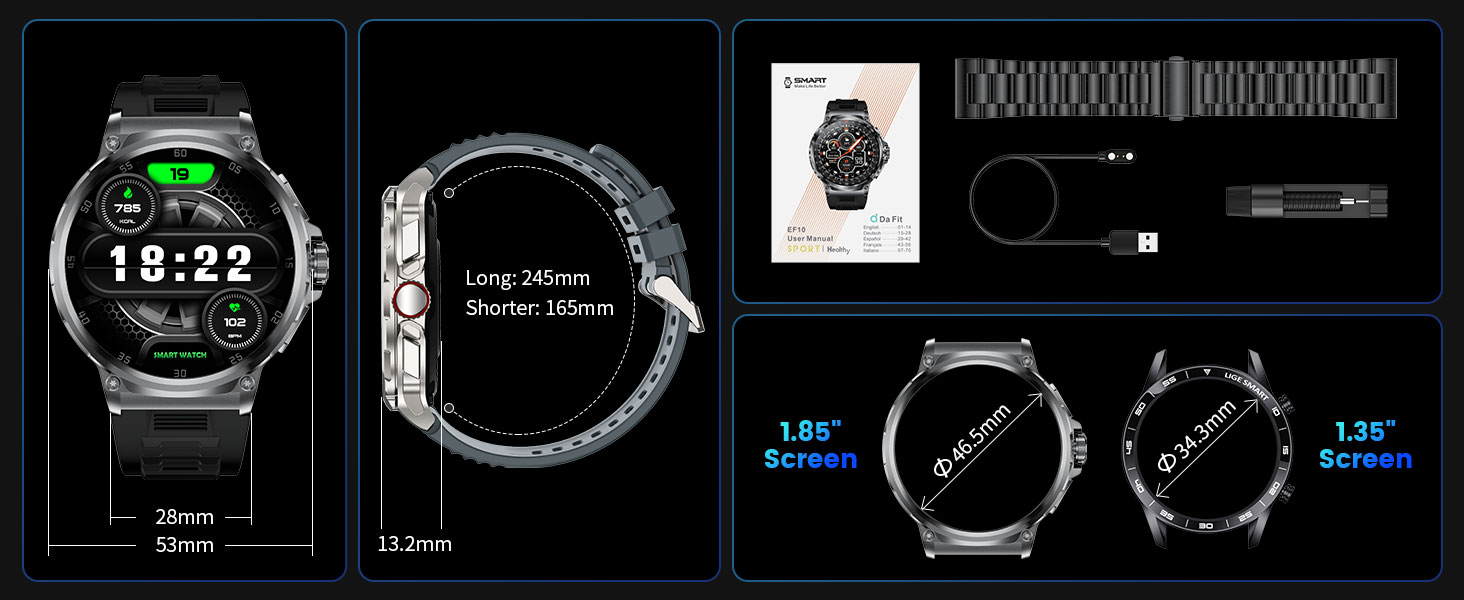
- 1 x LIGE EF10-C Smart Watch
- 1 x Steel Strap
- 1 x K56 Silicone Strap
- 1 x AK75 Silicone Strap
- 1 x Bracelet Extension Accessory and Tool
- 1 x Manual de usuario (este documento)
- 1 x cable de carga
Configuración
1. Carga inicial
Before first use, fully charge your smartwatch. Connect the magnetic charging cable to the charging contacts on the back of the watch and plug the USB end into a 5V-1A adapter or a computer's USB port. Avoid using higher voltage adapters to prevent damage.
2. Instalación da aplicación e emparellamento de dispositivos
To utilize all features, download and install the companion application on your smartphone. The watch is compatible with Android 4.4+ and iOS 9.0+ devices.
- Busca the 'Da Fit' app in the Apple App Store (for iOS) or Google Play Store (for Android) and install it.
- Asegúrate de que o Bluetooth estea activado no teu smartphone.
- Open the 'Da Fit' app, navigate to the 'Add Device' section, and select 'Search Now' to discover your watch (e.g., V69 MAX or EF10-C).
- Follow the on-screen prompts in the app to complete the pairing process.
- After successful connection, enable or disable Bluetooth Calling from the watch settings as desired.
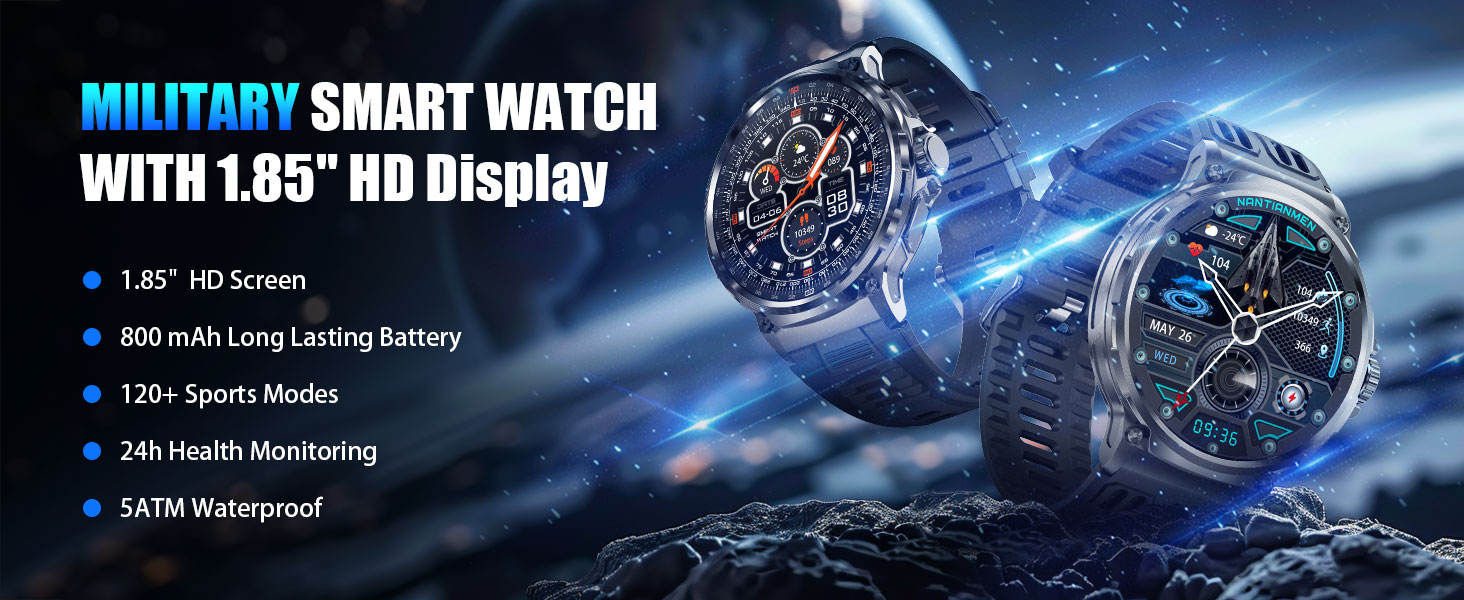
Image: Visual guide for connecting the smartwatch to your phone using the 'Da Fit' application, including steps for app download, Bluetooth activation, device search, and call function setup.
3. Instalación da correa
The package includes multiple straps and a tool for changing them. Align the spring bar with the lug holes on the watch body and gently push to secure the strap. Use the provided tool for easier removal and installation of the steel strap.
Instrucións de funcionamento
Navegación básica
- Pantalla táctil: Desliza o dedo cara á esquerda, á dereita, cara arriba ou cara abaixo para navegar polos menús e as funcións. Toca para seleccionar.
- Side Buttons/Crown: Use the physical buttons on the side for quick access to functions or to return to the home screen. The rotating crown may also allow for scrolling through lists.
Notificacións de chamadas e mensaxes por Bluetooth
Once paired with your smartphone, the EF10-C allows for direct communication:
- Facer/Responder chamadas: Use the watch to answer incoming calls or dial numbers directly. The watch features a 60-decibel speaker and a noise-cancelling microphone for clear audio.
- Alertas de mensaxes: Receive notifications for SMS, Facebook, WhatsApp, Twitter, TikTok, and other applications directly on your watch screen.

Image: The smartwatch showing an incoming call, the voice assistant feature, and various app message notifications.
Vixilancia da Saúde
The watch is equipped with biometric sensors for continuous health tracking:
- Frecuencia cardíaca: Monitoriza a túa frecuencia cardíaca ao longo do día.
- SpO2: Mide os niveis de osíxeno no sangue.
- Seguimento do sono: Analyzes sleep patterns, including deep sleep, light sleep, and awake times.

Image: The smartwatch interface showing health monitoring features: heart rate, blood oxygen, breathing exercise, and sleep tracking.

Image: The smartwatch showing detailed sleep monitoring data, including sleep time and quality analysis.
Modos deportivos
The EF10-C supports over 100 sports modes for various activities. Select your desired sport from the watch menu to track metrics such as heart rate, duration, steps, and calories burned.
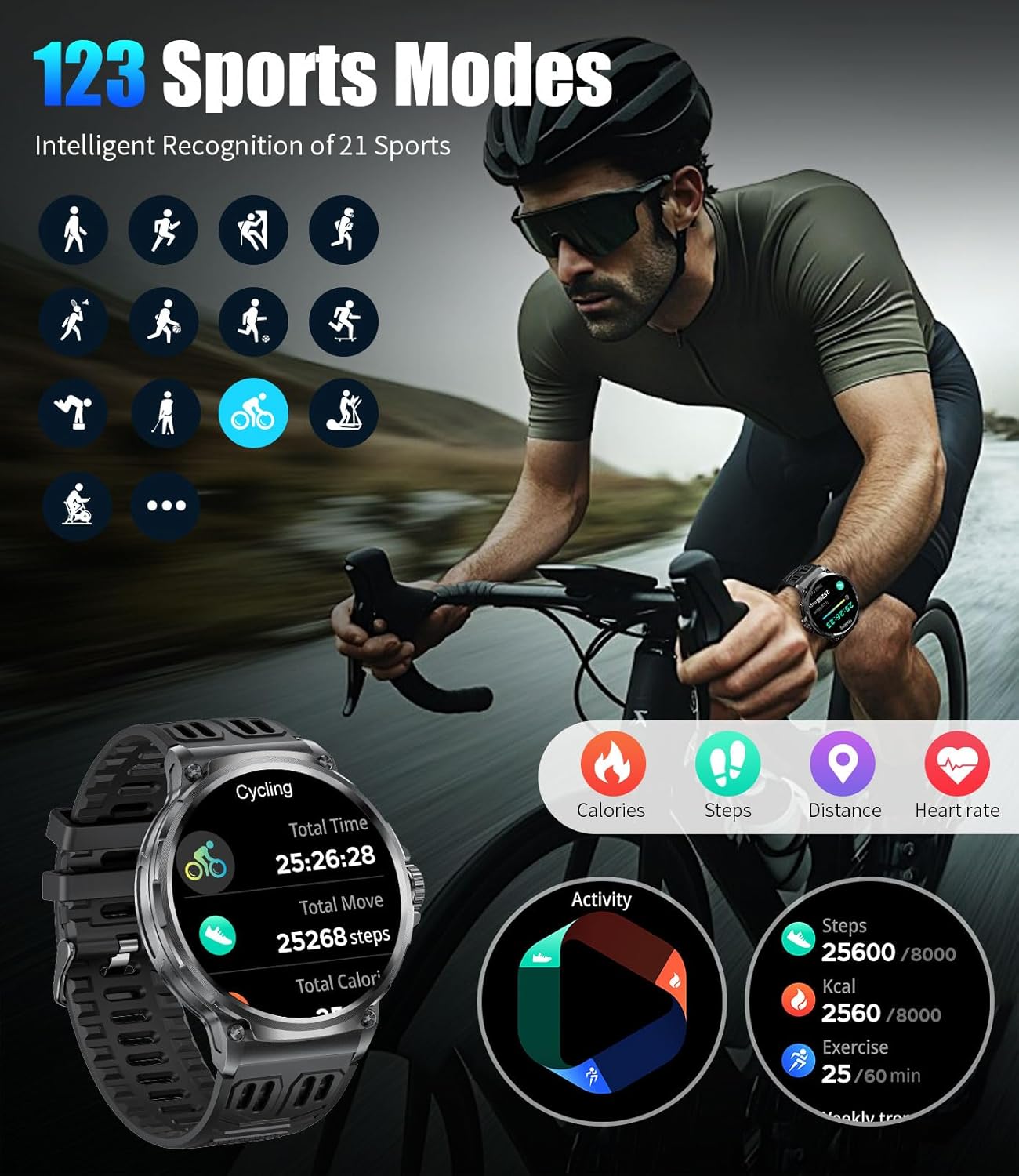
Image: The smartwatch showing a selection of sports modes and real-time tracking data for a cycling activity.
Outras características
The smartwatch includes several additional functions:
- Pronóstico do tempo: View condicións meteorolóxicas actuais e previsións.
- Asistente de voz: Activate your phone's voice assistant directly from the watch.
- Alarm, Stopwatch, Timer: Standard timekeeping functions.
- Control de música: Controla a reprodución de música no teu teléfono intelixente conectado.
- Control da cámara: Activa a cámara do teu teléfono intelixente de forma remota.
- Recordatorios: Sedentary and water intake reminders.
- Buscar teléfono: Localiza o teu teléfono intelixente emparellado.
- Modo Non molestar: Silenciar as notificacións durante momentos específicos.
- Lanterna: Utilize the screen as a light source.
Imaxe: Unha imaxe superiorview of the smartwatch's diverse features, such as weather display, Bluetooth calling, AI voice assistant, and health reminders.
Mantemento
Resistencia á auga (IP68)
The EF10-C Smart Watch has an IP68 waterproof rating, making it suitable for daily use, hand washing, rain, sweat, and swimming. However, it is not recommended for hot water activities like showering or sauna, or deep diving. The touch screen function is automatically turned off underwater to prevent accidental touches.

Image: The smartwatch being worn during swimming, demonstrating its IP68 water resistance for activities like rain, hand washing, sweat, and swimming.
Video: Demonstrates the durability and water resistance of the EF10-C Smart Watch, including submersion in water and impact tests.
Limpeza
Regularly clean your watch and straps with a soft, dry cloth. If necessary, use a slightly damp un pano e xabón suave, despois enxágüe e seque ben. Evite produtos químicos agresivos ou materiais abrasivos.
Coidado da batería
The 800mAh battery provides extended usage. To maximize battery life, avoid extreme temperatures and fully charge the device before long periods of inactivity. The watch supports continuous use for 8-14 days under normal conditions and offers a standby time of up to 60 days.

Image: The smartwatch highlighting its 800mAh battery capacity, indicating extended usage between charges.
Resolución de problemas
- O dispositivo non se acende: Asegúrate de que o reloxo estea completamente cargado. Conéctao ao cargador durante polo menos 30 minutos.
- Non se pode emparellar co teléfono: Make sure Bluetooth is enabled on your phone and the watch. Restart both devices and try pairing again through the 'Da Fit' app. Ensure the app has necessary permissions.
- Inaccurate Health Data/Step Count: Ensure the watch is worn snugly on your wrist, not too tight or too loose. Keep the sensor clean. Note that smartwatches are not medical devices and data is for reference only.
- Notificacións que non aparecen: Check app permissions on your phone for the 'Da Fit' app. Ensure notifications are enabled within the app and on the watch.
- Duración da batería curta: Reduce screen brightness, disable unnecessary features like continuous heart rate monitoring if not needed, and ensure no background apps are excessively draining power.
- A pantalla táctil non responde: Reinicia o reloxo. Se o problema persiste, asegúrate de que a pantalla estea limpa e seca.
Especificacións
| Característica | Especificación |
|---|---|
| Número de modelo | EF10-C |
| Tamaño da pantalla | 1.85 polgadas |
| Tipo de visualización | IPS HD |
| Resolución | 390x390 |
| Capacidade da batería | 800 mAh de iones de litio |
| Uso típico Duración da batería | 8-14 días |
| Tempo de espera | Ata 60 días |
| Conectividade | Bluetooth 5.0 |
| Clasificación impermeable | IP68 (5ATM) |
| Sistema Operativo | Wear OS 1.5 |
| Capacidade de almacenamento da memoria | 256 MB |
| Tamaño da memoria RAM instalada | 128 MB |
| Compatibilidade | Android 4.4+ / iOS 9.0+ |
| Dimensións do produto | 3.94 x 1.97 x 0.98 polgadas |
| Peso do elemento | 0.035 onzas (1 gramos) |

Image: A visual comparison of the 1.85-inch HD display of the EF10-C with smaller screens, emphasizing its larger viewing area and higher resolution.

Image: The smartwatch highlighting its military-grade durability, including 5ATM waterproofing and resistance to various environmental factors.
Video: Showcases various watch faces, Bluetooth calling, health monitoring, and sports tracking features of the EF10-C Smart Watch.
Garantía e Soporte
LIGE offers a 2-year warranty for the EF10-C Smart Watch. For any questions or support needs regarding your product, please contact LIGE customer service. We aim to provide a satisfactory response within 24 hours.
For further assistance, please refer to the official LIGE websitio web ou póñase en contacto cos seus canais de atención ao cliente.


