1. Getting Started: Unboxing and Components
This section details the contents of your TABWEE T80 package and provides an overview of the tablet's physical features.
1.1 Contido do paquete
Verifique que todos os elementos que se indican a continuación estean presentes no seu paquete:
- TABWEE T80 Android Tablet
- Teclado Bluetooth
- Rato sen fíos
- Stylus Pen
- Funda protectora
- Screen Protector (pre-applied or separate)
- Soporte para tableta
- Charger and USB-C Cable

1.2 Produto superadoview
Familiarize yourself with the tablet's buttons, ports, and camera locations.
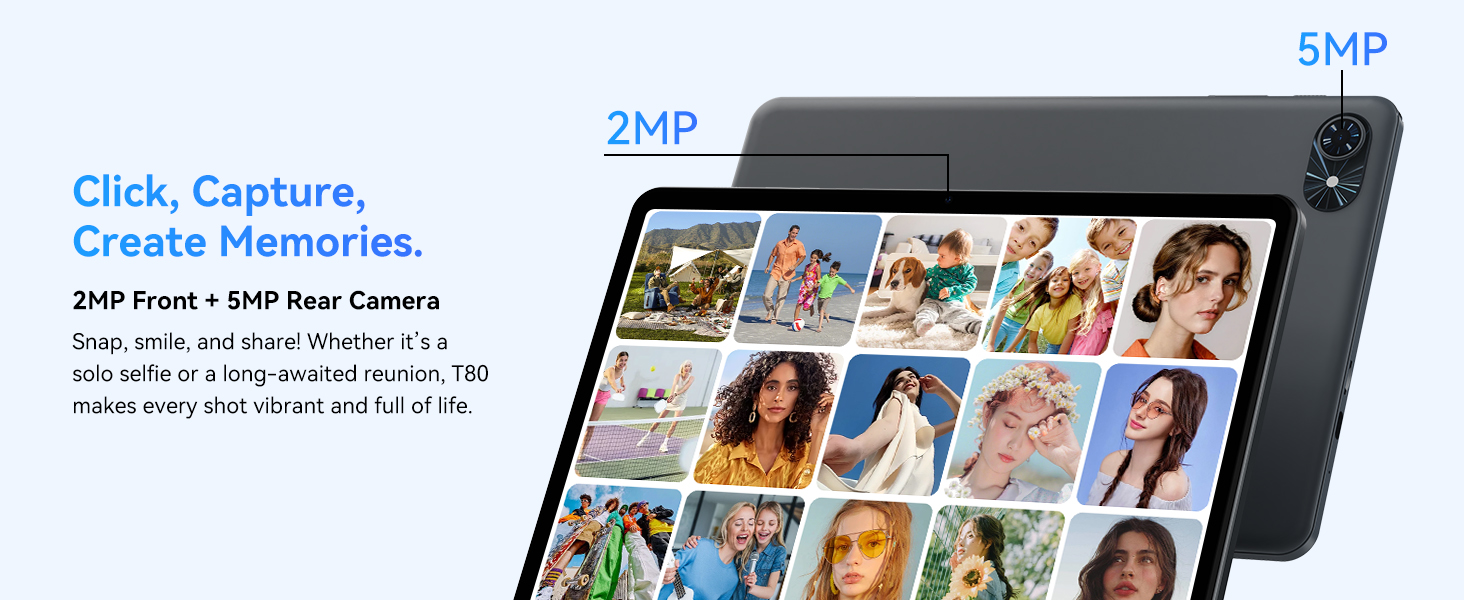
- Cámara frontal: Located at the top center when held in landscape orientation. (2MP)
- Cámara traseira: Located on the back panel, typically in the upper left corner. (5MP)
- Botón de encendido: Úsase para acender/apagar a tableta ou activar/poñer en repouso a pantalla.
- Botóns de volume: Axusta o nivel de saída de son.
- Porto USB-C: Para carga e transferencia de datos.
- Ranura para tarxetas MicroSD: Para ampliar o almacenamento ata 2 TB.
- Relatores: Dual speakers for audio output.
2. Instrucións de configuración
Follow these steps to set up your TABWEE T80 tablet for first-time use.
2.1 Acendido inicial e configuración básica
- Carga a tableta: Connect the provided USB-C cable and charger to the tablet and a power outlet. Allow the tablet to charge for at least 30 minutes before first use.
- Encendido: Press and hold the Power button until the TABWEE logo appears on the screen.
- Idioma e rexión: Siga as instrucións na pantalla para seleccionar o idioma e a rexión que prefira.
- Conectar a wifi: Select your Wi-Fi network from the list and enter the password. A stable internet connection is required for initial setup and updates.
- Conta de Google: Inicia sesión coa túa conta de Google ou crea unha nova. Isto é necesario para descargar aplicacións da Google Play Store.
- Data e hora: Confirm the date and time settings.
- Seguridade: Configura un bloqueo de pantalla (PIN, patrón ou contrasinal) por seguridade.
2.2 Conexión de accesorios
The TABWEE T80 comes with several accessories to enhance its functionality.
- Teclado e rato Bluetooth:
- Asegúrate de que o teclado e o rato estean cargados e acendidos.
- Na túa tableta, vai a Configuración > Dispositivos conectados > Bluetooth.
- Enable Bluetooth and scan for new devices.
- Select the keyboard and mouse from the list to pair them. Follow any on-screen prompts.
- Stylus Pen: The stylus pen can be used directly on the screen for navigation, drawing, or writing. No pairing is typically required for basic capacitive styluses.
- Protective Case and Stand: Attach the protective case to the tablet. The case often includes a foldable stand for hands-free viewing.
3. Instrucións de funcionamento
This section covers the daily operation of your TABWEE T80 tablet.
3.1 Basic Navigation and Android 15 Features
- Pantalla de inicio: Swipe left or right to access different home screens. Tap and hold an empty space to customize widgets, wallpaper, and settings.
- Notificacións e configuración rápida: Pasa o dedo cara abaixo desde a parte superior da pantalla ata view notificacións e acceder a configuracións rápidas como Wi-Fi, Bluetooth e brillo.
- Caixón de aplicacións: Desliza o dedo cara arriba desde a parte inferior da pantalla para acceder a todas as aplicacións instaladas.
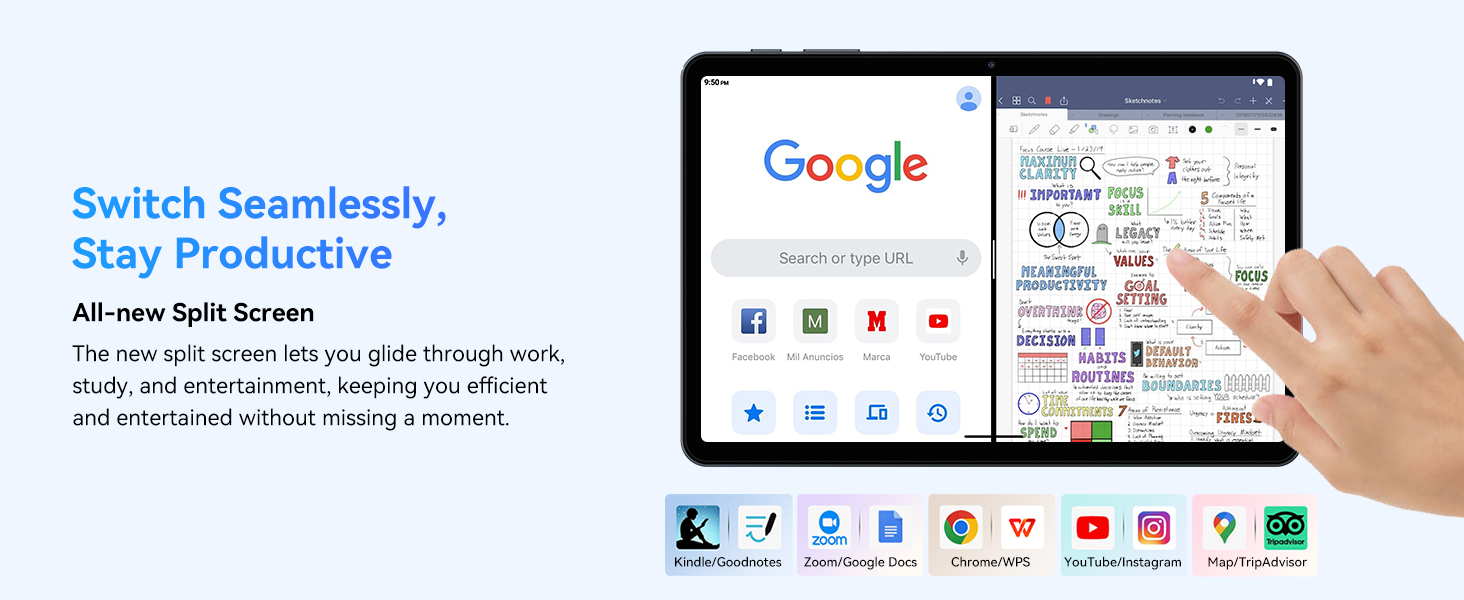
- Multitasking (Split Screen): Android 15 supports enhanced split-screen functionality. To use, open an app, then swipe up from the bottom, hold, and drag another app icon to either side of the screen.
- Gemini AI 2.0: Your tablet integrates Gemini AI 2.0 for enhanced task management, smart chats, text-to-image generation, voice-enabled Q&A, and real-time conversations. Access AI features through compatible apps or dedicated AI interfaces.
- Privacidade e seguridade: Android 15 offers improved privacy controls. Review and adjust app permissions in Configuración > Privacidade.
3.2 Conectividade
- Wi-Fi: Supports 802.11a/b/g/n/ac for fast 5G Wi-Fi connectivity. Manage Wi-Fi connections in Configuración > Rede e internet > Wi-Fi.
- Bluetooth 5.0: For connecting wireless headphones, speakers, keyboards, and mice. Manage Bluetooth devices in Configuración > Dispositivos conectados > Bluetooth.
- GPS: The tablet includes GPS functionality for location services and navigation apps.
- OTG (para levar): Supports OTG, allowing you to connect USB devices like flash drives or external hard drives using an appropriate adapter.
3.3 Uso da cámara
The TABWEE T80 features a 2MP front camera and a 5MP rear camera.
- Abre a aplicación da Cámara desde a pantalla de inicio ou o caixón de aplicacións.
- Toca o botón do obturador para sacar fotos.
- Cambia entre as cámaras dianteira e traseira usando a icona de alternancia da cámara.
- Explore different modes such as video recording or panorama if available.

3.4 Almacenamento e rendemento
- RAM: The tablet comes with 6GB of physical RAM, expandable virtually to 18GB for smooth multitasking. Adjust RAM settings in Configuración se é necesario.
- Almacenamento interno: 128GB ROM is provided for apps and files.
- Almacenamento ampliable: A MicroSD card slot allows for storage expansion up to 2TB. Insert a compatible MicroSD card into the designated slot.
- Procesador: Powered by a Quad-Core Unisoc T310 processor (1x A75 2.0GHz, 3x A55 1.8GHz) and GE8300 GPU for efficient performance.
3.5 Batería e carga
- Capacidade da batería: Equipped with a 6000mAh battery, providing over 10 hours of typical usage.
- Cargando: Use the provided 10W fast charger and USB-C cable. Connect the cable to the tablet's USB-C port and the charger to a power outlet.
- Optimización da batería: Android 15 includes AI Super Power Saving Algorithms to extend battery life. Monitor battery usage in Axustes> Batería.

3.6 Display and Entertainment
- Visualización: 10-inch IPS display with a resolution of 1280 x 800 pixels.
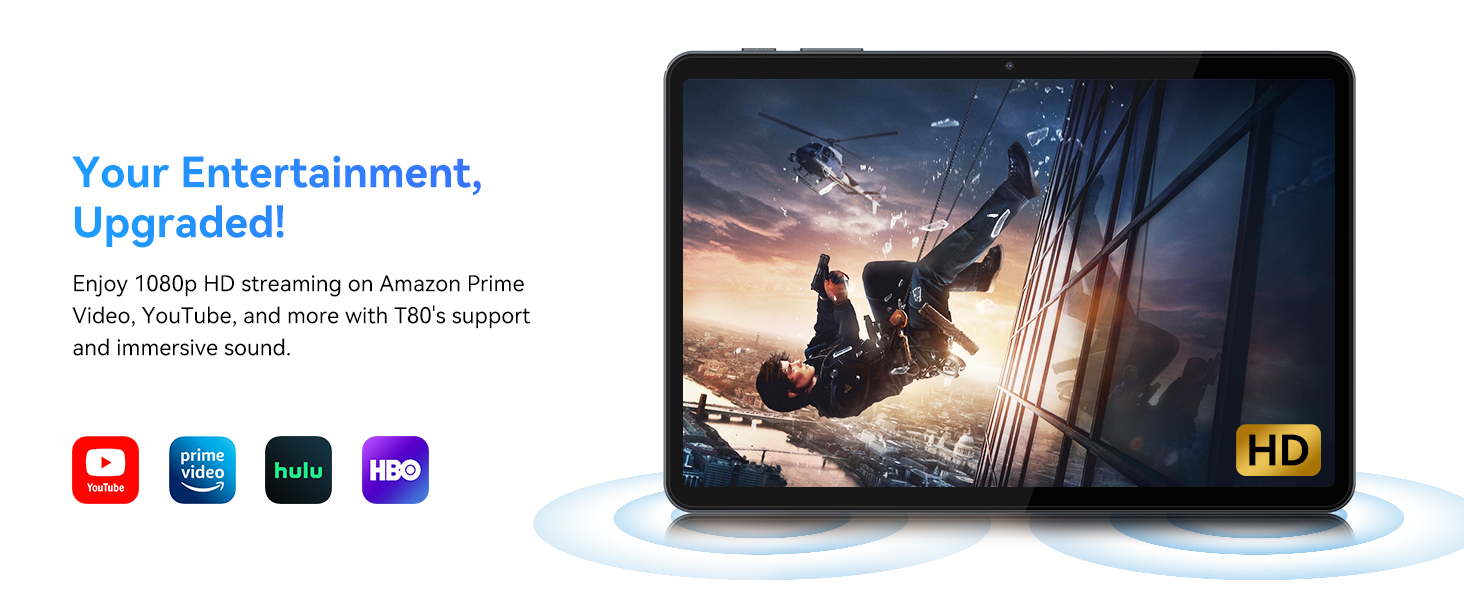
- Reprodución de vídeo: Supports 1080P video playback for streaming services like Amazon Prime Video, YouTube, Hulu, and HBO.
- Audio: Dual speakers provide clear audio for media consumption.
4. Mantemento
Un mantemento axeitado garante a lonxevidade e o rendemento óptimo da túa tableta.
4.1 Coidado coa batería
- Evita as temperaturas extremas, xa que poden reducir a duración da batería.
- Do not let the battery completely drain frequently. Charge it before it reaches 0%.
- Use only the provided charger and cable to prevent damage.
4.2 Limpeza
- Usa un pano suave e sen fiapos para limpar a pantalla e o corpo da tableta.
- Para manchas difíciles, lixeiramente dampEnxágüe o pano con auga ou unha solución para limpar pantallas. Evite produtos químicos agresivos.
- Asegúrate de que todos os portos estean libres de po e residuos.
4.3 Actualizacións de software
- Regularly check for and install system updates. These updates often include performance improvements, security patches, and new features.
- Ir a Configuración > Sistema > Actualización do sistema para comprobar se hai actualizacións dispoñibles.
5 Solución de problemas
This section addresses common issues you might encounter with your TABWEE T80 tablet.
A tableta 5.1 non se acende
- Asegúrate de que a tableta estea suficientemente cargada. Conéctaa ao cargador e agarda uns minutos antes de tentar acenderla de novo.
- Try holding the Power button for 10-15 seconds to force a restart.
5.2 Problemas de conectividade Wi-Fi
- Activa e desactiva a Wi-Fi en Configuración rápida.
- Reinicia o teu enrutador Wi-Fi.
- Esquécete da rede en Configuración > Rede e internet > Wi-Fi e reconectar.
5.3 Rendemento lento
- Pecha as aplicacións en segundo plano innecesarias.
- Limpar a caché das aplicacións usadas con frecuencia en Configuración > Aplicacións > [Nome da aplicación] > Almacenamento e caché > Borrar caché.
- Asegúrate de ter espazo de almacenamento libre suficiente. Elimina os datos antigos files or move them to expandable storage.
- Reinicie a tableta periodicamente.
5.4 Accessories Not Connecting
- For Bluetooth accessories, ensure they are charged, powered on, and in pairing mode.
- Verify Bluetooth is enabled on the tablet and try re-pairing the device.
- Check the battery level of the accessories.
6. Especificacións
Detailed technical specifications for the TABWEE T80 Android 15 Tablet.
| Característica | Especificación |
|---|---|
| Nome do modelo | T80(6+128) |
| Sistema Operativo | Android 15 |
| Tamaño da pantalla | 10 polgadas |
| Resolución máxima de pantalla | 1280 x 800 píxeles |
| Procesador | Unisoc T310 Quad-Core (1x A75 2.0GHz, 3x A55 1.8GHz) |
| RAM | 18 GB (6 GB físico + 12 GB virtual) |
| Tamaño da memoria flash (ROM) | 128 GB |
| Almacenamento ampliable | Ata 2 TB mediante tarxeta MicroSD |
| Tipo sen fíos | 802.11a, 802.11ac, 802.11b, 802.11g, 802.11n (5G WiFi) |
| Bluetooth | Bluetooth 5.0 |
| Capacidade da batería | 6000 mAh |
| Duración media da batería | 480 Hours (Standby) / 10+ Hours (Usage) |
| Cámara frontal | 2 MP |
| Cámara traseira | 5 MP |
| Peso do elemento | 1.1 libras |
| Dimensións do produto | 9.5 x 6.3 x 0.3 polgadas |
| Cor | Gris prata |
7. Garantía e soporte
Information regarding your product warranty and how to obtain customer support.
7.1 Garantía do produto
The TABWEE T80 tablet comes with a 2 ano de garantía, covering manufacturing defects and ensuring product reliability. This warranty provides peace of mind and support for your device.
7.2 Atención ao cliente
For any technical assistance, inquiries, or warranty claims, please contact TABWEE customer support:
- Correo electrónico: servizoplus.linda@gmail.com
- Teléfono (EUA): +1 (717) 896-6060
- Teléfono (Reino Unido): +44 7700 156388
- Phone (CA): +1 (587) 841-0500
- Teléfono (DE): +49 157 3598 0115
TABWEE offers 24/7 customer support and lifetime technical assistance to ensure you have the best experience with your product.