1. Introdución
This manual provides essential information for setting up, operating, and maintaining your SVITOO PL002 Android 15 Tablet. Please read this guide thoroughly to ensure optimal performance and longevity of your device. Keep this manual for future reference.
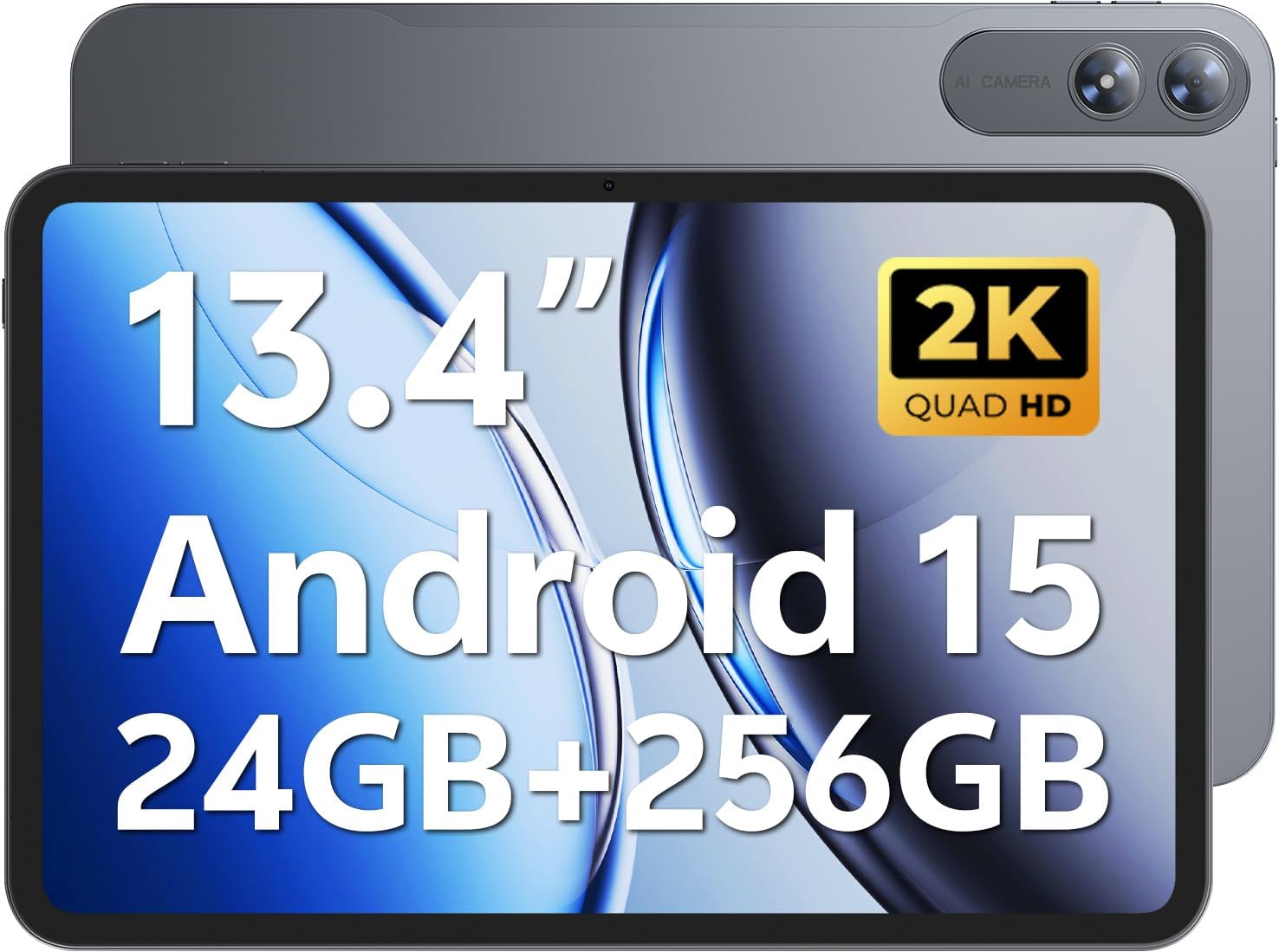
Image 1.1: SVITOO PL002 Android 15 Tablet, showcasing its sleek design and dual cameras.
Contido do paquete
- SVITOO PL002 Android 15 Tablet
- Protective Case with Magnetic Bracket
- Cable de carga USB-C
- Power Adapter (18W Fast Charging)
- Manual de usuario (este documento)
2. Produto rematadoview
The SVITOO PL002 tablet features a 13.4-inch FHD IPS display, an Octa-Core processor, 24GB RAM, 256GB internal storage, and runs on Android 15. It is designed for versatile use, from entertainment to productivity.

Imaxe 2.1: Acabadoview of the SVITOO PL002 tablet's main features.
Compoñentes físicos
While a detailed diagram is not available, the tablet typically includes:
- Botón de encendido: Situado no lateral, úsase para acender/apagar ou activar/poñer en repouso o dispositivo.
- Botóns de volume: Located near the power button, for adjusting audio levels.
- Porto USB tipo C: Para carga e transferencia de datos.
- Conector para auriculares de 3.5 mm: Para saída de audio con cable.
- Ranura para tarxetas MicroSD: For storage expansion.
- Cámara frontal: Para videochamadas e selfies.
- Cámaras traseiras: Para gravar fotos e vídeos.
- Relatores: Dual speakers for audio output.
3. Configuración
3.1 Carga inicial
Before first use, fully charge your tablet using the provided USB-C cable and power adapter. The tablet supports 18W fast charging.
3.2 Encendido/apagado
- Para acender: Press and hold the Power button until the SVITOO logo appears.
- Para apagar: Mantén premido o botón de acendido e, a seguir, selecciona "Apagar" entre as opcións que aparecen na pantalla.
- Para durmir/espertar: Preme brevemente o botón de acendido.
3.3 Protective Case and Screen Protector
The tablet comes with a pre-installed screen protector and a protective case. The case features a magnetic bracket that automatically wakes the tablet when opened and puts it to sleep when closed.

Image 3.1: The smart wake-up case and pre-installed screen protector for convenience.
3.4 Conexión Wi-Fi
- Ir a Configuración > Rede e internet > Wi-Fi.
- Activar/desactivar Wi-Fi On.
- Seleccione a rede desexada da lista.
- Introduza o contrasinal se lle solicita e logo toque Conectar. The tablet supports dual-band Wi-Fi (2.4GHz/5GHz).
3.5 Google Mobile Services (GMS) Setup
Your SVITOO PL002 tablet is GMS certified, providing full access to the Google ecosystem. During initial setup, follow the on-screen prompts to sign in with your Google account or create a new one. This enables access to Google Play Store, Gmail, YouTube, Google Maps, and other Google applications.

Image 3.2: GMS certification ensures access to a wide range of Google applications.
4. Instrucións de funcionamento
4.1 Navegación básica (Android 15)
The tablet runs on Android 15, offering an intuitive user interface. Swipe gestures are commonly used for navigation:
- Casa: Pasa o dedo cara arriba desde a parte inferior da pantalla.
- Volver: Pasa o dedo dende o bordo esquerdo ou dereito da pantalla.
- Aplicacións recentes: Desliza o dedo cara arriba desde abaixo e mantén premido.
- Notificacións/Configuración rápida: Pasa o dedo cara abaixo desde a parte superior da pantalla.
4.2 Características de visualización
The 13.4-inch IPS Incell display provides a 1920x1200 resolution with a 16:10 aspect ratio and a 178° viewing angle. It features a smooth 60Hz refresh rate for fluid visuals.

Image 4.1: The 13.4-inch 2K IPS display offers vibrant colors and sharp details.
4.3 Rendemento e almacenamento
The tablet is powered by a Unisoc T7250 Octa-Core processor, ensuring smooth multitasking. It comes with 24GB RAM (6GB physical + 18GB virtual) and 256GB internal storage, expandable up to 1TB via a MicroSD card (sold separately).

Image 4.2: The Unisoc T7250 Octa-Core processor provides efficient performance.

Imaxe 4.3: Ample storage and expansion options for your files e aplicacións.
4.4 Cámaras
The tablet features a 13MP rear camera for high-quality photos and videos, and an 8MP front camera for clear video calls and selfies.

Image 4.4: Capture moments with the tablet's dual cameras.
4.5 Xestión da batería
Equipped with a 10,000mAh battery, the tablet provides extended usage times. It supports USB-PD 18W fast charging for quick recharges.

Imaxe 4.5: A batería de 10,000 mAh proporciona enerxía de longa duración.
Audio 4.6
The tablet features dual speakers for immersive sound and includes a 3.5mm headphone jack for private listening.
4.7 Características especiais
- Widevine L1 Certified: Enjoy full HD streaming on platforms like Netflix, Disney+, Prime Video, and Hulu.
- Desbloqueo facial: Securely and quickly unlock your tablet using facial recognition.
- Multitarefa en pantalla dividida: Run two applications side-by-side for enhanced productivity.
- Wireless Casting (Screen Mirroring): Cast your tablet's screen to compatible smart TVs for a larger viewexperiencia ing.
- Modo de protección ocular: Reduce a emisión de luz azul para minimizar a fatiga ocular durante o uso prolongado.
- Controis parentais: Manage usage time and app access for children.
- GPS incorporado: Provides navigation capabilities for travel and location services.

Image 4.6: Widevine L1 certification enables high-definition content streaming.

Image 4.7: Key operational features including multitasking, casting, security, and navigation.
5. Mantemento
5.1 Limpeza
Para limpar a tableta, use un pano suave e sen pelusa. Para manchas difíciles, dóreo lixeiramenteampEnxágüe o pano con auga ou cun limpador de pantallas deseñado especificamente para dispositivos electrónicos. Evite o uso de produtos químicos agresivos, materiais abrasivos ou humidade excesiva.
5.2 Almacenamento
Store the tablet in a cool, dry place away from direct sunlight and extreme temperatures. If storing for an extended period, ensure the battery is charged to approximately 50% to preserve battery health.
5.3 Actualizacións de software
Comproba e instala regularmente actualizacións do sistema para garantir que a túa tableta teña as últimas funcións, parches de seguridade e melloras de rendemento. Vai a Configuración > Sistema > Actualización do sistema.
6 Solución de problemas
This section addresses common issues you might encounter with your SVITOO PL002 tablet.
6.1 Tablet Does Not Turn On
- Asegúrate de que a batería estea cargada. Conecta a tableta ao cargador e agarda uns minutos antes de tentar acendela de novo.
- Manteña premido o botón de acendido durante polo menos 10-15 segundos para realizar un reinicio forzado.
6.2 Non se pode conectar á wifi
- Verifica que o Wi-Fi estea activado en Configuración > Rede e internet > Wi-Fi.
- Asegúrate de introducir o contrasinal wifi correcto.
- Reinicia o teu enrutador Wi-Fi e a tableta.
- Try connecting to a different Wi-Fi network to determine if the issue is with the tablet or your network.
6.3 Applications Freeze or Crash
- Pecha e volve abrir a aplicación problemática.
- Limpar a caché e os datos da aplicación en Configuración > Aplicacións > [Nome da aplicación] > Almacenamento e caché.
- Asegúrate de que a aplicación estea actualizada á súa última versión desde Google Play Store.
- Reinicie a tableta.
6.4 Rendemento lento
- Pecha as aplicacións en segundo plano innecesarias.
- Clear cached data from apps and the system.
- Ensure sufficient storage space is available. Delete unused apps or files.
- Reinicie a tableta periodicamente.
7. Especificacións
| Característica | Especificación |
|---|---|
| Modelo | PL002 |
| Sistema Operativo | Android 15 |
| Tamaño de visualización | 13.4 polgadas |
| Resolución de pantalla | 1920 x 1200 Pixels (FHD IPS Incell) |
| Procesador | Unisoc T7250 Octa-Core (1.8 GHz) |
| Coprocesador gráfico | Mali-G57 |
| RAM | 24 GB (6 GB + 18 GB virtuais) |
| Almacenamento interno | 256 GB |
| Almacenamento ampliable | Up to 1TB via MicroSD (sold separately) |
| Cámara traseira | 13 MP |
| Cámara frontal | 8 MP |
| Capacidade da batería | 10,000 mAh |
| Cargando | USB-C, 18W Fast Charging |
| Conectividade sen fíos | 802.11ax (Dual-Band Wi-Fi 2.4GHz/5GHz), Bluetooth 5.0 |
| Dimensións (LxWxH) | 9.7 x 6.4 x 0.4 polgadas |
| Peso do elemento | 3.58 libras (aprox. 1.62 kg) |
8. Garantía e soporte
8.1 Información da garantía
The SVITOO PL002 tablet comes with a One Year Protection warranty from the date of purchase. This warranty covers manufacturing defects and ensures quality assurance. Please note that the warranty does not cover damage caused by misuse, accidents, natural disasters, or other force majeure events.

Image 8.1: SVITOO's commitment to quality and customer support.
8.2 Atención ao cliente
For any questions, technical assistance, or warranty claims, please contact SVITOO customer support through your Amazon order details. Navigate to your order history on Amazon and select the option to "Contact Seller" for assistance.


