1. Introdución
This manual provides comprehensive instructions for the Inateck Nomad N0158 Foldable Keyboard and Mouse Set. It covers product features, setup procedures, operational guidelines, maintenance tips, and troubleshooting information to ensure optimal performance and user experience. This set is designed for multi-device connectivity, supporting up to three devices simultaneously across various operating systems including Windows, macOS, Android, and iOS.
2. Contido do paquete
Verifique que todos os elementos que se indican a continuación estean incluídos no seu paquete:
- Inateck Nomad N0158 Foldable Keyboard
- Rato sen fíos
- Accessory Bag (600D two-tone splash-proof RPET recycled material)
- Folding Stand (suitable for 4-13 inch iPads, smartphones, and tablets)
- Cable de carga USB-C
- Manual de usuario
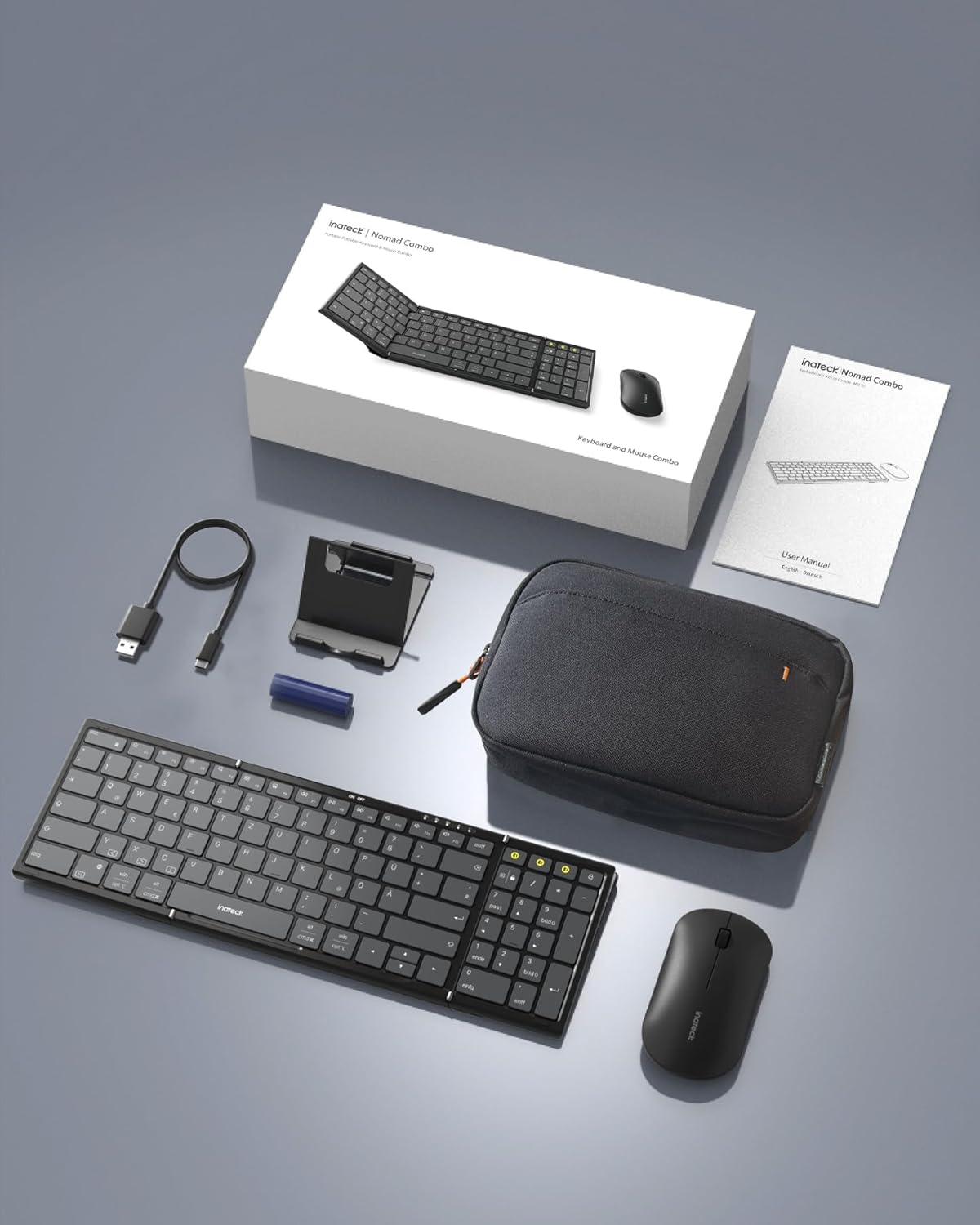
Image: All components included in the Inateck Nomad N0158 package: the foldable keyboard, wireless mouse, accessory bag, folding stand, and USB-C charging cable.
3. Produto rematadoview
3.1 Características do teclado
- Deseño plegable: Compact for portability.
- Maquetación a tamaño completo: 99 keys with a separate numeric keypad for efficient data entry and document editing.
- Conectividade multidispositivo: Connects to up to 3 devices via 2.4G, Bluetooth 1 (BT1), and Bluetooth 2 (BT2).
- Batería de longa duración: Over 90 hours of continuous use, up to 180 days standby. Rechargeable via Type-C port.
- Stable Hinge: Features a seamless metal hinge with magnetic locking for stability when unfolded.

Image: The Inateck Nomad N0158 keyboard unfolded, showcasing its full-size layout with six rows of main keys and a dedicated numeric keypad.

Imaxe: Unha detallada view of the keyboard's seamless metal hinge and magnetic locking system, designed for stability when the keyboard is open.
3.2 Características do rato
- Conectividade sen fíos: Connects via 2.4G USB dongle and two Bluetooth channels (BT1, BT2).
- Batería de longa duración: Over 50 hours of continuous operation, with extended standby time.
4. Guía de configuración
4.1 Carga do teclado
- Localiza o porto de carga USB-C no teclado.
- Conecta o cable USB-C fornecido ao teclado e a unha fonte de alimentación (por exemplo, un porto USB do ordenador ou un adaptador de parede USB).
- A luz indicadora de carga acenderase. Unha vez cargada completamente, a luz cambiará ou apagarase.
The mouse typically uses a replaceable battery (often pre-installed with a pull tab) or may be rechargeable. Refer to the mouse's specific instructions for charging or battery installation.
4.2 Pairing the Keyboard and Mouse
The keyboard and mouse support multiple connection methods: 2.4G wireless (for mouse only, via USB dongle) and Bluetooth (BT1, BT2 for both keyboard and mouse).
4.2.1 2.4G Wireless Connection (Mouse Only)
- Locate the 2.4G USB dongle, usually stored within the mouse or accessory bag.
- Insira o dongle USB nun porto USB dispoñible do seu ordenador.
- Turn on the mouse. It should automatically connect to the dongle.
4.2.2 Bluetooth Connection (Keyboard and Mouse)
The keyboard and mouse each have two Bluetooth channels (BT1 and BT2) for connecting to different devices.
- Acende o dispositivo: Asegúrate de que o teclado e o rato estean acesos.
- Selecciona unha canle Bluetooth:
- For the keyboard, press the dedicated BT1 or BT2 button.
- For the mouse, switch to the desired Bluetooth mode (BT1 or BT2) using its mode switch.
- Activar o modo de sincronización:
- For the keyboard, prensa longa the selected BT1 or BT2 button until the indicator light flashes, indicating pairing mode.
- For the mouse, long press its Bluetooth pairing button (refer to mouse-specific instructions if not obvious) until its indicator light flashes.
- Activa o Bluetooth no teu dispositivo: No teu ordenador, tableta ou teléfono intelixente, vai á configuración de Bluetooth.
- Busca dispositivos: O teu dispositivo buscará os dispositivos Bluetooth dispoñibles.
- Seleccionar e conectar: Choose "Inateck Keyboard" and/or "Inateck Mouse" from the list of found devices. Follow any on-screen prompts to complete the pairing.

Image: Illustration of the keyboard and mouse connected to multiple devices (laptop, tablet, smartphone) via 2.4G, BT1, and BT2 channels. Short press to switch channels, long press to activate pairing mode.
5. Instrucións de funcionamento
5.1 Cambio entre dispositivos conectados
Once paired with multiple devices, you can easily switch between them:
- Teclado: Short press the BT1 or BT2 button to switch to the corresponding paired device.
- Rato: Use the mode switch on the mouse to select between 2.4G, BT1, or BT2.
5.2 Using the Folding Stand
The included folding stand is designed to hold 4-13 inch iPads, smartphones, and tablets, providing an ergonomic viewing angle while using the keyboard. Ensure the stand is placed on a stable, flat surface.
5.3 Keyboard Usage Notes
- Superficie estable: Always place the keyboard on a flat, stable surface. The folding hinge is not designed to lock, and typing on uneven surfaces may cause instability.
- Deseño do teclado: The keyboard features a QWERTZ layout. Ensure your device's operating system is configured to match this layout for correct character input.
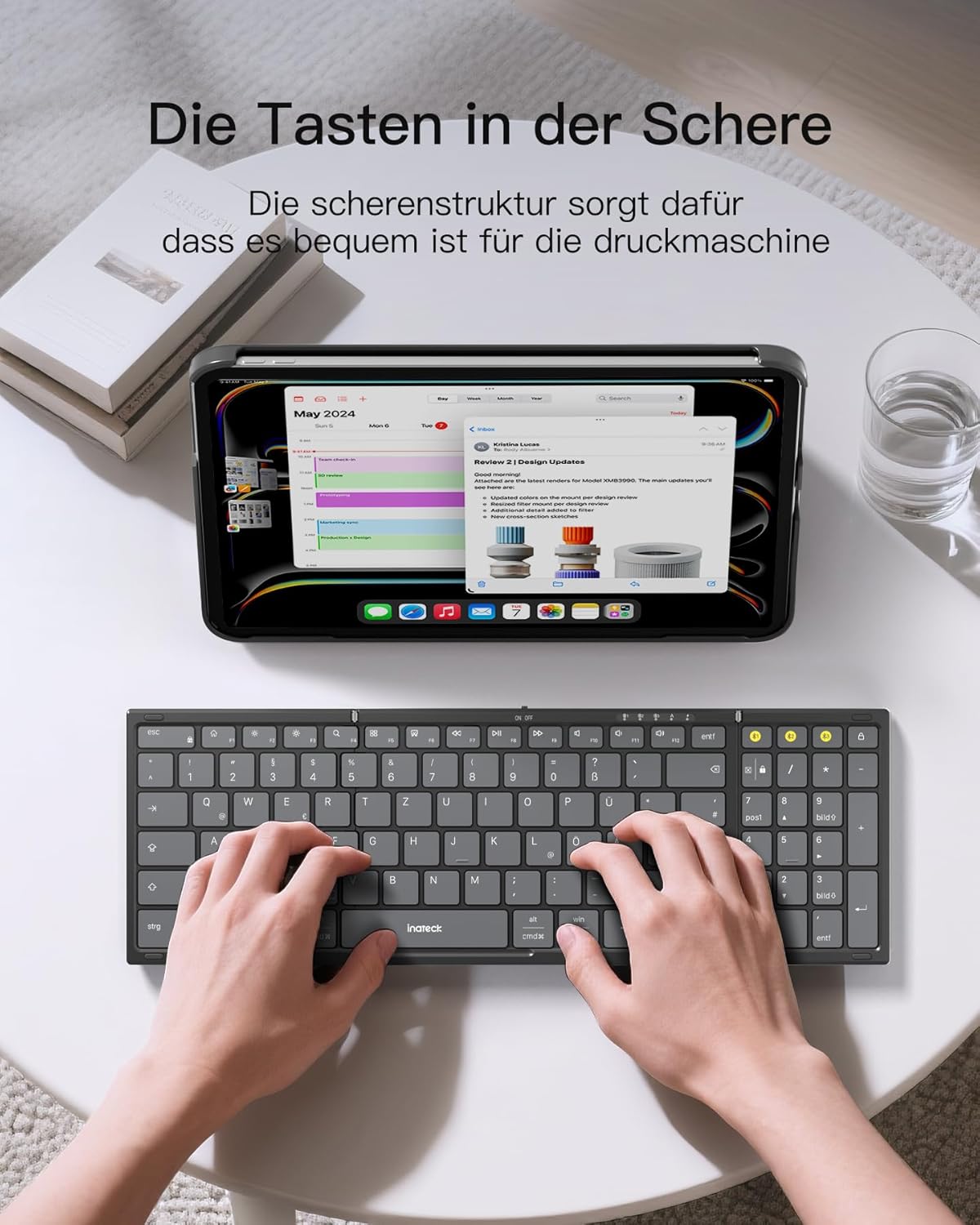
Image: A user demonstrating typing on the Inateck Nomad N0158 foldable keyboard, with a tablet positioned on the included stand for an optimal workspace setup.
6. Mantemento
6.1 Limpeza
- Use a soft, dry, lint-free cloth to clean the keyboard and mouse surfaces.
- Para a sucidade persistente, d lixeiramenteampEnxágüe o pano con auga ou un limpador suave e non abrasivo. Evite a humidade excesiva.
- Do not use harsh chemicals, solvents, or abrasive materials, as these can damage the product finish.
6.2 Almacenamento
- When not in use, fold the keyboard and store it along with the mouse and stand in the provided accessory bag.
- Almacene o produto nun lugar fresco e seco lonxe da luz solar directa e de temperaturas extremas.
- The accessory bag is made from splash-proof material, offering protection during travel.
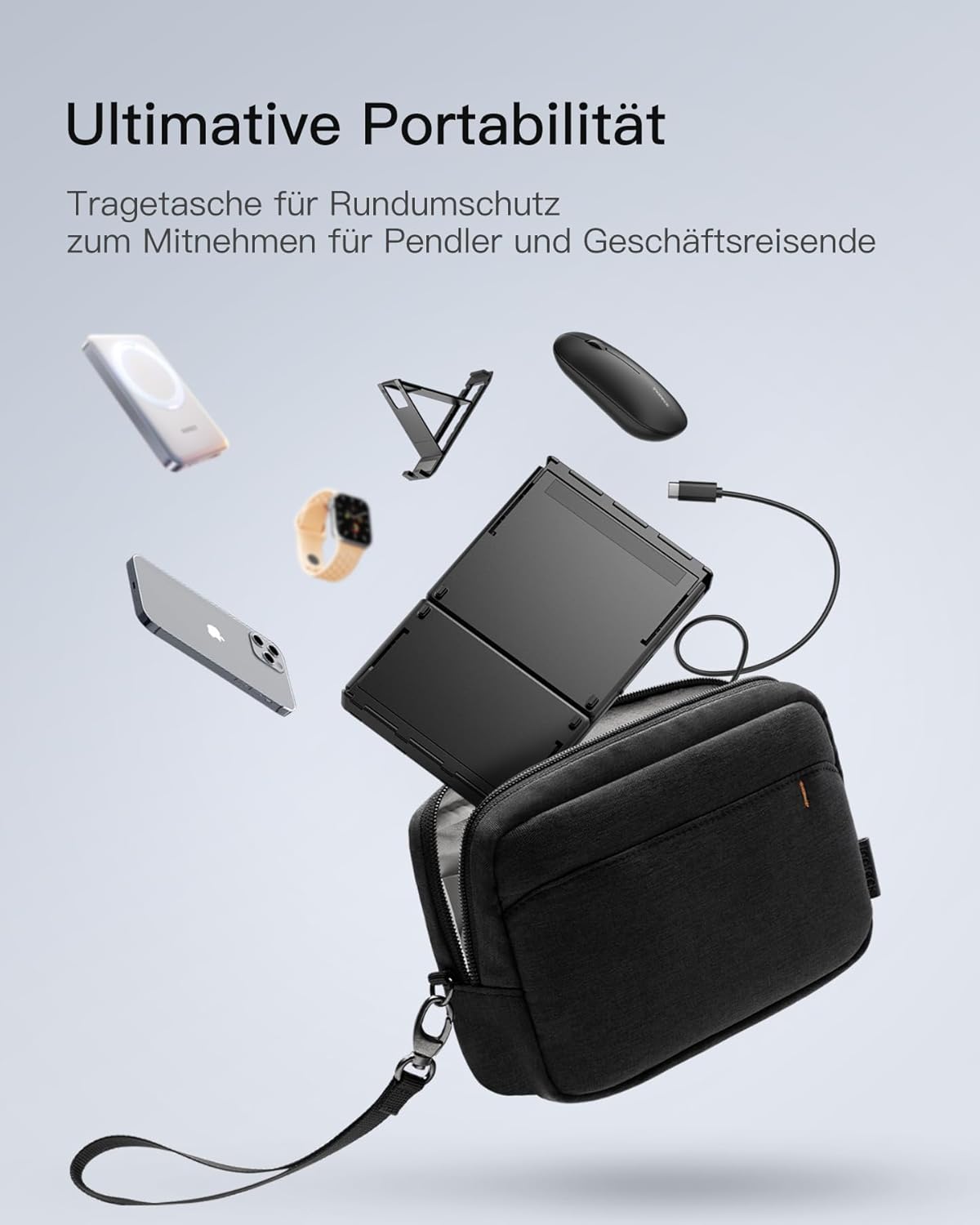
Image: The Inateck Nomad N0158 accessory bag, designed for ultimate portability and protection of the keyboard, mouse, and folding stand during transport.
6.3 Coidado coa batería
- Recharge the keyboard regularly to maintain battery health, even if not used frequently.
- Evite descargar completamente a batería durante períodos prolongados.
- If the mouse uses replaceable batteries, ensure they are inserted correctly and replace them when power is low.
7 Solución de problemas
7.1 Problemas de conectividade
- Dispositivo non conectado:
- Ensure the keyboard/mouse is charged and powered on.
- Verify that the correct Bluetooth channel (BT1/BT2) is selected and in pairing mode (flashing indicator).
- On your device, turn Bluetooth off and then on again.
- Remove any previous pairings for the keyboard/mouse from your device's Bluetooth settings and attempt to pair again.
- For 2.4G mouse connection, ensure the USB dongle is securely inserted and the mouse is in 2.4G mode.
- Conexión intermitente:
- Ensure there are no obstructions between the keyboard/mouse and your device.
- Acércate máis ao teu dispositivo para descartar problemas de alcance.
- Comprobe se hai interferencias doutros dispositivos sen fíos.
7.2 Incorrect Keyboard Output (e.g., 'Y' appears instead of 'Z')
This issue typically occurs when the device's operating system keyboard layout does not match the physical QWERTZ layout of the Inateck keyboard. To resolve this, adjust your device's keyboard language settings:
For Windows/Android/macOS/iOS:
- Vaia ao seu dispositivo Configuración.
- Navega ata Lingua e entrada or similar (e.g., "Other settings > Language and input methods" on Android).
- Atopar Teclado físico or Teclado de hardware axustes.
- Select the "Nomad" or "Inateck Keyboard" entry.
- Set the keyboard layout to Alemán (QWERTZ).
7.3 Keyboard Instability
The keyboard's folding hinge does not lock. For stable typing, always ensure the keyboard is placed on a completely flat and firm surface. Avoid using it on uneven surfaces like a lap, bed, or soft cushions, as this can cause the keyboard to fold unexpectedly.
8. Especificacións
| Marca | Inateck |
| Modelo | N0158 |
| Tecnoloxía de conectividade | Bluetooth, 2.4G Wireless (Mouse) |
| Características especiais | 3 Bluetooth Channels, Ergonomic (design) |
| Dispositivos compatibles | Laptop, Personal Computer, Smartphone (iPad, iPhone, Mac, Android, Windows) |
| Descrición do teclado | Foldable keyboard mouse set wireless |
| Usos recomendados do produto | Oficina, Viaxes |
| Disposición do teclado | QWERTZ |
| Fonte de enerxía | Battery Powered (Rechargeable via USB-C for keyboard) |
| Duración da batería do teclado | 90+ hours continuous use, 180 days standby |
| Duración da batería do rato | 50+ hours continuous use, extended standby |
| Dimensións do produto (desdobrado) | 40.54 x 11.49 x 3 cm |
| Peso do produto | 756 g |

Image: Visual representation of the Inateck Nomad N0158 keyboard's dimensions when folded (18.4 cm) and unfolded (34.2 cm x 11.5 cm), alongside a tablet (27.9 cm) and smartphone (14.6 cm) for scale.
9. Garantía e soporte
Inateck products are designed for reliability and performance. For warranty information, technical support, or customer service inquiries, please refer to the official Inateck websitio web ou póñase en contacto directamente co servizo de atención ao cliente. Garde o recibo de compra para reclamacións de garantía.
Oficial Websitio: www.inateck.com


