1. Introdución
This manual provides essential instructions for setting up, operating, and maintaining your LG 43QNED80TUC QNED 4K Smart TV. Please read this manual thoroughly before using your television to ensure safe and optimal performance. Keep this manual for future reference.
2. Que hai na caixa
Verifique que estean presentes todos os compoñentes antes de comezar a configuración.
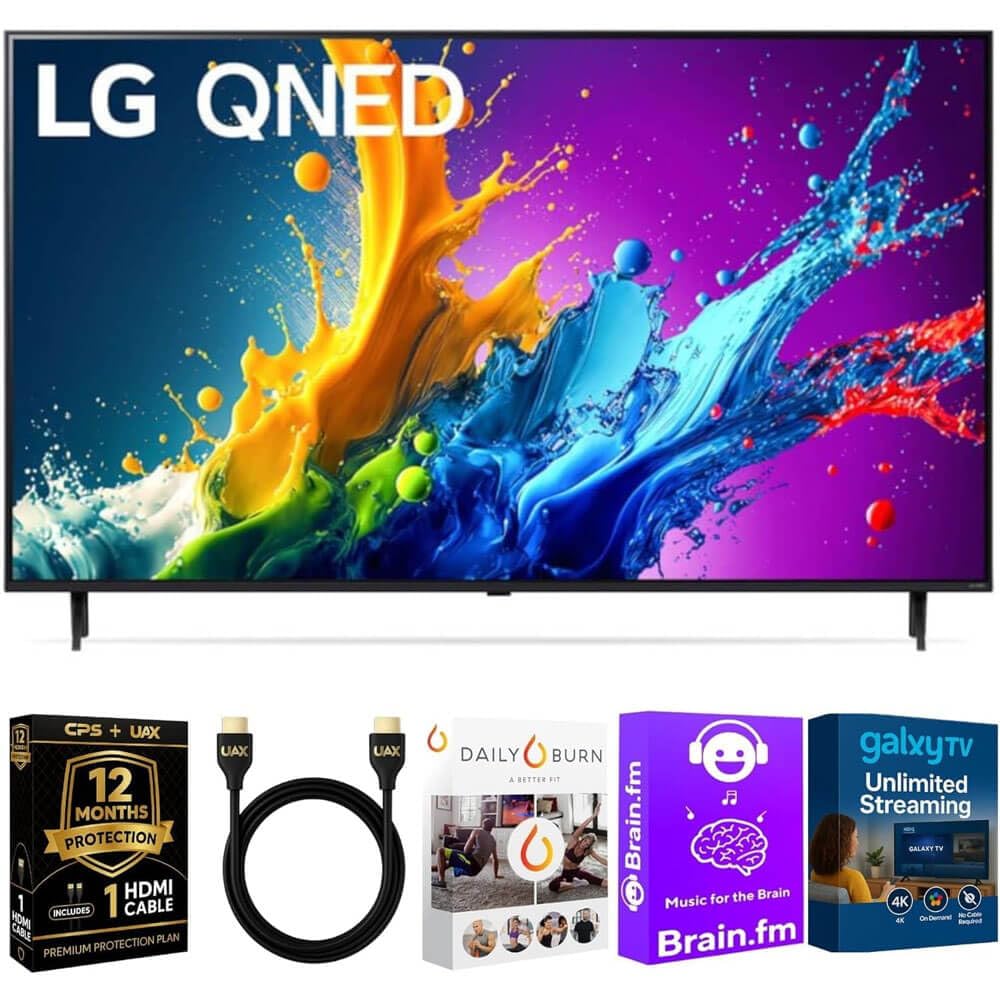
Imaxe: The LG 43QNED80TUC QNED 4K Smart TV, displaying its dimensions and a list of included accessories such as the Magic Remote, remote control batteries, stand, and quick start guide.
- LG 43QNED80TUC QNED 4K Smart TV
- Remoto máxico
- Baterías de control remoto
- Compoñentes do soporte de TV
- Cable de alimentación
- Guía de inicio rápido
- UAX HDMI 2.0 Cable (6ft)
- 12-Month CPS Protection Plan documentation
- Streaming Bundle activation details (Brain.fm, Daily Burn, Galaxy TV)
3. Configuración
3.1 Montaxe do soporte
Carefully place the TV screen-down on a soft, flat surface. Attach the stand components to the designated slots on the bottom of the TV using the provided screws. Ensure the stand is securely fastened before placing the TV upright.

Imaxe: Lado view of the LG QNED TV, illustrating its slim design and the attached stand, which provides stable support.
3.2 Conexión de periféricos
Connect your external devices such as cable boxes, gaming consoles, or Blu-ray players to the TV's input ports. Use the provided UAX HDMI 2.0 cable for optimal performance with compatible devices.

Imaxe: Traseira view of the LG QNED TV, highlighting the various input and output ports including HDMI, USB, Ethernet, RF In, and Optical Digital Audio Out, for connecting external devices.
Portos dispoñibles:
- 4 entradas HDMI
- 2 portos USB
- 1 Ethernet (LAN) Port
- Entrada RF (antena / cable)
- Saída de audio dixital óptico
3.3 Acendido inicial e configuración básica
Plug the power cable into the TV and a wall outlet. Press the power button on the Magic Remote or on the TV. Follow the on-screen prompts to complete the initial setup, including language selection, network connection, and channel scanning.
4. Funcionamento da súa TV
4.1 Using the Magic Remote
The Magic Remote allows intuitive control of your TV. Point and click, use the scroll wheel, or utilize voice commands for navigation and content selection. Ensure batteries are correctly inserted.
4.2 webCaracterísticas do sistema operativo Smart TV
O teu televisor LG QNED funciona con webOS, providing access to a wide range of streaming services and LG Channels. Navigate the home screen to find apps like Netflix, Prime Video, Disney+, and more.
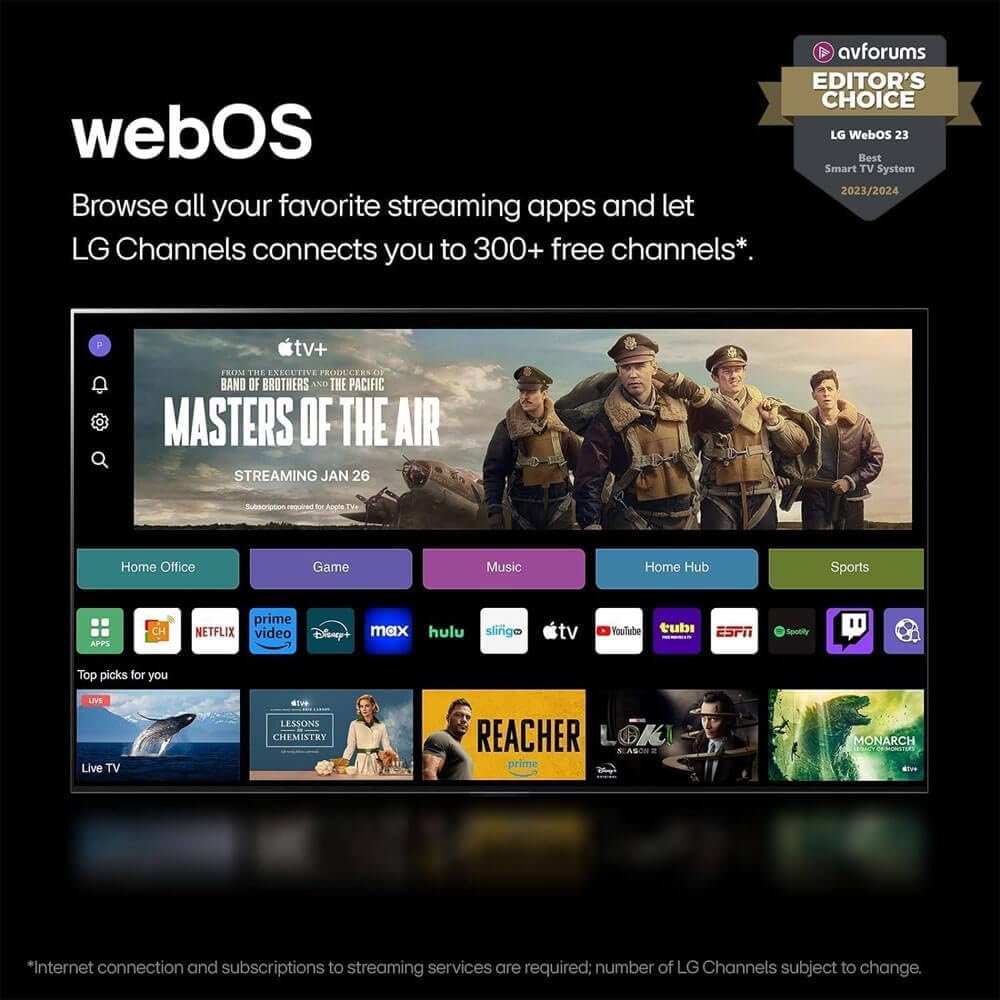
Imaxe: O LG webOS 23 interface, displaying a selection of popular streaming applications and content categories, indicating easy access to entertainment.
Control de voz: The TV features Alexa Built-in. Press the microphone button on your Magic Remote and speak your commands to search for content, control smart home devices, or get information.
4.3 Picture and Sound Enhancement (a5 AI Processor Gen7)
The a5 AI Processor Gen7 automatically optimizes picture and sound quality in real-time. This processor enhances brightness, refines detail, and improves audio clarity for an immersive viewexperiencia ing.

Imaxe: A visual representation of the LG a5 AI Processor Gen7 chip, illustrating its role in enhancing brightness, sound, and picture detail for an improved viewexperiencia ing.
HDR and Audio Technologies: The TV supports HDR10 and Dolby Vision for enhanced contrast and color, and Dolby Atmos for immersive audio. These technologies are automatically engaged when compatible content is played.
4.4 Gaming Features (Game Optimizer)
Access the Game Optimizer menu to quickly adjust settings for an optimal gaming experience. Features include Auto Low Latency Mode (ALLM) for reduced input lag and HGiG compatibility for accurate HDR gaming.

Imaxe: A screenshot of the LG Game Optimizer interface displayed during a racing game, showing options for customizing gaming settings like ALLM, eARC, and HGiG.
5. Mantemento
5.1 Limpeza do televisor
Gently wipe the screen and cabinet with a soft, dry cloth. For stubborn marks, lightly dampen the cloth with water. Avoid using harsh chemicals or abrasive cleaners, as these can damage the screen and finish.
5.2 Software Updates (webSO Re:Novo programa)
Your TV will receive software updates through the webOS Re:New Program for up to 5 years. These updates provide new features and performance improvements. Ensure your TV is connected to the internet for automatic updates. You will receive a notification if an update requires manual acceptance.

Imaxe: O LG webOS Re:New Program logo, signifying the commitment to providing software updates and feature refreshes for 5 years.
6 Solución de problemas
Se tes problemas co teu televisor, consulta os seguintes problemas e solucións comúns antes de contactar co servizo técnico.
| Problema | Causa posible | Solución |
|---|---|---|
| Sen Poder | Cable de alimentación desconectado; problema coa toma de corrente. | Asegúrate de que o cable de alimentación estea conectado correctamente. Proba a toma de corrente con outro dispositivo. |
| Sen imaxe, só son | Fonte de entrada incorrecta; problema co dispositivo externo. | Comprobe a fonte de entrada. Asegúrese de que os dispositivos externos estean acendidos e conectados correctamente. |
| Sen son, só imaxe | Volume silenciado; configuración de son incorrecta. | Unmute the TV. Check audio output settings in the TV menu. |
| O control remoto non funciona | Pilas gastadas; obstrución; mando a distancia non emparellado. | Substitúa as pilas. Retire os obstáculos. Volva emparellar o mando a distancia máxico se é necesario (consulte a Guía de inicio rápido). |
| Non se pode conectar á wifi | Contrasinal incorrecto; problema co enrutador; televisor demasiado lonxe do enrutador. | Verify Wi-Fi password. Restart your router. Move TV closer or use a wired Ethernet connection. |
7. Especificacións
- Modelo: 43QNED80TUC
- Tipo de visualización: QNED 4K UHD
- Tamaño da pantalla: 43 inches (43.1 inches diagonal)
- Procesador: Procesador AI a5 Gen7
- Sistema operativo: webOS Smart TV
- Soporte HDR: HDR10, Dolby Vision
- Soporte de audio: Dolby Atmos
- Conectividade: Wi-Fi, Bluetooth
- Portos: 4 HDMI, 2 USB, 1 Ethernet (LAN), RF In, Optical Digital Audio Out
- Dimensións do produto (W x H x D):
- Without Stand: 38.1 x 22.2 x 1.2 inches
- With Stand: 38.1 x 25 x 10.1 inches
- Peso do artigo: 27 libras
- Fabricante: LG
8. Garantía e soporte
Your LG 43QNED80TUC QNED 4K Smart TV includes a standard manufacturer's warranty. Additionally, this bundle includes a 12-Month CPS Protection Plan for extended coverage and peace of mind. Refer to the documentation provided with your purchase for specific terms and conditions of both the manufacturer's warranty and the CPS Protection Plan.
For technical assistance, troubleshooting, or warranty claims, please contact LG Customer Support or refer to the official LG websitio para obter recursos de asistencia detallados.
Soporte LG Websitio: https://www.lg.com/us/support
9. Vídeos de produtos
LG webOS Smart TV Overview
Vídeo: Un máisview da LG webOS Smart TV platform, demonstrating its user interface, app navigation, and smart features for an enhanced entertainment experience.
LG a5 AI Processor Gen7 Explained
Vídeo: This video explains the capabilities of the LG a5 AI Processor Gen7, detailing how it optimizes picture and sound quality through artificial intelligence for a superior viewexperiencia ing.
LG Game Optimizer Features
Vídeo: A demonstration of the LG Game Optimizer, showcasing its various settings and how it enhances gaming performance with features like ALLM and HGiG for a smoother, more responsive gaming experience.