1. Introdución
Welcome to the iBstone Edge Hearing Aids user manual. This document provides essential information for the proper setup, operation, and maintenance of your new hearing aids. The iBstone Edge features a Receiver-In-Canal (RIC) design for superior sound quality, IP67 water and dust resistance for durability, a lightweight and comfortable fit, and long-lasting battery life with quick charging capabilities. Please read this manual thoroughly before using your device.
2. Contido do paquete
Verifique que todos os elementos que se indican a continuación estean incluídos no seu paquete:
- iBstone Edge Charging Case
- iBstone Edge Hearing Aids (1 pair)
- Assorted Domes (various sizes)
- Cepillo de limpeza
- Wax Guard Filters
- Cable de carga USB
- Manual de usuario
- Guía rápida
- Read Before Starting Card
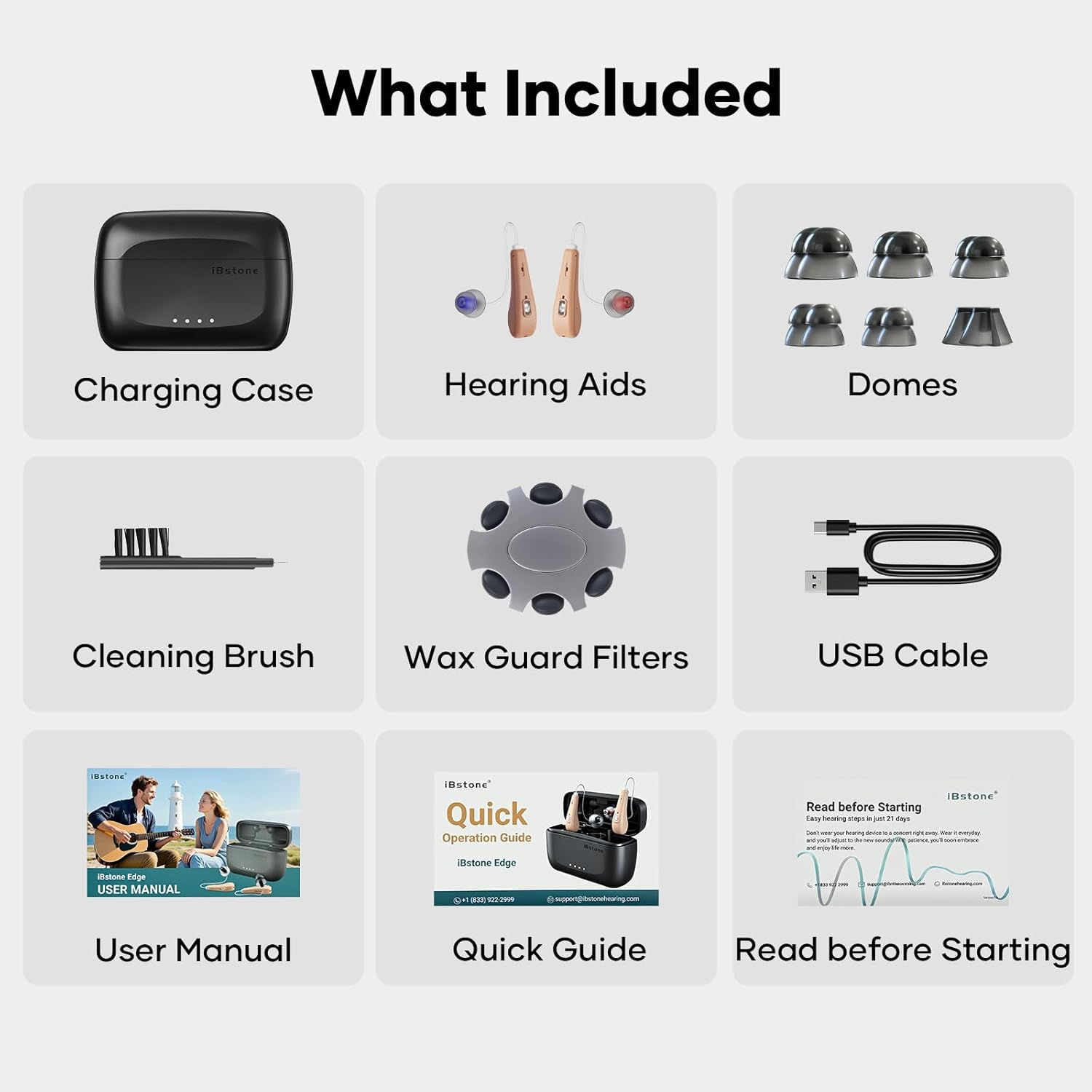
Image: All components included in the iBstone Edge Hearing Aids package, featuring the charging case, hearing aids, domes, cleaning brush, wax guard filters, USB cable, and documentation.
3. Produto rematadoview
3.1 Hearing Aid Components
Each iBstone Edge hearing aid consists of a main body, a thin tube connecting to a receiver, and a dome that fits into the ear canal. A multi-function button is located on the main body for controls.
3.2 Estuche de carga
The portable charging case holds and charges both hearing aids. It features dedicated slots for each hearing aid, LED indicators for charging status, and a USB-C port for external power.
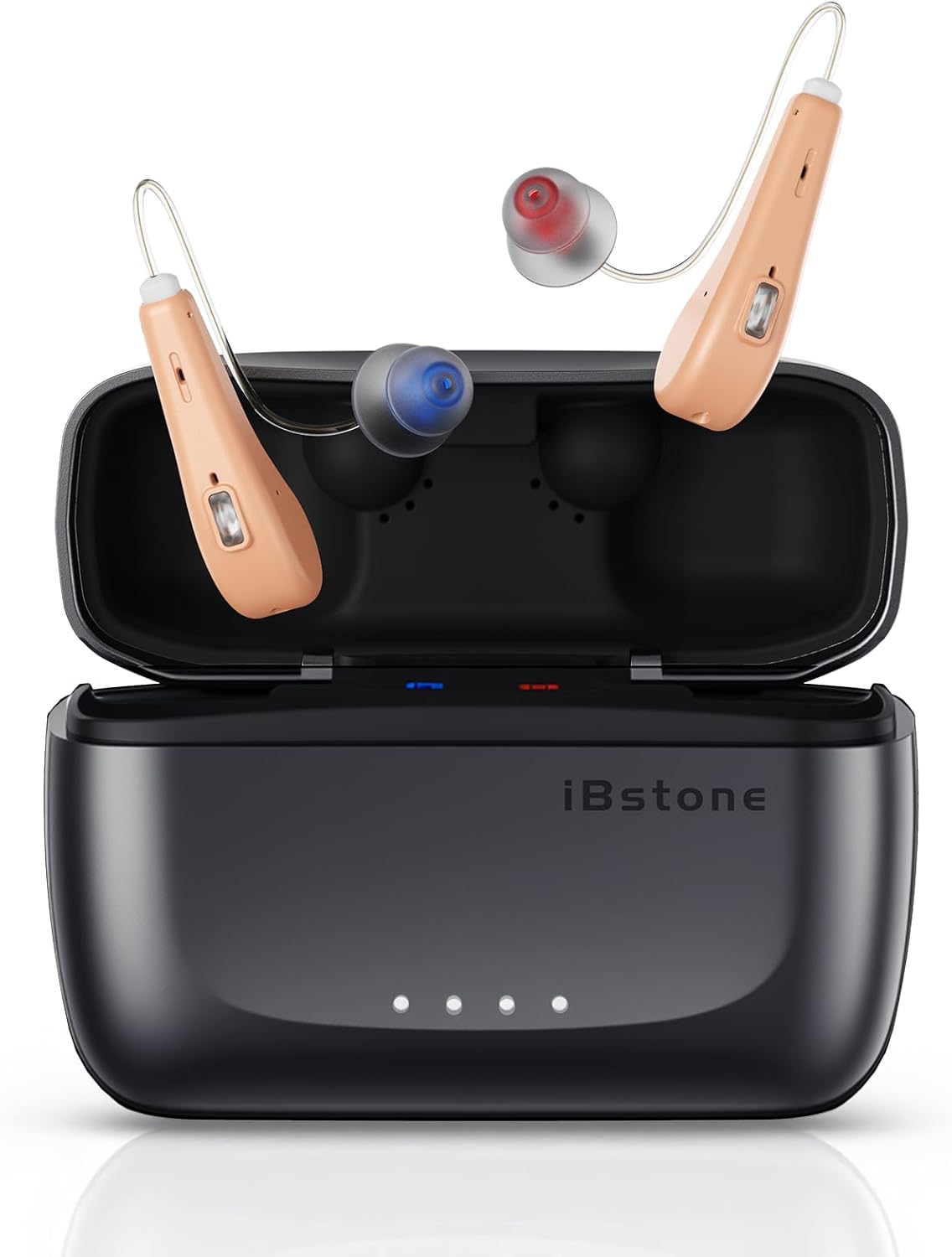
Image: The iBstone Edge hearing aids are shown resting in their open charging case, illustrating their compact design and how they are stored.
4. Configuración inicial
4.1 Carga dos dispositivos
Before first use, fully charge both the hearing aids and the charging case. Connect the USB cable to the charging case and a power source. The hearing aids will charge automatically when placed in the case. A full charge takes approximately 1.5 hours, providing up to 24 hours of use for the hearing aids, and the case offers five additional charges for a total of 125 hours of battery life.

Image: The iBstone Edge charging case is depicted with a USB cable connected, illustrating the quick charging feature and battery life indicators.
4.2 Selecting and Attaching Domes
Choose the dome size that provides a comfortable and secure fit in your ear canal. A proper fit is crucial for optimal sound quality and to prevent feedback. Gently push the selected dome onto the receiver end of the hearing aid tube until it is firmly attached.
4.3 Uso dos audífonos
Place the main body of the hearing aid behind your ear, then gently insert the dome into your ear canal. Adjust the thin tube to ensure it sits comfortably and securely. The lightweight design (2.9g per hearing aid) ensures comfort during extended wear.
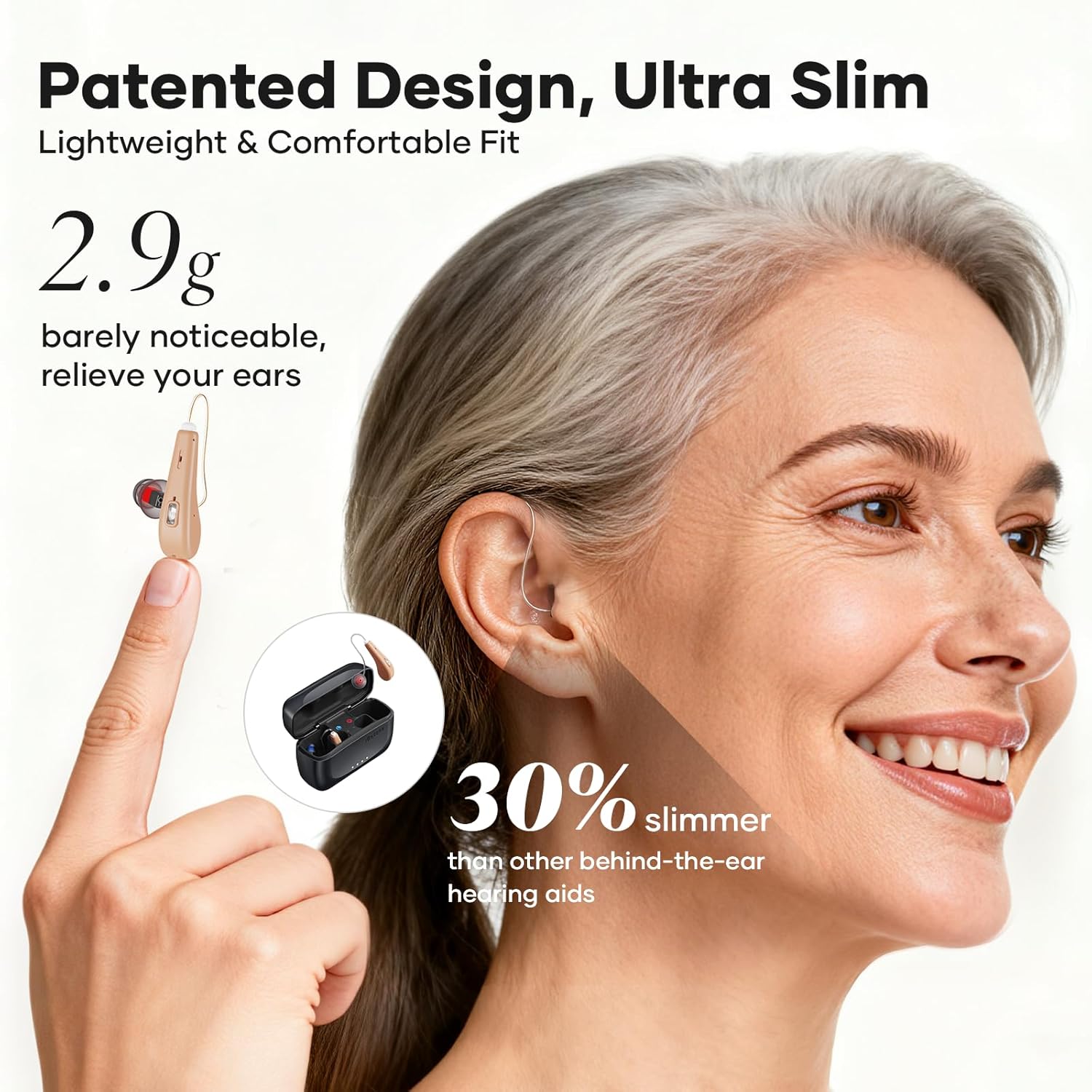
Image: A woman is shown wearing an iBstone Edge hearing aid, demonstrating its ultra-slim and lightweight profile behind the ear.
5. Instrucións de funcionamento
5.1 Encendido/apagado
The iBstone Edge hearing aids feature automatic power management. They will turn on automatically when removed from the charging case and turn off when placed back into the case.
5.2 Axuste de volume
The hearing aids offer 11 distinct volume levels. Use the multi-function button on the hearing aid to cycle through these levels. A short press typically adjusts the volume up or down, depending on the current setting.
5.3 Selección de modo
The iBstone Edge includes 3 preset listening modes: Quiet, Noise, and Outdoor. These modes are designed to optimize sound clarity in different environments. Use the multi-function button to switch between these modes. The device will indicate the current mode through an audible cue.
5.4 Automatic Memory Function
The hearing aids are equipped with an automatic memory function that retains your last used volume and mode settings, eliminating the need to readjust them every time you put them on.
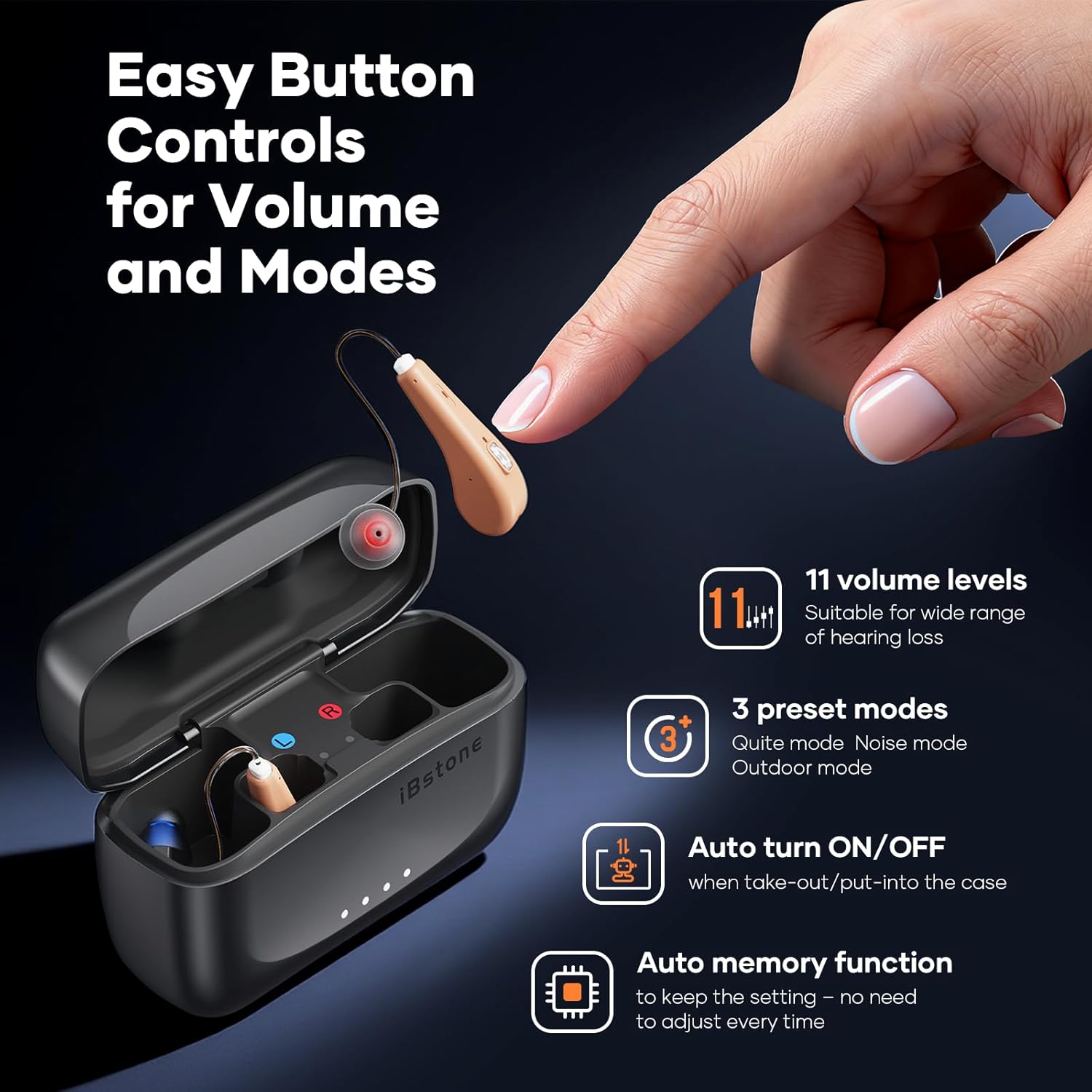
Image: A hand is shown interacting with the control button on an iBstone Edge hearing aid, illustrating the ease of adjusting volume and modes.
5.5 Sound Quality (RIC Technology)
The Receiver-In-Canal (RIC) design places the receiver directly in the ear canal, minimizing sound distortion and delivering clear, natural audio. This design enhances speech clarity and overall listening experience.

Image: A visual representation of the Crystal-Clear RIC Sound technology, showing sound waves entering the ear canal for enhanced clarity.
6. Coidados e mantemento
6.1 Limpeza dos audífonos
Regularly clean your hearing aids using the provided cleaning brush. Gently brush away any earwax or debris from the domes, receiver, and main body. Do not use water or cleaning solutions directly on the electronic components.
6.2 Replacing Wax Guards
Wax guards protect the receiver from earwax buildup. If you notice a decrease in sound quality or blockage, replace the wax guard using the provided tools and instructions. Refer to the 'Read Before Starting' card for detailed steps.
6.3 Resistencia á auga e ao po (IP67)
The iBstone Edge hearing aids are rated IP67, meaning they are dust-tight and protected against immersion in water up to 1 meter for 30 minutes. This makes them suitable for outdoor activities and resistant to sweat and rain. However, prolonged submersion or exposure to high-pressure water jets should be avoided. Always ensure the devices are dry before placing them in the charging case.

Image: A woman is shown running in the rain, highlighting the IP67 waterproof and dustproof capabilities of the iBstone Edge hearing aids, suitable for active lifestyles.
7. Guía de solución de problemas
If you experience issues with your iBstone Edge hearing aids, please refer to the following common solutions:
- Sen son: Ensure the hearing aids are fully charged and correctly placed in your ears. Check if the volume is set to an audible level. Inspect the dome and receiver for wax blockage and clean or replace the wax guard if necessary.
- Volume baixo: Increase the volume using the multi-function button. Ensure the domes are properly seated in your ear canal.
- Distorted Sound/Feedback: This may indicate an improper fit. Try a different size dome for a better seal. Clean the domes and receiver.
- Problemas de carga: Ensure the USB cable is securely connected to both the charging case and the power source. Check that the hearing aids are correctly seated in their charging slots within the case. Verify the charging case itself has power.
- Funcionamento intermitente: Ensure the hearing aids are clean and fully charged. Avoid extreme temperatures.
If these steps do not resolve the issue, please contact iBstone customer support for further assistance.
8. Especificacións técnicas
| Marca | iBstone |
| Nome do modelo | Borde |
| Tecnoloxía de conectividade | Sen fíos |
| Colocación do oído | Over Ear (RIC) |
| Resistencia á auga/po | IP67 |
| Peso do audífono | 2.9g (0.1 ounce) per aid |
| Tempo de carga | Approx. 1.5 hours (hearing aids & case) |
| Duración da batería (audífonos) | Ata 24 horas cunha soa carga |
| Duración total da batería (con funda) | Up to 125 hours (case provides 5 additional charges) |
| Niveis de volume | 11 niveis |
| Modos predefinidos | 3 (Quiet, Noise, Outdoor) |
| Compoñentes incluídos | Cable, Domes, Cleaning Brush, Wax Guard Filters |
| UPC | 768420384499 |
9. Garantía e atención ao cliente
iBstone is committed to providing comprehensive service and support for its products. We offer U.S.-based customer phone support to assist with any after-sales inquiries or issues. Our team stands behind the quality and performance of the iBstone Edge hearing aids.
For assistance, please refer to the contact information provided in your Quick Guide or visit the official iBstone websitio.

Image: A group of professionals representing the iBstone support team, emphasizing the availability of lifetime support for customers.


