1. Introdución
This manual provides essential information for setting up, operating, maintaining, and troubleshooting your OUKITEL G5 Rugged Smartphone. Please read it carefully to ensure proper use and to maximize the device's performance and longevity.
2. Que hai na caixa
- 1x OUKITEL G5 Rugged Smartphone
- 1 cargador de 10 W
- 1x cable de datos
- 1 x agulla de tarxeta
- 1x Manual (este documento)
3. Configuración
3.1. Instalación da tarxeta SIM e da tarxeta TF
The OUKITEL G5 supports dual SIM dual standby (Nano+Nano/Nano+TF). Use the provided card needle to open the SIM card tray.
- Localiza a bandexa da tarxeta SIM no lateral do dispositivo.
- Insert the card needle into the small hole next to the tray and press gently until the tray ejects.
- Coloque a(s) tarxeta(s) nano-SIM e/ou tarxeta TF nas ranuras designadas da bandexa. Asegúrese de que as tarxetas estean orientadas correctamente.
- Empurre con coidado a bandexa de volta no dispositivo ata que quede nivelada.
3.2. Carga inicial
Before first use, fully charge your OUKITEL G5. Use the provided 10W charger and data cable.
- Connect the data cable to the charging port on your phone.
- Connect the other end of the data cable to the 10W charger.
- Conecte o cargador a unha toma de corrente.
- The phone will indicate charging status on the screen. Allow the device to charge completely.
3.3. Acendido/apagado
- Para acender: Manteña premido o botón de acendido/apagado ata que apareza o logotipo de OUKITEL.
- Para apagar: Mantén premido o botón de acendido e, a seguir, selecciona "Apagar" entre as opcións que aparecen na pantalla.
4. Instrucións de funcionamento
4.1. Pantalla e navegación
The OUKITEL G5 features a 6-inch HD display with 450 nits brightness, ensuring clear visibility even in direct sunlight. Navigate the Android 14 operating system using touch gestures.
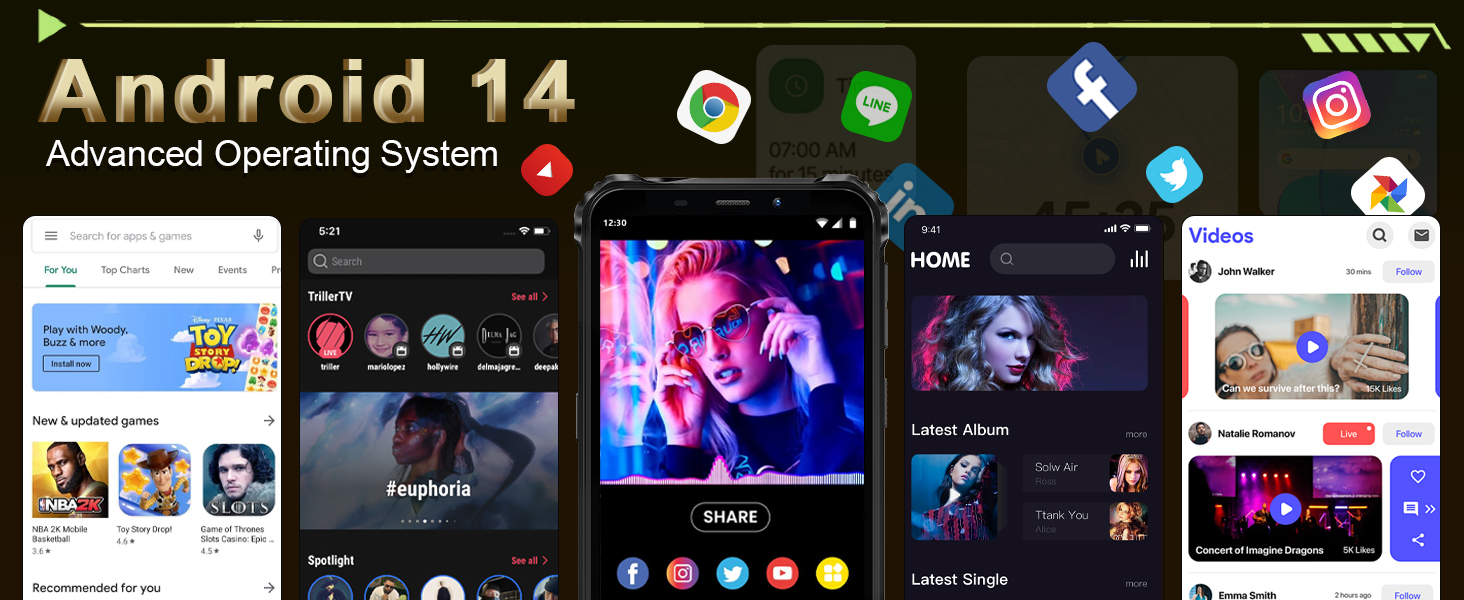
Image: The OUKITEL G5's 6-inch HD display, offering clear and vibrant visuals.
4.2. Funcións da cámara
Capture moments with the 13MP main camera and 5MP front-facing camera.
- Abre a aplicación Cámara desde a pantalla de inicio ou o caixón de aplicacións.
- Select between photo and video modes.
- Toca a pantalla para centrarte nunha área específica.
- Prema o botón do obturador para sacar unha foto ou iniciar/deter a gravación de vídeo.
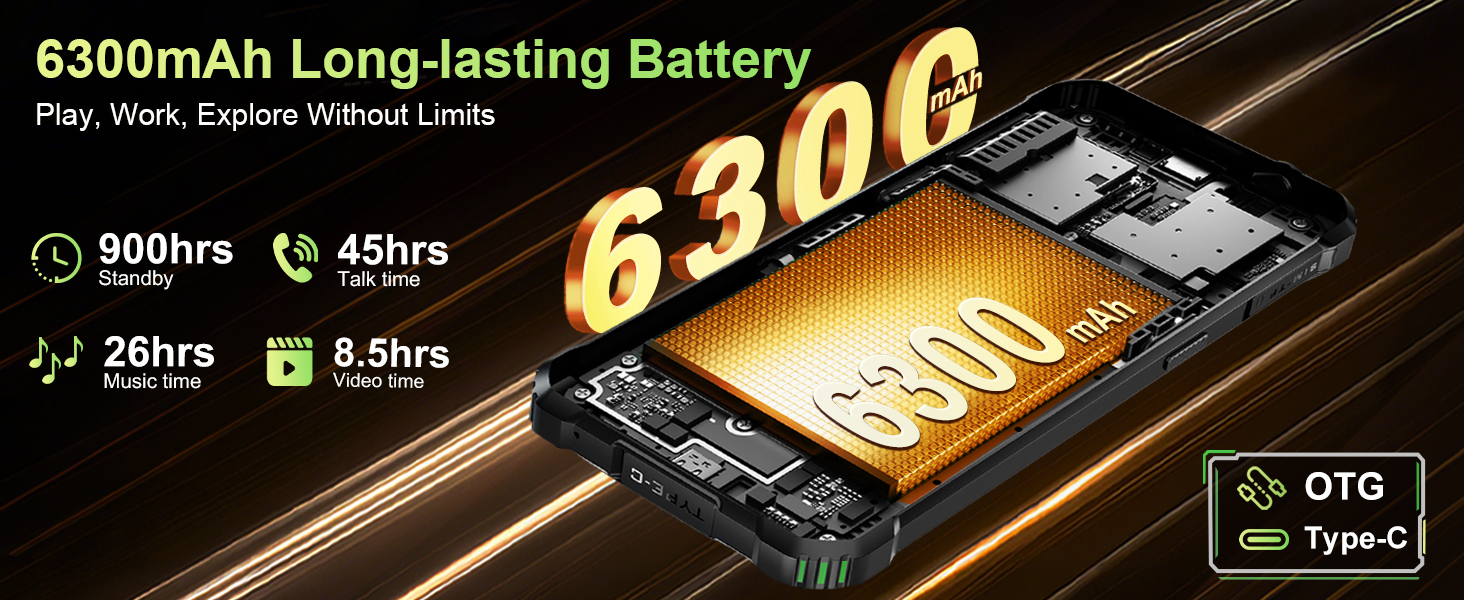
Image: The OUKITEL G5's 13MP main camera, designed for capturing clear images.
4.3. Dobre Camping Lights
The OUKITEL G5 is equipped with 900-lumen dual camping lights, offering multiple modes for various outdoor situations.
- Acceder ao camping lights application on your device.
- Choose from available modes: SOS, Strobe, or Constant Lighting.
- Adjust brightness levels as needed (three levels available).
Warning: Do not shine the camping lights directly into eyes.

Image: The OUKITEL G5's dual camping lights in action, providing illumination for outdoor activities.
4.4. Almacenamento e rendemento
The device comes with 16GB RAM (4GB physical + 12GB virtual) and 128GB internal storage, expandable up to 1TB with a TF card. The octa-core processor ensures smooth operation and app switching.
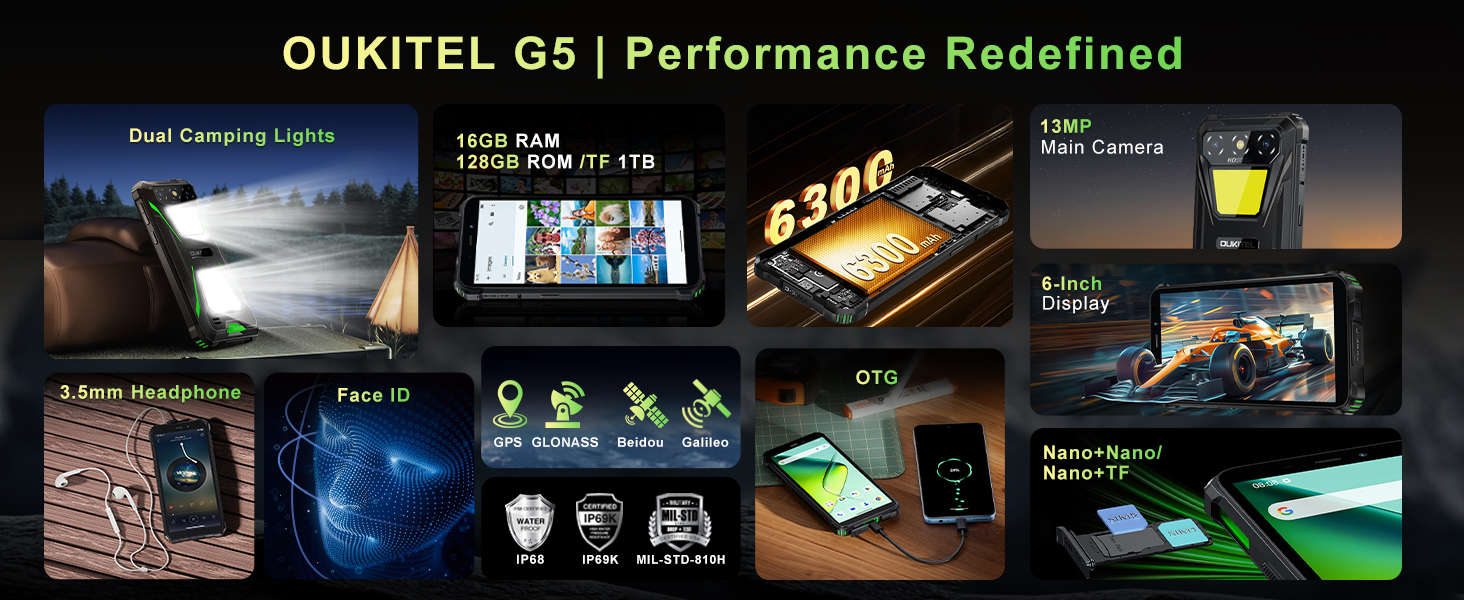
Image: Visual representation of the OUKITEL G5's memory and processor capabilities.
4.5. Carga inversa OTG
Utilize the OTG reverse charging feature to power other devices using your OUKITEL G5's battery.
- Ensure your OUKITEL G5 has sufficient battery charge.
- Connect an OTG cable (not included) to your OUKITEL G5.
- Conecta o outro extremo do cable OTG ao dispositivo que queres cargar.
- The charging process should begin automatically.
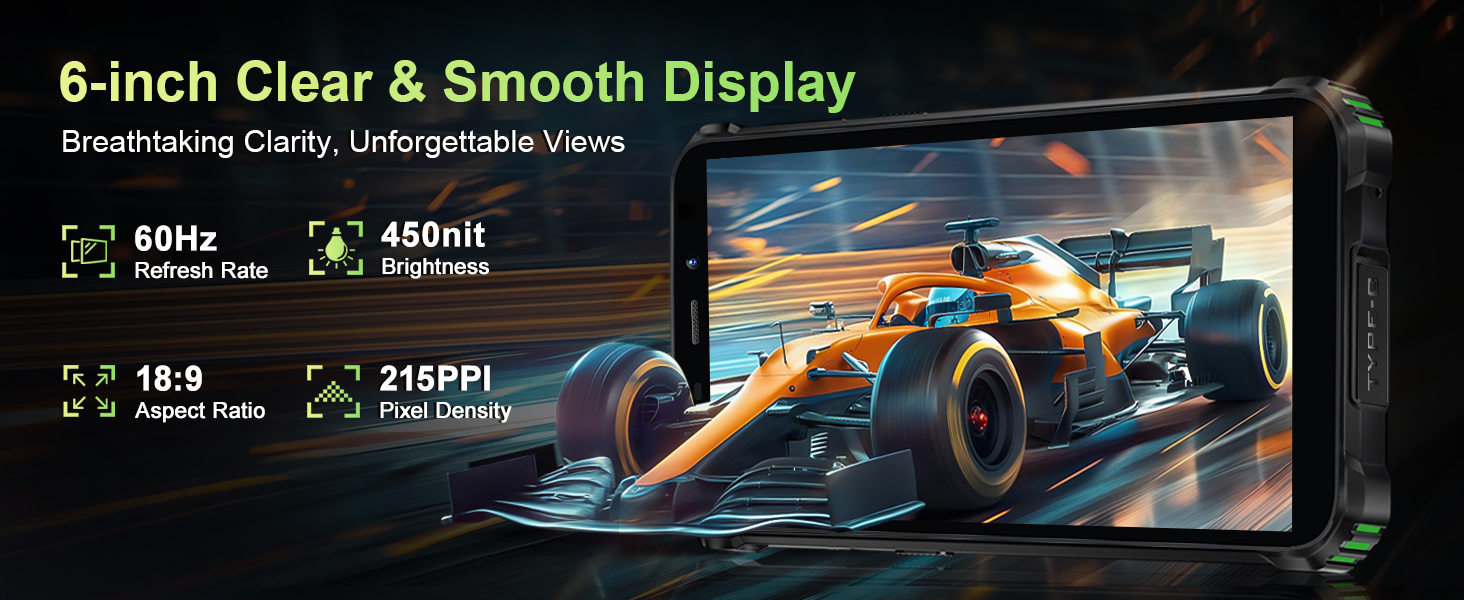
Image: The OUKITEL G5 providing power to another device via OTG reverse charging.
4.6. Face ID
Unlock your device quickly and securely using Face ID.
- Ir a Configuración > Seguridade > Desbloqueo facial.
- Sigue as instrucións en pantalla para rexistrar a túa cara.
- Unha vez rexistrado, podes desbloquear o teléfono mirando a cámara frontal.
4.7. GPS and Navigation
The OUKITEL G5 integrates a comprehensive positioning system including Beidou, Galileo, GLONASS, and GPS for accurate location services.
- Ensure location services are enabled in your phone's settings.
- Use pre-installed or downloaded navigation applications for route guidance and location tracking.
5. Mantemento
5.1. Características de durabilidade
The OUKITEL G5 is built to withstand harsh conditions, certified with IP68/IP69K dust/water resistance and MIL-STD-810H for shock resistance.
- Impermeable: Rated for submersion up to 1.5 meters for 30 minutes. Ensure all port covers are securely closed before exposure to water.
- A proba de po: Designed to prevent ingress of dust and fine particles.
- A proba de golpes: Constructed to endure drops and impacts, though extreme force may still cause damage.

Image: The OUKITEL G5 showcasing its robust design and resistance to water, dust, and drops.
5.2. Limpeza do dispositivo
To clean your OUKITEL G5, use a soft, damp cloth. Avoid harsh chemicals or abrasive materials that could damage the device's protective coatings.
5.3. Coidado da batería
Para prolongar a duración da batería:
- Evita temperaturas extremas.
- Do not leave the phone fully charged or fully discharged for extended periods.
- Usa o cargador e o cable orixinais para unha carga óptima.
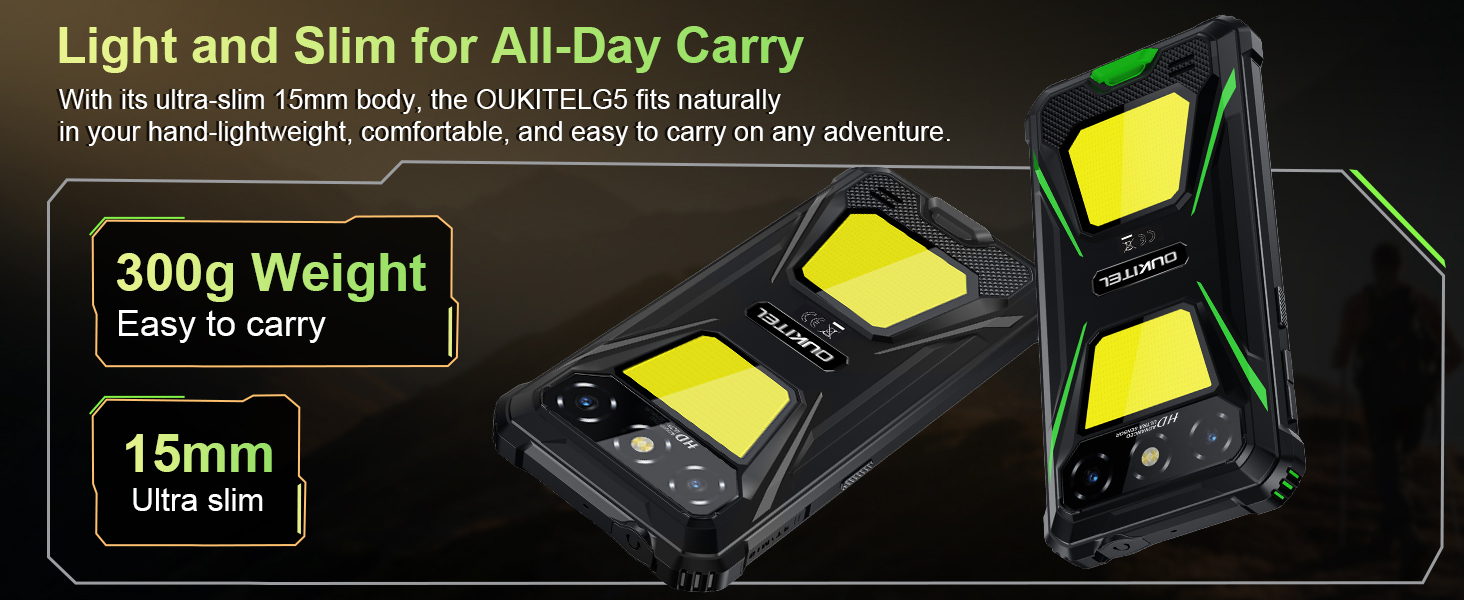
Image: The OUKITEL G5's 6300mAh battery, providing extended usage times.
6 Solución de problemas
6.1. Problemas comúns e solucións
- O dispositivo non se acende: Asegúrate de que a batería estea cargada. Conéctaa ao cargador e inténtaa de novo.
- A pantalla non responde: Restart the device by holding the Power button for about 10-15 seconds until it reboots.
- Problemas de conectividade de rede: Check if your SIM card is properly inserted. Verify that your carrier (T-Mobile is supported; Verizon/AT&T/MetroPCS are not) has active service. Try toggling Airplane Mode on and off.
- As aplicacións fallan ou o seu rendemento é lento: Close background applications. Clear app cache in Settings > Apps. Ensure sufficient storage space is available.
- Problemas de carga: Asegúrate de que o cargador e o cable estean conectados correctamente e non presenten danos. Proba cunha toma de corrente diferente.
7. Especificacións
| Característica | Descrición |
|---|---|
| Nome do modelo | OUKITEL G5 |
| Sistema Operativo | Android 14 |
| Procesador | Octa-core |
| RAM | 16 GB (4 GB físico + 12 GB virtual) |
| Almacenamento interno | ROM de 128 GB |
| Almacenamento ampliable | Ata 1 TB con tarxeta TF |
| Mostrar | 6-inch HD, 450 nits brightness, 18:9 Aspect Ratio, 215 PPI |
| Cámara principal | 13 MP |
| Cámara frontal | 5 MP |
| Capacidade da batería | 6300 mAh |
| Cargando | Carga rápida de 10 W, carga inversa OTG |
| Durabilidade | IP68/IP69K (Waterproof, Dustproof), MIL-STD-810H (Shockproof) |
| Conectividade | 4G Dual SIM (Nano+Nano/Nano+TF), Bluetooth, GPS (Beidou, Galileo, GLONASS, GPS) |
| Bandas de frecuencia admitidas | GSM: B2/3/5/8, WCDMA: B1/2/4/5/8, TDD: 34/38/39/40/41, FDD: B1/2/3/4/5/7/8/12/17/19/20/25/26/28A/28B/66 |
| Jack de audio | 3.5 mm |
| Características especiais | 900LM Dual Camping Lights, Face ID |
| Dimensións | 8.11 x 4.5 x 2.16 polgadas |
| Peso | 1.26 libras (aprox. 570 g) |
8. Vídeos oficiais de produtos
Vídeo: Un overview of the OUKITEL G5 Rugged Phone, highlighting its features and durability in outdoor environments. Duration: 0:42.
Video: A concise presentation of the OUKITEL G5 Rugged Smartphone's key attributes. Duration: 0:20.
9. Garantía e soporte
OUKITEL provides comprehensive customer service for your device:
- Política de devolución: Devolución de 30 días sen motivo.
- Soporte técnico: Soporte técnico a longo prazo.
- Atención ao cliente: Atención ao cliente en liña as 24 horas.
For further assistance, please contact OUKITEL official service channels.


