1. Introdución
Grazas pola compraasing the LYNCAST N300 Mini Smart Projector. This manual provides essential information for setting up, operating, and maintaining your projector. Please read it thoroughly before use to ensure optimal performance and safety.
The LYNCAST N300 is a portable smart projector featuring Android 13, 1080P native resolution with 4K support, automatic keystone correction, WiFi 6, and Bluetooth 5.4 connectivity. Its 180° rotatable design offers flexible projection angles for various environments.
2. Información de seguridade
- Non mire directamente á lente do proxector cando estea aceso.amp está activado.
- Asegure unha ventilación adecuada ao redor do proxector para evitar o sobreenriquecido.
- Use só o adaptador de alimentación proporcionado.
- Manteña o proxector lonxe da auga ou outros líquidos.
- Evite colocar o proxector en superficies inestables.
- Non intente desmontar nin reparar o proxector vostede mesmo. Póñase en contacto co persoal de servizo cualificado.
- Manter fóra do alcance dos nenos.
3. Contido do paquete
Verifica que todos os elementos estean presentes no teu paquete:
- LYNCAST N300 Mini Smart Projector
- Adaptador de alimentación
- Cable HDMI
- Control remoto
- Manual de usuario (este documento)
4. Produto rematadoview
4.1 Compoñentes do proxector
Familiarize yourself with the main components and interfaces of your LYNCAST N300 projector.
Imaxe 4.1: Traseira view of the LYNCAST N300 projector showing HDMI and USB ports.
- Lente: Proxecta a imaxe na pantalla.
- Roda de enfoque: Manual adjustment for image sharpness.
- Botón de encendido: Acende/apaga o proxector.
- Porto HDMI: Connects to external devices like TV sticks, laptops, gaming consoles (PS5), and TV boxes.
- Porto USB: Connects to USB storage devices or charges compatible devices.
- Entrada de enerxía: Conecta o adaptador de alimentación.
- Relator: Saída de audio integrada.
- Soporte axustable: Allows for 180° rotation and flexible projection angles.
5. Configuración
5.1 Conexión de alimentación
- Conecte o adaptador de corrente ao porto de entrada de alimentación do proxector.
- Enchufe o adaptador de alimentación a unha toma de corrente.
- Prema o botón de acendido do proxector ou do mando a distancia para acendelo.
5.2 Colocación e axuste do ángulo
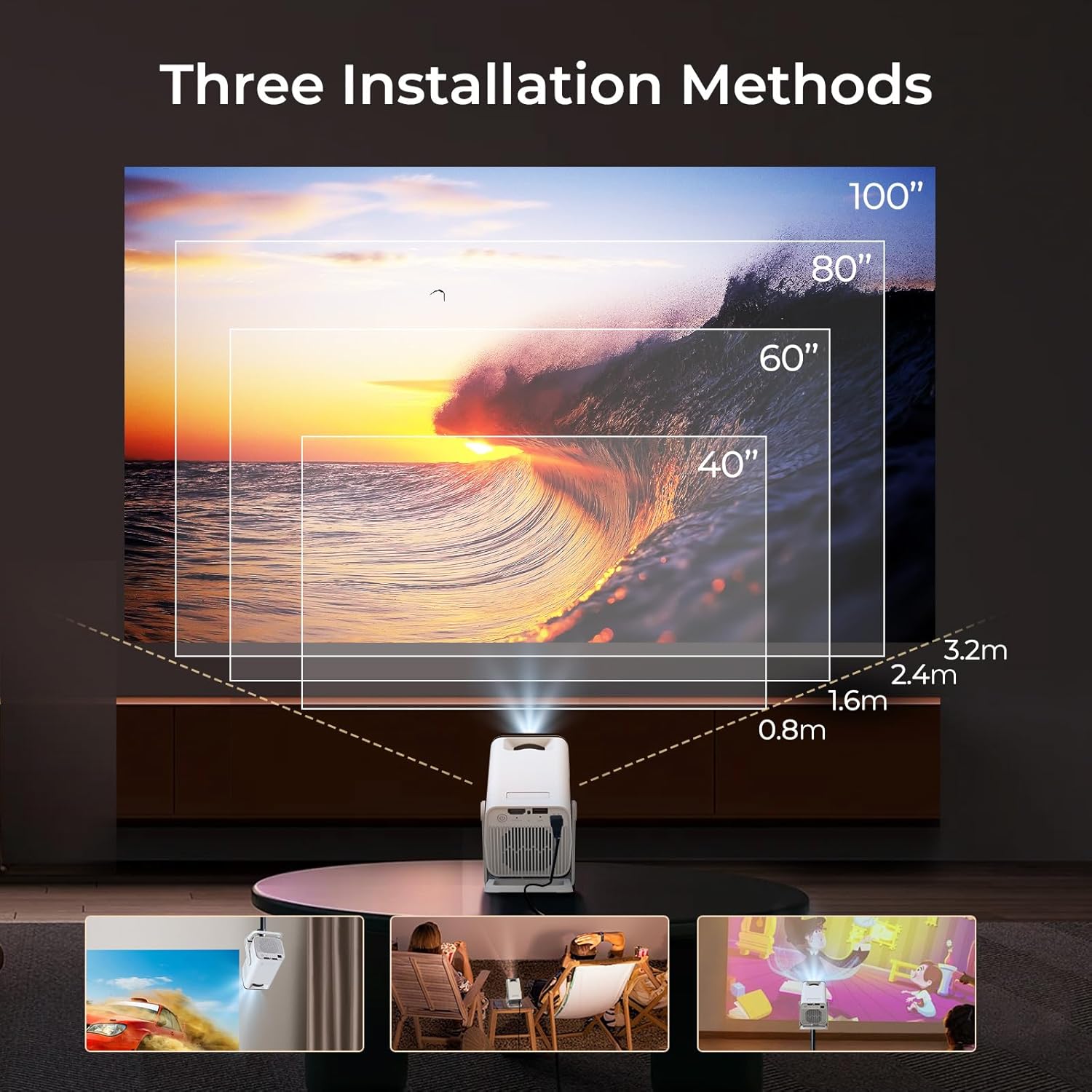
The LYNCAST N300 features a 180° rotatable design, allowing for versatile placement options.

Imaxe 5.1: The projector's adjustable stand allows for various projection angles, including ceiling projection.
- Coloque o proxector nunha superficie estable.
- Adjust the projector's angle using its integrated stand to project onto a wall, ceiling, or screen. The stand supports up to 180° rotation.
5.3 Axuste do foco
To achieve a clear image, manually adjust the focus.

Imaxe 5.2: Location of the manual focus wheel on the projector.
- Acende o proxector e mostra unha imaxe.
- Rotate the focus wheel located on the side of the projector until the image appears sharp and clear.
5.4 Corrección automática da distorsión trapezoidal
The LYNCAST N300 features automatic keystone correction to adjust distorted images caused by angled projection. This feature automatically squares the image.
- The projector will automatically detect and correct vertical keystone distortion.
- If further adjustments are needed, refer to the on-screen display (OSD) settings for manual keystone correction options.
6. Instrucións de funcionamento
6.1 Connecting External Devices via HDMI
Connect devices such as TV sticks, laptops, gaming consoles, or TV boxes using an HDMI cable.
- Conecte un extremo do cable HDMI ao porto HDMI do proxector.
- Connect the other end to the HDMI output of your external device.
- Seleccione a fonte de entrada HDMI no menú do proxector.
Conectividade USB 6.2
The USB port allows you to play media files directamente desde un dispositivo de almacenamento USB.
- Insert your USB storage device into the USB port on the projector.
- Navigate to the media player application on the projector's home screen to browse and play files.
6.3 Wireless Connectivity (WiFi 6 & Bluetooth 5.4)
The projector supports WiFi 6 for faster and more stable internet connection and Bluetooth 5.4 for audio devices.
6.3.1 Conexión a WiFi
- Go to the projector's Settings menu.
- Select "Network & Internet" or "WiFi".
- Choose your desired WiFi network and enter the password if prompted.
6.3.2 Conexión de dispositivos Bluetooth
- Go to the projector's Settings menu.
- Selecciona "Dispositivos conectados" ou "Bluetooth".
- Activa o Bluetooth e busca os dispositivos dispoñibles.
- Select your Bluetooth speaker or headphones to pair.
6.4 Screen Mirroring (Phone Link)
Mirror your iOS or Android device screen to the projector.

Imaxe 6.1: Screen mirroring from a smartphone to the projector.
6.4.1 For iOS Devices (AirPlay)
- Ensure both your iOS device and the projector are connected to the same WiFi network.
- On your iOS device, open Control Center and tap "Screen Mirroring".
- Seleccione o proxector da lista de dispositivos dispoñibles.
6.4.2 For Android Devices (Miracast/Google Cast)
- Ensure both your Android device and the projector are connected to the same WiFi network.
- On your Android device, go to Settings and look for "Cast", "Screen Mirroring", or "Wireless Display". The exact name may vary by device.
- Seleccione o proxector da lista de dispositivos dispoñibles.
6.5 Using Android 13 Smart Features
The LYNCAST N300 runs on Android 13, providing access to a wide range of applications.

Imaxe 6.2: Android 13 interface showing pre-installed applications.
- Aplicacións preinstaladas: Access popular streaming services like Netflix, YouTube, Prime Video, and Disney+ directly from the home screen.
- App Store: Descarga e instala aplicacións adicionais desde a tenda de aplicacións integrada.
- Navegación: Use the remote control to navigate the Android interface.
7. Mantemento
7.1 Limpeza da lente
- Usa un pano suave e sen fiapos deseñado especificamente para lentes ópticas.
- Gently wipe the lens to remove dust or smudges. Do not use abrasive cleaners or excessive force.
7.2 Limpeza do corpo do proxector
- Limpe o exterior do proxector cun pano suave e seco.
- Non empregue produtos de limpeza líquidos nin disolventes.
7.3 Almacenamento
- Cando non o use durante períodos prolongados, garde o proxector nun lugar fresco e seco, lonxe da luz solar directa e de temperaturas extremas.
- Consider using the original packaging or a protective case to prevent dust accumulation and damage.
8 Solución de problemas
| Problema | Causa posible | Solución |
|---|---|---|
| Sen poder | Cable de alimentación non conectado; Toma de corrente avariada | Asegúrate de que o cable de alimentación estea conectado correctamente; proba cunha toma de corrente diferente. |
| Sen imaxe | Incorrect input source; Loose HDMI cable; Device not powered on | Select correct input source; Check HDMI cable connection; Ensure connected device is powered on. |
| Imaxe borrosa | Enfoque non axustado; Proxector demasiado lonxe/preto | Adjust the manual focus wheel; Reposition the projector for optimal distance. |
| Sen son | Volume too low; Muted; Incorrect audio output selected; Bluetooth device not connected | Increase volume; Unmute; Check audio settings; Reconnect Bluetooth device. |
| O control remoto non funciona | Dead batteries; Obstruction between remote and projector | Substitúa as pilas; asegúrese de que haxa unha liña de visión libre co receptor de infravermellos do proxector. |
| Problemas de conexión wifi | Incorrect password; Out of range; Router issues | Verify WiFi password; Move projector closer to router; Restart router. |
9. Especificacións
| Característica | Detalle |
|---|---|
| Marca | LYNCAST |
| Nome do modelo | Netflix VisualCube N300 (X1AA) |
| Sistema Operativo | Android 13 |
| Tecnoloxía de visualización | LED, Laser |
| Resolución nativa | 1920 x 1080 (1080p) |
| Soporte de máxima resolución | 3840 Pixels (4K) |
| Relación de contraste | 1000:1 |
| Tecnoloxía de conectividade | Bluetooth 5.4, WiFi 6 |
| Interface de hardware | HDMI, USB |
| Características especiais | Automatic Obstacle Avoidance (Auto Keystone), 180° Rotation |
| Dispositivos compatibles | Speaker, Game Console, Laptop, Smartphone, Tablet, TV Stick |
| Dimensións do produto | 10 x 10 x 17 cm |
| Peso do produto | 770 g |
| Tipo de montaxe | Soporte de mesa |
10. Garantía e soporte
For warranty information and technical support, please refer to the warranty card included in your package or visit the official LYNCAST websitio. Garde o recibo da compra como xustificante da mesma.
LYNCAST Official Websitio: LYNCAST Brand Store on Amazon
11. Demostración en vídeo do produto
Mira este vídeo para obter unha visión xeralview of the LYNCAST N300 Mini Smart Projector's features and usage.
Vídeo 11.1: LYNCAST N300 Projector overview, demonstrating features like Netflix compatibility, portable design, 270° rotation, manual focus, and phone link (screen mirroring).


