1. Introdución
Welcome to the user manual for your Raycon Essential Open Earbuds. These true wireless Bluetooth 6.0 headphones are designed for comfort and awareness, featuring an ultra-lightweight, open-ear design with comfort hooks and IPX5 water resistance. This manual provides detailed instructions to help you get the most out of your new earbuds.

Image: Raycon Essential Open Earbuds (Blue)
2. Que hai na caixa
Your Raycon Essential Open Earbuds package includes the following items:
- Raycon Essential Open Earbuds (Left and Right)
- Estuche de carga
- Cable de carga USB
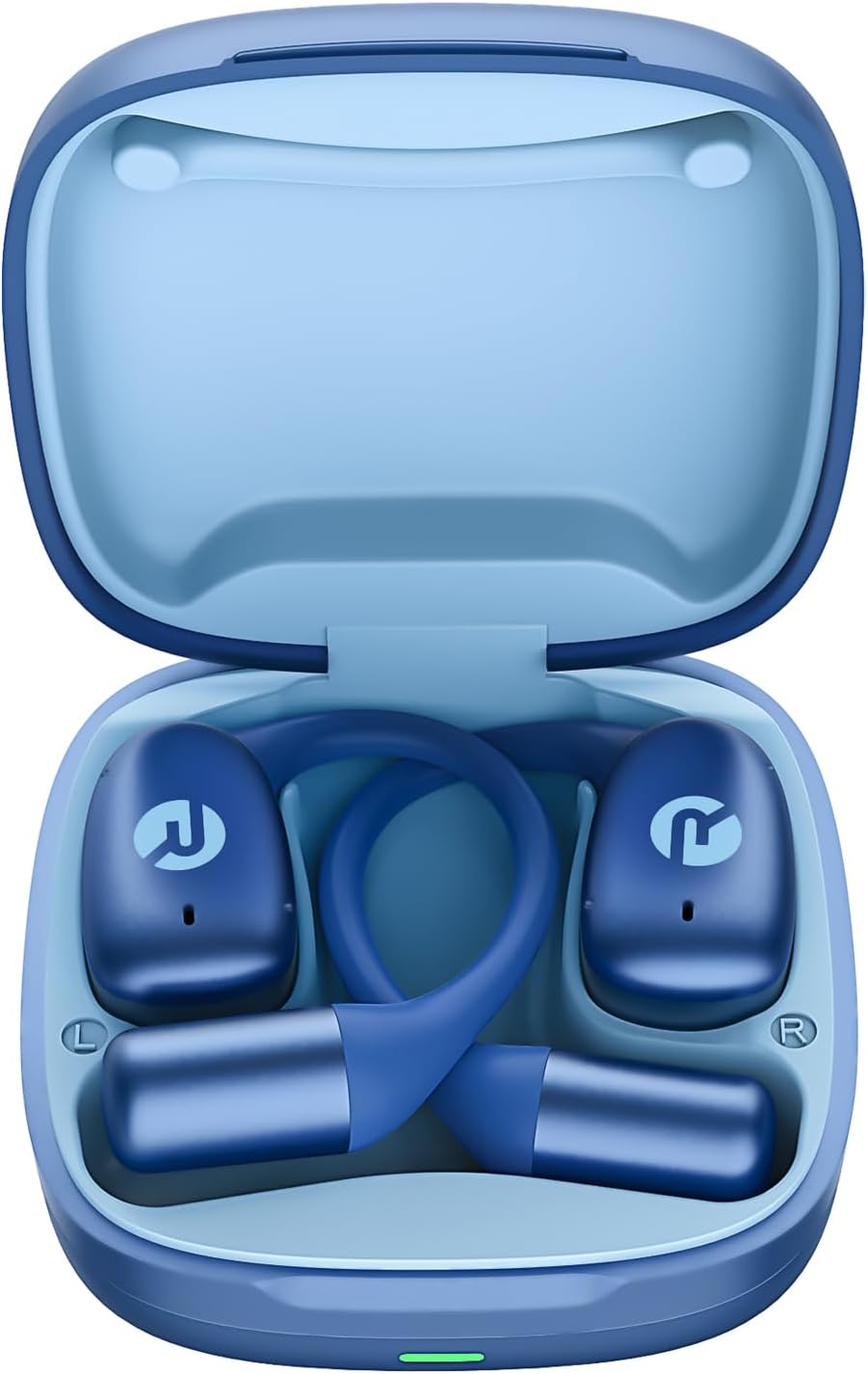
Image: Raycon Essential Open Earbuds in Charging Case
3. Características clave
The Raycon Essential Open Earbuds are packed with features designed for an optimal listening experience:
- Deseño de orella aberta: Experience clear audio while maintaining full awareness of your surroundings. This design is ideal for activities where situational awareness is crucial, such as workouts or outdoor runs.
- Featherlight Fit: Designed to be ultra-lightweight (approximately 13.3g per earbud) and comfortable, ensuring a secure fit that remains stable during movement without causing discomfort.
- Built for On-The-Go: These earbuds are sweat-resistant and designed for active lifestyles, making them suitable for gym sessions, cycling, and daily commutes. Their portable size ensures easy transport.
- Batería de longa duración: Enjoy up to 8 hours of continuous playback on a single charge, with an additional 28 hours provided by the charging case, totaling up to 36 hours of battery life.
- Resistente á auga IPX5: Engineered to withstand sweat and light splashes, making them durable for various environments and activities.
- Flexible Ear Hook: The ergonomic ear hook is designed to bend and conform to the shape of any ear, ensuring a comfortable and secure fit for all users.
- Conexión multipunto: Seamlessly connect to two devices simultaneously and switch between them without manual re-pairing.

Image: Open-Ear Design Illustration

Image: Ultra-Lightweight Design

Image: Compact Design

Image: 36 Hours of Battery Life

Image: IPX5 Water Resistant

Image: Flexible Ear Hook

Image: Multipoint Connection
4. Configuración
4.1 Cargar os auriculares
Before first use, fully charge your Raycon Essential Open Earbuds and their charging case. The charging case provides additional battery life for on-the-go power.
- Place both earbuds into the charging case, ensuring they are properly seated.
- Connect the provided USB charging cable to the charging port on the case and plug the other end into a USB power source (e.g., wall adapter, computer USB port).
- The indicator light on the charging case will show charging status. Once fully charged, the light will change or turn off.
4.2 Emparellamento inicial
Follow these steps to pair your earbuds with your device for the first time:
- Asegúrate de que os auriculares estean cargados e dentro da caixa de carga.
- Abre a caixa de carga. Os auriculares entrarán automaticamente no modo de emparellamento, o que se indicará coas luces intermitentes nos auriculares.
- No teu dispositivo (teléfono intelixente, tableta, portátil), vai á configuración de Bluetooth.
- Busca available devices and select "Raycon Essential Open Earbuds" from the list.
- Unha vez conectados, as luces indicadoras dos auriculares deixarán de parpadear e escoitarás un ton de confirmación.
Video: Essential Open Earbuds - Our Most Compact Open Audio Yet. This short video demonstrates the compact design and ease of use of the earbuds.
5. Instrucións de funcionamento
5.1 Uso dos auriculares
The Essential Open Earbuds feature a comfort hook design for a secure and comfortable fit. Gently place the earbud over your ear, ensuring the hook rests comfortably behind your ear and the speaker portion is positioned near your ear canal without blocking it, allowing for open-ear listening.
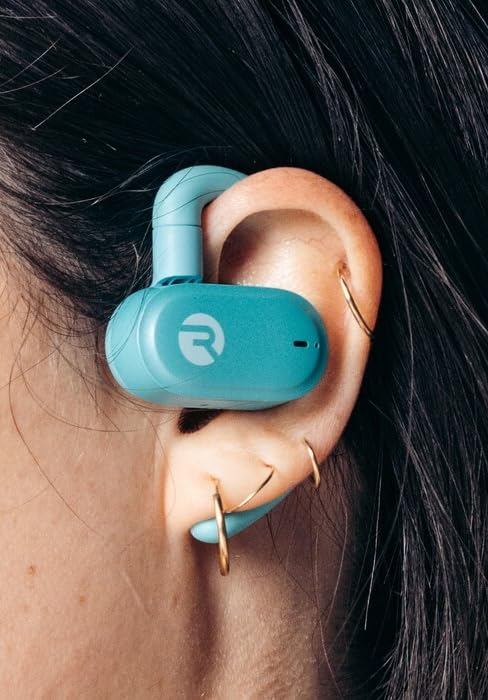
Image: Earbud worn on ear (Mint)
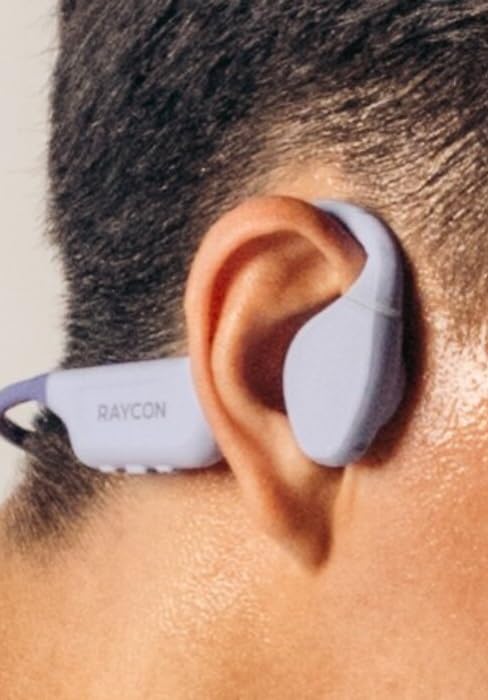
Image: Earbud worn on ear (Purple)
5.2 Controis táctiles
The earbuds feature intuitive touch controls for managing your audio and calls:
| Acción | Control |
|---|---|
| Reproducir/Pausa | Toca un só auricular en calquera dos auriculares |
| Próxima pista | Toca dúas veces no auricular dereito |
| Pista anterior | Toca dúas veces no auricular esquerdo |
| Subir volume | Toca tres veces o auricular dereito |
| Baixar o volume | Toca tres veces o auricular esquerdo |
| Responder/Finalizar chamada | Single tap on either earbud during a call |
| Rexeitar a chamada | Mantén premido calquera dos auriculares durante 2 segundos |
| Activa o asistente de voz | Mantén premido calquera dos auriculares durante 3 segundos |
6. Mantemento
Proper care and maintenance will extend the lifespan of your Raycon Essential Open Earbuds.
- Limpeza: Limpe os auriculares e a funda de carga regularmente cun pano suave, seco e sen pelusa. Non empregue produtos químicos agresivos nin materiais abrasivos.
- Resistencia á auga: The earbuds are IPX5 water resistant, meaning they can withstand sweat and light splashes. Do not submerge them in water or expose them to strong jets of water. Ensure they are dry before placing them back in the charging case.
- Almacenamento: Cando non os uses, garda os auriculares no seu estoxo de carga para protexelos do po e dos danos. Gardaos nun lugar fresco e seco, lonxe de temperaturas extremas.
7 Solución de problemas
Se tes problemas cos teus auriculares, proba as seguintes solucións:
| Problema | Solución |
|---|---|
| Os auriculares non se emparejan | Asegúrate de que os auriculares estean cargados. Desactiva e activa o Bluetooth do dispositivo. Esquécete do dispositivo na configuración de Bluetooth e volve emparellalo. |
| Non hai son dun auricular | Place both earbuds back in the case, close it, then open it again. Check device's audio output settings. |
| Baixo volume | Increase volume on both the earbuds (triple tap right) and your connected device. |
| Problemas de carga | Asegúrate de que o cable de carga estea conectado correctamente. Proba cun porto USB ou adaptador de corrente diferente. Limpa os contactos de carga dos auriculares e da funda. |
| Auriculares que se caen | Adjust the flexible ear hook to better fit your ear shape. Ensure proper placement as described in the 'Wearing the Earbuds' section. |
8. Especificacións
Detailed technical specifications for the Raycon Essential Open Earbuds:
| Característica | Detalle |
|---|---|
| Nome do modelo | Auriculares abertos Raycon Essential |
| Número de modelo | RBO715 |
| Tecnoloxía de conectividade | Sen fíos |
| Tecnoloxía de comunicación sen fíos | Bluetooth |
| Versión Bluetooth | 6.0 |
| Compoñentes incluídos | Cable |
| Material | Plástico, Silicona |
| Usos específicos do produto | Deporte |
| Dispositivos compatibles | Teléfonos intelixentes, portátiles, tabletas, altofalantes intelixentes |
| Tipo de control | Control táctil |
| Nivel de resistencia á auga | Resistente á auga IPX5 |
| Rango de frecuencias | 20 Hz - 20,000 Hz |
| Tipo de controlador de audio | Controlador de armadura equilibrada |
| Forma do auricular | Gancho |
| Colocación do oído | Orella aberta |
| Peso do elemento | 4.6 onzas |
| UPC | 811162032996 |
| Fabricante | Raycon Global |
| Duración da batería (auriculares) | Ata 8 horas |
| Duración total da batería (con funda) | Ata 36 horas |
9. Garantía e soporte
For detailed warranty information, product registration, and customer support, please visit the official Raycon websitio web ou póñase en contacto directamente co servizo de atención ao cliente. Garde o comprobante de compra para calquera reclamación de garantía.
Raycon Official Websitio: www.rayconglobal.com


