1. Introdución
This user manual provides detailed instructions for the LNCOON Mini Personal GPS Tracker, Model A410. Please read this manual thoroughly before using the device to ensure proper operation and to maximize its features. This device is designed for real-time location tracking and safety monitoring.

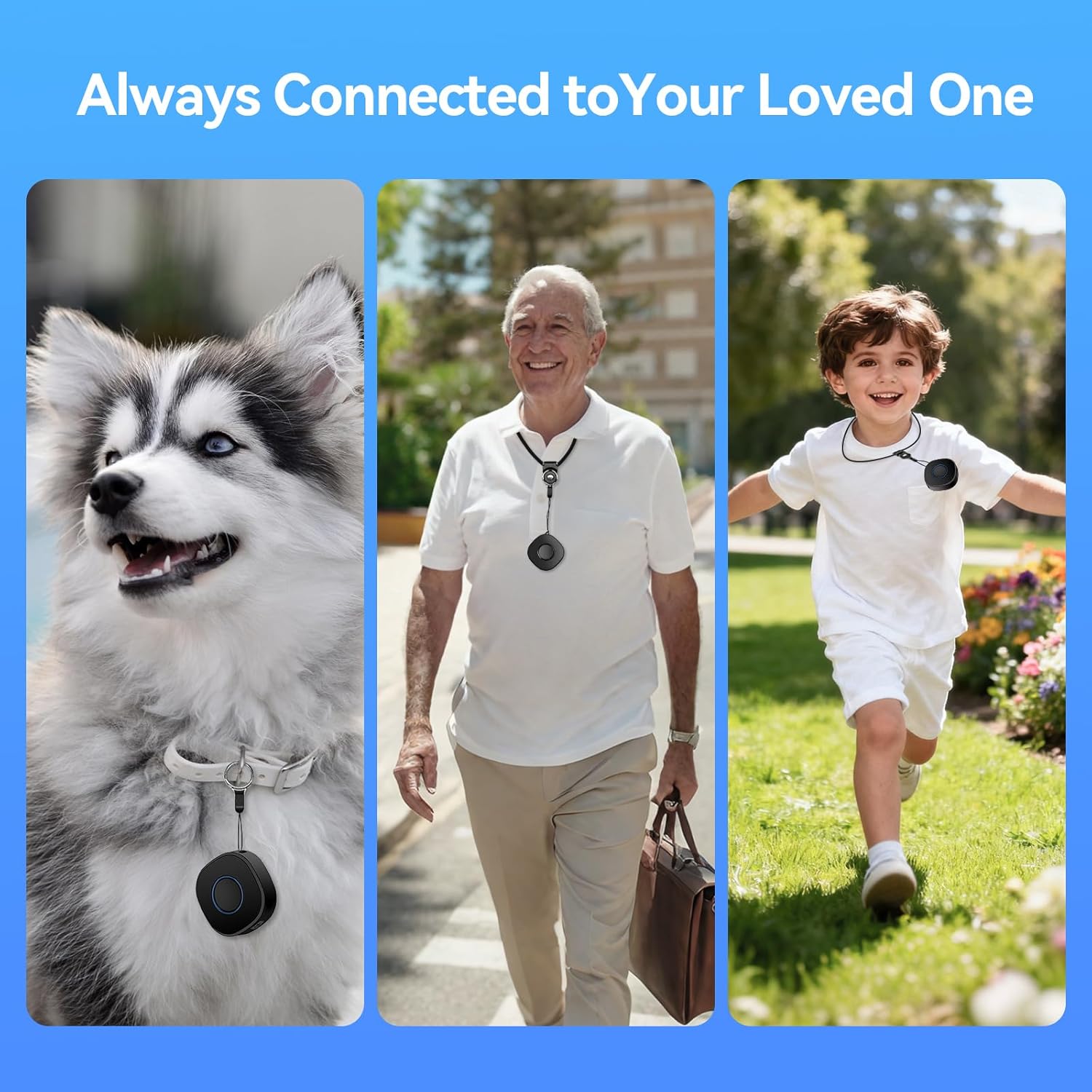
This image features two children walking, each equipped with an LNCOON Portable GPS Tracker, symbolizing its role as a compact and reliable positioning guardian for loved ones.
2. Contido do paquete
Verifique que todos os elementos que se indican a continuación estean incluídos no seu paquete:
- LNCOON A410 GPS Tracker
- Cable de carga USB (tipo C)
- Acollador
- Extension Lanyard
- Clip para cinto
- Manual de usuario (este documento)

This image displays the complete package contents of the LNCOON A410 GPS Tracker, including the device itself, its packaging box, an extension lanyard, a USB charging cable, a belt clip, and a standard lanyard for various carrying options.
3. Características do produto
The LNCOON Mini Personal GPS Tracker offers a range of features designed for reliable tracking and safety:
- Seguimento de localización en tempo real: Visualize current location and movement history via the mobile application.
- Xeofencing: Set virtual boundaries and receive instant alerts when the device enters or exits specified areas.
- Botón SOS: A dedicated button for emergencies, triggering immediate alerts to pre-set contacts.
- Historical Trajectory Playback: Access up to 180 days of historical track data.
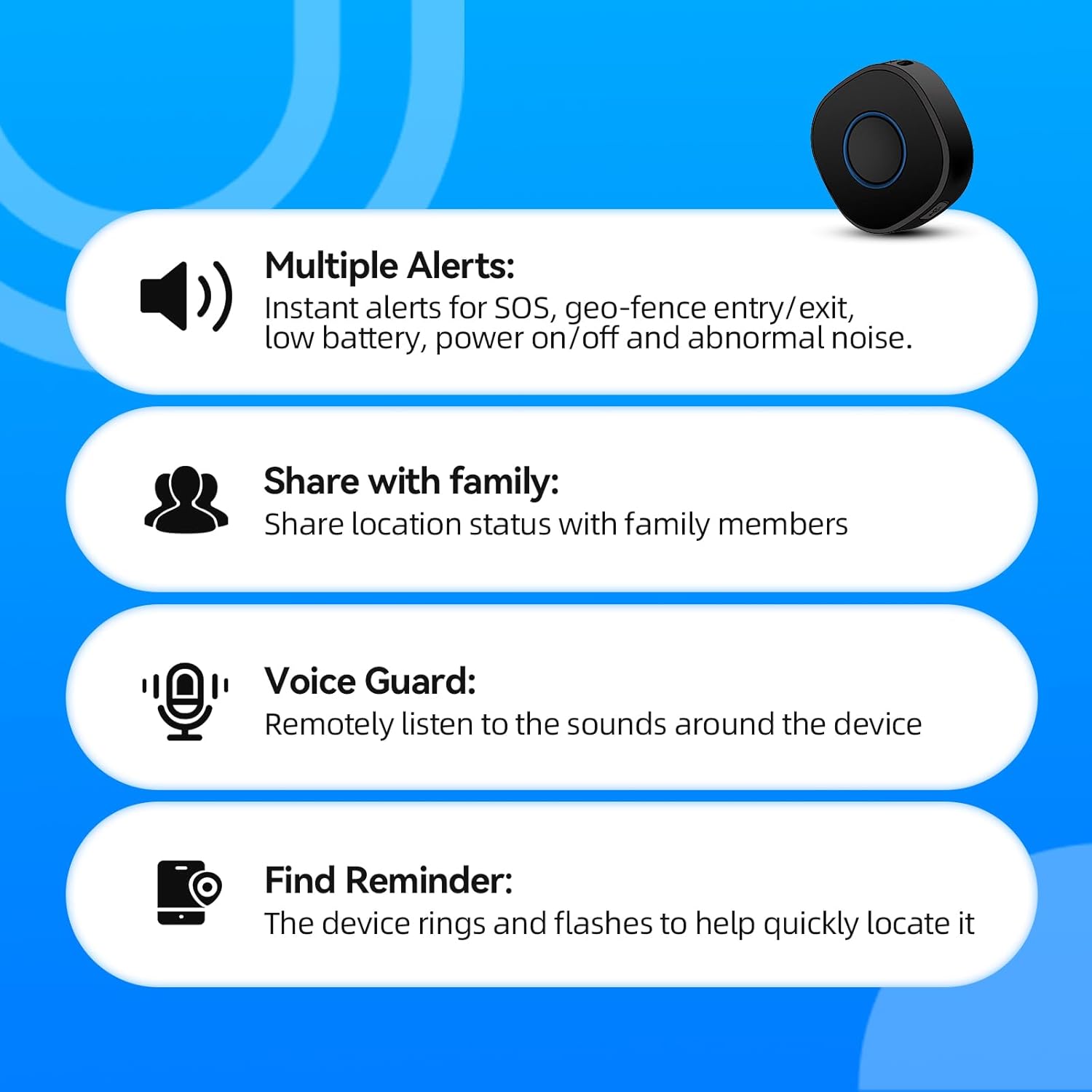
- Multiple Alerts: Receive notifications for SOS, geo-fence entry/exit, low battery, power on/off, and abnormal noise.
- Voice Guard: Remotely listen to the sounds around the device.
- Find Reminder: Trigger the device to ring and flash to assist in locating it.
- Compacto e portátil: Small and lightweight design (1.77 x 1.77 x 0.67 inches) with multiple carrying options (lanyard, belt clip).
- Servizo de subscrición: Requires a monthly service subscription for full functionality.

This image highlights key alert and communication features of the tracker: multiple alert types (SOS, geo-fence, low battery), location sharing with family, remote voice monitoring (Voice Guard), and a "Find Reminder" function to locate the device.
4. Dispositivo rematadoview
The LNCOON A410 GPS Tracker is designed for ease of use and portability. It features a main button, a Type-C charging port, and indicators for status.

This image illustrates the LNCOON Mini Personal GPS Tracker in use, showing a child with a backpack, the compact tracker device, and the mobile application interface displaying real-time location tracking and historical routes.
This image showcases various practical ways to carry and use the LNCOON Mini Personal GPS Tracker, including attaching it to a backpack, a keychain, luggage, or placing it discreetly within a vehicle for versatile tracking.
5. Iniciación
5.1 Carga do dispositivo
Before first use, fully charge the GPS tracker. Connect the provided USB Type-C cable to the device and a compatible USB power adapter. The charging indicator will show the charging status.
5.2 Descarga e instalación da aplicación
The LNCOON GPS Tracker operates with the Jimi Life APP. Download the app from your device's app store:
- Para dispositivos iOS: Busca "Jimi Life" in the Apple App Store.
- Para dispositivos Android: Busca "Jimi Life" in the Google Play Store.
Alternatively, scan the QR code provided in the product packaging to directly download the app.
This image displays the "Jimi Life" mobile application interface, highlighting its real-time precise positioning and historical trajectory playback features. Users can select specific dates to review past movements of the tracker.
5.3 Device Activation and Subscription
The LNCOON GPS Tracker requires an active subscription to function. Follow the in-app instructions to activate your device and choose a subscription plan. Plans are available monthly, quarterly, or yearly. You can cancel your subscription at any time without hidden fees.

This image illustrates the in-app subscription options for the LNCOON GPS Tracker, showing various plans (monthly, yearly, quarterly) required for full functionality, with a note about no hidden fees and cancellation flexibility.
6. Operating Instructions (Jimi Life App)
Once the device is charged and activated, use the Jimi Life APP to manage and monitor the tracker.
6.1 Seguimento en tempo real
Open the Jimi Life APP to view the current location of your tracker on a map. The app provides visual updates of the device's position and movement.

This image shows the LNCOON GPS Tracker device positioned next to a smartphone displaying a detailed map with a marked location, illustrating the real-time tracking capability through the mobile application.
6.2 Geo-Fencing (Zone Alerts)
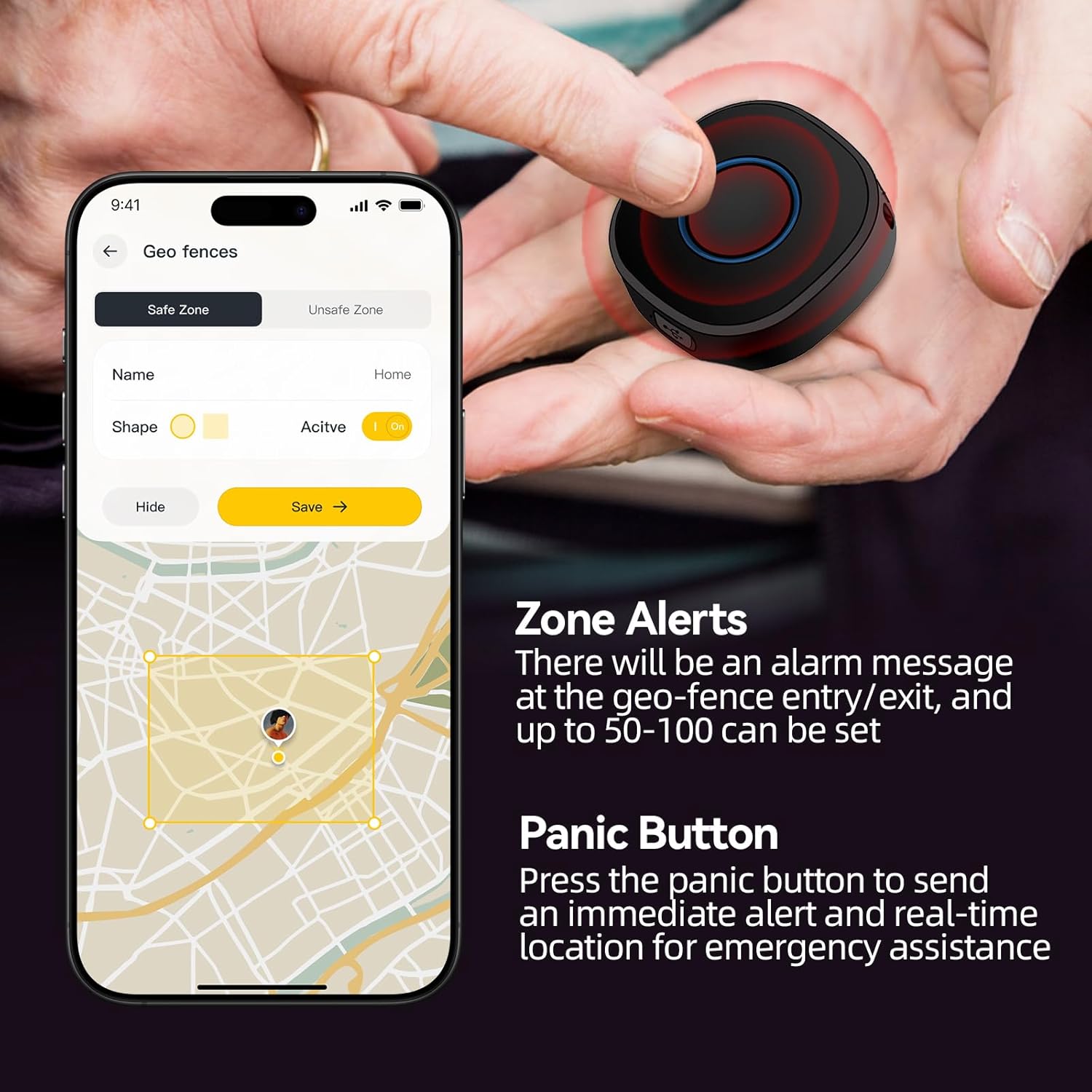
Set up virtual safe zones (e.g., home, school) and unsafe zones within the app. You will receive instant push notifications when the tracker enters or exits these predefined areas. Up to 50-100 zones can be configured.
This image demonstrates two key safety features: the physical SOS button on the tracker, which sends immediate alerts, and the geo-fencing setup within the mobile app, allowing users to define safe zones and receive alerts upon entry or exit.

This image depicts a user interacting with the mobile application to set up geo-fencing zones. The smartphone screen shows a map interface where safe and unsafe areas can be defined, triggering alerts when the tracker enters or exits these boundaries.
6.3 Función SOS
In an emergency, the user can press the SOS button on the tracker. This will send an immediate alert and the real-time location to pre-configured emergency contacts via the app.
6.4 Datos históricos
The app stores historical track data for at least 180 days, allowing you to review past movements and routes of the tracker.
6.5 Voice Monitoring (Voice Guard)
Utilize the Voice Guard feature in the app to remotely listen to the ambient sounds around the tracker device.

This image highlights several key features: track playback for reviewing past routes, the SOS one-touch button for emergencies, the voice guard function for remote audio monitoring, and the tracker's portability with an included lanyard.
6.6 Sharing Location
The app allows you to share the tracker's location status with other family members or authorized users.
7. Modos de traballo
The LNCOON GPS Tracker supports different working modes to optimize battery life and tracking frequency:
- Modo intelixente: Updates the location every 1 minute when the device is in motion.
- Modo cronometrado: Updates the location at a set interval, regardless of whether the device is moving or stationary.
- Modo en tempo real: Provides frequent location updates, typically every 10 seconds, when the device is moving.

This image illustrates the three distinct working modes of the GPS tracker: Smart Mode for movement-based updates, Timed Mode for fixed-interval updates, and Real-time Mode for continuous, rapid location reporting.
8. Mantemento
- Limpeza: Limpe o dispositivo cun pano suave e seco. Non empregue produtos químicos agresivos nin produtos de limpeza abrasivos.
- Cargando: Ensure the device is charged regularly. Battery life can vary based on usage and tracking mode.
- Almacenamento: Garda o dispositivo nun lugar fresco e seco cando non o uses. Evita temperaturas extremas.
- Resistencia á auga: The device is not waterproof. Avoid exposure to water or moisture.
9 Solución de problemas
| Problema | Causa posible | Solución |
|---|---|---|
| Device not tracking / Spotty tracking | No active subscription; Poor cellular signal; Low battery; Device turned off. | Verify subscription status in the app; Move to an area with better signal; Charge the device; Power on the device. |
| A batería esgotarase rapidamente | Real-time tracking mode selected; Frequent updates; Old battery. | Switch to Smart Mode or Timed Mode for longer battery life; Reduce update frequency in settings. |
| Non se pode conectar á aplicación | Incorrect device ID; App not updated; Network issues. | Ensure correct device ID is entered; Update Jimi Life APP to the latest version; Check your phone's internet connection. |
| SOS button not sending alerts | No emergency contacts set; Device offline; Poor signal. | Configure emergency contacts in the app; Ensure device is online and has good cellular signal. |
10. Especificacións
| Característica | Detalle |
|---|---|
| Número de modelo | A410 |
| Dimensións | 1.77 x 1.77 x 0.67 polgadas (4.5 x 4.5 x 1.7 cm) |
| Peso do elemento | 9.9 onzas |
| Batería | 1 batería de polímero de litio (incluída) |
| Tecnoloxía de conectividade | Cellular, WiFi, LBS Positioning |
| Aplicación compatible | Jimi Life APP |
| Dispositivos compatibles | Smartphones (iOS, Android), Tablets, Personal Computers |
| Fabricante | LNCOON |
11. Garantía e soporte
For warranty information and technical support, please refer to the contact details provided with your product packaging or visit the official LNCOON website. If you have questions regarding device usage or subscription services, contact customer support directly through the Jimi Life APP or the manufacturer's provided channels.


