1. Introdución
Welcome to the instruction manual for your JBL Charge 6 Portable Bluetooth Speaker. This guide provides essential information for setting up, operating, and maintaining your device. The JBL Charge 6 is engineered for robust audio performance and portability, featuring IP68 waterproof and dustproof ratings, extended battery life, and Auracast multi-speaker connectivity.
2. Que hai na caixa
Carefully unpack your JBL Charge 6. The package should contain the following items:
- Altofalante portátil Bluetooth JBL Charge 6
- Correa
- Guía de inicio rápido
- Ficha de seguridade
Note: The JBL Charge 6 does NOT include a USB-C charging cable in the box. A compatible standard USB-C cable (sold separately) is required for charging.
This bundle also includes a Megen Hardshell Protection Case for your speaker.

Image: JBL Charge 6 speaker shown with its Megen hardshell protection case and also separately with its attached carrying strap.

Image: The detachable carrying strap for the JBL Charge 6 speaker.

Image: The Megen Hardshell Protection Case designed to store and protect the JBL Charge 6 speaker.
3. Produto rematadoview
Familiarize yourself with the physical components and controls of your JBL Charge 6 speaker.
3.1. Compoñentes do altofalante

Imaxe: Lateral view of the JBL Charge 6 speaker, highlighting its textured fabric exterior and integrated carrying handle.
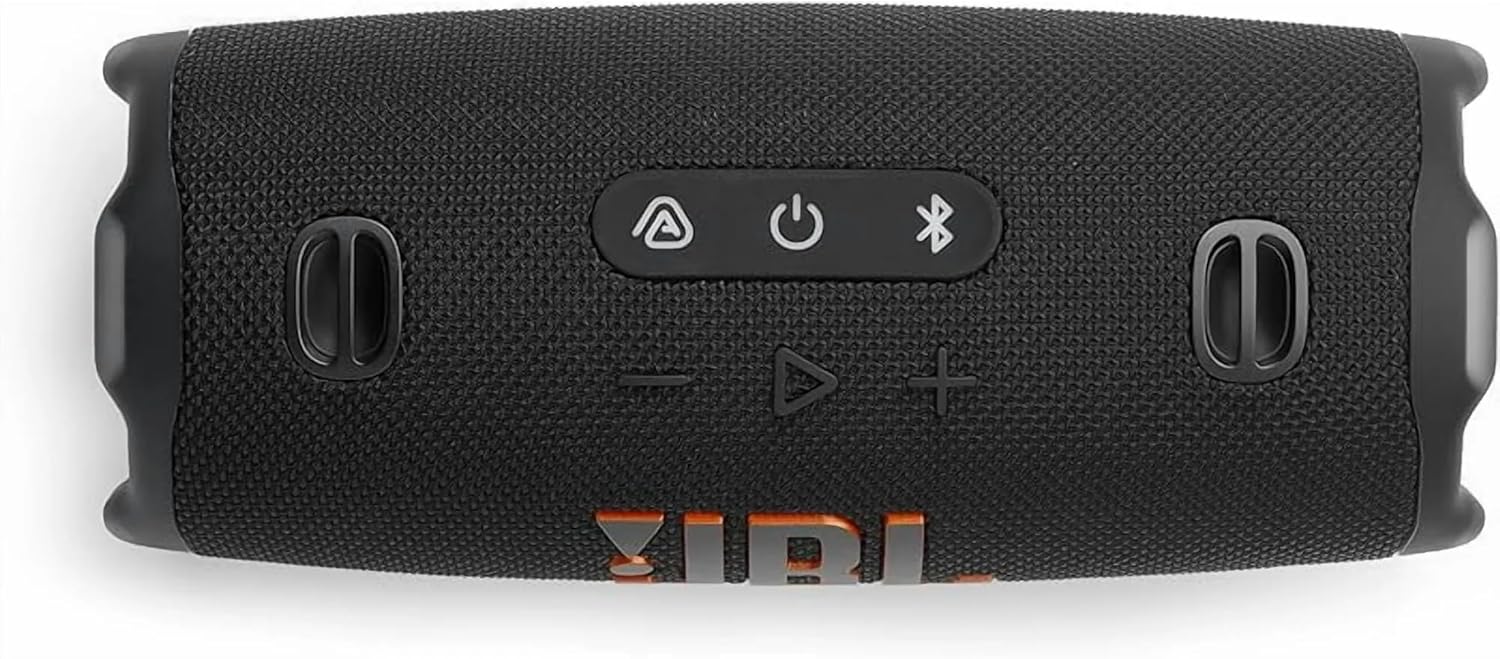
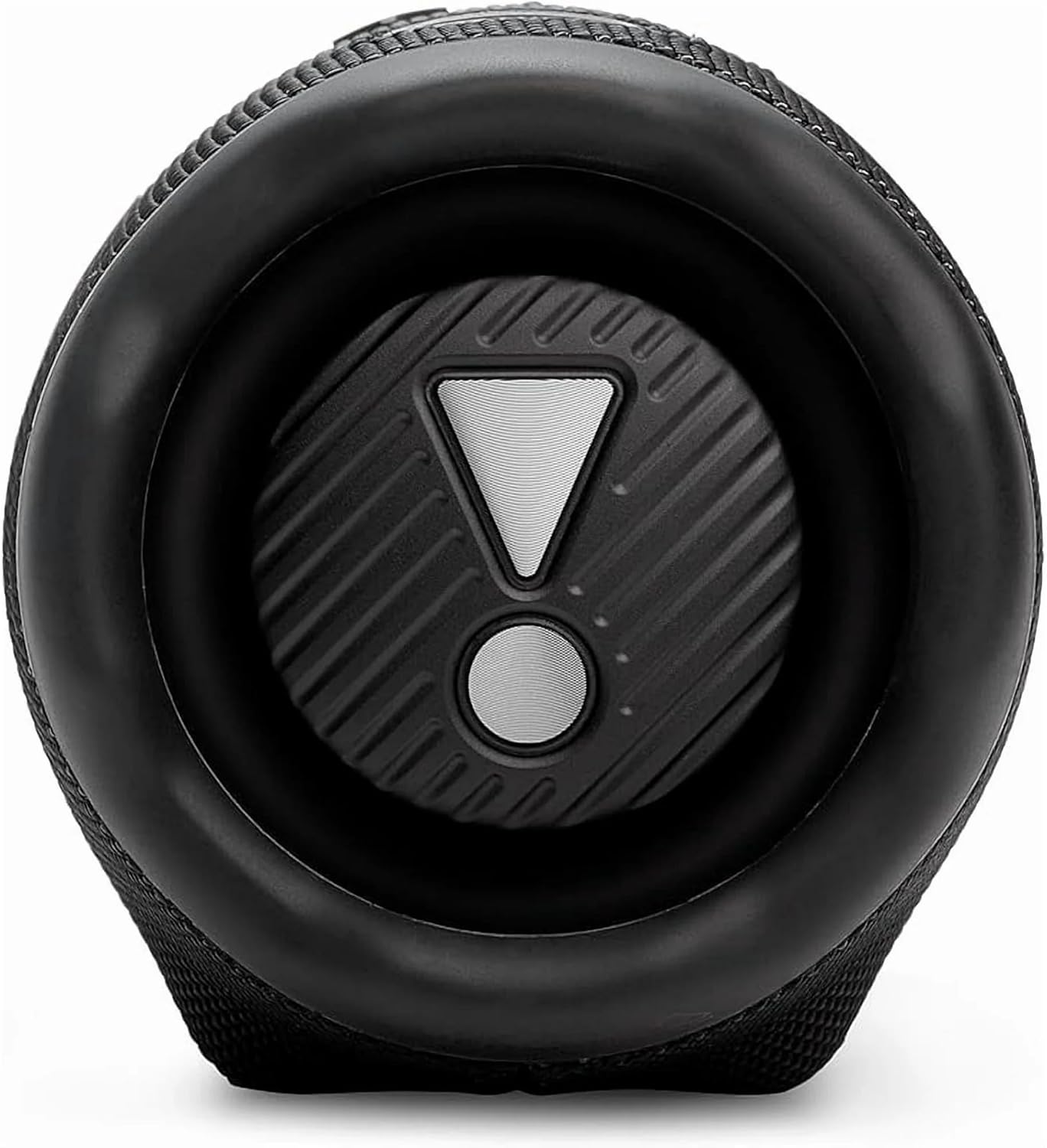
Image: End view of the JBL Charge 6 speaker, showing the passive radiator with the JBL exclamation mark logo.
3.2. Panel de control

Imaxe: Arriba view of the JBL Charge 6 speaker, displaying the control buttons: Auracast, Power, Bluetooth, Volume Down, Play/Pause, and Volume Up.
- Botón Auracast: For connecting multiple Auracast-enabled JBL speakers.
- Botón de encendido: Para activar ou desactivar o altofalante.
- Botón Bluetooth: To initiate Bluetooth pairing mode.
- Botón para baixar o volume: To decrease the audio volume.
- Botón Reproducir/Pausa: Para reproducir ou pausar a reprodución de audio.
- Botón para subir o volume: To increase the audio volume.
3.3. Portos
Imaxe: Traseira view of the JBL Charge 6 speaker, showing the USB-C charging port and the USB-A power bank port, typically located under a protective flap.
- Porto de carga USB-C: For charging the JBL Charge 6 speaker.
- USB-A Power Bank Port: For charging external devices from the speaker's battery.
4. Configuración
4.1. Cargo inicial
Before first use, it is recommended to fully charge your JBL Charge 6 speaker. Connect a compatible USB-C cable to the speaker's USB-C charging port and then to a power adapter (not included). The battery indicator will show charging status.
4.2. Colocación da correa
The included strap can be attached to the designated loops on the speaker for easier portability.
5. Instrucións de funcionamento
5.1. Acendido/apagado
- Para activar: Prema o botón Botón de encendido unha vez.
- Para apagar: Manteña premido o botón Botón de encendido ata que o altofalante se apague.
5.2. Emparellamento Bluetooth
- Turn on your JBL Charge 6 speaker.
- Preme o Botón Bluetooth. The Bluetooth indicator will flash, indicating pairing mode.
- On your mobile device, go to Bluetooth settings and select "JBL Charge 6" from the list of available devices.
- Unha vez conectado, o indicador Bluetooth permanecerá fixo.
5.3. Auracast (Multi-Speaker Connection)
The JBL Charge 6 supports Auracast, allowing you to connect multiple Auracast-enabled JBL speakers for a wider sound stage or to cover a larger area with the same audio.
- Asegúrate de que todos os altofalantes que queiras conectar estean acendidos e dentro do alcance.
- On the primary speaker (the one connected to your device via Bluetooth), press the Botón Auracast.
- On any additional Auracast-enabled speakers, press their respective Botón Auracast.
- The speakers will automatically connect, and audio will play simultaneously across all connected units.
5.4. Cargando o altofalante
Connect a USB-C charging cable to the USB-C port on the speaker and to a power source. The battery indicator lights will show the charging progress. A full charge provides up to 28 hours of playtime.
5.5. Uso como batería externa
The JBL Charge 6 can charge external devices. Open the protective flap on the rear of the speaker and connect your device's charging cable to the USB-A power bank port.
5.6. Volume and Playback Control
- Axuste de volume: Usa o Subir volume (+) e Baixar volume (-) botóns.
- Reproducir/Pausa: Preme o Botón Reproducir/Pausa unha vez.
- Saltar pista: Prema dúas veces o Botón Reproducir/Pausa para saltar á seguinte pista.
6. Características
6.1. IP68 Waterproof and Dustproof
The JBL Charge 6 is rated IP68, meaning it is fully protected against dust ingress and can withstand immersion in water up to 1.5 meters (approximately 5 feet) for up to 30 minutes. This makes it suitable for use in various outdoor environments, including near pools or at the beach.
6.2. AI Sound Boost
Equipped with JBL AI Sound Boost, the speaker utilizes an advanced audio processing algorithm to optimize sound output, delivering full, rich, and immersive audio performance.
6.3. Extended Playtime
Enjoy up to 28 hours of audio playback on a single charge, ensuring your music lasts through extended listening sessions.
7. Mantemento
7.1. Limpeza
Para limpar o altofalante, use un pano suave eamp cloth. Avoid using harsh chemicals or abrasive materials, as these can damage the speaker's finish or components. Ensure all ports are dry before charging or connecting devices after exposure to water.
7.2. Almacenamento
Garda o altofalante nun lugar fresco e seco, lonxe da luz solar directa e de temperaturas extremas. Se o gardas durante un período prolongado, asegúrate de que a batería estea parcialmente cargada (arredor do 50 %) para prolongar a súa vida útil.
7.3. Coidado da batería
To maximize battery life, avoid fully discharging the speaker frequently. Charge the speaker regularly, even if not in use, to maintain battery health.
8 Solución de problemas
Se tes problemas co teu JBL Charge 6, consulta os seguintes problemas e solucións comúns:
- O altofalante non se acende:
Ensure the battery is charged. Connect the speaker to a power source using a USB-C cable and try again. - Non se pode emparellar por Bluetooth:
Make sure the speaker is in pairing mode (Bluetooth indicator flashing). Ensure your device's Bluetooth is enabled and within range. Try restarting both the speaker and your device. - Sen son:
Check the volume levels on both the speaker and your connected device. Ensure the speaker is successfully paired and connected. - Problemas de carga:
Verify that the USB-C cable and power adapter are working correctly. Ensure the charging port is clean and free of debris. - Auracast connection problems:
Ensure all speakers are Auracast-enabled and within close proximity. Follow the Auracast pairing steps carefully.
9. Especificacións
| Marca | JBL |
| Nome do modelo | Cargo 6 |
| Tipo de altofalante | Interior Exterior |
| Características especiais | Dustproof, Portable, Waterproof |
| Tecnoloxía de conectividade | Bluetooth |
| Tecnoloxía de comunicación sen fíos | Bluetooth |
| Dispositivos compatibles | Teléfono intelixente |
| Fonte de enerxía | Alimentado por batería |
| Tipo de batería | 1 batería non estándar (incluída) |
| Potencia de saída máxima do altofalante | 45 vatios |
| Modo de saída de audio | Estéreo |
| Configuración da canle de son envolvente | 2.0 |
| Nivel de resistencia á auga | Impermeable (IP68) |
| Material | Fabric, Rubber |
| Dimensións do produto | 4" D x 3" W x 2" H |
| Peso do elemento | 3.72 libras (1.69 quilogramos) |
| Método de control | Toca |
| Tipo de montaxe | Altofalante portátil |
10. Garantía e soporte
The JBL Charge 6 comes with a Limited Warranty. For detailed warranty information, product support, or to register your product, please visit the official JBL website or refer to the Safety Sheet included in your package.
For further assistance, you may also contact JBL customer service through their official channels.


