1. Produto rematadoview
The SLuB HGD T2 Wireless Earbuds feature advanced Bluetooth 5.4 technology, delivering stable connectivity and high-fidelity audio. Designed for comfort and versatility, these ear-hook style earbuds offer ENC noise cancellation for clear calls, IPX6 water resistance, and intuitive touch controls.

Image: SLuB HGD T2 Wireless Earbuds in their charging case, displaying battery levels on an LED screen.
Características clave

Image: Visual representation of the earbuds' key features: Noise Reduction, Bluetooth 5.4, Hi-Fi Sound Quality, Stable Fit, Battery Level Display, and Long Playback Time.
- Tecnoloxía Bluetooth 5.4: Ensures stable connection, reduced audio delay, and efficient power consumption.
- Calidade de son de alta fidelidade: Equipped with high-sensitivity dynamic drivers for balanced sound reproduction, enhanced bass, and immersive audio.
- Cancelación de ruído ENC: Effectively reduces ambient noise for clear call quality.
- Ergonomic Ear-Hook Design: Provides a secure and comfortable fit, ideal for sports and extended wear, preventing accidental drops.
- Resistencia á auga IPX6: Protects against sweat and rain, suitable for outdoor activities and workouts.
- Controis táctiles intelixentes: Manage music playback, calls, volume, and activate voice assistants with simple taps.
- Long Battery Life with LED Display: Up to 7 hours of playback per charge, with the charging case providing multiple recharges. The case features an LED display for battery status.
- Single/Dual Earbud Mode: Use either earbud independently or both together.
Contido do paquete

Image: Illustration of the package contents, including earbuds, charging case, USB Type-C cable, and user manual.
- SLuB HGD T2 Wireless Earbuds (Left and Right)
- Estuche de carga
- Cable de carga USB tipo C
- Manual de usuario
2. Guía de configuración
2.1 Carga dos auriculares e da funda
- Carga inicial: Antes do primeiro uso, carga completamente os auriculares e a caixa de carga.
- Carga do estuche: Connect the provided USB Type-C cable to the charging port on the case and to a USB power adapter (not included). The LED display on the case will show the charging progress.
- Cargando os auriculares: Place the earbuds into the charging case. Ensure they are correctly seated. The LED indicators on the earbuds and the case display will show charging status.
- Indicación de carga completa: The LED display will show "100" when the charging case is fully charged. The individual earbud indicators will turn off when fully charged.
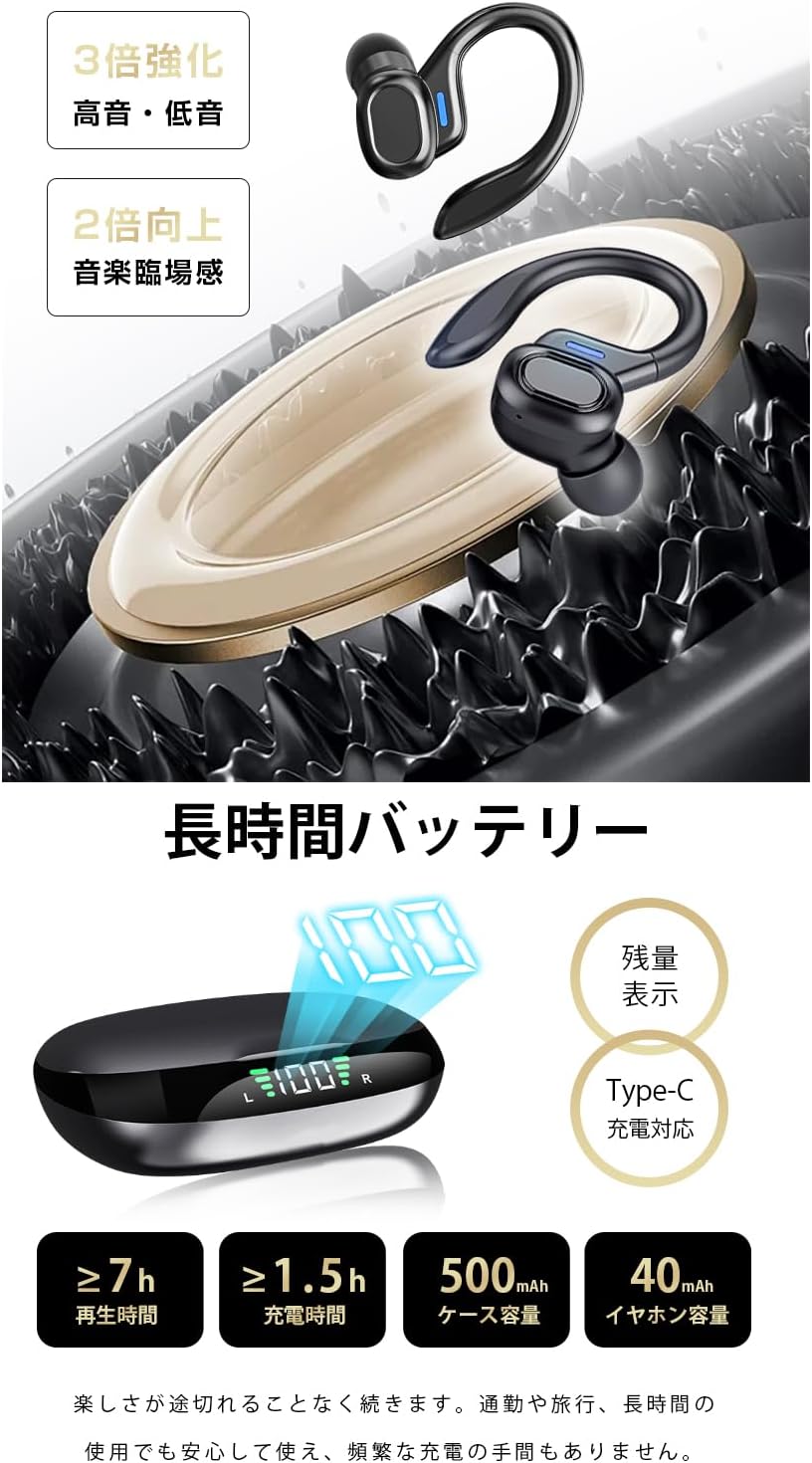
Image: The charging case displaying battery percentage and individual earbud charge status.
2.2 Emparellamento co teu dispositivo
- Primeira parella:
- Abre a caixa de carga. Os auriculares entrarán automaticamente no modo de emparellamento.
- No teu dispositivo (teléfono intelixente, tableta, etc.), activa o Bluetooth.
- Busca "HGD T2" in the list of available Bluetooth devices and select it to connect.
- Unha vez conectado, unha mensaxe de voz confirmará o emparellamento correcto.
- Reconexión automática: After the initial pairing, the earbuds will automatically connect to the last paired device when removed from the charging case and Bluetooth is enabled on the device.
- Modo auricular único: You can use either the left or right earbud independently. Simply take one earbud out of the case, and it will connect. The other earbud can remain in the case or be used later.

Image: Illustration showing the automatic connection process when opening the charging case and pairing with a smartphone.
3. Instrucións de funcionamento
3.1 Controis táctiles
The SLuB HGD T2 earbuds feature intuitive touch controls on each earbud. The functions are as follows:

Image: Visual guide to the touch controls for music playback, calls, volume adjustment, and voice assistant activation.
| Acción | Auricular esquerdo | Earbud dereito |
|---|---|---|
| Reproducir/Pausa música | Toque un só | Toque un só |
| Próxima pista | Toca dúas veces | Toca dúas veces |
| Pista anterior | Toca tres veces | Toca tres veces |
| Subir volume | N/A | Presión longa (1 s) |
| Baixar o volume | Presión longa (1 s) | N/A |
| Responder/Finalizar chamada | Toque un só | Toque un só |
| Rexeitar a chamada | Presión longa (2 s) | Presión longa (2 s) |
| Activar o asistente de voz (Siri/Asistente de Google) | Presión longa (2 s) | Presión longa (2 s) |
4. Mantemento e coidados
4.1 Limpeza
- Limpa regularmente os auriculares e a funda de carga cun pano suave, seco e sen fiapos.
- Non empregue produtos de limpeza abrasivos, solventes nin aerosois en aerosol.
- Asegúrate de que os contactos de carga dos auriculares e da funda estean limpos e libres de residuos para manter unha carga axeitada.
4.2 Almacenamento
- Cando non estean en uso, garde os auriculares no seu estoxo de carga para protexelos e mantelos cargados.
- Garde o dispositivo nun lugar fresco e seco, lonxe de temperaturas extremas e da luz solar directa.
4.3 Resistencia á auga (IPX6)
- The earbuds are rated IPX6, meaning they are resistant to powerful water jets. This makes them suitable for workouts and light rain.
- Importante: IPX6 rating does not mean they are waterproof for submersion. Do not submerge the earbuds in water.
- Ensure the earbuds are dry before placing them back into the charging case to prevent damage to the charging contacts.
5 Solución de problemas
| Problema | Posible Solución |
|---|---|
| Os auriculares non se emparellan/conectan. |
|
| Só funciona un auricular. |
|
| Sen son ou volume baixo. |
|
| A caixa de carga non carga. |
|
6. Especificacións
| Característica | Detalle |
|---|---|
| Marca | SLuB |
| Número de modelo | HGD T2 |
| Versión Bluetooth | 5.4 |
| Pro compatiblefiles | HSP, HFP, A2DP, AVRCP |
| Distancia de transmisión | Aproximadamente 10 metros (33 pés) |
| Banda de Frecuencia Operativa | 2.402 GHz ~ 2.480 GHz |
| Capacidade da batería dos auriculares | 40 mAh (cada un) |
| Capacidade da batería do estuche de carga | 500 mAh |
| Tempo de reprodución de música | ≥ 7 horas |
| Tempo de carga (auriculares) | Aprox. 1.5 horas |
| Porto de carga | Tipo-C |
| Clasificación de resistencia á auga | IPX6 |
| Dispositivos compatibles | Dispositivos iOS/Android |
7. Garantía e soporte
For warranty information and customer support, please refer to the documentation included with your purchase or contact SLuB customer service through the retailer where you purchased the product.
SLuB is committed to providing a worry-free experience. If you encounter any issues or have questions regarding your HGD T2 Wireless Earbuds, please do not hesitate to reach out for assistance.


