1. Introdución
Thank you for choosing the SMARTRO Digital Alarm Clock-03. This manual provides detailed instructions for setting up, operating, and maintaining your new alarm clock. Please read this manual thoroughly before use to ensure optimal performance and longevity of your device.
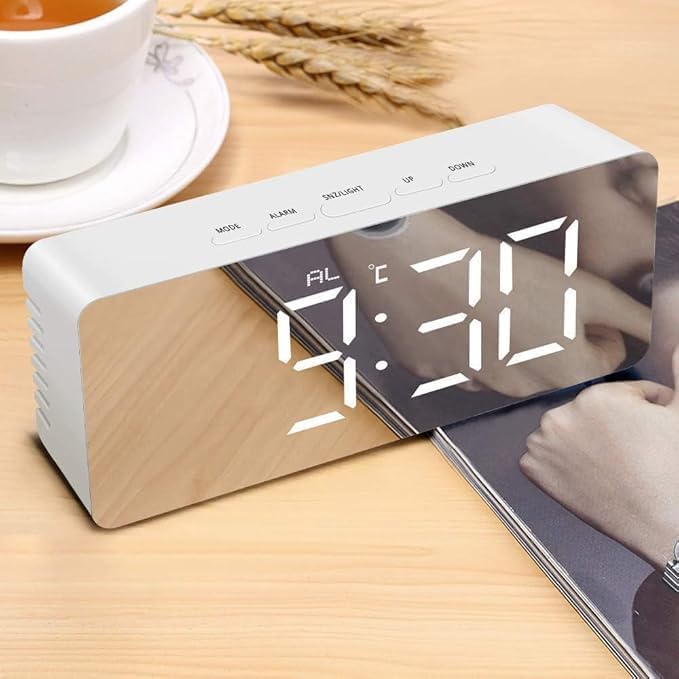
Image 1.1: The SMARTRO Digital Alarm Clock-03 showing the time 9:30 AM on its reflective display.
2. Contido do paquete
Verifique que todos os elementos que se indican a continuación estean incluídos no seu paquete:
- 1 x SMARTRO Digital Alarm Clock Unit
- 1 x cable de carga USB (tipo C)
- 1 x Manual de usuario (este documento)
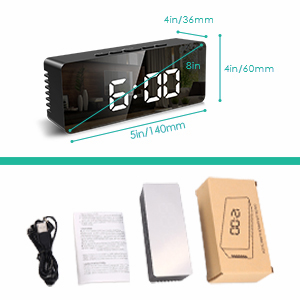
Image 2.1: Visual representation of the package contents, including the alarm clock, USB cable, and user manual.
3. Configuración
3.1 Conexión de alimentación
Connect the provided USB Type-C cable to the clock's power input port and plug the other end into a USB power adapter (not included) or a powered USB port. The display will light up.
3.2 Battery Installation (Optional for Power Save Mode)
For power-saving mode and to retain settings during a power outage, install 3 AAA batteries (not included) into the battery compartment located on the back of the clock. Note that the display will only stay on continuously when powered via USB. In battery-only mode, the screen will turn off after 10 seconds of inactivity to conserve power.
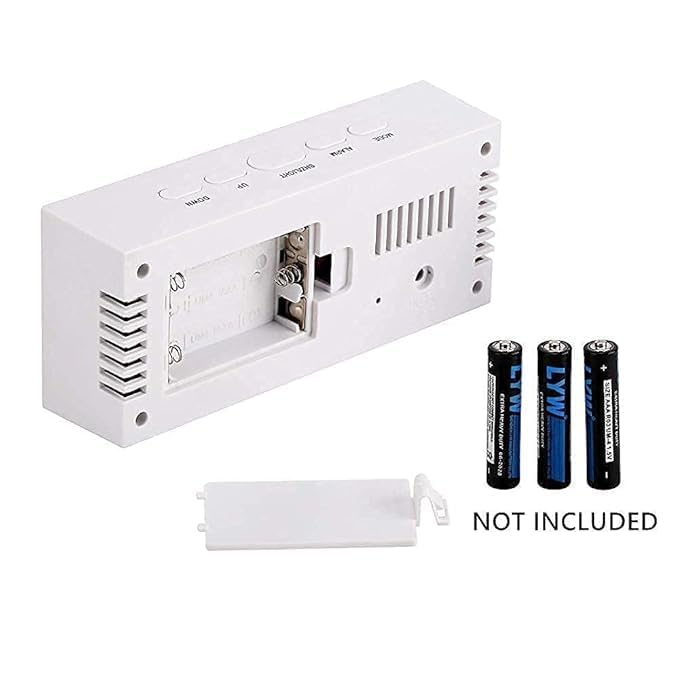
Imaxe 3.1: Traseira view of the alarm clock, illustrating the battery compartment for 3 AAA batteries (not included).
3.3 Configuración inicial da data e da hora
- Preme o MODO para entrar no modo de axuste da hora. Os díxitos da hora parpadearán.
- Usa o UP e ABAIXO botóns para axustar a hora.
- Preme MODO again to set the minutes, then repeat with UP e ABAIXO.
- Continúa presionando MODO to cycle through and set the year, month, and day.
- Preme MODO one more time to exit setting mode, or wait a few seconds for it to automatically save and exit.
- To switch between 12/24H format, press the UP button while in normal time display mode.
4. Instrucións de funcionamento
4.1 Configuración de alarmas
The clock supports two independent alarms. Follow these steps to set an alarm:
- Preme o ALARMA button to enter Alarm 1 setting mode. The alarm hour digits will flash.
- Usa o UP e ABAIXO botóns para axustar a hora da alarma.
- Preme ALARMA again to set the alarm minutes, then adjust with UP e ABAIXO.
- Preme ALARMA a third time to select the alarm mode: LUN-VEN (1-5), MON-SAT (1-6), LUN-DOM (1-7), or SÁBADO-DOM. Use UP e ABAIXO para seleccionar.
- Preme ALARMA again to set the alarm volume (3 levels).
- Repeat the process for Alarm 2 by pressing ALARMA until 'AL2' appears.
- Para activar/desactivar unha alarma, prema o botón ALARMA button briefly while in normal time display mode to toggle between alarms. An alarm icon will appear on the display when active.
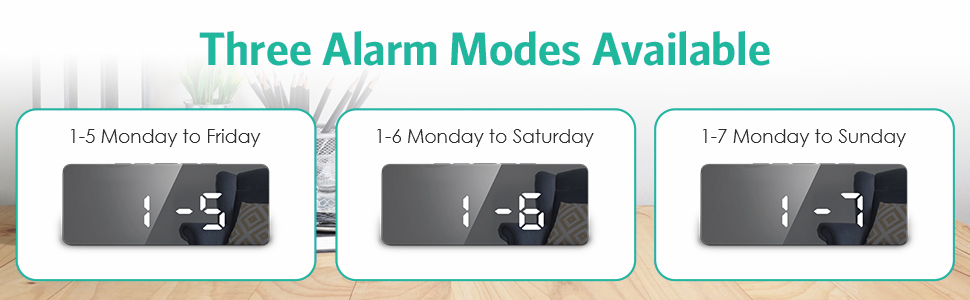
Image 4.1: Illustration of the three available alarm modes: Monday-Friday, Monday-Saturday, and Monday-Sunday.
4.2 Función Snooze
Cando soe unha alarma, prema o botón SNZ / LIGHT botón para activar a función de repetición da alarma. A alarma porase en pausa durante 9 minutos e logo volverá soar.
4.3 Axustar o brillo da pantalla
The clock offers 5 levels of adjustable brightness (100%-60%-30%-3%-0%).
- No modo de visualización da hora normal, prema SNZ / LIGHT button repeatedly to cycle through the brightness levels.
- The clock also features an automatic nighttime dimming mode.
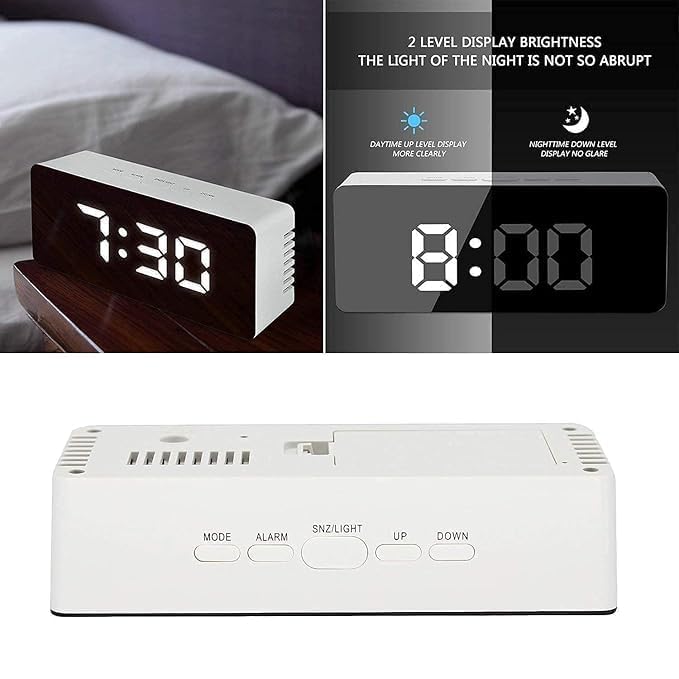
Image 4.2: Demonstrates the difference between daytime (brighter) and nighttime (dimmer) display levels for optimal visibility.
4.4 Modo nocturno
To activate the automatic nighttime dimming mode, press and hold the SNZ / LIGHT button for 3 seconds. In this mode, the display brightness will automatically dim between 7:00 PM and 7:00 AM.
4.5 porto de carga USB
The clock includes a separate USB port that allows you to charge compatible external devices. Connect your device's charging cable to this port.
5. Mantemento
- Clean the clock's surface with a soft, dry cloth. Avoid using abrasive cleaners or solvents, as they may damage the finish.
- If using batteries, replace them when the display becomes dim or functions become erratic. Ensure correct polarity when inserting new batteries.
- Manteña o dispositivo lonxe de temperaturas extremas, luz solar directa e humidade elevada.
6 Solución de problemas
- Q: The display is not lighting up.
- A: Ensure the USB Type-C cable is securely connected to both the clock and a working power source. If using batteries, check if they are inserted correctly and have sufficient charge.
- Q: The alarm is not sounding.
- A: Verify that the alarm is activated (alarm icon visible on display) and that the alarm volume is set to an audible level. Check the alarm time and day settings.
- Q: The time resets every time the power is disconnected.
- A: This clock requires continuous USB power for the display to remain on. For settings retention during power interruptions, ensure 3 fresh AAA batteries are installed in the battery compartment.
- Q: Buttons are unresponsive.
- A: Disconnect the power cable and remove batteries for a few minutes, then reconnect to perform a soft reset. If the issue persists, contact customer support.
7. Especificacións
| Característica | Detalle |
|---|---|
| Modelo | Alarm Clock-03 |
| Tipo de visualización | LED dixital |
| Dimensións (L x A x P) | 140 mm x 60 mm x 36 mm (aprox. 5.5 x 2.4 x 1.4 polgadas) |
| Peso do elemento | 199 gramos |
| Fonte de enerxía | USB-C (mains power, adapter not included), 3x AAA Batteries (not included) for power-saving mode/memory backup |
| Material | Plástico |
| Características especiais | Large Display, Dual Alarms, Snooze, Adjustable Brightness (5 levels), Automatic Night Mode, USB Charging Port, Date & Temperature Display, 12/24H Format, Daylight Saving Time mode |
Imaxe 7.1: Superposición de dimensiónsview of the alarm clock.
8. Garantía e soporte
For warranty information or technical support, please refer to the product packaging or contact SMARTRO customer service directly. You can often find contact details on the official SMARTRO websitio web ou a través do seu vendedor.
For general inquiries or to explore other SMARTRO products, visit the SMARTRO Brand Store on Amazon.


