Introdución
This manual provides detailed instructions for the LIGE EF5-A Smart Watch. Please read it carefully to ensure proper use and optimal performance of your device. This smartwatch is designed to offer a range of features including fitness tracking, communication, and health monitoring.
O que hai na caixa
- 1 x LIGE EF5-A Smart Watch
- 1 correa de aceiro inoxidable
- 1 x Black Silicone Strap
- 1 x Camouflage Silicone Strap
- 1 x cable de carga
- 1 x Manual de instrucións (este documento)
Configuración
1. Cargando o dispositivo
Before first use, fully charge your LIGE EF5-A Smart Watch. Connect the magnetic charging cable to the charging contacts on the back of the watch and plug the USB end into a power adapter (not included) or a computer USB port. A full charge typically takes approximately 3 hours.

Image: The smartwatch displaying its charging status and battery capacity of 530mAh.
2. Descarga e instalación da aplicación
To unlock the full functionality of your smartwatch, download the FitCloudPro application on your smartphone. The app is compatible with Android 4.4+ and iOS 8.0+ devices.
- Scan the QR code below using your phone's camera or a QR code scanner app.
- Alternatively, search for "FitCloudPro" in the Apple App Store or Google Play Store.
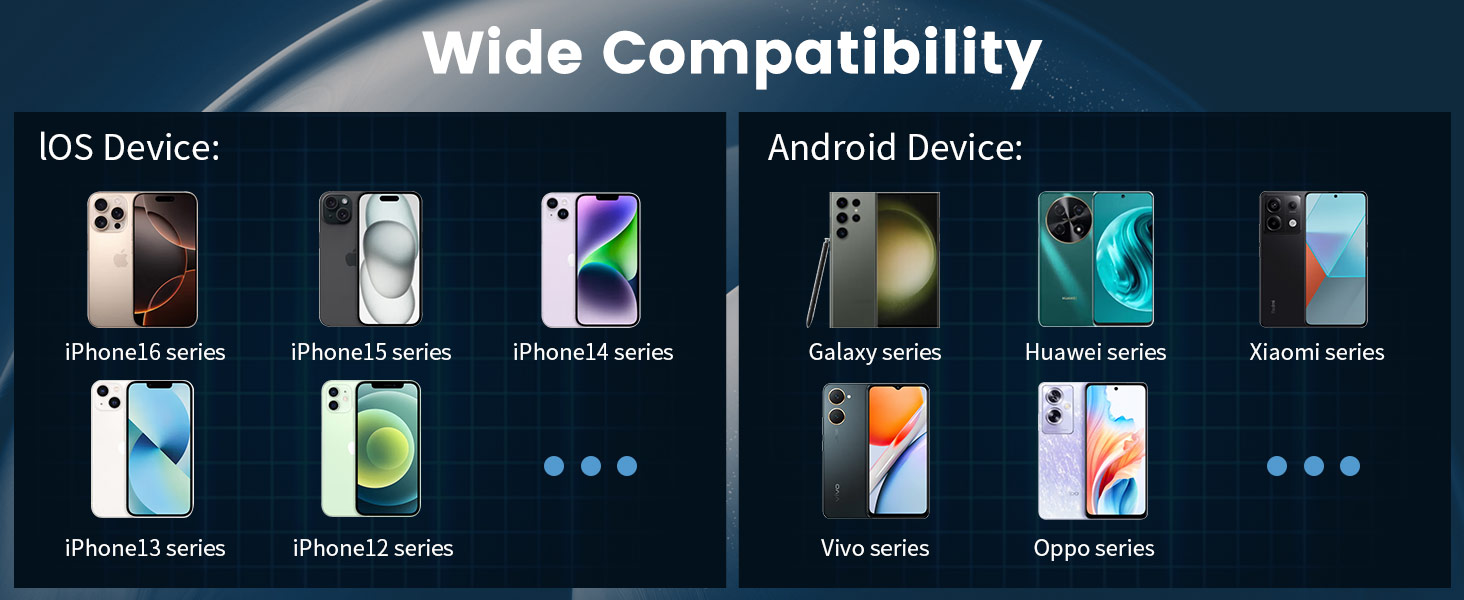
Image: Connection method diagram with QR code for FitCloudPro app. The QR code links to http://fitcloud.hetangsmart.com/qrcode/_cn/.
3. Emparejamento de dispositivos
Follow these steps to pair your smartwatch with the FitCloudPro app:
- Asegúrate de que o Bluetooth estea activado no teu smartphone.
- Open the FitCloudPro app.
- Navigate to the "Device" section and select "Add Device."
- The app will search for nearby devices. Select "EF5" from the list.
- A pairing request will appear on your phone. Confirm by selecting "Pair."
- After successful connection, you can enable or disable "Call audio" and "Media audio" from the watch settings or phone's Bluetooth settings.
Instrucións de funcionamento
Navegación básica
The LIGE EF5-A Smart Watch features a 1.43-inch AMOLED HD touchscreen for intuitive interaction. Swipe across the screen to access different functions and menus. Physical buttons on the side provide additional control, such as power on/off and quick access to certain features.

Image: The smartwatch's 1.43-inch AMOLED HD display with 466x466 resolution, offering a clear view and always-on screen option.
Chamadas e notificacións por Bluetooth
Once paired with your smartphone, the watch allows you to make and receive calls directly from your wrist using its built-in microphone and speaker. You will also receive smart notifications for messages, emails, and app alerts (e.g., WhatsApp, Facebook, Instagram) via discreet vibrations.

Image: The smartwatch showing an incoming call interface and various app notification icons.
Función de lanterna
The smartwatch includes a built-in LED flashlight. This feature can be activated for convenience in low-light conditions, such as unlocking a door at night or navigating in the dark.

Image: The smartwatch's integrated flashlight illuminating a path in the dark.
Caras de reloxo personalizables
Personalize your smartwatch with over 200 available watch faces through the FitCloudPro app. You can also upload your own photos to create custom dials.

Image: A selection of customizable watch faces and other features like stopwatch, remote photography, music control, and weather forecast.
Características adicionais
- Control de música: Controla a reprodución de música no teu teléfono intelixente conectado.
- Pronóstico do tempo: View condicións meteorolóxicas actuais e previsións.
- Asistente de voz: Interact with your phone's voice assistant.
- Fotografía a distancia: Usa o reloxo como obturador remoto para a cámara do teléfono.
- Buscar teléfono: Localiza o teu teléfono intelixente perdido.
- Recordatorio de sedentarismo: Receive alerts to encourage movement after periods of inactivity.
- Recordatorio de beber auga: Get reminders to stay hydrated.
- Sempre en exhibición: Keep the time visible without needing to activate the screen.
Vixilancia da Saúde
The LIGE EF5-A Smart Watch provides continuous health monitoring features to help you stay informed about your well-being. These features are for informational purposes and should not be used for medical diagnosis.
Monitor de frecuencia cardíaca
The watch continuously tracks your heart rate throughout the day, providing data on your resting and active heart rate zones. View trends and detailed reports in the FitCloudPro app.
Monitor de sono
Monitor your sleep patterns, including deep sleep, light sleep, and awake times. The app provides insights into your sleep quality to help you improve your rest.
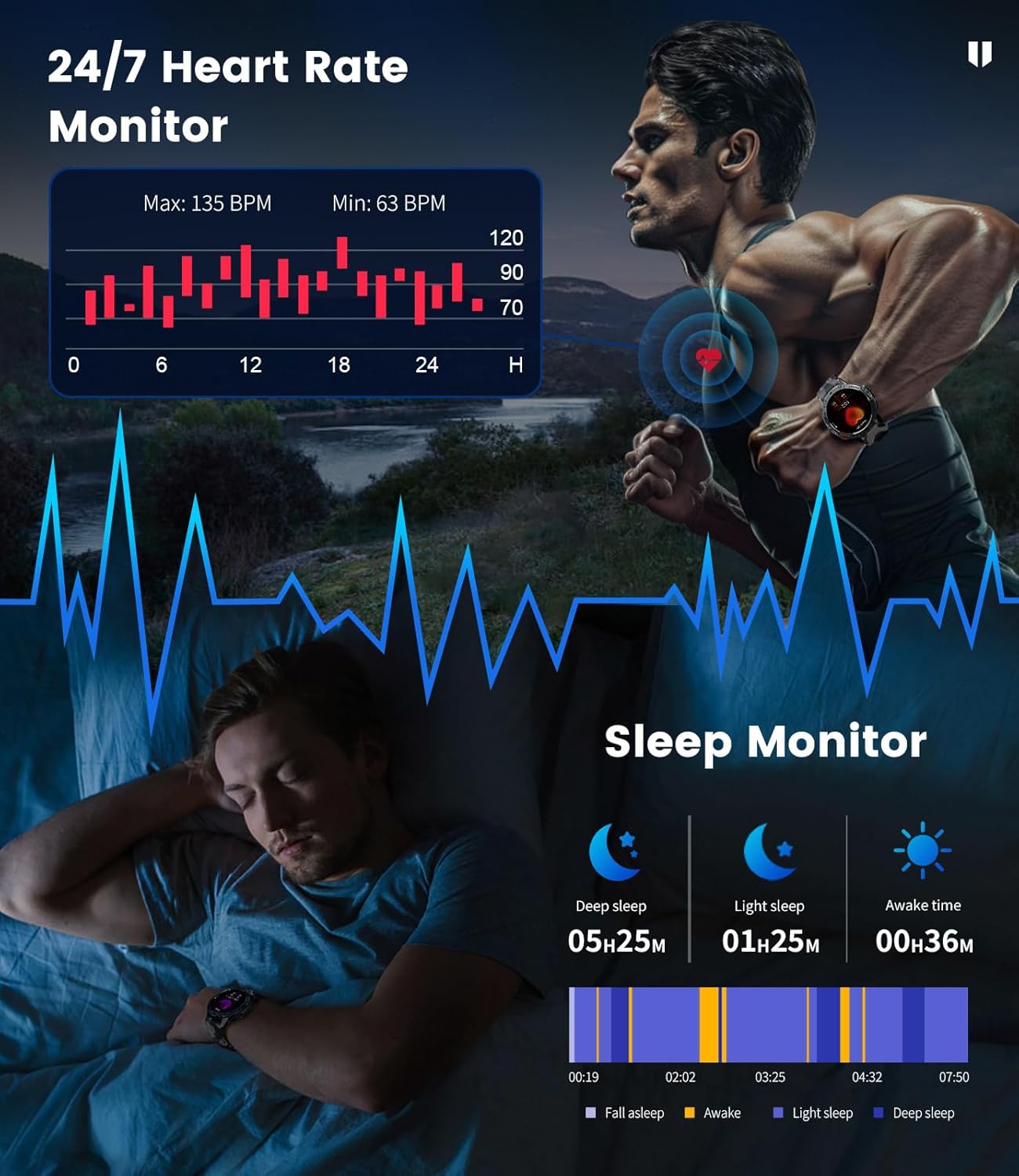
Image: The smartwatch showing heart rate monitoring data and a breakdown of sleep stages.
Blood Oxygen and Stress Levels
The watch can track blood oxygen saturation (SpO2) and estimate daily stress levels, offering a broader view do teu estado fisiolóxico.
Modos deportivos
With over 100 built-in professional sport modes, the LIGE EF5-A Smart Watch is designed to track a wide range of physical activities. It accurately records metrics such as calorie consumption, heart rate, distance, and exercise duration for each activity, helping you optimize your training.

Image: The smartwatch showing activity tracking data for distance, calories, and steps during a sport mode.
Durabilidade e resistencia á auga
The LIGE EF5-A Smart Watch is built to military standards (MIL-STD-810G), ensuring robust performance in challenging environments. It features shock resistance and is IP68 waterproof, making it suitable for various outdoor activities and daily wear.

Image: Visual representation of the smartwatch's military-grade durability, including water resistance and shock protection.
The IP68 rating means the watch is resistant to dust and can withstand immersion in water up to 1.5 meters for 30 minutes. It is suitable for swimming, showering, and handwashing, but avoid hot water or saltwater exposure.
Duración da batería
Equipped with a 530mAh battery, the LIGE EF5-A Smart Watch offers extended usage. Expect up to 10-14 days of working time on a single charge and approximately 45 days in standby mode, depending on usage patterns.
Image: The smartwatch displaying its charging status and battery capacity of 530mAh.
Especificacións
| Característica | Especificación |
|---|---|
| Marca | LIXE |
| Número de modelo | EF5-A |
| Tamaño da pantalla | 1.43 polgadas |
| Tipo de visualización | AMOLED HD |
| Resolución | 466x466 |
| Capacidade da batería | 530 mAh |
| Tempo de traballo | Ata 10-14 días |
| Tempo de espera | Ata 45 días |
| Resistencia á auga | IP68 (5ATM) |
| Estándar militar | MIL-STD-810G |
| Conectividade | Bluetooth |
| Sistema Operativo | FitCloudPro App (Android 4.4+, iOS 8.0+) |
| Capacidade de almacenamento da memoria | 256 MB |
| Peso do elemento | 180 gramos (6.3 onzas) |
| Dimensións do paquete | 8.11 x 3.82 x 0.94 polgadas |
Mantemento
To ensure the longevity and optimal performance of your LIGE EF5-A Smart Watch, follow these maintenance guidelines:
- Limpeza: Regularly wipe the watch screen and straps with a soft, dry cloth. For stubborn dirt, a slightly damp pódese usar un pano. Evite produtos químicos agresivos ou materiais abrasivos.
- Exposición á auga: While IP68 waterproof, avoid prolonged exposure to hot water (e.g., hot showers, saunas) or saltwater, as this can degrade seals over time. Rinse with fresh water and dry thoroughly if exposed to chlorinated water.
- Temperatura: Non expoñas o reloxo a temperaturas extremas (moi quente ou moi frío) durante períodos prolongados, xa que isto pode afectar a duración da batería e aos compoñentes internos.
- Cargando: Usa só o cable de carga incluído. Asegúrate de que os contactos de carga estean limpos e secos antes de cargar.
- Almacenamento: Cando non o use durante un período prolongado, garde o reloxo nun lugar fresco e seco.
Resolución de problemas
If you encounter issues with your LIGE EF5-A Smart Watch, refer to the following common solutions:
| Problema | Solución |
|---|---|
| O reloxo non se acende | Asegúrate de que o reloxo estea completamente cargado. Mantén premido o botón de acendido/acendido durante uns segundos. |
| Non se pode emparellar co teléfono | 1. Asegúrate de que o Bluetooth estea activado no teu teléfono e de que o reloxo estea dentro do seu alcance. 2. Reinicia tanto o reloxo como o teléfono. 3. Make sure the FitCloudPro app is installed and open. 4. Esquece o dispositivo na configuración de Bluetooth do teu teléfono e tenta emparellalo de novo. |
| Notificacións non recibidas | 1. Check if notifications are enabled in the FitCloudPro app settings. 2. Ensure the app has necessary permissions on your phone (e.g., notification access). 3. Verify that the watch is successfully connected via Bluetooth. |
| Datos sanitarios inexactos | 1. Asegúrate de levar o reloxo ben axustado ao pulso, nin demasiado axustado nin demasiado solto. 2. Limpa o sensor da parte traseira do reloxo. 3. Note that environmental factors and individual physiology can affect readings. This device is not a medical instrument. |
| Batería de curta duración | 1. Reducir o brillo da pantalla. 2. Limit the use of power-intensive features like continuous heart rate monitoring or frequent calls. 3. Ensure the watch is fully charged. |
Garantía e Soporte
For warranty information and customer support, please refer to the documentation included with your purchase or contact LIGE customer service through their official channels. Keep your proof of purchase for warranty claims.


