1. Rematadoview
The Element 32-inch 720p HD Xumo Smart TV offers reliable performance and smart functionality in a compact design. Ideal for smaller spaces such as kitchens, dorm rooms, guest rooms, or offices, this television combines a clear HD display with a versatile smart platform and modern connectivity options.
Key features include a 720p resolution display, a 120Hz effective refresh rate for smooth motion, and the integrated Xumo OS for access to numerous streaming applications and free live channels. Connectivity is robust with multiple HDMI ports, USB, LAN, Bluetooth, and Apple AirPlay support. The TV also comes with a voice remote for convenient navigation.
2. Que hai na caixa
Upon unboxing your Element 32-inch Xumo Smart TV, please ensure all the following components are present:
- 32-inch Element Xumo TV
- Voice Remote + 2 AAA batteries
- TV Stand & Screws
- Guía de inicio rápido

Image: The contents of the TV box, showing the 32-inch television, its remote control, two stand feet, and a bag of screws for assembly. Dimensions of the TV are also displayed.
3. Configuración
3.1 Fixación do soporte para TV
- Coloque con coidado a pantalla do televisor sobre unha superficie suave e limpa para evitar rabuñaduras.
- Aliñe cada pé do soporte cos orificios para parafusos correspondentes na parte inferior do televisor.
- Secure each stand foot using the provided screws. Ensure they are tightened firmly but do not overtighten.
- Levante con coidado o televisor e colóqueo sobre unha superficie estable e nivelada.
Alternatively, the TV supports VESA mounting for wall installation (wall mount hardware sold separately).
3.2 Conexión de alimentación
Connect the power cord to the TV's power input and then plug it into a standard electrical outlet. A pilot light on the TV will indicate that it is receiving power.
3.3 Initial Setup (Xumo OS)
Ao acender o televisor por primeira vez, este guiarache polo proceso de configuración inicial. Isto inclúe:
- Selección do idioma: Escolle o teu idioma preferido.
- Conexión de rede: Connect the TV to your home Wi-Fi network or via an Ethernet cable.
- Xumo OS Account Setup: Follow on-screen prompts to set up or log in to your Xumo OS account. This is necessary to access smart features and apps.
- Escaneo de canles: If connecting an antenna, the TV will scan for available channels.

Image: The Element 32-inch Xumo Smart TV is shown on a wooden TV stand, displaying its smart interface with various streaming app icons.
4. Conexións
The Element Xumo Smart TV provides a variety of ports for connecting external devices:
- Portos HDMI (3): Connect high-definition devices such as Blu-ray players, gaming consoles, or cable/satellite boxes. One HDMI port supports eARC (enhanced Audio Return Channel) for simplified audio connections to compatible soundbars or AV receivers.
- Porto USB (1): Conecta dispositivos de almacenamento USB a view fotos, reproducir música ou ver vídeos.
- Porto LAN (Ethernet): Para unha conexión a internet por cable.
- Audio Out (Optical) / Headphone Jack: Para conectar sistemas de son externos ou auriculares.
- Composite Input / Analog Tuner: For connecting older devices or an antenna.
5. Funcionamento da súa TV
5.1 Control remoto
The included voice remote allows for intuitive control of your TV. It features dedicated buttons for popular streaming services and a microphone for voice commands.
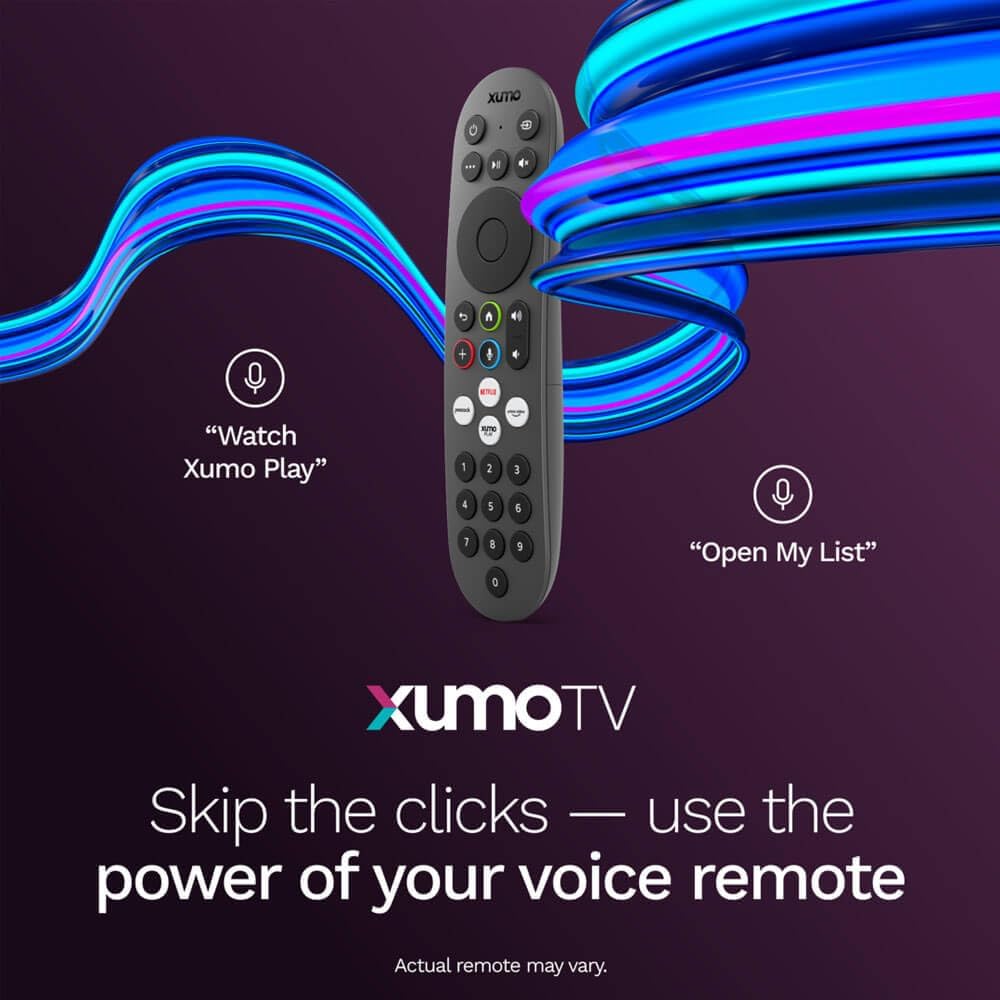
Image: A close-up of the Element Xumo Smart TV voice remote, highlighting its various buttons including a microphone for voice commands and quick access buttons for streaming services.
5.2 Smart Features & Streaming (Xumo OS)
The Xumo OS provides access to over 250 preloaded apps and more than 750 free live channels. You can:
- Search Content: Use the unified search function to find content across all your installed apps.
- A miña lista: Curate your personal watchlist for easy access to your favorite shows and movies.
- Free On-Demand Libraries: Explore a wide selection of free on-demand content.
- Control de voz: Use the voice remote to navigate, search, and control your TV hands-free.

Image: The Xumo TV interface showing a selection of popular streaming applications and content recommendations.
5.3 Axustes de imaxe e son
Your TV delivers a crisp 720p HD display with a 120Hz effective refresh rate, minimizing motion blur for clear visuals. Dolby Audio processing enhances the sound experience. You can adjust picture and sound settings via the TV's menu to suit your preferences.
- Modos de imaxe: Select from various preset picture modes (e.g., Standard, Vivid, Movie, Sports) or customize settings like brightness, contrast, and color.
- Modos de son: Choose from different sound modes (e.g., Standard, Music, Movie, Speech) or adjust bass and treble levels.
5.4 Apple AirPlay & Home Support
Seamlessly stream content or mirror your screen from your iPhone, iPad, or Mac directly to your Element TV using Apple AirPlay. With Apple Home support, you can integrate your TV into your Apple smart home ecosystem for convenient control.
6. Mantemento
To ensure the longevity and optimal performance of your Element Xumo Smart TV, follow these maintenance guidelines:
- Limpeza da pantalla: Limpe a pantalla con suavidade cun pano suave, seco e sen pelusa. Para marcas difíciles, pase un pano lixeiramenteampEnxágüe o pano con auga ou cunha solución de limpeza específica para pantallas (nunca pulverice directamente sobre a pantalla).
- Limpeza do armario: Usa un pano suave e seco para limpar o moble da televisión. Evita o uso de produtos de limpeza abrasivos ou solventes.
- Ventilación: Asegúrate de que as aberturas de ventilación da parte traseira do televisor non estean bloqueadas para evitar o sobrequecemento.
- Apague cando non estea en uso: Apaga o televisor cando non o uses para aforrar enerxía e prolongar a súa vida útil.
7 Solución de problemas
If you encounter any issues with your Element Xumo Smart TV, refer to the following common troubleshooting tips:
- Sen enerxía: Check if the power cord is securely plugged into both the TV and the electrical outlet. Ensure the outlet is functional.
- Sen imaxe/son: Verify that the correct input source is selected. Check all cable connections (HDMI, antenna, etc.) for secure fit.
- O control remoto non funciona: Substitúa as pilas AAA do mando a distancia. Asegúrese de que non haxa obstrucións entre o mando a distancia e o sensor de infravermellos do televisor.
- Problemas de conexión á rede: Restart your Wi-Fi router. Check the TV's network settings to ensure it's connected to the correct network and the password is entered correctly.
- Smart App Problems: Try restarting the app. If the issue persists, clear the app's cache or reinstall it. Ensure your TV's software is up to date.
For persistent issues, please contact Element customer support.
8. Especificacións
| Característica | Especificación |
|---|---|
| Número de modelo | E300AE32C |
| Tamaño da pantalla | 32 polgadas |
| Resolución de visualización | 720p (1366x768) |
| Taxa de actualización | 60 Hz (120Hz Effective) |
| Relación de aspecto | 1.78:1 |
| Sistema Operativo | Xumo OS |
| Conectividade | 3x HDMI (1x eARC), 1x USB, LAN (Ethernet), Optical Audio Out, Headphone Jack, Composite Input, Wi-Fi, Bluetooth |
| Características especiais | Bezel-Less Design, Built-In Speaker, Voice Remote, Apple AirPlay & Home Support |
| TV with Stand Dimensions (W x H x D) | 28.8" x 19.2" x 7.0" |
| TV without Stand Dimensions (W x H x D) | 28.8" x 17.0" x 2.7" |
| Peso do elemento | 8.8 libras |
9. Garantía e soporte
The Element 32-inch 720p HD Xumo Smart TV comes standard with a 2 ano de garantía do fabricanteEsta garantía cobre defectos de materiais e fabricación en condicións normais de uso. Conserve o comprobante de compra para reclamacións de garantía.
For technical support, warranty inquiries, or further assistance, please refer to the contact information provided in your Quick Start Guide or visit the official Element Electronics websitio.


