1. Introdución
This manual provides essential information for the safe and efficient operation of your iSinbox AC311 Projector. Please read it thoroughly before using the device and keep it for future reference.
2. Información de seguridade
Siga sempre as precaucións de seguridade básicas ao usar este produto para reducir o risco de incendio, descarga eléctrica e lesións ás persoas.
- Non bloquee as aberturas de ventilación.
- Non expoñas o proxector á choiva nin á humidade.
- Evite mirar directamente a lente do proxector cando o lamp está activado.
- Use só accesorios/accesorios especificados polo fabricante.
- Desconecte o cable de alimentación durante tormentas eléctricas ou cando non se use durante períodos prolongados.
3. Contido do paquete
Verifica que todos os elementos estean presentes no paquete:
- Proxector iSinbox AC311
- Control remoto
- Cable HDMI
- Cabo AV
- Cable de alimentación
- Manual de usuario (este documento)
4. Produto rematadoview
Familiarízate cos compoñentes e as interfaces do proxector.

Imaxe: Fronte view of the iSinbox AC311 Projector, showcasino seu deseño compacto e a súa lente.
Interfaces:
- Porto HDMI: Conéctate a dispositivos con HDMI como portátiles, consolas de xogos ou dispositivos de transmisión.
- Porto USB: Conecta dispositivos de almacenamento USB para a reprodución multimedia.
- Conector de audio de 3.5 mm: Conecta altofalantes ou auriculares externos.
- Entrada de enerxía: Conecte o cable de alimentación.
5. Configuración
- Colocación: Place the projector on a stable, flat surface or mount it according to your preference (floor, ceiling, tripod, wall). Ensure adequate ventilation around the device. The projector supports short-throw projection, allowing a 100-inch screen from approximately 2.4 meters away.

Image: Diagram illustrating optimal projection distances for various screen sizes with the iSinbox AC311 Projector.
- Conexión de alimentación: Connect the power cable to the projector's power input and then to an electrical outlet.
- Encendido inicial: Preme o botón de acendido do proxector ou do control remoto para acender o dispositivo.
- Enfoque e corrección trapezoidal: The iSinbox AC311 features automatic focus and 6D keystone correction. The projector will automatically adjust the image for clarity and correct distortion. Manual adjustments can also be made if needed.

Image: Visual representation of the automatic focus and 6D keystone correction capabilities of the iSinbox AC311 Projector.
- Conexión de rede: Connect the projector to your Wi-Fi network using the settings menu. The projector supports ultra-fast WiFi 6 for stable streaming.
6. Instrucións de funcionamento
6.1 Control remoto
The included remote control allows you to navigate the projector's interface and control playback.

Image: The iSinbox AC311 Projector remote control, showing dedicated buttons for popular streaming services like Netflix and YouTube.
6.2 Selección da fonte
Use the remote control to select your desired input source (HDMI, USB, or built-in streaming apps).
6.3 Aplicacións de transmisión en tempo real
The iSinbox AC311 Projector comes with a Movin Smart operating system and is compatible with popular streaming services such as Netflix, Prime Video, YouTube, Disney, and Apple TV. Access these directly from the home screen.
6.4 Calidade da imaxe
The projector supports 4K resolution with HDR10+ and features AI Image Enhance technology, delivering vibrant and detailed visuals. It boasts 1200 ANSI lumens for bright images.
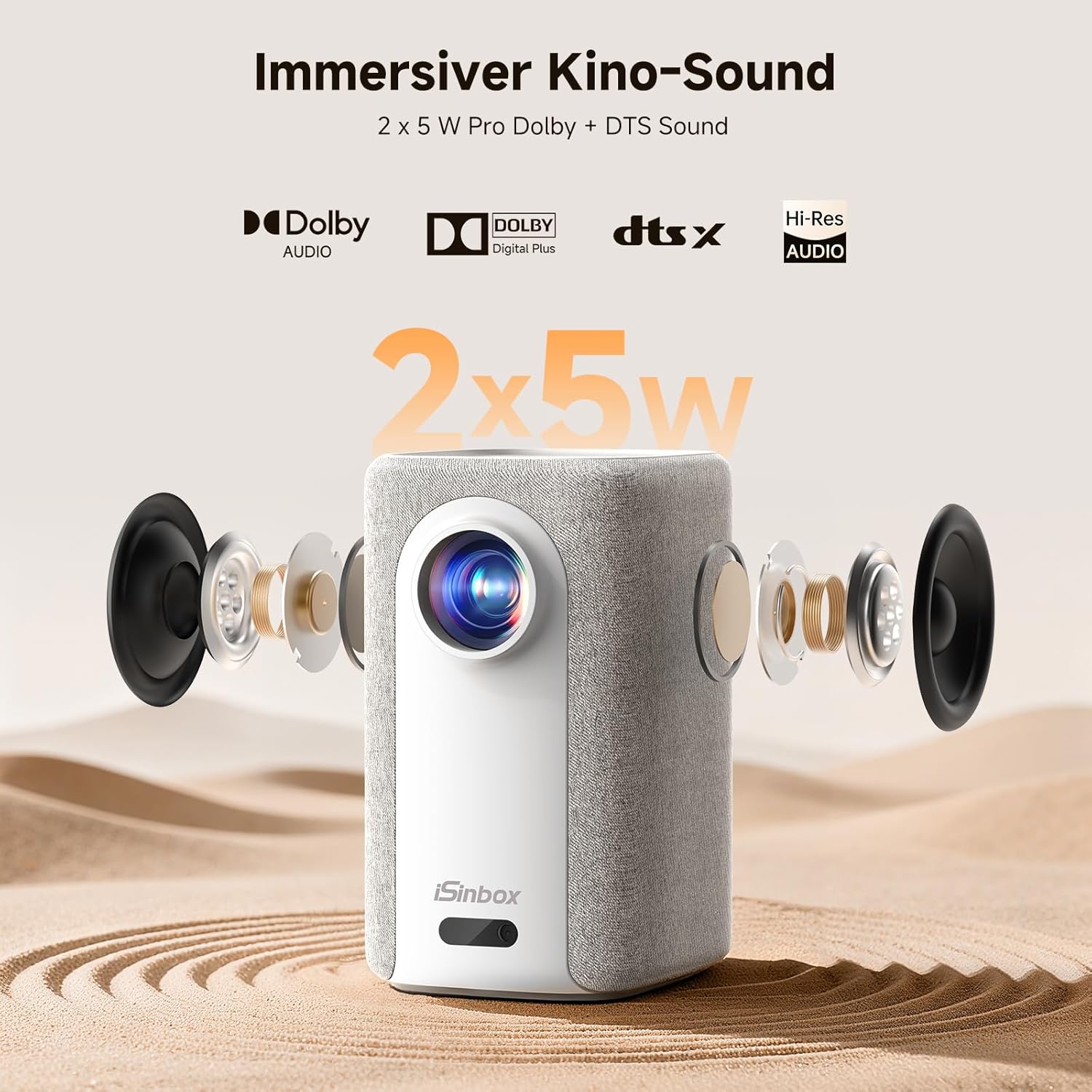
Image: A split-screen comparison demonstrating the superior image quality, vibrant colors, and detail of the iSinbox AC311 Projector (AC311) compared to other projectors.
6.5 Conectividade Bluetooth
The projector features bidirectional Bluetooth 5.4, allowing you to connect external speakers or headphones for enhanced audio, or use the projector as a Bluetooth speaker.

Image: Illustration of the iSinbox AC311 Projector's advanced WiFi 6 and Bluetooth 5.4 capabilities, highlighting smooth and low-latency connections.
6.6 Saída de audio
The projector is equipped with 2 x 5W speakers and supports Dolby Audio and DTS Sound for an immersive audio experience.

Imaxe: Explosión view of the iSinbox AC311 Projector, detailing its 2x5W speakers and support for Dolby Audio and DTS Sound.
6.7 360-Degree Projection
The projector's design, including a dual-mode stand and integrated handle, allows for flexible placement and 360-degree projection, enabling you to project onto ceilings or walls from various angles.
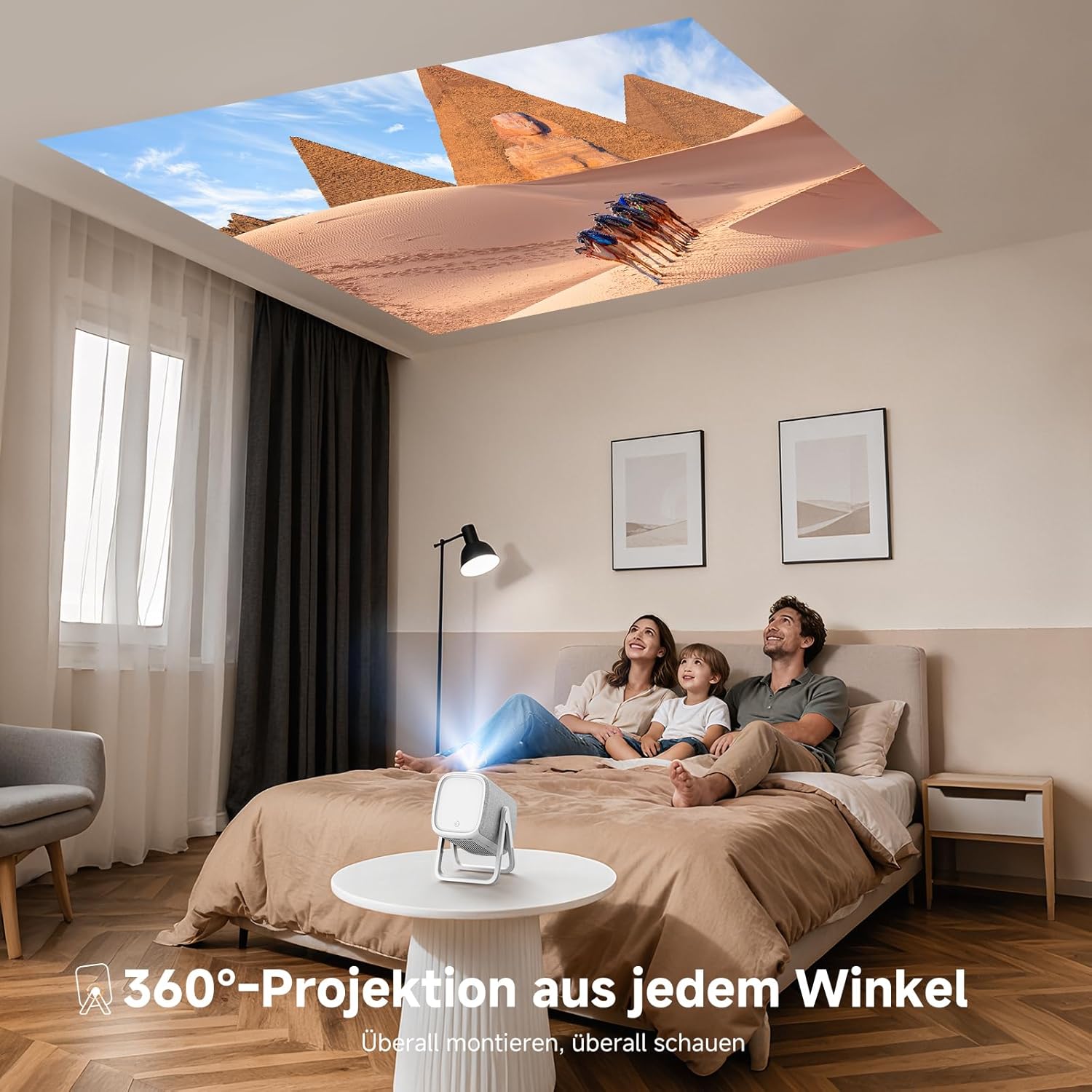
Image: The iSinbox AC311 Projector projecting an image onto a ceiling, illustrating its 360-degree projection feature and portable design.
7. Mantemento
- Limpeza da lente: Usa un pano suave e sen fiapos deseñado especificamente para lentes ópticas. Non empregues produtos de limpeza abrasivos nin disolventes.
- Limpeza do Casing: Limpe o exterior do proxector cun pano suave e seco. Para manchas difíciles, use un pano lixeiramente seco.amp pano e despois seca ben.
- Ventilación: Asegúrate de que as aberturas de ventilación estean libres de po e obstrucións para evitar o sobrequecemento.
- Almacenamento: Cando non o use durante períodos prolongados, garde o proxector nun lugar fresco e seco, lonxe da luz solar directa e de temperaturas extremas.
8 Solución de problemas
| Problema | Causa posible | Solución |
|---|---|---|
| Non se mostra ningunha imaxe | Power cable disconnected; incorrect input source; device not powered on. | Check power connection; select correct input source; ensure connected device is on. |
| Imaxe borrosa | Out of focus; projector not perpendicular to screen. | Allow auto-focus to adjust or manually adjust focus; use keystone correction. |
| Sen son | Volume too low; external audio device not connected properly; mute enabled. | Increase volume; check audio cable/Bluetooth connection; disable mute. |
| O control remoto non funciona | Pilas esgotadas; obstrución entre o mando a distancia e o proxector. | Replace batteries; ensure clear line of sight to IR receiver. |
9. Especificacións
| Característica | Detalle |
|---|---|
| Modelo | AC311 |
| Marca | iSinbox |
| Tecnoloxía de visualización | LCD |
| Resolución nativa | 1920 x 1080 (Full HD) |
| Resolución máxima | 3840 x 2160 (compatible con 4K) |
| Relación de aspecto | 4:3 |
| Relación de contraste | Alto |
| Consumo de enerxía | 65 vatios |
| Taxa de actualización | 60 Hz |
| Conectividade | Bluetooth 5.4 (Bidirectional), WiFi 6, HDMI, USB, 3.5mm Audio Jack, IR |
| Dispositivos compatibles | Speakers, Game Consoles, Laptops, Smartphones, Tablets |
| Características especiais | Automatic Focus, 6D Keystone Correction, Dual-mode Stand, Movin Smart OS, Built-in Streaming Apps (Netflix, Prime Video, YouTube, Disney, Apple TV), Dolby Audio, DTS Sound, 360-degree Projection |
| Dimensións (L x W x H) | 27.6 x 20.5 x 16.3 cm |
| Peso | 1.92 kg |
| Opcións de montaxe | Floor, Ceiling, Tripod, Table, Wall |
10. Garantía e soporte
For warranty information and technical support, please refer to the official iSinbox website or contact their customer service directly. Details are typically provided on the product packaging or a separate warranty card.
The product was first available on Amazon.es from October 23, 2025.


