1. Produto rematadoview
The House of Marley Positive Vibration Rebel Wireless ANC Headphones are designed to provide an immersive audio experience with adaptive noise cancelling technology. Crafted from sustainable materials, these over-ear headphones offer extended playtime and comfortable wear.

Image 1.1: House of Marley Positive Vibration Rebel Wireless ANC Headphones, Cream.
Características principais:
- Cancelación adaptativa de ruído: Intelligently blocks distractions for an immersive listening experience.
- Rich Balanced Sound: Precision-tuned 40mm drivers deliver full-spectrum audio.
- Duración prolongada da batería: Up to 130 hours of playtime (75 hours with ANC activated).
- Materiais sostibles: Constructed with FSC certified wood and recycled aluminum.
- Portable Comfort: Soft memory foam cushions, adjustable headband, foldable design, and IPX5 water resistance.
- Bluetooth 5.4: Ensures smooth and stable wireless connectivity.
2. Configuración
2.1 Que hai na caixa
- Positive Vibration Rebel Wireless ANC Headphones
- Cable de carga USB-C
- Cable de audio AUX de 3.5 mm
- Guía de inicio rápido (consulte este manual para obter instrucións detalladas)
2.2 Carga dos auriculares
- Localiza o porto de carga USB-C nos auriculares.
- Connect the provided USB-C cable to the headphones and the other end to a USB power source (e.g., wall adapter, computer USB port).
- The LED indicator on the headphones will show charging status. Refer to the LED indicator section for details.
- A full charge provides up to 130 hours of playtime (75 hours with ANC). A quick 15-minute charge can provide approximately 4 hours of playtime.
2.3 Emparejamento Bluetooth
- Asegúrese de que os auriculares estean apagados.
- Manteña premido o botón de acendido/apagado ata que o indicador LED parpadee en azul e vermello, o que indica o modo de emparellamento.
- No teu dispositivo (teléfono intelixente, portátil, tableta), activa o Bluetooth e busca os dispositivos dispoñibles.
- Select "Positive Vibration Rebel" from the list of devices.
- Unha vez conectado, o indicador LED volverá azul fijo.
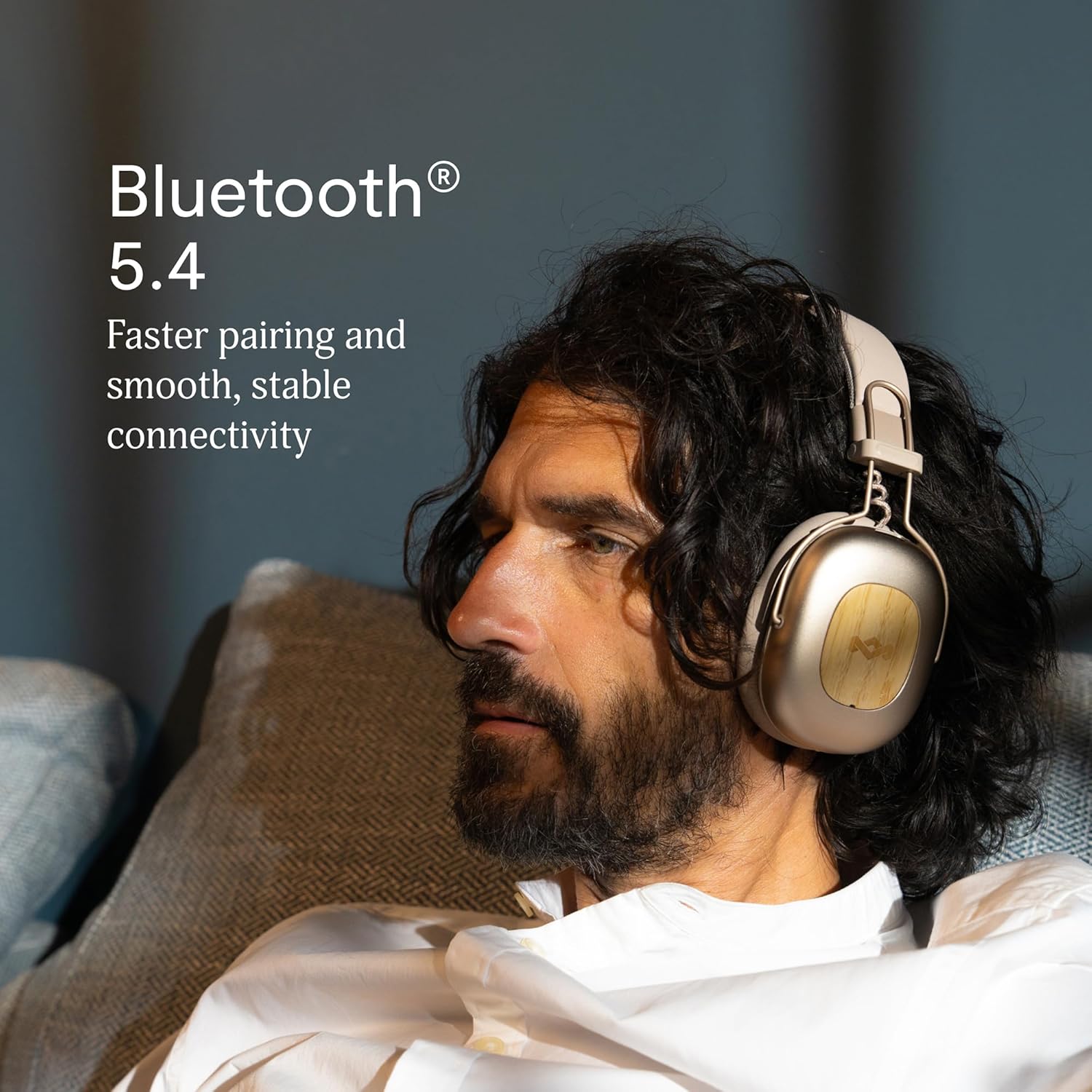
Image 2.1: Bluetooth 5.4 connectivity for stable pairing.
2.4 Axuste do axuste
The headphones feature an adjustable headband and soft memory foam ear cushions for comfortable wear. Adjust the headband to ensure the earcups sit comfortably over your ears, creating a good seal for optimal sound and noise cancelling performance.

Image 2.2: Ergonomic design for all-day comfort.
3. Instrucións de funcionamento
3.1 Encendido/apagado
- Encendido: Press and hold the Power button for 2-3 seconds until the LED indicator lights up.
- Apagado: Press and hold the Power button for 3-4 seconds until the LED indicator turns off.
3.2 Reprodución de música
- Reproducir/Pausa: Prema o botón multifunción unha vez.
- Próxima pista: Manteña premido o botón para subir o volume durante 2 segundos.
- Pista anterior: Manteña premido o botón para baixar o volume durante 2 segundos.
- Subir volume: Press the Volume Up button briefly.
- Baixar volume: Press the Volume Down button briefly.
3.3 Xestión de chamadas
- Responder/Finalizar chamada: Prema o botón multifunción unha vez.
- Rexeitar a chamada: Manteña premido o botón multifunción durante 2 segundos.
3.4 Adaptive Noise Cancelling (ANC)
The headphones feature Adaptive Noise Cancelling to reduce ambient noise. There are typically multiple modes:
- ANC activado: Blocks out most external noise.
- Ambient Mode (Transparency): Permite escoitar o teu arredor mentres escoitas audio.
- ANC desactivado: Standard listening without noise cancelling.
Press the ANC button (usually located on one of the earcups) to cycle through the available ANC modes.

Image 3.1: Adaptive Noise Cancelling for distraction-free listening.
3.5 conexión por cable
For a wired connection, use the provided 3.5mm AUX audio cable. Plug one end into the headphone's 3.5mm port and the other end into your audio device. Note that some features like ANC may still function, but power is drawn from the headphone's battery.
4. Mantemento
4.1 Limpeza
- Limpe os auriculares con coidado cun pano suave, seco e sen fiapos.
- Non use produtos químicos agresivos, disolventes de limpeza ou deterxentes fortes.
- Evite a entrada de humidade en calquera abertura.
4.2 Almacenamento
When not in use, store the headphones in a cool, dry place, away from extreme temperatures and direct sunlight. The foldable design allows for compact storage.
4.3 Coidado coa batería
- Evite descargar completamente a batería con frecuencia.
- Charge the headphones regularly, even if not used for extended periods, to maintain battery health.
- Do not attempt to replace the battery yourself. Contact customer support if battery issues arise.
4.4 Resistencia á auga (IPX5)
The headphones are rated IPX5 water resistant, meaning they can withstand a sustained, low-pressure water jet spray. This makes them suitable for light rain or sweaty workouts. However, they are not designed for submersion in water. Do not expose them to heavy rain or immerse them in any liquid.
5 Solución de problemas
5.1 Sen enerxía
- Asegúrate de que os auriculares estean cargados. Conéctaos a unha fonte de alimentación mediante o cable USB-C.
- Press and hold the Power button for the specified duration to turn them on.
5.2 Non se pode emparellar co dispositivo
- Ensure the headphones are in pairing mode (LED flashing blue and red).
- Make sure Bluetooth is enabled on your device and it is within range (typically 10 meters).
- Forget the device from your device's Bluetooth settings and attempt to pair again.
- Reinicia tanto os auriculares como o dispositivo.
5.3 Sen son ou volume baixo
- Comprobe os niveis de volume tanto nos auriculares como no dispositivo conectado.
- Ensure the headphones are properly connected via Bluetooth or the 3.5mm AUX cable.
- If using a wired connection, ensure the cable is fully inserted into both ports.
- Tenta reproducir audio desde unha fonte ou aplicación diferente.
5.4 Adaptive Noise Cancelling Not Working Effectively
- Ensure ANC is activated by pressing the ANC button.
- Check that the earcups form a good seal around your ears. Adjust the fit if necessary.
- ANC is most effective against low-frequency, constant noise. It may not completely eliminate sudden or high-frequency sounds.
6. Especificacións
| Característica | Detalle |
|---|---|
| Nome do modelo | Positive Vibration Rebel |
| Número de modelo do artigo | EM-JH152 |
| Tecnoloxía de conectividade | Sen fíos (Bluetooth) |
| Versión Bluetooth | 5.4 |
| Tipo de controlador de audio | Controlador dinámico (40 mm) |
| Características de control de ruído | Cancelación de ruído adaptativa |
| Duración da batería | Up to 130 Hours (75 Hours with ANC) |
| Tempo de carga | 15 minutes for 4 hours playtime (quick charge) |
| Nivel de resistencia á auga | IPX5 |
| Material | Aluminum, Wood (FSC certified), REWIND™ Fabric |
| Colocación do oído | Sobre orella |
| Dispositivos compatibles | Teléfonos intelixentes, portátiles, tabletas, altofalantes intelixentes |
| Dimensións do produto | 8.13 x 3.75 x 8.36 polgadas |
| Peso do elemento | 1.14 libras |
| UPC | 846885011874 |
7. Garantía e soporte
7.1 Información da garantía
House of Marley products typically come with a limited warranty. For specific details regarding the warranty period and terms for your Positive Vibration Rebel Wireless ANC Headphones, please refer to the warranty card included with your product or visit the official House of Marley websitio. Garda o comprobante de compra para reclamacións de garantía.
7.2 Atención ao cliente
If you encounter any issues not covered in this manual or require further assistance, please contact House of Marley customer support. You can usually find contact information (phone, email, or support portal) on the official House of Marley websitio:


