1. Produto rematadoview
The Eyoyo Mini Wireless Barcode Scanner (Model EY-023L) is a compact and portable device designed for efficient 1D barcode scanning. It offers versatile connectivity options and a user-friendly design for various applications.

Image 1.1: The Eyoyo Mini Wireless Barcode Scanner with its various connection cables.
Características principais:
- Deseño portátil: Weighing approximately 80g (2.82oz), this mini scanner is designed for comfort and portability, fitting easily into a pocket or palm.
- Conectividade versátil: Supports three connection methods: Bluetooth, 2.4G wireless via USB dongle, and USB wired.
- Efficient 1D Scanning: Features a high-performance laser engine with a bright red aiming line for fast and reliable decoding of 1D barcodes on paper, even if damaged or poorly printed.
- Batería de longa duración: Equipped with a 1500mAh rechargeable battery, providing up to 16 hours of continuous scanning and a 4-stage LED battery indicator.
- Controis convenientes: Includes a dedicated power switch and built-in volume control buttons for adjusting or muting the beep sound.
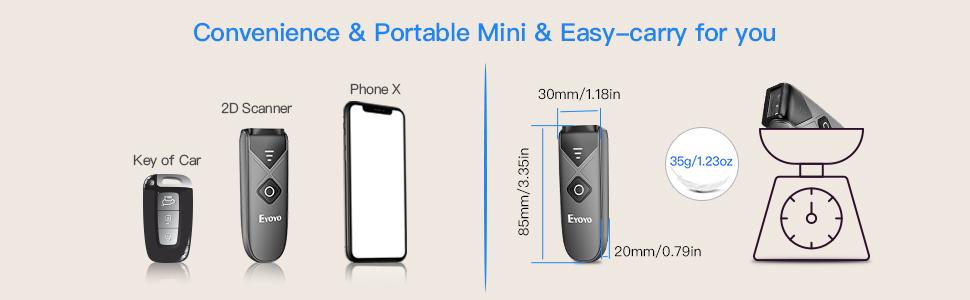
Image 1.2: The compact size and lightweight design of the scanner, with approximate dimensions of 85mm x 30mm x 20mm. Note: While some marketing materials indicate a weight of 35g, the product's feature bullets state approximately 80g.
2. Configuración e conexión
The EY-023L scanner offers three connection modes: Bluetooth, 2.4G Wireless, and USB Wired. Choose the mode that best suits your device and environment.

Imaxe 2.1: Acabadoview dos tres métodos de conexión dispoñibles.
2.1 Acendido/Apagado
Locate the dedicated power switch on the side of the scanner. Slide the switch to the "ON" position to power on the device. Slide it to "OFF" to power off.

Imaxe 2.2: Detallada view of the scanner's controls and ports, including the On/Off switch.
2.2 Conexión Bluetooth
- Asegúrate de que o escáner estea acendido.
- On your host device (e.g., smartphone, tablet, computer), enable Bluetooth and search for available devices.
- Select "Eyoyo-XXXX" (or similar) from the list of found devices to pair. The scanner will indicate successful pairing.
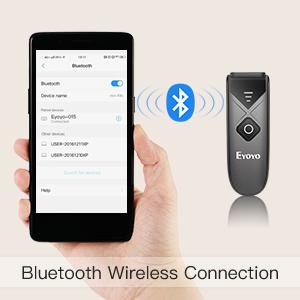
Image 2.3: Bluetooth wireless connection setup.
2.3 Conexión sen fíos 2.4G
- Plug the provided 2.4G USB dongle into an available USB port on your computer.
- Power on the scanner. It should automatically connect to the dongle.
- The scanner is ready for use once connected.
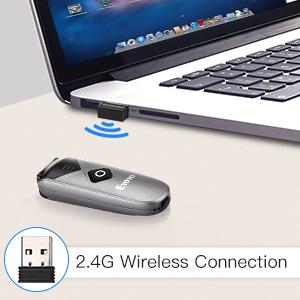
Image 2.4: 2.4G wireless connection setup.
2.4 Conexión con cable USB
- Conecte o escáner ao seu ordenador mediante o cable USB proporcionado.
- O escáner funcionará como un dispositivo con cable e tamén se cargará simultaneamente.
- No additional drivers are typically required for most operating systems.
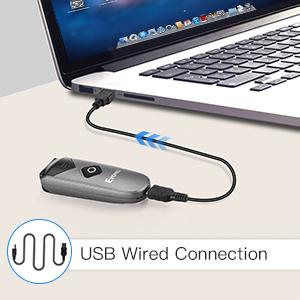
Image 2.5: USB wired connection setup.
2.5 Compatibilidade do sistema
The Eyoyo EY-023L scanner is compatible with a wide range of operating systems and devices, including:
- Windows XP, 7, 8, 10
- Mac OS
- Linux
- Android devices (phones, tablets)
- iOS devices (iPhones, iPads)
- Most Point-of-Sale (POS) systems
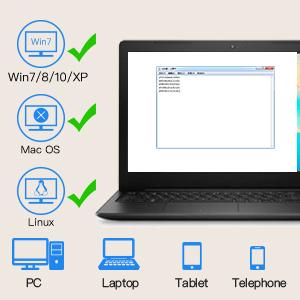
Image 2.6: System compatibility overview.
3. Instrucións de funcionamento
3.1 Escaneado de códigos de barras
To scan a 1D barcode:
- Ensure the scanner is powered on and connected to your host device.
- Point the scanner's laser window at the barcode you wish to scan. A bright red laser line will appear, acting as an aiming guide.
- Press the scan button (the large orange button) on the top of the scanner.
- A successful scan will typically be indicated by a beep sound (if not muted) and the data being transmitted to your connected device.

Image 3.1: The scanner in action, demonstrating 1D barcode scanning.
The scanner is optimized for fast and reliable decoding of 1D barcodes, even those that are damaged, poorly printed, or distorted.
3.2 Axuste do volume
The scanner features built-in volume control buttons on its side. Use these buttons to adjust the beep sound level or to mute it entirely, depending on your working environment.
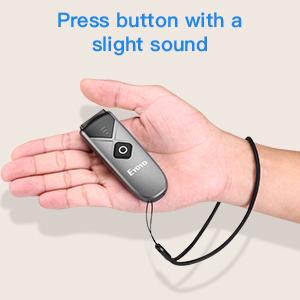
Image 3.2: The scanner's volume control buttons are located on the side.
3.3 Offline Scanning Mode
The scanner includes 16MB of internal storage, allowing it to store over 100,000 UPC/EAN barcodes when operating in offline mode. This is useful when out of range of a connected device. To upload stored data, connect the scanner to your device via USB or 2.4G wireless, and the data will be transferred.
4. Mantemento e carga
4.1 Carga da batería
The EY-023L scanner is equipped with a 1500mAh rechargeable battery. To charge the scanner:
- Connect the provided USB cable to the USB-C port on the scanner.
- Conecta o outro extremo do cable USB a unha fonte de alimentación (por exemplo, un porto USB do ordenador ou un adaptador de parede USB).
- A carga completa adoita tardar aproximadamente 4 horas.
A full charge provides up to 16 hours of continuous scanning, allowing for extended use. The 4-stage LED battery indicator on the scanner displays the current power level (25/50/75/100%).
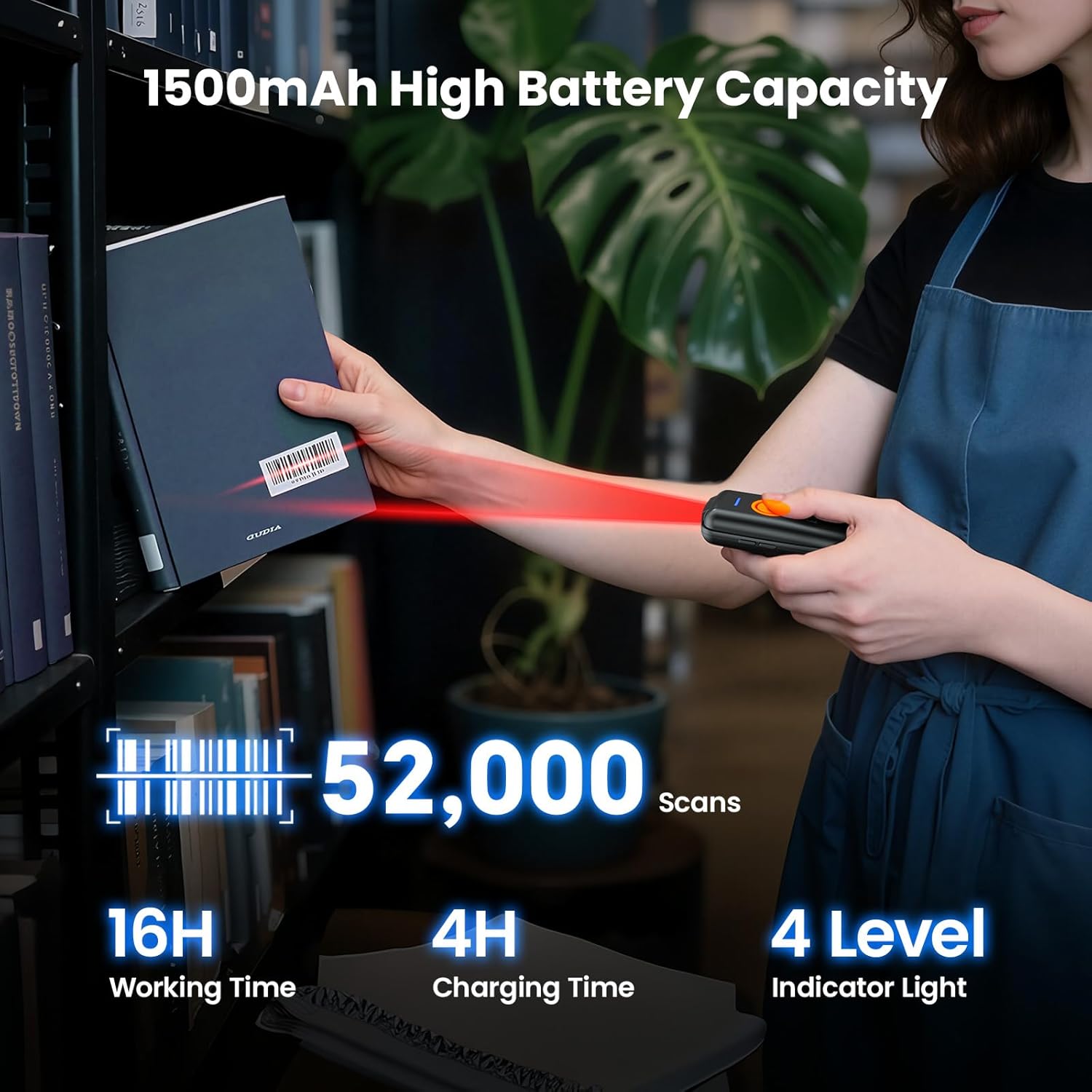
Image 4.1: Battery capacity and charging information.
4.2 Limpeza do escáner
To maintain optimal performance, keep the scanner's laser window clean. Use a soft, lint-free cloth, slightly dampened with water or a mild cleaning solution, to gently wipe the surface. Avoid abrasive materials or harsh chemicals.
5 Solución de problemas
- O escáner non se acende: Ensure the battery is charged. Connect the scanner to a power source using the USB cable and try again. Verify the power switch is in the "ON" position.
- O escáner non se conecta por Bluetooth:
- Asegúrate de que o Bluetooth estea activado no dispositivo anfitrión e que o escáner estea en modo de emparellamento.
- Comprobe se o escáner xa está emparellado con outro dispositivo. Desconécteo doutros dispositivos se é necesario.
- Reinicie tanto o escáner como o dispositivo anfitrión.
- Scanner not connecting via 2.4G Wireless:
- Ensure the 2.4G USB dongle is securely plugged into your computer.
- Tenta conectar o dongle a un porto USB diferente.
- Restart the scanner and your computer.
- O escáner non le os códigos de barras:
- Ensure the barcode is a 1D type and not damaged or excessively faded.
- Verify the laser line is directly over the barcode.
- Clean the scanner's laser window if it appears dirty.
- Check if the scanner's battery is low.
- Sen son do escáner: Check the volume control buttons on the side of the scanner to ensure the sound is not muted or set to a very low level.
6. Especificacións
| Modelo | EY-023L |
| Capacidade de dixitalización | 1D Barcodes (Codabar, Code11, Code93, MSI, Code 128, UCC/EAN-128, Code 39, EAN-8, EAN-13, UPCA, ISBN, Industrial25, Interleaved 25, Standard 25, 2/5 Matrix, etc.) |
| Conectividade | Bluetooth, 2.4G sen fíos, USB con cable |
| Batería | Ión de litio recargable de 1500 mAh |
| Tempo de traballo continuo | Ata 16 horas |
| Tempo de carga | Aproximadamente 4 horas |
| Almacenamento interno | 16MB (stores over 100,000 UPC/EAN barcodes) |
| Peso | Aprox. 80 g (2.82 oz) |
| Dimensións (L x W x H) | 85 mm x 30 mm x 20 mm (3.35 polgadas x 1.18 polgadas x 0.79 polgadas) |
| Alcance sen fíos 2.4G | Up to 30m (98ft) in barrier-free environment; 15m (49ft) with obstacles |
| Alcance Bluetooth | Up to 50m (164ft) in barrier-free environment; 20m (66ft) with obstacles |
| Sistemas operativos compatibles | Windows XP/7/8/10, Mac OS, Linux, Android, iOS |

Image 6.1: Wireless transmission range details.


