1. Introdución
This manual provides comprehensive instructions for the setup, operation, and maintenance of your LIGE EF18-A Smart Watch. Please read this manual thoroughly before using the device to ensure proper function and longevity.
2. Contido do paquete
Verifica que todos os elementos estean presentes no paquete:
- LIGE EF18-A Smart Watch (with 1 stainless steel band)
- 2 Silicone Straps
- Cable de carga USB
- Cable de carga tipo C
- Watchband Tool
- Manual de usuario
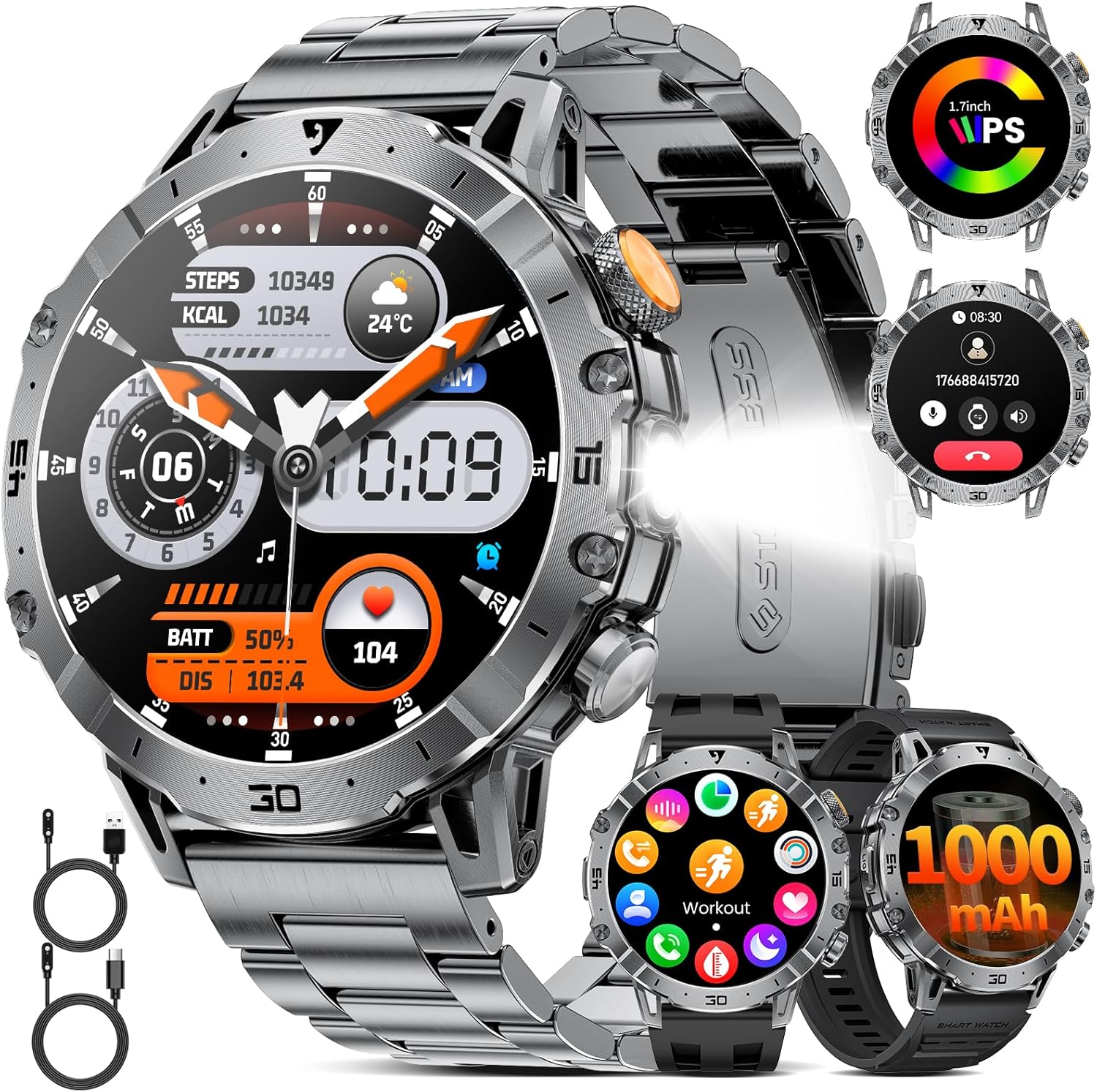
Image: LIGE EF18-A Smart Watch with stainless steel band, two silicone straps, and charging cables.

Image: Diagram illustrating the contents of the LIGE EF18-A Smart Watch package, including the watch, three straps, two charging cables, and the user manual.
3. Configuración
3.1 Carga do dispositivo
Before first use, fully charge the smart watch. Connect the magnetic charging cable to the charging points on the back of the watch and the USB/Type-C end to a power adapter (not included) or a computer's USB port. A full charge typically takes approximately 2.5 hours.
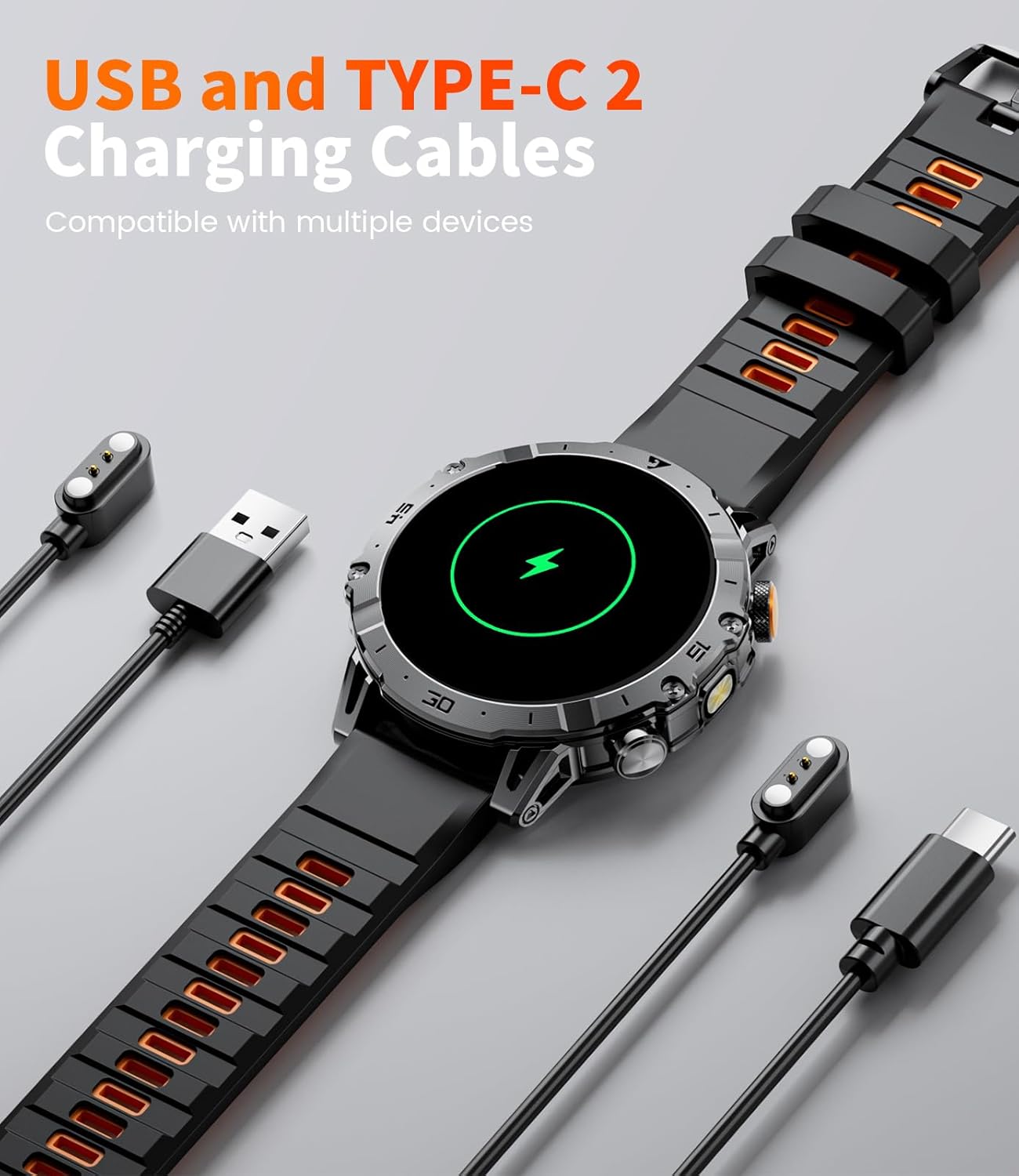
Image: The LIGE EF18-A Smart Watch connected to both USB and Type-C charging cables, illustrating the charging process.

Image: The LIGE EF18-A Smart Watch being charged, highlighting the inclusion of both USB and Type-C charging cables for compatibility.
3.2 Instalación e emparellamento da aplicación
To unlock the full functionality of your smart watch, download and install the "FitCloudPro" app on your smartphone.
- Descarga a aplicación: Busca "FitCloudPro" in the Apple App Store (for iOS devices) or Google Play Store (for Android devices) and install it.
- Activar Bluetooth: Asegúrate de que o Bluetooth estea activado no teu smartphone.
- Open App & Pair: Open the FitCloudPro app, navigate to the device section, and search for "EF18". Select it to initiate the pairing process.
- Confirmar emparellamento: Follow the on-screen prompts on both your phone and watch to confirm the Bluetooth pairing.
- Conceder permisos: Allow necessary permissions for notifications, health data access, and other features as requested by the app.

Image: Visual guide demonstrating the steps to connect the LIGE EF18-A Smart Watch to a smartphone using the FitCloudPro application, including app download, Bluetooth pairing, and notification settings.
3.3 Instalación/Substitución da correa
The LIGE EF18-A Smart Watch comes with three interchangeable straps: one stainless steel and two silicone. Use the provided watchband tool to easily change straps in approximately one minute.
- Remove Current Strap: Locate the quick-release pins on the underside of the watch where the strap connects. Use the tool to depress the pin and gently pull the strap away from the watch body.
- Attach New Strap: Insert one end of the new strap's pin into the lug hole on the watch. Depress the quick-release pin and align the other end with the opposite lug hole. Release the pin to secure the strap. Gently tug on the strap to ensure it is properly locked in place.
4. Instrucións de funcionamento
4.1 Navegación básica
- Pantalla táctil: Desliza o dedo cara á esquerda/dereita, arriba/abaixo para navegar polos menús e as funcións. Toca para seleccionar.
- Botóns laterais: The watch features side buttons for quick access to functions or to return to the home screen. Refer to the watch's interface for specific button assignments.

Image: The LIGE EF18-A Smart Watch displaying its 1.7-inch Ultra HD touch screen with multiple personalized watch faces, demonstrating the visual clarity and customization options.
4.2 Características de comunicación
- Chamadas Bluetooth: Once paired with your smartphone, you can answer, make, or end calls directly from the watch. The watch is equipped with a 60dB speaker and noise-cancelling microphone for clear audio.
- Alertas de mensaxes: Receive notifications from SMS, Facebook, WhatsApp, Twitter, TikTok, and other applications directly on your watch. This feature can be toggled on or off in the FitCloudPro app.
- Asistente de voz: Activate the voice assistant feature to control your phone or get information hands-free.

Image: The LIGE EF18-A Smart Watch displaying an incoming call interface and various social media notification icons, illustrating its Bluetooth calling and message alert capabilities.

Imaxe: Unha completa view of the LIGE EF18-A Smart Watch's communication features, including Bluetooth calling, voice assistant interaction, and message notifications from various apps.
4.3 Función da lanterna
The watch is equipped with a powerful side-mounted LED flashlight, offering a lighting range of 6-8 meters. This feature is useful for outdoor activities, power outages, or locating items in low light conditions. It can also function as a signal light in emergencies.
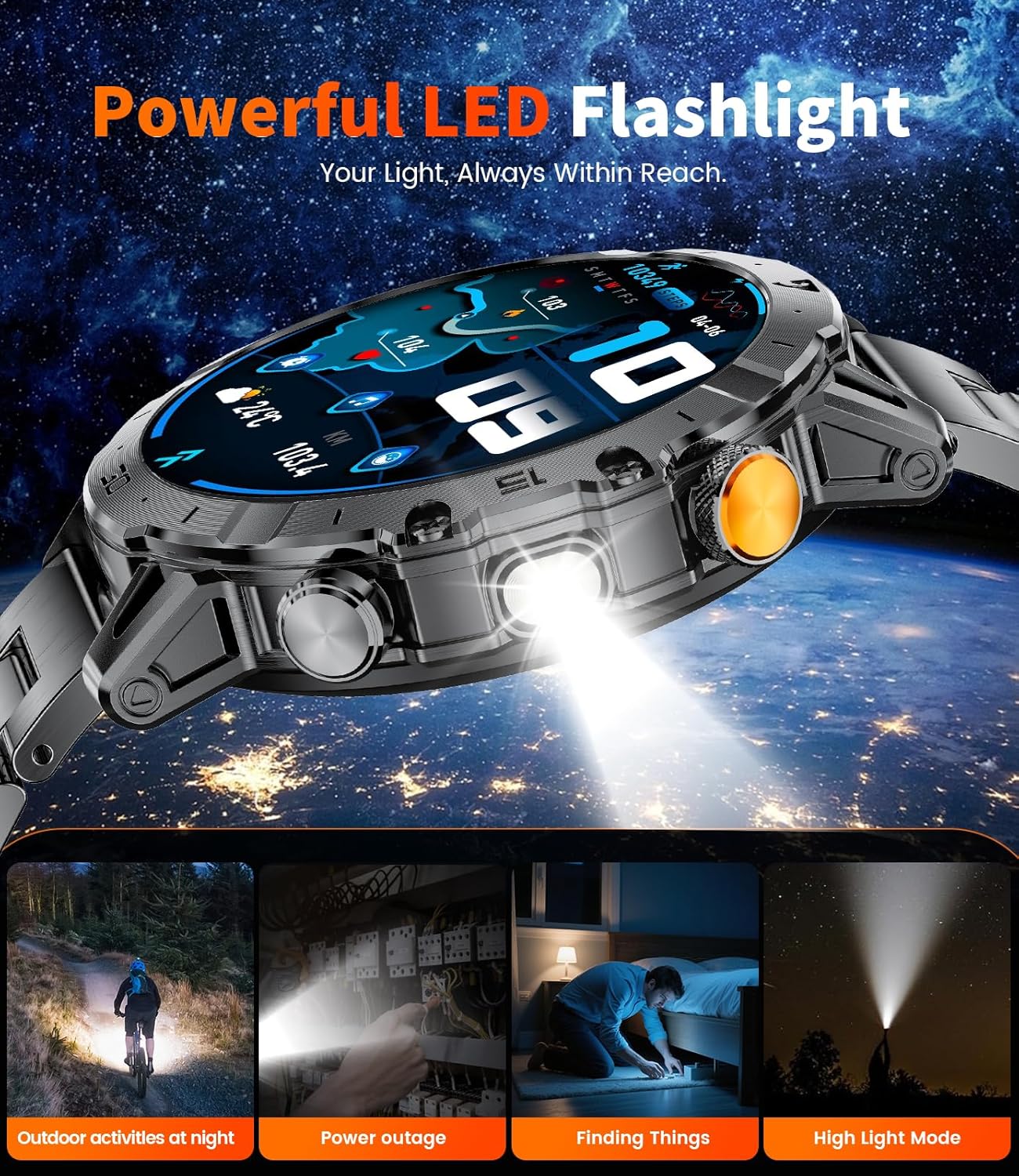
Image: The LIGE EF18-A Smart Watch with its integrated flashlight illuminated, demonstrating its utility in various low-light scenarios such as outdoor activities, power outages, and finding objects.

Image: The LIGE EF18-A Smart Watch highlighting its super bright flashlight feature, useful for night runs, camping, emergencies, and general outdoor adventures.
4.4 Customization and Utilities
- Ver caras: Choose from over 200 online watch faces or upload your own images via the FitCloudPro app to personalize your device.
- Control de música: Controla a reprodución de música no teu teléfono intelixente conectado (reproducir, pausar, saltar pistas).
- Control da cámara: Usa o reloxo como obturador remoto para a cámara do teu teléfono intelixente.
- Pronóstico do tempo: View condicións meteorolóxicas actuais e previsións.
- Buscar teléfono: Locate your misplaced smartphone by triggering an alert sound from the watch.
- Alarm Clock, Stopwatch, Timer, Calculator: Access these utility functions directly from the watch.
- Sedentary & Water Reminders: Set reminders to move or drink water throughout the day.
- Adestramento de respiración: Exercicios de respiración guiados para a relaxación.
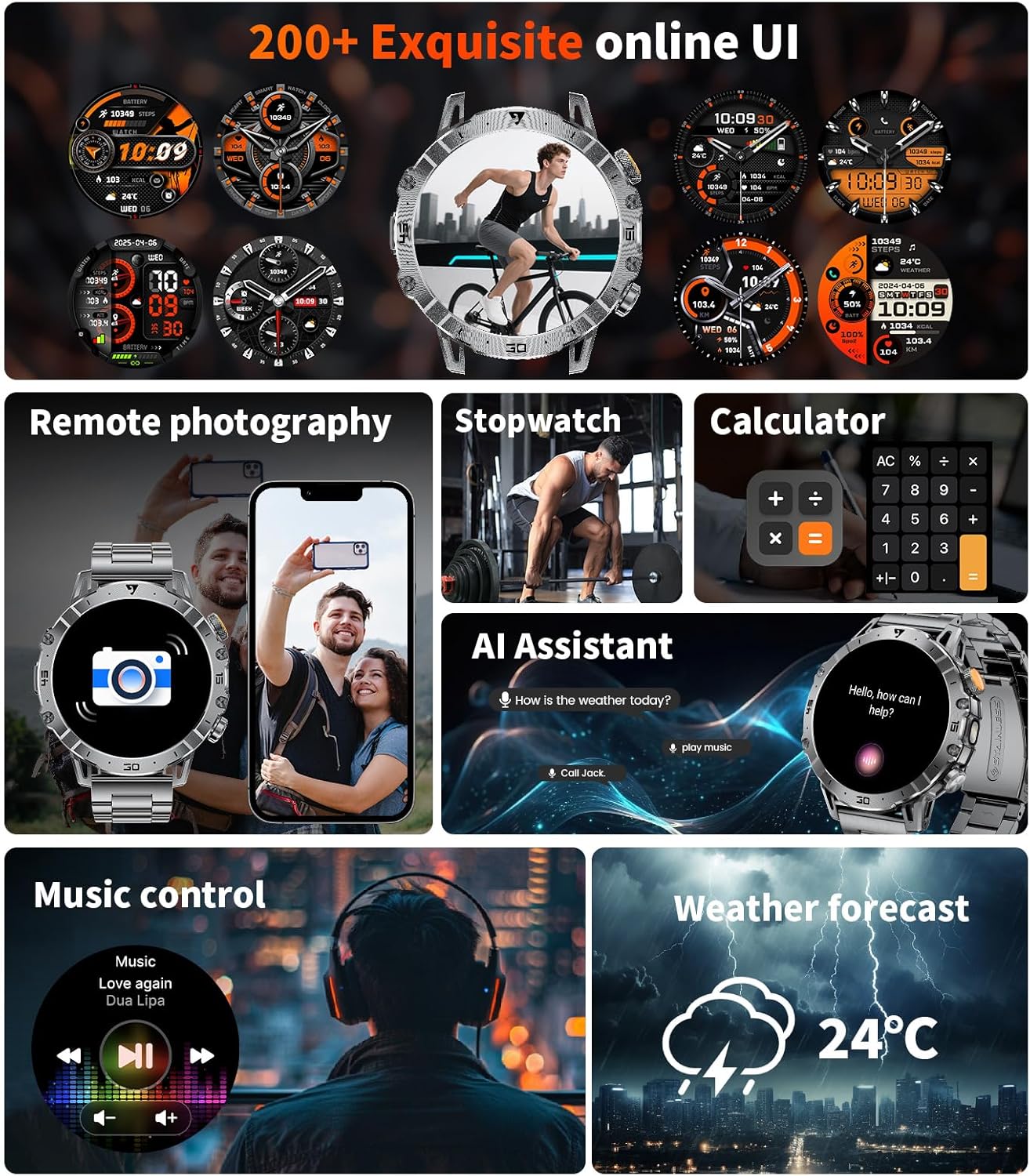
Imaxe: Presentación do reloxo intelixente LIGE EF18-Aasing a selection of its 200+ online watch faces and various utility functions like remote photography, stopwatch, calculator, AI assistant, music control, and weather forecast.

Image: The LIGE EF18-A Smart Watch highlighting its extensive collection of over 200 personalized watch faces, allowing users to customize the display to match their style.

Imaxe: Presentación do reloxo intelixente LIGE EF18-Aasing a range of smart features including weather updates, mobile phone search, remote photo taking, a calculator, water drinking reminders, and breathing training exercises.
5. Monitorización da saúde
The LIGE EF18-A Smart Watch is equipped with high-precision sensors for continuous health monitoring.
- Monitorización da frecuencia cardíaca: Tracks your heart rate 24/7, providing real-time data and historical trends in the FitCloudPro app.
- Monitorización de osíxeno no sangue (SpO2): Measures your blood oxygen saturation levels to help you understand your physical condition.
- Seguimento do sono: Analyzes your sleep patterns, including deep sleep, light sleep, and awake times, to help improve sleep quality.
- Seguimento da actividade: Automatically records steps, calories burned, and distance traveled.
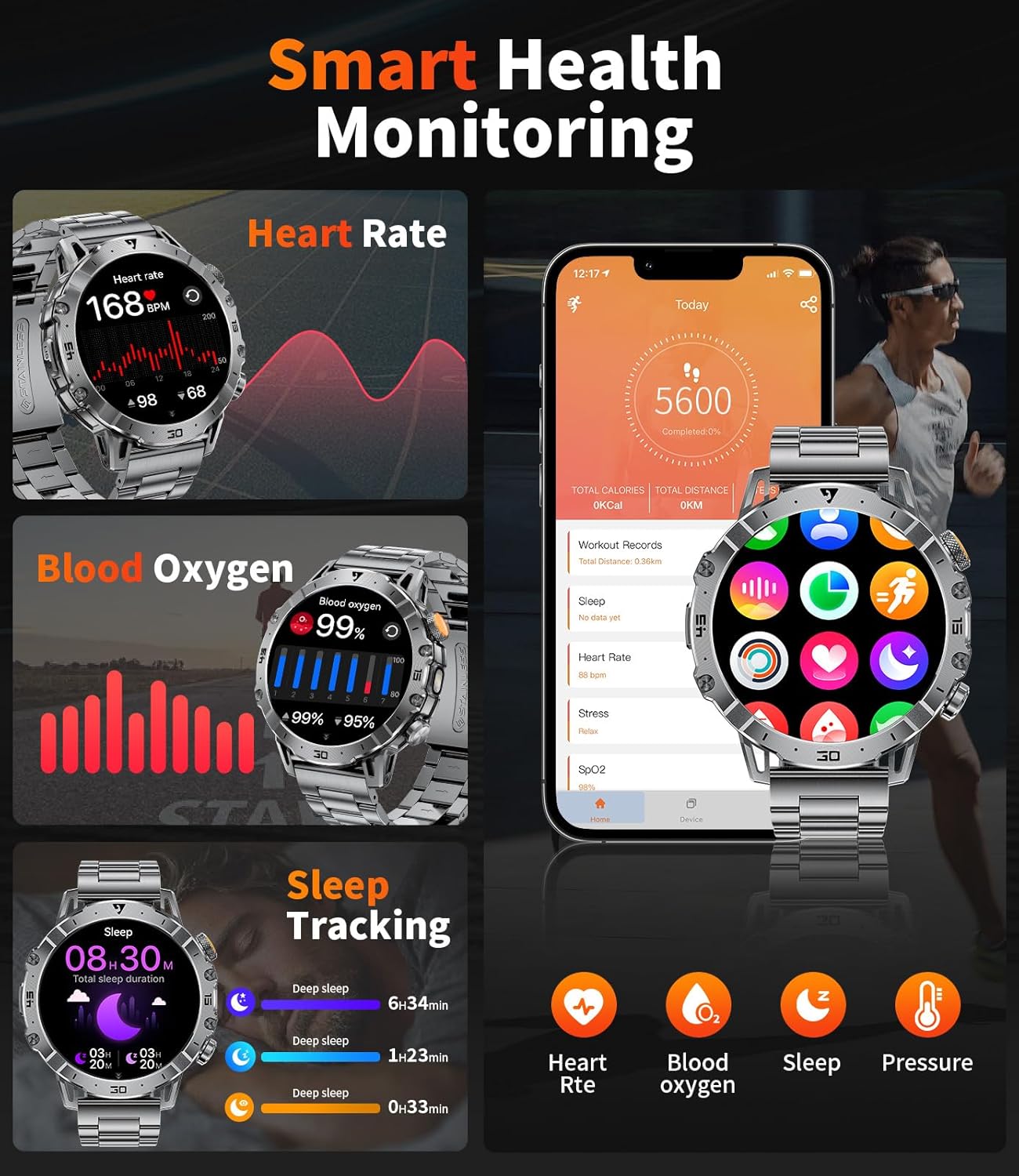
Image: The LIGE EF18-A Smart Watch showing its smart health monitoring capabilities, including real-time heart rate, blood oxygen levels, and detailed sleep tracking data.

Image: The LIGE EF18-A Smart Watch illustrating its comprehensive health monitoring and fitness management features, including heart rate, blood oxygen, sleep, and activity tracking.

Image: The LIGE EF18-A Smart Watch displaying its blood oxygen monitoring function, showing SpO2 data and trends to help users understand their physical condition.

Image: The LIGE EF18-A Smart Watch demonstrating its sleep quality tracking feature, showing bedtime, wake-up time, and duration of deep sleep, light sleep, awake, and REM stages.
6. Modos deportivos
The smart watch offers over 100 workout modes, including running, cycling, walking, hiking, fitness, yoga, and HIIT. It accurately tracks steps, heart rate, workout time, and calories burned during your activities. All fitness data is stored in the FitCloudPro app for analysis and progress tracking.

Imaxe: Presentación do reloxo intelixente LIGE EF18-Aasing its 114 sports modes, with an example of exercise record display including duration, distance, and calories burned, alongside a cyclist.

Image: The LIGE EF18-A Smart Watch highlighting its 110+ sports modes, including cycling, running, and mountaineering, with data monitoring during exercise to help achieve fitness goals.
7. Mantemento
- Limpeza: Regularly clean the watch screen and straps with a soft, dry cloth. For silicone straps, a mild soap and water solution can be used, followed by thorough rinsing and drying.
- Resistencia á auga: The watch is 5ATM waterproof, suitable for swimming and showering. Avoid hot water, steam, or prolonged submersion in deep water. Do not operate buttons underwater.
- Coidado da batería: To prolong battery life, avoid extreme temperatures. Charge the watch fully before long periods of inactivity.
8 Solución de problemas
| Problema | Posible Solución |
|---|---|
| O reloxo non se acende | Asegúrate de que o reloxo estea completamente cargado. Conéctao ao cargador durante polo menos 30 minutos. |
| Non se puido sincronizar co teléfono |
|
| Non aparecen notificacións |
|
| Datos sanitarios inexactos | Asegúrate de levar o reloxo ben axustado ao pulso, nin demasiado solto nin demasiado axustado. Limpa o sensor da parte traseira do reloxo. |
| Batería de curta duración | Reduce screen brightness, disable continuous heart rate monitoring if not needed, and limit frequent notifications. |
9. Especificacións
| Característica | Detalle |
|---|---|
| Número de modelo | EF18-A |
| Tamaño da pantalla | 1.7 Inches Ultra HD IPS (360x360 resolution) |
| Capacidade da batería | 1000 mAh |
| Tempo de carga | Aprox. 2.5 horas |
| Resistencia á auga | 5ATM |
| Conectividade | Bluetooth 5.0 |
| Sistema Operativo | Android (compatible with Android 5.1 & above), iOS (compatible with iOS 9.0 & above) |
| Capacidade de almacenamento da memoria | 256 MB |
| Características especiais | Built-in Flashlight, 111+ Sports Modes, Heart Rate Monitor, Blood Oxygen Monitor, Sleep Monitor, Bluetooth Call & Notifications, Multiple Watch Straps Included |
| Dimensións do produto | 10 x 1.97 x 0.98 polgadas |
| Peso do elemento | 0.035 onzas (aprox. 1 gramo) |

Image: A visual comparison highlighting the 1.7-inch screen size of the LIGE EF18-A Smart Watch against smaller (1.3") and larger (1.9") smartwatches, emphasizing its balanced display size.

Image: Details about the LIGE EF18-A Smart Watch's 1000mAh large battery, including charging time (2 hours), daily usage (10-20 days), and standby time (50+ days).
10. Garantía e soporte
LIGE provides a 365-day after-sales service for the EF18-A Smart Watch. If you encounter any issues or have questions, please contact customer support for assistance. A satisfactory response will be provided within 24 hours.
For support, please refer to the contact information provided with your purchase or visit the official LIGE websitio.
11. Compatibilidade
The LIGE EF18-A Smart Watch is compatible with smartphones running Android 5.1 and above, and iOS 9.0 and above. Ensure your device meets these requirements for optimal performance and connectivity with the FitCloudPro app.


