Introdución
Thank you for choosing the iWALK Magnetic Wireless Power Bank 10000mAh. This portable charger is designed to provide convenient and efficient power for your mobile devices, featuring magnetic wireless charging, a built-in kickstand, and a clear LED display. Please read this manual carefully before use to ensure proper operation and to maximize the product's lifespan.
Información importante de seguridade
- Non expoñas o cargador portátil a temperaturas extremas, á luz solar directa nin ao lume.
- Evite deixar caer, desmontar ou intentar reparar o dispositivo vostede mesmo.
- Manter lonxe da auga e outros líquidos.
- Emprega só cables e adaptadores de carga certificados.
- Manter fóra do alcance dos nenos.
- Dispose of the power bank according to local regulations. Do not dispose of with household waste.
Contido do paquete
Comprobe se o paquete contén os seguintes elementos:
- iWALK Magnetic Wireless Power Bank 10000mAh
- Cable de carga USB-C
- Manual de usuario
Produto rematadoview

Imaxe: Fronte e lateral view of the iWALK Magnetic Wireless Power Bank, highlighting its slim design and LED display.
The iWALK Magnetic Wireless Power Bank features a compact design with a magnetic charging surface, a built-in foldable kickstand, a USB-C port for input/output, and an LED digital display to show the remaining battery percentage.
Configuración
Carga inicial do banco de enerxía
- Conecta o cable de carga USB-C fornecido ao porto USB-C do cargador portátil.
- Conecta o outro extremo do cable USB-C a un adaptador de corrente USB compatible (non incluído).
- The LED display will show the charging progress. Charge the power bank fully before first use.
- Once fully charged, the LED display will show "100%". Disconnect the cable.

Image: The iWALK power bank connected to a wall adapter via its USB-C port for charging. The LED display shows charging status.
Instrucións de funcionamento
Carga sen fíos (compatible con MagSafe)
- Ensure your device is MagSafe compatible (iPhone 12 series and newer) or has a MagSafe compatible case.
- Align the iWALK power bank with the back of your MagSafe-compatible iPhone. The magnets will automatically snap the power bank into place.
- Wireless charging will begin automatically. The LED display on the power bank will show its remaining battery percentage.
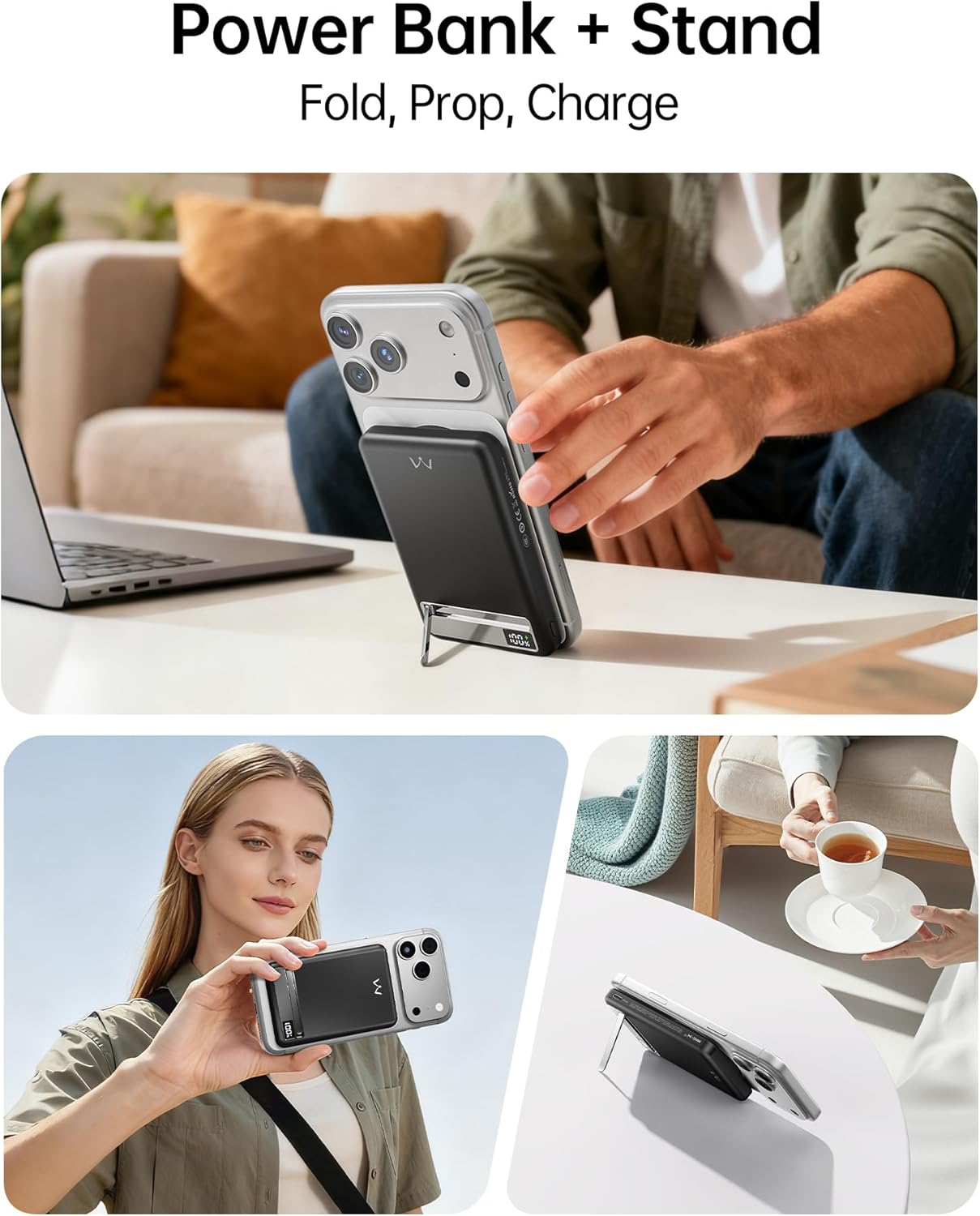
Image: The iWALK power bank is shown magnetically attached to the back of an iPhone, indicating active wireless charging.

Image: A visual representation of the strong magnetic connection (1.2KG) between the power bank and an iPhone, illustrating compatibility with iPhone 12-17 series and magnetic phone cases.
Wired Charging (USB-C Output)
- Connect a USB-C cable (the one provided or another compatible cable) to the USB-C port on the power bank.
- Connect the other end of the cable to your device (e.g., smartphone, tablet, earbuds).
- O banco de enerxía comezará a cargar o dispositivo automaticamente. A pantalla LED mostrará a porcentaxe de batería restante.tage.
- The USB-C port supports 20W Power Delivery (PD) fast charging for compatible devices.

Image: The iWALK power bank simultaneously charging an iPhone wirelessly and an iPad via a USB-C cable, demonstrating its dual-device charging capability.
Using the Built-in Metal Kickstand
- Gently pull out the metal kickstand located on the back of the power bank.
- Position the kickstand to prop up your iPhone (with the power bank attached) in either portrait or landscape orientation.
- This allows for hands-free viewing, video calls, or browsing while your device charges.

Image: An iPhone with the iWALK power bank attached, using its built-in metal kickstand to stand upright on a desk, ideal for hands-free use.
Video: Demonstrates the iWALK PowerStand 10000, showcasing its magnetic attachment, fast wireless charging, and the functionality of its foldable kickstand for hands-free use.
Pantalla dixital LED
The integrated LED display provides a precise real-time indication of the power bank's remaining battery percentage. This allows you to easily monitor the charge level and know when a recharge is needed.

Imaxe: Primeiro plano view of the iWALK power bank's LED digital display, clearly showing the battery percentage.
Mantemento
- Limpa a batería externa cun pano suave e seco. Non empregues produtos químicos agresivos nin materiais abrasivos.
- Garda o banco de enerxía nun lugar fresco e seco cando non estea en uso.
- Evitar a exposición prolongada á luz solar directa ou á alta humidade.
- Para unha duración óptima da batería, carga completamente o banco de enerxía polo menos unha vez cada tres meses se o gardas durante períodos prolongados.
Resolución de problemas
| Problema | Causa posible | Solución |
|---|---|---|
| O banco de enerxía non carga. | Cable not connected properly; faulty cable/adapter; power bank depleted. | Ensure cable is securely connected. Try a different cable or power adapter. Allow time for initial charge if completely depleted. |
| O dispositivo non se carga sen fíos. | Misalignment; non-MagSafe compatible device/case; foreign objects; power bank depleted. | Realign the power bank with your device. Ensure your device/case is MagSafe compatible. Remove any foreign objects between the power bank and device. Check power bank battery level. |
| O dispositivo non se carga por USB-C. | Cable not connected properly; faulty cable; power bank depleted. | Ensure cable is securely connected. Try a different USB-C cable. Check power bank battery level. |
| A pantalla LED non funciona. | Power bank is off or completely depleted. | Press the power button (if available) or connect the power bank to a charger to activate the display. |
Especificacións
| Número de modelo | MXB020 |
| Capacidade da batería | 10000 millónsamp Horario |
| Dimensións do produto | 4.09 x 2.68 x 0.7 polgadas |
| Peso do elemento | 10.2 onzas |
| Tipo de conector | Wireless, USB C |
| Características especiais | Auto Shut-Off, Digital Display, Fast Charging, Slim, Wireless Charging, Metal Kickstand |
| Fabricante | U2O GLOBAL CO.,LTD |
Garantía e Soporte
iWALK products come with a standard manufacturer's warranty. For detailed warranty information, product support, or technical assistance, please visit the official iWALK websitio web ou póñase en contacto co servizo de atención ao cliente. Garde o comprobante de compra para reclamacións de garantía.
Official iWALK Websitio: iWALK Store on Amazon