Introdución
This instruction manual provides essential information for the safe and efficient operation of your Skyworth 60Q6600H 60-Inch QLED+ 4K Google TV. Please read this manual thoroughly before using the television and retain it for future reference. It covers setup, operation, maintenance, and troubleshooting to ensure you get the best experience from your new TV.
Información importante de seguridade
Para reducir o risco de descarga eléctrica, incendio ou danos, siga sempre estas precaucións de seguridade básicas:
- Fonte de enerxía: Conecte o televisor unicamente a unha fonte de alimentación de CA de 100-240 V e 50/60 Hz.
- Ventilación: Ensure adequate ventilation. Do not block ventilation openings. Maintain a minimum distance of 10 cm (4 inches) around the TV for proper airflow.
- Auga e humidade: Non expoñas o televisor á choiva nin á humidade. Non coloques obxectos cheos de líquidos, como vasos, enriba do televisor.
- Fontes de calor: Manteña o televisor lonxe de fontes de calor como radiadores, reixas de calor, estufas ou outros aparellos (incluídos amplificadores) que producen calor.
- Limpeza: Desconecte o televisor da toma de corrente antes de limpalo. Use un pano suave e seco. Non empregue produtos de limpeza líquidos nin produtos de limpeza en aerosol.
- Servizo: Non intente atender este produto vostede mesmo. Remita todo o servizo a persoal de servizo cualificado.
- Nenos: Vixía os nenos para asegurarte de que non xoguen coa televisión.
Contido do paquete
Verifique que todos os elementos que se indican a continuación estean incluídos no seu paquete:
- Skyworth 60Q6600H 60-Inch QLED+ 4K Google TV
- Control remoto
- TV Stand (Base)
- Manual de usuario (este documento)
- Tarxeta de garantía
- Cable de alimentación
- Parafusos para o montaxe do soporte
Guía de configuración
1. Desembalando o televisor
Carefully remove the TV from its packaging. It is recommended to have two people for this process due to the size and weight of the television. Place the TV face down on a soft, flat surface (like a blanket or foam) to prevent screen damage during stand installation.
2. Colocación do soporte
Se non vai montar o televisor na parede, coloque o soporte incluído:
- Aliñe as bases do soporte coas ranuras correspondentes na parte inferior do televisor.
- Secure each stand base with the provided screws using a screwdriver. Ensure the stands are firmly attached.
- Levante con coidado o televisor ata a súa posición vertical e colóqueo sobre unha superficie estable e nivelada.
Montaxe na parede: The Skyworth 60Q6600H is wall-mountable. If you choose to wall-mount, please refer to the instructions provided with your wall-mount bracket (sold separately) and ensure professional installation for safety.
3. Conexión de periféricos
Connect your external devices to the TV's ports. The TV features multiple connectivity options:
- HDMI (HDMI 2.1): For high-definition devices like Blu-ray players, gaming consoles, and set-top boxes.
- USB: Para conectar dispositivos de almacenamento USB para reproducir contido multimedia files.
- LAN (Ethernet): Para unha conexión a internet por cable.
- Entrada de antena/cable: Para conectar unha antena ou un sinal de televisión por cable.
- Saída de audio: Para conectar sistemas de son externos.
4. Acendido inicial e configuración inicial
- Conecta o cable de alimentación ao televisor e despois a unha toma de corrente.
- Prema o botón de acendido/apagado do mando a distancia ou do propio televisor.
- Siga as instrucións en pantalla para completar a configuración inicial, que inclúe:
- Selección de idioma.
- Connecting to a Wi-Fi network (or using a wired LAN connection).
- Signing in with your Google account to access Google TV features, apps, and Google Assistant.
- Scanning for available TV channels (if using an antenna).
Funcionamento do televisor
1. Funcións de control remoto
The included remote control allows you to navigate the TV's interface and control various functions. Familiarize yourself with the buttons for power, volume, channel, input selection, Google Assistant, and app shortcuts.
2. Navigating Google TV Interface
Google TV organizes your content from various streaming services and live TV into a personalized home screen. Use the directional pad and OK button on your remote to browse recommendations, access your apps, and manage settings.
3. Using Smart Features
- Asistente de Google: Press the Google Assistant button on your remote and speak into the microphone to search for content, control smart home devices, get answers, and more.
- Chromecast integrado: Cast content (videos, photos, music) directly from your compatible smartphone, tablet, or computer to the TV. Look for the Cast icon in supported apps.
- Aplicacións: Access pre-installed apps like Netflix, YouTube, and Prime Video. Download thousands more from the Google Play Store.
4. Configuración da imaxe
Your Skyworth 60Q6600H features advanced display technologies. Adjust picture settings via the TV's menu to optimize your viewexperiencia ing.
- QLED+ Display: Enjoy vibrant colors and enhanced brightness.
- HDR10+: Ofrece un contraste e unha precisión de cor superiores para contido compatible.
- Eye Care 5.0: Reduces blue light emission to minimize eye strain during prolonged viewing.
- 120Hz Turbo Motion & MEMC: Enhances motion clarity, reducing blur and judder in fast-paced scenes.
- Modo de creador de películas: Preserves the original aspect ratio, colors, and frame rates of films as intended by the director.
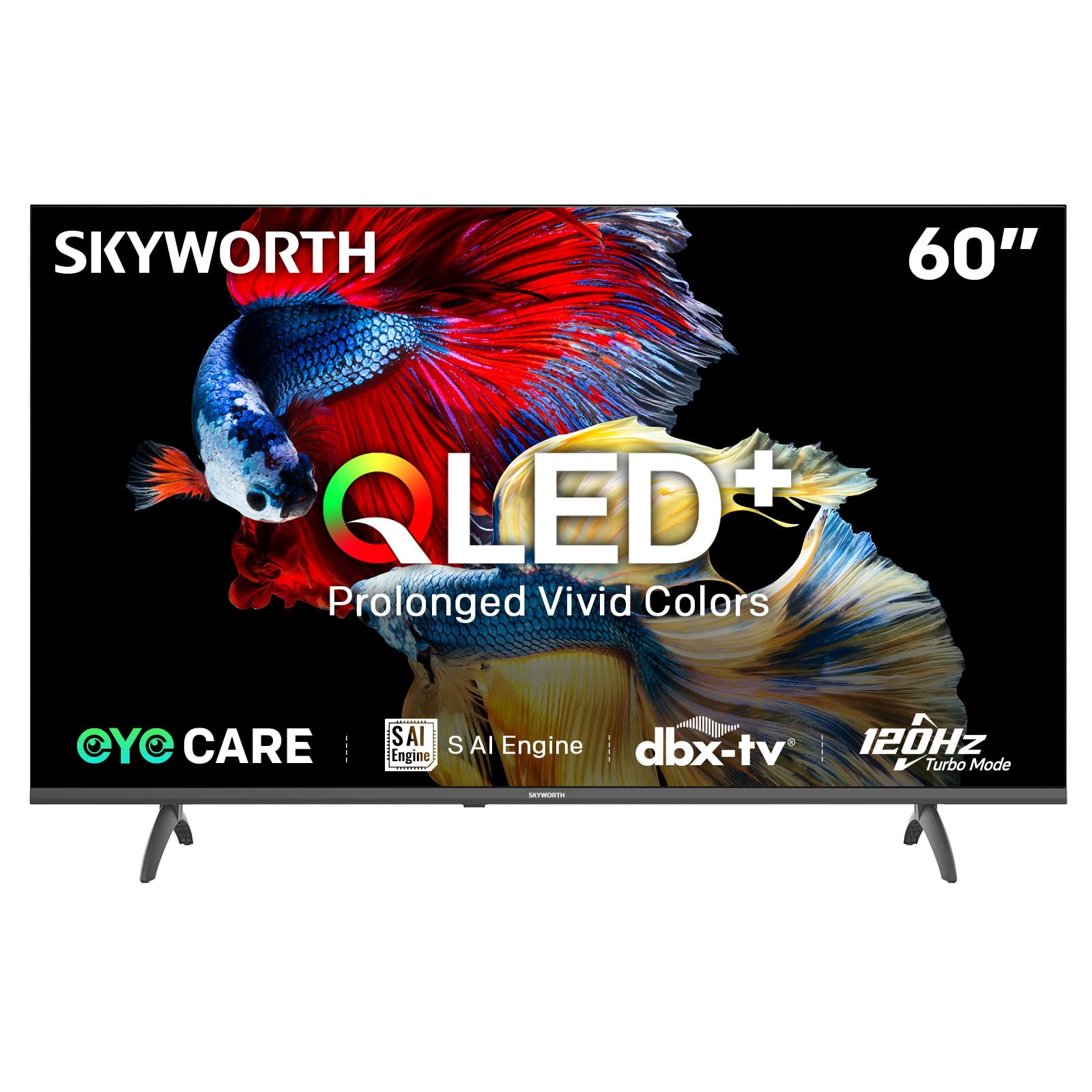
Image: A diagram illustrating the "No-Fading Extended Watching" feature, comparing Skyworth's stable and eco-friendly quantum dot performance over 10 years against conventional quantum dots.

Image: A graphic explaining the QLED+ technology, emphasizing its vivid, eco-friendly, brilliant, and prolonged color performance.

Image: An illustration of the 120Hz Turbo Motion feature, depicting a motocross rider with multiple frames to show enhanced motion clarity compared to 60Hz.
5. Axustes de son
The TV is equipped with 2x15W speakers and supports Dolby Digital/DBX audio processing for clear and powerful sound. Adjust sound modes (e.g., Standard, Music, Movie) and equalizer settings in the audio menu.

Image: A visual highlighting Skyworth's collaboration with Total Sonics for enhanced audio quality, featuring a sound wave graphic and a person associated with audio engineering.
6. Modo de xogo
Activate Game Mode for reduced input lag and optimized picture settings when connecting gaming consoles, providing a more responsive gaming experience.
7. DVB-T2 Tuner
The integrated DVB-T2 tuner allows you to receive digital terrestrial television broadcasts. Perform a channel scan in the TV settings to find available channels.
Mantemento
1. Limpeza do televisor
- Pantalla: Limpe a pantalla con suavidade cun pano suave e sen pelusa. Para marcas difíciles, d lixeiramenteampEnxágüe o pano con auga ou cun limpador de pantallas especializado (asegúrese de que sexa apto para pantallas de televisión) e limpe con suavidade. Nunca pulverice líquido directamente sobre a pantalla.
- Corpo do televisor: Use a soft, dry cloth to wipe dust from the TV's frame and stand.
- Importante: Desconecte sempre o televisor da toma de corrente antes de limpalo.
2. Actualizacións de software
Your Google TV may receive automatic software updates to improve performance and add new features. Ensure your TV is connected to the internet for these updates. You can also manually check for updates in the TV's settings menu.
3. Almacenamento e manipulación
If storing the TV for an extended period, keep it in a cool, dry place, preferably in its original packaging. When moving the TV, always lift it with at least two people and avoid putting pressure on the screen.
Resolución de problemas
Antes de contactar co servizo de atención ao cliente, probe as seguintes solucións para problemas comúns:
| Problema | Posible Solución |
|---|---|
| Sen Poder |
|
| Sen imaxe, pero hai son |
|
| Sen son, pero hai imaxe |
|
| O control remoto non funciona |
|
| Problemas de conexión de rede |
|
Restablecemento de fábrica
If problems persist, a factory reset may resolve them. This will erase all personal settings and installed apps, returning the TV to its original factory state. Navigate to Settings > System > About > Reset > Factory data reset and confirm your choice.
Especificacións
Detailed technical specifications for the Skyworth 60Q6600H TV:
| Característica | Detalle |
|---|---|
| Modelo | 60Q6600H |
| Tamaño de visualización | 60 polgadas |
| Tecnoloxía de visualización | QLED+ |
| Resolución | 3840 x 2160 (4K UHD) |
| Taxa de actualización | 120Hz Turbo Motion |
| Soporte HDR | HDR10+ |
| Brillo | 300 nits |
| Gama de cores | 90% DCI-P3 |
| Tecnoloxía do coidado dos ollos | Eye Care 5.0 |
| Sistema Operativo | Google TV |
| Saída de audio | 2 altofalantes de 15 W |
| Tecnoloxía de audio | Dolby Digital, DBX |
| Conectividade | HDMI 2.1, USB, LAN, Bluetooth 5.1, Dual-band WiFi |
| Sintonizador | DVB-T2 |
| Dimensións do produto (con soporte) | 134.5 cm de ancho x 29.9 cm de fondo x 85.8 cm de alto |
| Dimensións do produto (sen soporte) | 134.5 cm de ancho x 8.8 cm de fondo x 78.5 cm de alto |
| Peso (con soporte) | 15.9 kg |
| Peso (sen soporte) | 12.1 kg |

Image: A detailed diagram illustrating the width, depth, and height dimensions of the Skyworth Q6600H 60-inch TV, both with and without its stand.
Garantía e Soporte
Información da garantía
Your Skyworth 60Q6600H TV comes with a Garantía do fabricante de 3 anos. This warranty covers defects in materials and workmanship under normal use. Please retain your proof of purchase for warranty claims. For full terms and conditions, refer to the included Warranty Card.
Spare part availability information is not available or provided.
Atención ao cliente
If you encounter issues that cannot be resolved using the troubleshooting guide, or for any other inquiries, please contact Skyworth customer support. Refer to your Warranty Card or the official Skyworth websitio para obter a información de contacto máis actualizada.
Recursos en liña: Visit the official Skyworth website for FAQs, software downloads, and additional support resources.