1. Introdución
Welcome to the Fire-Boltt Fire-Lens Dune Smart Glasses user manual. These smart glasses combine stylish eyewear with advanced audio technology, offering Bluetooth calling, open-ear audio, and voice assistant integration. This manual provides essential information for proper setup, operation, and maintenance of your device.
2. Que hai na caixa
- Fire-Boltt Fire-Lens Dune Smart Glasses
- Cable de carga
3. Produto rematadoview
The Fire-Boltt Fire-Lens Dune Smart Glasses are designed for seamless integration into your daily life, providing audio and communication features without obstructing your hearing of the surroundings.
Características principais:
- Bluetooth Calling & Open-Ear Audio: Answer calls and listen to audio through built-in speakers and microphone, maintaining awareness of your environment.
- HD Voice Clarity & Noise Reduction: Experience clear sound for calls and music, supported by 360° acoustic drivers and a noise-reducing microphone.
- Controis táctiles intelixentes: Manage music playback and calls with intuitive taps on the temple.
- Compatibilidade do asistente de voz: Activate Siri, Alexa, or Google Assistant with a simple tap for hands-free control.
- Lightweight & Stylish Design: Engineered for comfort during extended wear, suitable for various activities.
- Carga rápida e longa duración da batería: Quick-charge technology provides hours of use from a short charge, with up to 6 hours playtime and 72 hours standby.
- Optical Lens Support: Compatible with prescription lenses for personalized vision correction.

Figura 3.1: Fronte view of the Fire-Boltt Fire-Lens Dune Smart Glasses.
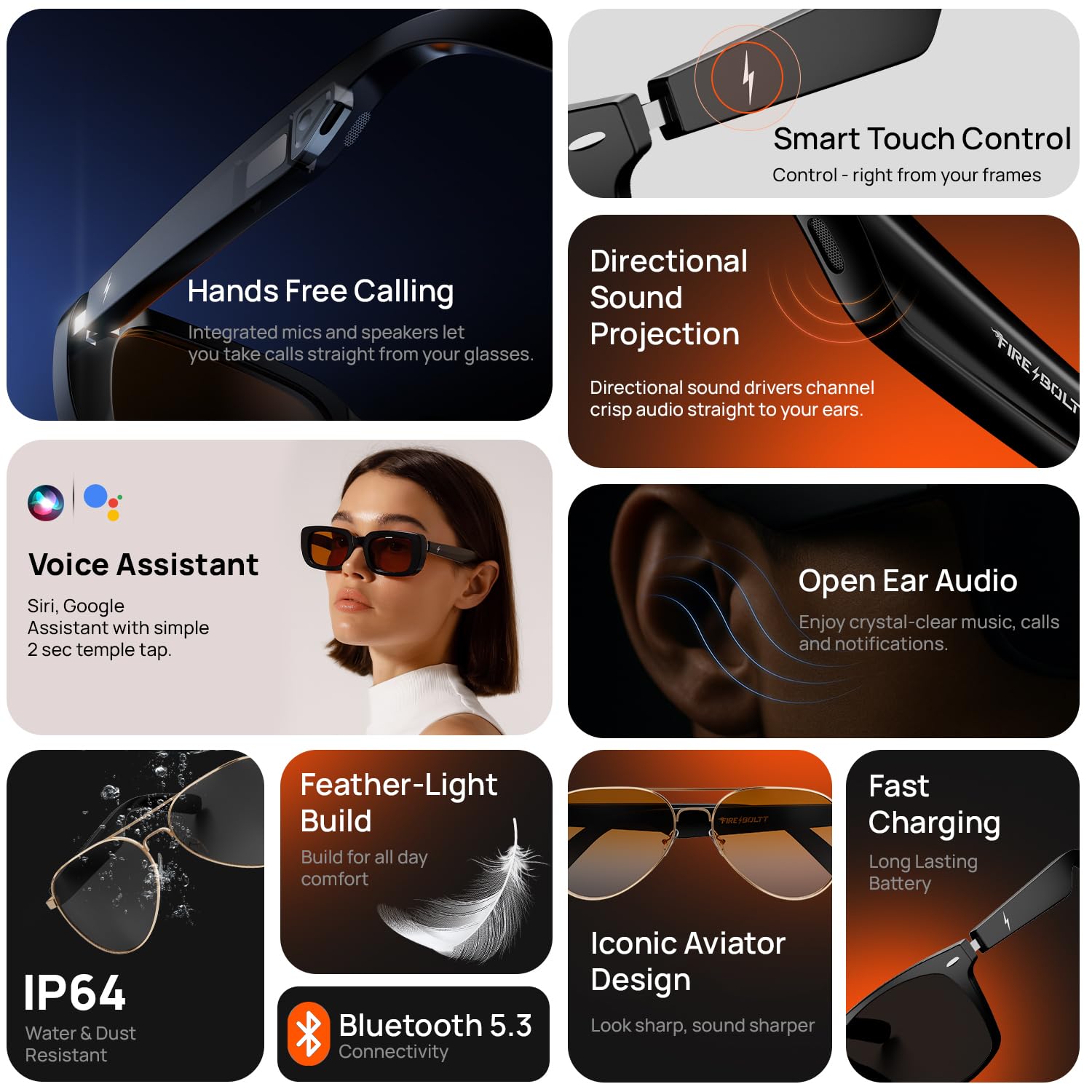
Figura 3.2: Máisview of key features such as hands-free calling, directional sound projection, voice assistant, and open-ear audio.
Vídeo 3.1: Produto oficial rematadoview mostrarasing the features and design of the Fire-Boltt Fire-Lens Dune Smart Glasses.
4. Configuración
4.1 Encendido
To power on your Fire-Lens Dune Smart Glasses, touch and hold both arms of the glasses for 5 seconds until you hear a confirmation sound or see an indicator light.
4.2 Conectividade Bluetooth
- Ensure your glasses are powered on.
- Activa o Bluetooth no teu smartphone ou noutro dispositivo compatible.
- Busca available devices and select "Firelenses" from the list.
- Upon successful pairing, you will hear a voice prompt: "Connection Succeeded".
If the connection is lost, you will hear: "Connection Disconnected".
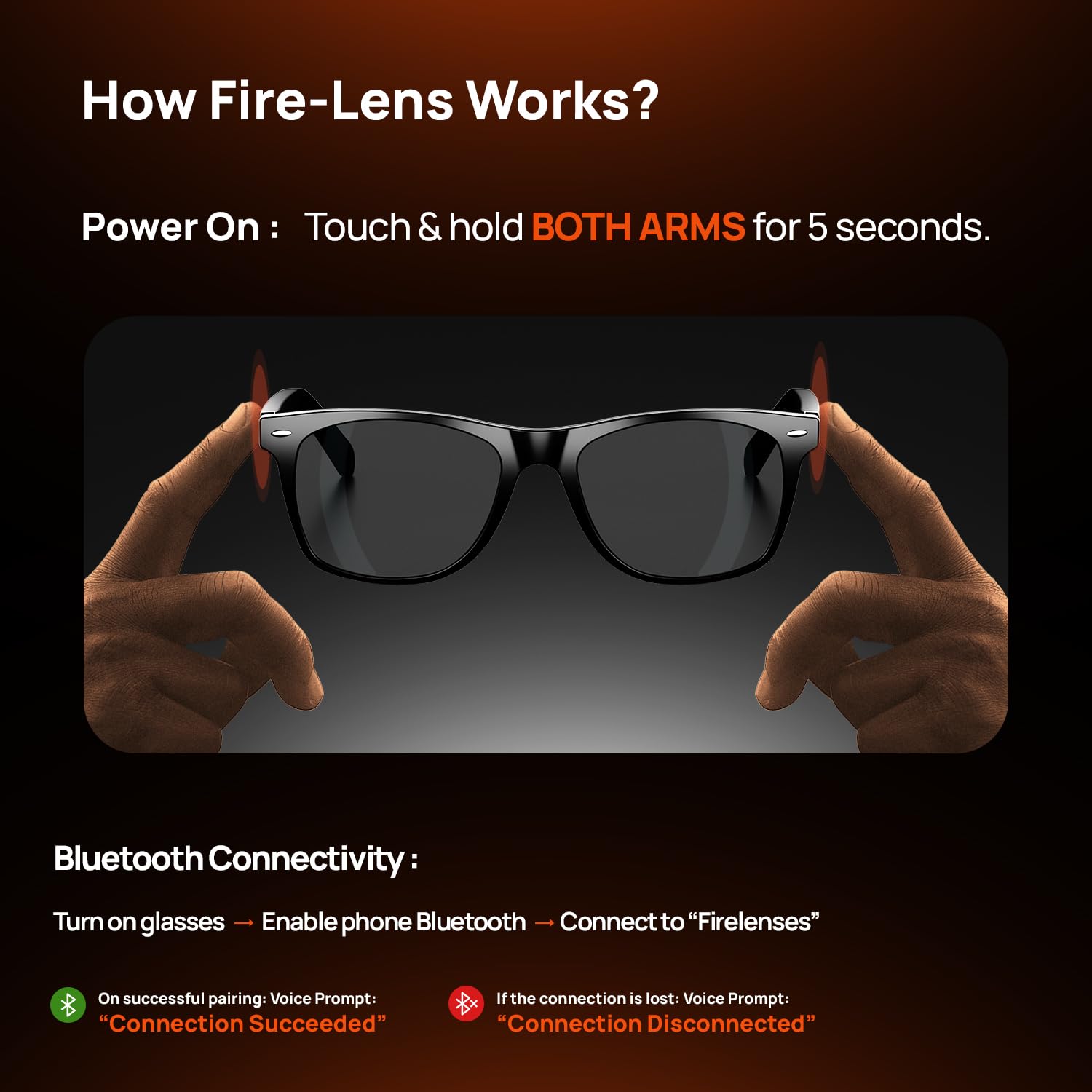
Figure 4.1: Instructions for powering on and connecting the smart glasses via Bluetooth.
5. Instrucións de funcionamento
The Fire-Lens Dune Smart Glasses feature intuitive touch controls located on the temple arms.
Controis táctiles intelixentes 5.1
| Acción | Función |
|---|---|
| Double-tap on either arm | Play/Pause music or Receive/Hang up call |
| Long Press (2 seconds) either arm | Asistente de voz para espertar |
| Triple-tap on the left arm | Canción anterior |
| Triple-tap on the right arm | Próxima canción |
| Press & hold (3 seconds) either arm | Rexeitar a chamada |

Figure 5.1: Detailed smart touch control gestures for various functions.
5.2 Asistente de voz
Activate your preferred voice assistant (Siri, Alexa, Google) with a 2-second long press on either temple arm. This allows for hands-free commands such as making calls, sending messages, setting reminders, getting directions, or playing music.
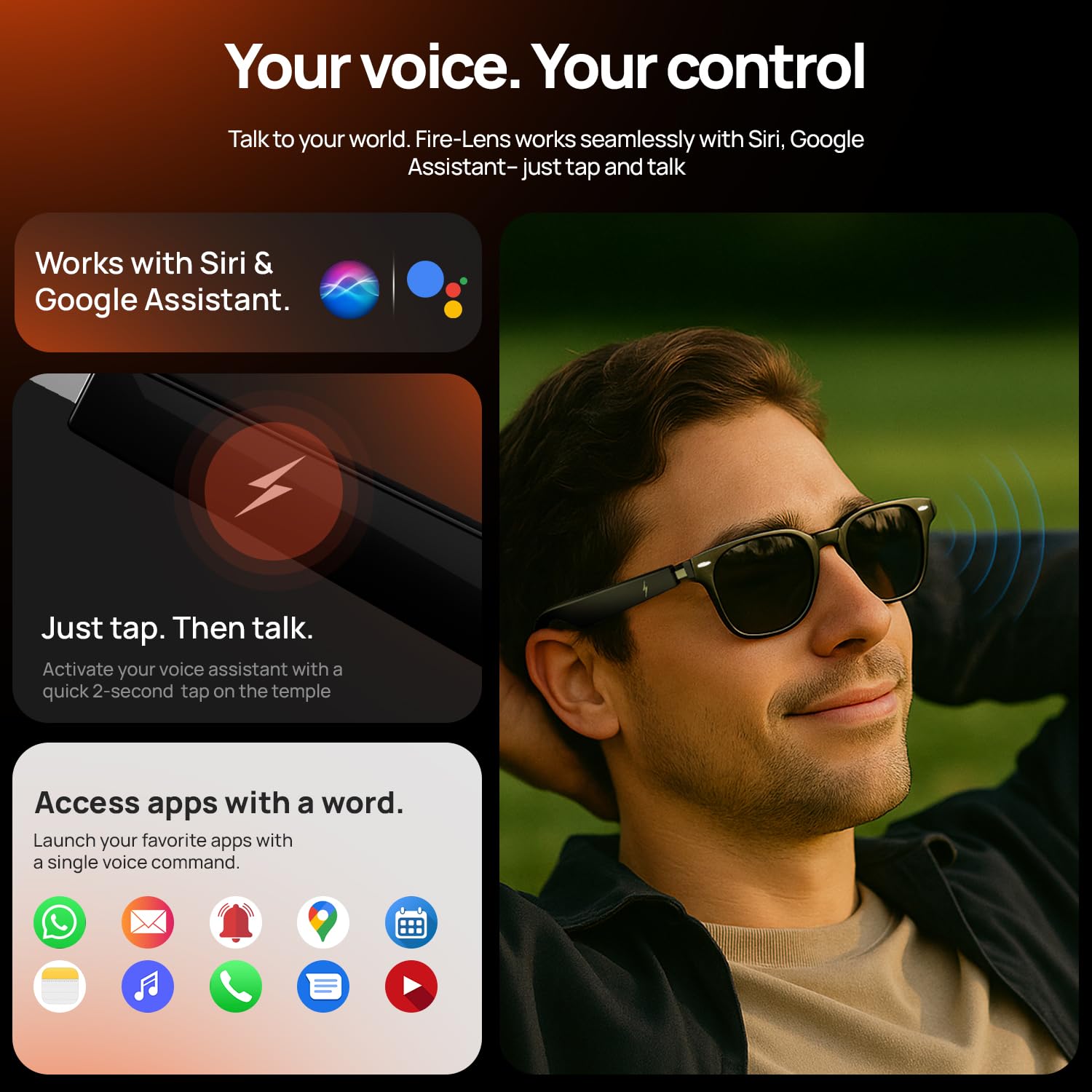
Figure 5.2: Using voice commands to control your smart glasses for various tasks.
6. Batería e carga
The Fire-Lens Dune Smart Glasses are equipped with dual 60mAh batteries, offering efficient power management.
- Tempo de xogo: Ata 6 horas.
- Tempo de espera: Ata 72 horas.
- Carga rápida: Approximately 15 minutes of charge provides 4 hours of use.
Use the provided charging cable to connect your glasses to a power source. Ensure the magnetic charging interface is properly aligned.
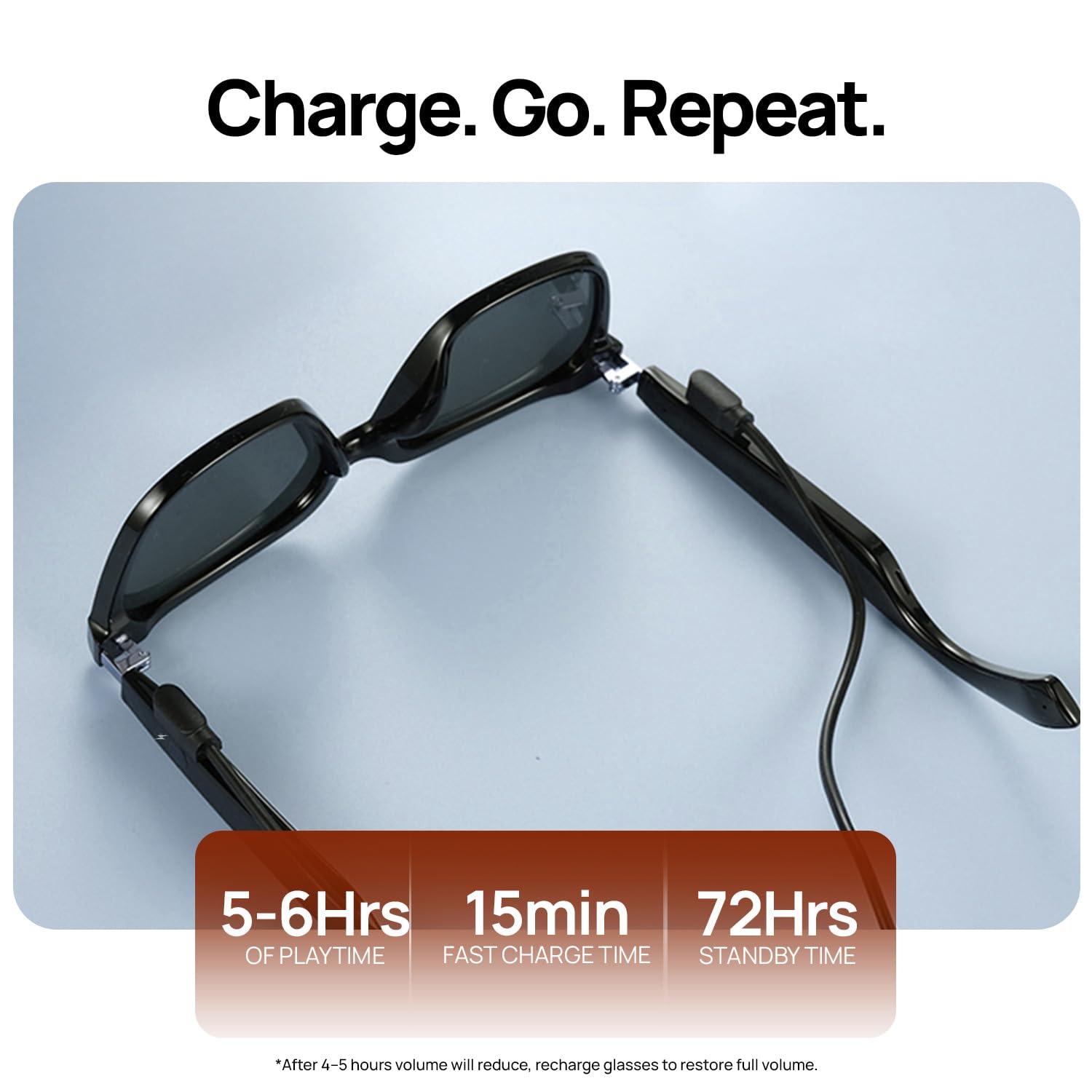
Figure 6.1: Battery life and fast charging capabilities of the smart glasses.
7. Mantemento
To ensure the longevity and optimal performance of your Fire-Boltt Fire-Lens Dune Smart Glasses, follow these maintenance guidelines:
- Limpeza: Use a soft, lint-free cloth to clean the lenses and frame. Avoid abrasive materials or harsh chemicals. For stubborn smudges, a lens cleaning solution designed for eyewear can be used.
- Almacenamento: When not in use, store the glasses in their protective case to prevent scratches and damage.
- Resistencia á auga: The glasses have an IP64 rating, meaning they are resistant to dust and splashes of water. Avoid submerging them in water or exposing them to heavy rain.
- Temperatura: Do not expose the glasses to extreme temperatures (hot or cold) as this can affect battery life and electronic components.
8 Solución de problemas
If you encounter issues with your Fire-Boltt Fire-Lens Dune Smart Glasses, refer to the following common solutions:
- Sen enerxía: Ensure the glasses are fully charged. Connect them to the charging cable and allow sufficient time for charging.
- Problemas de conexión Bluetooth:
- Make sure Bluetooth is enabled on your device and the glasses are in pairing mode.
- Forget the device ("Firelenses") from your phone's Bluetooth settings and attempt to re-pair.
- Ensure the glasses are within the effective Bluetooth range (typically 10 meters).
- Sen son ou volume baixo:
- Check the volume levels on both your glasses and your connected device.
- Asegúrate de que os altofalantes non estean obstruídos.
- Restablecer a conexión Bluetooth.
- Os controis táctiles non responden:
- Ensure the temple arms are clean and dry.
- Restart the glasses by powering them off and on again.
- O asistente de voz non responde:
- Confirm the glasses are connected to your device.
- Ensure the voice assistant is enabled on your smartphone and the microphone on the glasses is not obstructed.
Se o problema persiste, póñase en contacto co servizo de atención ao cliente para obter máis axuda.
9. Especificacións
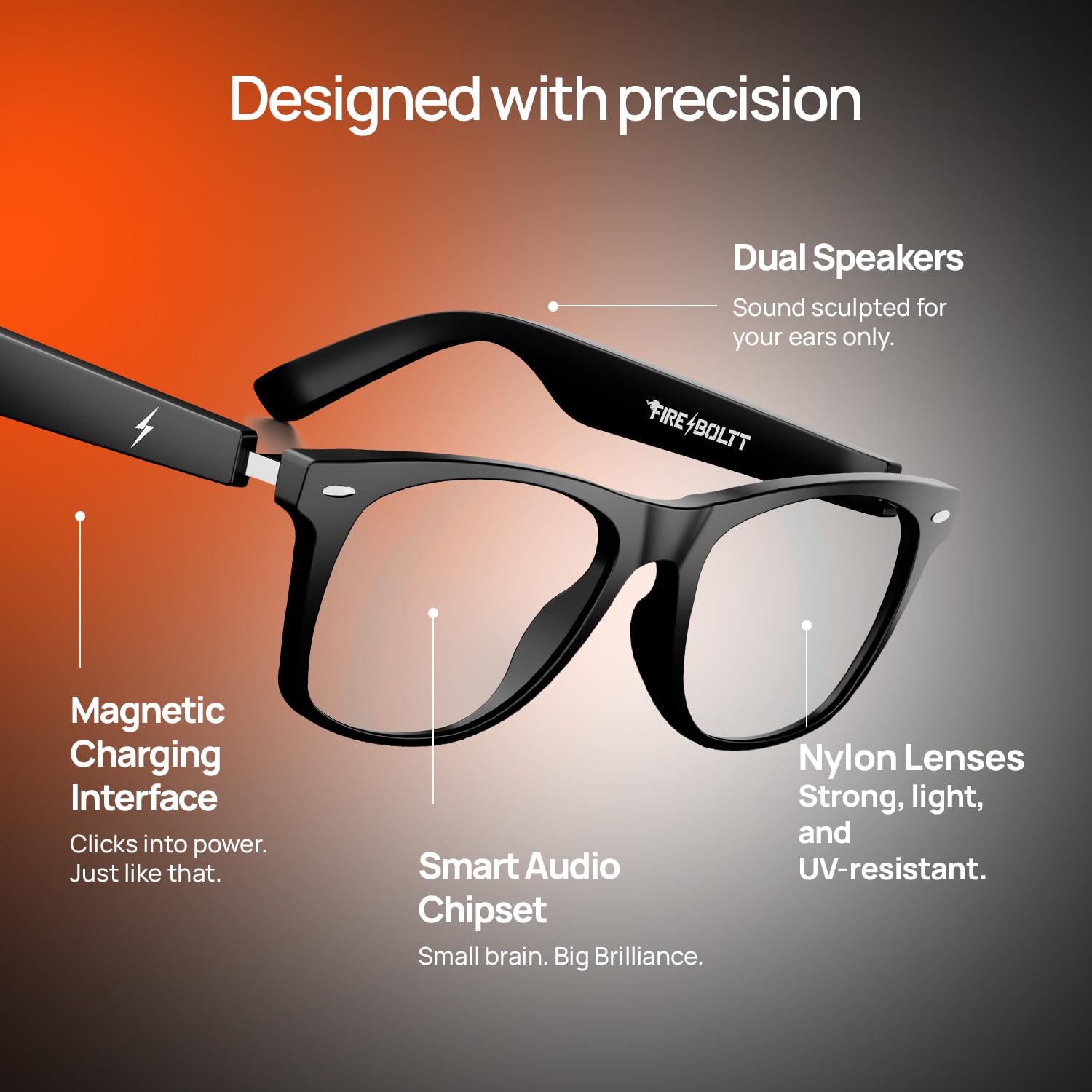
Figure 9.1: Internal design and key components of the smart glasses.
| Característica | Detalle |
|---|---|
| Marca | Fire-Boltt |
| Modelo | BGSG001 |
| Peso do elemento | 46 g |
| Capacidade da batería | 120 millónsamp Hours (dual 60mAh) |
| Composición da pila da batería | Ion de litio |
| Duración media da batería | 6 horas (tempo de reprodución) |
| Tipo sen fíos | Bluetooth |
| Tecnoloxía de conectividade | Bluetooth |
| Dispositivos compatibles | Teléfono intelixente |
| Características especiais | Bluetooth Calling, Open-Ear Audio, Smart Touch Controls, Voice Assistant Compatibility, Fast Charging |
| Tipo de visualización | Sen visualización |
| País de Orixe | China |
10. Garantía e soporte
Your Fire-Boltt Fire-Lens Dune Smart Glasses come with a standard brand warranty. For specific warranty terms, duration, and claim procedures, please refer to the warranty card included with your product or visit the official Fire-Boltt websitio.
For further assistance, technical support, or service inquiries, please contact Fire-Boltt customer support through their official channels. You may also find additional information and FAQs on the product detail page where you purchased the item.


