Introdución
Thank you for choosing the Altec Lansing Comfort Pro Over Ear Bluetooth Headphones. These headphones are designed to provide a high-quality audio experience with advanced features such as Active Noise Cancellation (ANC), Environmental Noise Cancellation (ENC), Spatial Audio, and a long-lasting battery. This manual will guide you through the setup, operation, and maintenance of your new headphones.
O que hai na caixa
- Altec Lansing Comfort Pro Wireless Headphones
- USB-C Charging Cable (not explicitly listed but implied for charging)
- Audio Cable (not explicitly listed but common for wired use)
- Carrying Case (implied by images)
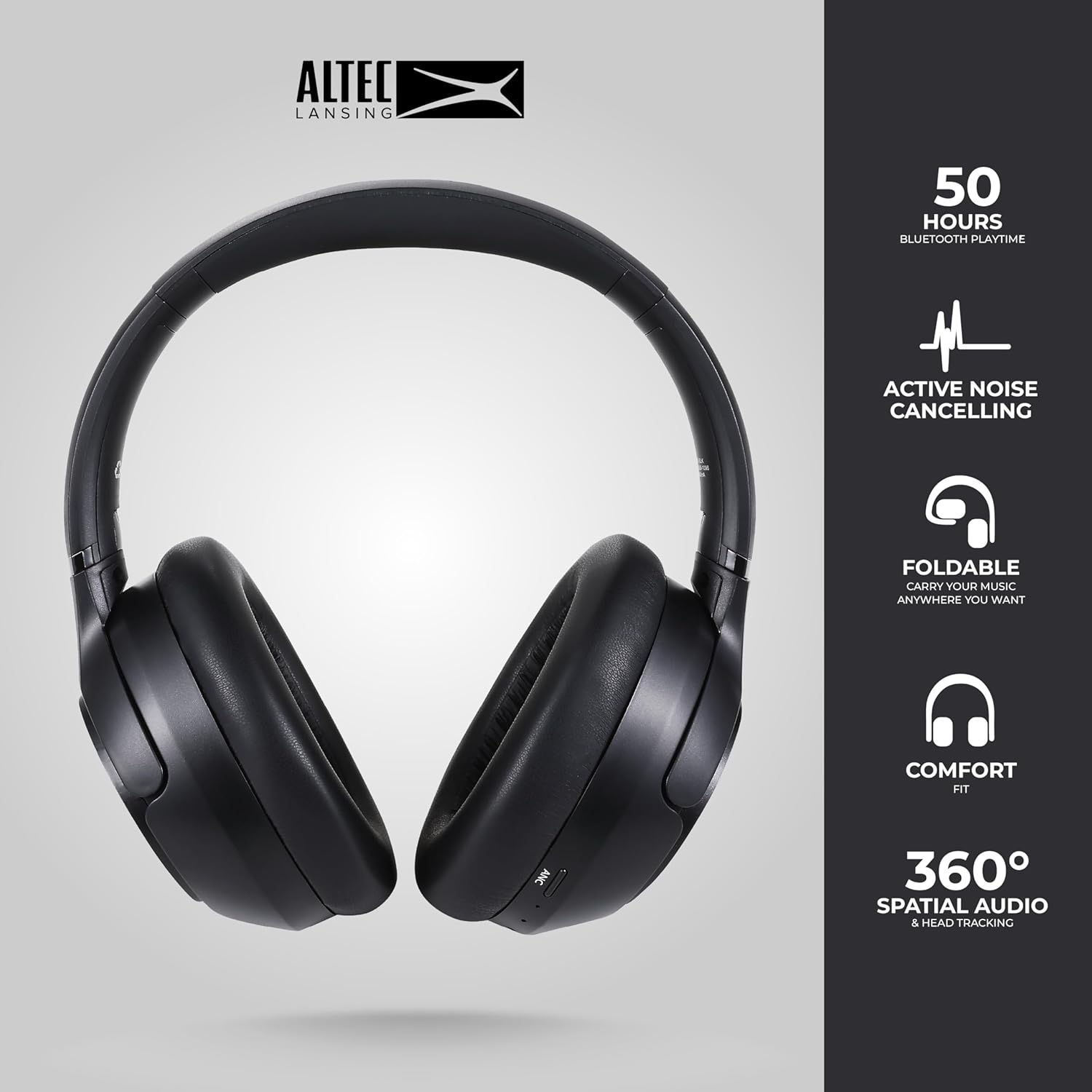
Image: The Altec Lansing Comfort Pro headphones, showcasing their sleek design and key features like 50 hours Bluetooth playtime, Active Noise Cancelling, foldable design, comfort fit, and 360° Spatial Audio & Head Tracking.
Configuración
1. Carga dos auriculares
Before first use, fully charge your headphones. Connect the provided USB-C charging cable to the charging port on the headphones and the other end to a USB power source. The LED indicator will show charging status and turn off or change color when fully charged. A full charge typically takes approximately two hours.
2. Acendido/apagado
- Para acender: Manteña premido o botón de acendido durante aproximadamente 3 segundos ata que o indicador LED se acenda.
- Para apagar: Manteña premido o botón de acendido durante aproximadamente 3 segundos ata que o indicador LED se apague.
3. Emparellamento Bluetooth
The headphones support Bluetooth 5.4 for stable connectivity and multipoint pairing for connecting to two devices simultaneously.
- Asegúrese de que os auriculares estean apagados.
- Press and hold the Power button for approximately 5-7 seconds until the LED indicator flashes rapidly (usually blue and red), indicating pairing mode.
- On your device (smartphone, laptop, tablet), go to Bluetooth settings and enable Bluetooth.
- Busca available devices and select "Altec Lansing Comfort Pro" from the list.
- Unha vez conectado, o indicador LED deixará de parpadear e permanecerá azul fijo.
- For multipoint pairing, connect to the first device, then put the headphones back into pairing mode and connect to the second device. The headphones will intelligently switch between the two connected devices.

Imaxe: Unha detallada view of the Altec Lansing Comfort Pro headphones highlighting the adjustable headband and the soft, lightweight ear cushions designed for comfort during extended use.
En funcionamento
Controis de auriculares
The headphones feature intuitive controls located on the earcups. Refer to the image below for button identification.

Imaxe: Primeiro plano view of the right earcup of the Altec Lansing Comfort Pro headphones, showing the power button, volume controls, and other function buttons.
- Botón de encendido: Manter premido para acender/apagar. Presión curta para reproducir/pausar, responder/finalizar chamadas.
- Subir volume (+): Prema curta para aumentar o volume. Prema longa para a seguinte pista.
- Baixar o volume (-): Prema curta para baixar o volume. Prema longa para volver á pista anterior.
- Botón ANC: Press to cycle through Active Noise Cancellation modes (ANC On, Ambient Mode, ANC Off).
- Botón multifunción (MFB): Double press to activate Voice Assistant (Siri/Google Voice). Triple press to activate Low Latency Mode.
Active Noise Cancellation (ANC) & Environmental Noise Cancellation (ENC)
The Comfort Pro headphones feature powerful ANC to block out external noise and ENC for clear calls. Press the dedicated ANC button to toggle between ANC On, Ambient Mode (allowing some environmental sounds for awareness), and ANC Off. ENC is automatically active during calls to ensure your voice is clear.
Audio espacial
Experience immersive sound with Spatial Audio. This feature creates a 3D soundstage, making audio feel more lifelike. Spatial Audio is automatically enabled when supported by your device and content.
Modo de baixa latencia
For gaming or video playback where audio-visual synchronization is critical, activate Low Latency Mode by triple-pressing the MFB. This reduces audio delay for a more synchronized experience.
Asistente de voz
Access your device's voice assistant (Siri or Google Voice) by double-pressing the MFB. You can then issue commands through the headphone's microphone.
Xestión de chamadas
- Responder/Finalizar chamada: Prema brevemente o botón de acendido.
- Rexeitar a chamada: Manteña premido o botón de acendido durante 2 segundos.
Mantemento
Limpeza
Para manter o rendemento e o aspecto dos seus auriculares:
- Limpe os auriculares e a diadema cun pano suave, seco e sen fiapos.
- Para a sucidade teimosa, lixeiramente dampEnxágüe o pano con auga. Evite o uso de produtos químicos agresivos, solventes ou produtos de limpeza abrasivos.
- Non permita que entre humidade en ningunha abertura.
Almacenamento
When not in use, store your headphones in the provided carrying case to protect them from dust, scratches, and impacts. The foldable design allows for compact storage.

Image: The Altec Lansing Comfort Pro headphones neatly folded and stored inside their protective carrying case, emphasizing portability and protection.
Coidado da batería
- Evite descargar completamente a batería con frecuencia.
- Store the headphones with a partial charge if not used for extended periods.
- Evita temperaturas extremas, que poden prexudicar a duración da batería.
Resolución de problemas
If you encounter any issues with your Altec Lansing Comfort Pro headphones, refer to the following common solutions:
- Os auriculares non se acenderán: Asegúrate de que os auriculares estean completamente cargados. Conéctaos a unha fonte de alimentación e inténtao de novo despois duns minutos.
- Non se pode emparellar co dispositivo:
- Ensure the headphones are in pairing mode (LED flashing rapidly).
- Desactiva e activa o Bluetooth no teu dispositivo.
- Delete "Altec Lansing Comfort Pro" from your device's Bluetooth list and attempt to pair again.
- Tenta emparellalo cun dispositivo diferente para descartar problemas específicos do dispositivo.
- Sen son ou volume baixo:
- Comprobe os niveis de volume tanto nos auriculares como no dispositivo conectado.
- Asegúrate de que os auriculares estean conectados correctamente mediante Bluetooth.
- If using a wired connection, ensure the audio cable is fully inserted into both the headphones and the audio source.
- ANC non funciona eficazmente:
- Ensure ANC is activated by pressing the ANC button.
- Axusta o axuste dos auriculares para garantir unha boa selaxe arredor das orellas.
- ANC is most effective against low-frequency, constant noise. It may not completely block out voices or sudden, high-frequency sounds.
- O asistente de voz non responde: Ensure your device's voice assistant is enabled and that the headphones are properly connected. Double-press the MFB firmly.
Especificacións
| Nome do modelo | MX3050 (MZX3050-BLK-STK-6) |
| Tecnoloxía de conectividade | Sen fíos (Bluetooth) |
| Versión Bluetooth | 5.4 |
| Duración da batería | Up to 60 Hours (40 Hours with ANC activated) |
| Características de control de ruído | Cancelación activa de ruído (ANC), cancelación de ruído ambiental (ENC) |
| Forma do auricular | Sobre orella |
| Método de control | App, Voice, On-headphone buttons |
| Dispositivos compatibles | Teléfonos intelixentes, portátiles, tabletas |
| Material | Fabric/Silicone and Plastic/Metal (Combination) |
| Peso do elemento | 1 libra |
| Nivel de resistencia á auga | Impermeable |
Garantía e Soporte
For warranty information and customer support, please refer to the documentation included with your purchase or visit the official Altec Lansing website. You can typically find detailed warranty terms, FAQs, and contact information for technical assistance there.
Recursos en liña: www.alteclansing.com


