1. Introdución
The House of Marley Get Together Go is a portable Bluetooth speaker designed for high-quality audio and outdoor durability. It features sustainable materials, multiple sound modes, and a robust, adventure-ready design.

Figure 1: Get Together Go Speaker in an outdoor environment.
Key features include IP67 waterproof and dustproof rating, up to 20 hours of playtime, customizable EQ modes, and Auracast multi-speaker pairing. The speaker is crafted from renewable bamboo and REGRIND silicone, reflecting a commitment to sustainable design.

Figura 2: Máisview of main features including EQ settings, playtime, IP67 protection, and ambient lighting.
2. Contido do paquete
Asegúrate de que todos os elementos estean presentes no paquete:
- House of Marley Get Together Go Portable Bluetooth Speaker
- Cable de carga USB-C
- Guía de inicio rápido (non incluída neste manual)
3. Configuración
3.1 Carga do altofalante
- Conecta o cable de carga USB-C fornecido ao porto de carga do altofalante.
- Conecta o outro extremo do cable a un adaptador de corrente USB compatible (non incluído).
- A luz indicadora de carga acenderase durante a carga e apagarase cando estea completamente cargada.
3.2 Acendido/Apagado
- To power on, press and hold the Power button until the indicator lights activate.
- To power off, press and hold the Power button again until the indicator lights turn off.

Figura 3: Fronte view of the speaker, illustrating general layout and control area.
3.3 Emparejamento Bluetooth
- Asegúrate de que o altofalante estea acendido.
- Press and hold the Bluetooth button on the speaker until the Bluetooth indicator light begins to flash, indicating pairing mode.
- No teu dispositivo (teléfono intelixente, tableta, etc.), activa o Bluetooth e busca os dispositivos dispoñibles.
- Select "Get Together Go" from the list of devices.
- Unha vez conectado, a luz indicadora de Bluetooth acenderase de forma fixa.
3.4 Auracast Multi-Speaker Pairing
The Get Together Go supports Auracast for connecting multiple compatible speakers for a larger sound experience. Refer to the official House of Marley website for detailed instructions on Auracast setup.
4. Instrucións de funcionamento
4.1 Reprodución de audio
- Once paired via Bluetooth, play audio from your connected device.
- Use os botóns Subir volume (+) e Baixar volume (-) do altofalante para axustar o volume.
- Prema o botón Reproducir/Pausa para controlar a reprodución.

Figure 4: Speaker control panel for power, Bluetooth, volume, and playback.
4.2 Custom EQ Modes
The speaker features three customizable EQ modes to optimize sound for different environments:
- Marley Signature Sound: Audio profesional equilibradofile.
- Boost de baixo: Enhanced low-frequency response.
- Modo ao aire libre: Optimized for open-air listening.
To switch between EQ modes, briefly press the Power button while the speaker is on. The ambient lighting may change to indicate the active mode.

Figure 5: Speaker in an outdoor setting, demonstrating its durability and suitability for various environments, where EQ modes can be adjusted.
4.3 Iluminación ambiental
The speaker includes ambient lighting at its base. This lighting can be toggled or adjusted by pressing a dedicated button (refer to the speaker's physical controls for exact button location, often integrated with power or EQ controls).
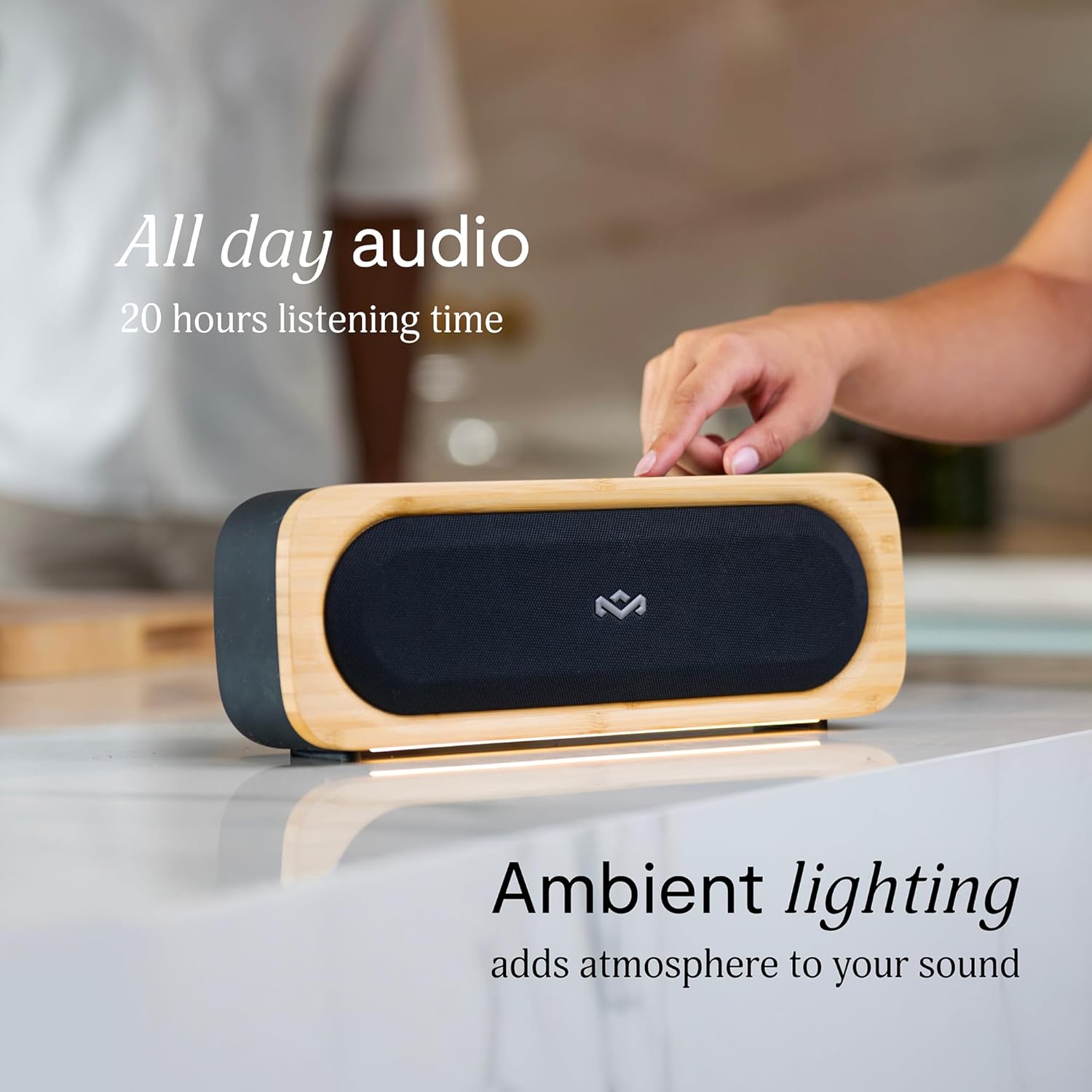
Figure 6: Speaker with ambient lighting active.
4.4 Built-in Bottle Opener
A bottle opener is integrated into the speaker's design for convenience. Locate the bottle opener on the rear or side of the speaker and use it as you would a standard bottle opener.

Figure 7: Demonstrating the use of the built-in bottle opener.
5. Mantemento
5.1 Limpeza
- The speaker features a removable grill for easy cleaning. Gently detach the grill to clean any dust or debris from the speaker drivers.
- Limpe o exterior do altofalante cun pano suave eamp pano. Evite o uso de produtos químicos agresivos ou produtos de limpeza abrasivos.
- Ensure the speaker is completely dry before reattaching the grill or using it near water.

Figure 8: Speaker with removable grill detached for cleaning.
5.2 Protección contra a auga e o po (IP67)
- The IP67 rating means the speaker is protected from dust ingress and can withstand immersion in water up to 1 meter for 30 minutes.
- Always ensure the charging port cover is securely closed before exposing the speaker to water or dust.
- Despois da exposición á auga, seque ben o altofalante antes de cargalo.
5.3 Coidado coa batería
- Para unha duración óptima da batería, evite descargar completamente o altofalante con frecuencia.
- Garde o altofalante nun lugar fresco e seco cando non o use durante períodos prolongados.
6 Solución de problemas
6.1 Speaker Not Powering On
- Asegúrate de que a batería estea cargada. Conecta o altofalante a unha fonte de alimentación e déixao cargar durante polo menos 30 minutos antes de tentar acendelo de novo.
- Press and hold the Power button for a few seconds to ensure it's not a brief press.
6.2 Bluetooth Pairing Issues
- Make sure the speaker is in pairing mode (flashing Bluetooth indicator).
- Ensure your device's Bluetooth is enabled and within range (typically 10 meters or 33 feet).
- Try forgetting the speaker from your device's Bluetooth settings and re-pairing.
- Reinicia tanto o altofalante como o dispositivo Bluetooth.
6.3 Sen son ou volume baixo
- Comprobe os niveis de volume tanto no altofalante como no dispositivo conectado.
- Asegúrate de que o altofalante estea correctamente emparellado e conectado ao teu dispositivo.
- Try playing audio from a different application or source on your device.
7. Especificacións
| Característica | Detalle |
|---|---|
| Nome do modelo | XUNTOS IR |
| Número de modelo do artigo | EM-JA036-SB |
| Tecnoloxía de conectividade | Bluetooth |
| Potencia de saída máxima do altofalante | 20 vatios |
| Clasificación IP | IP67 (impermeable e a proba de po) |
| Hora de xogo | Ata 20 horas |
| Dimensións do produto | 5.75" D x 16.13" W x 4.75" H |
| Peso do elemento | 4.05 libras |
| Materiais | Renewable Bamboo, REGRIND Silicone, REWIND Fabric |
| UPC | 846885011706 |
8. Garantía e soporte
For warranty information and technical support, please refer to the official House of Marley websitio web ou póñase en contacto directamente co servizo de atención ao cliente. Garde o comprobante de compra para reclamacións de garantía.
9. Sustainability Commitment
The House of Marley Get Together Go speaker is designed with sustainability in mind, utilizing:
- Renewable Bamboo: Crafted from one of the world's fastest-growing plants.
- REWIND Fabric: Made from recycled plastic bottles for a durable finish.
- REGRIND Silicone: Produced using reclaimed and upcycled post-process and post-consumer waste.

Figure 9: Details on the sustainable materials used in the speaker's construction.


