Produto rematadoview
The LEICKE DAB+ Radio Tube (Model EP19035) is a versatile portable audio device combining a DAB+/FM radio with a powerful Bluetooth speaker. It features a robust 4500 mAh battery for extended playtime, dynamic RGB LED lighting, and multiple connectivity options including Micro SD and AUX-In. This manual provides essential information for setup, operation, and maintenance.
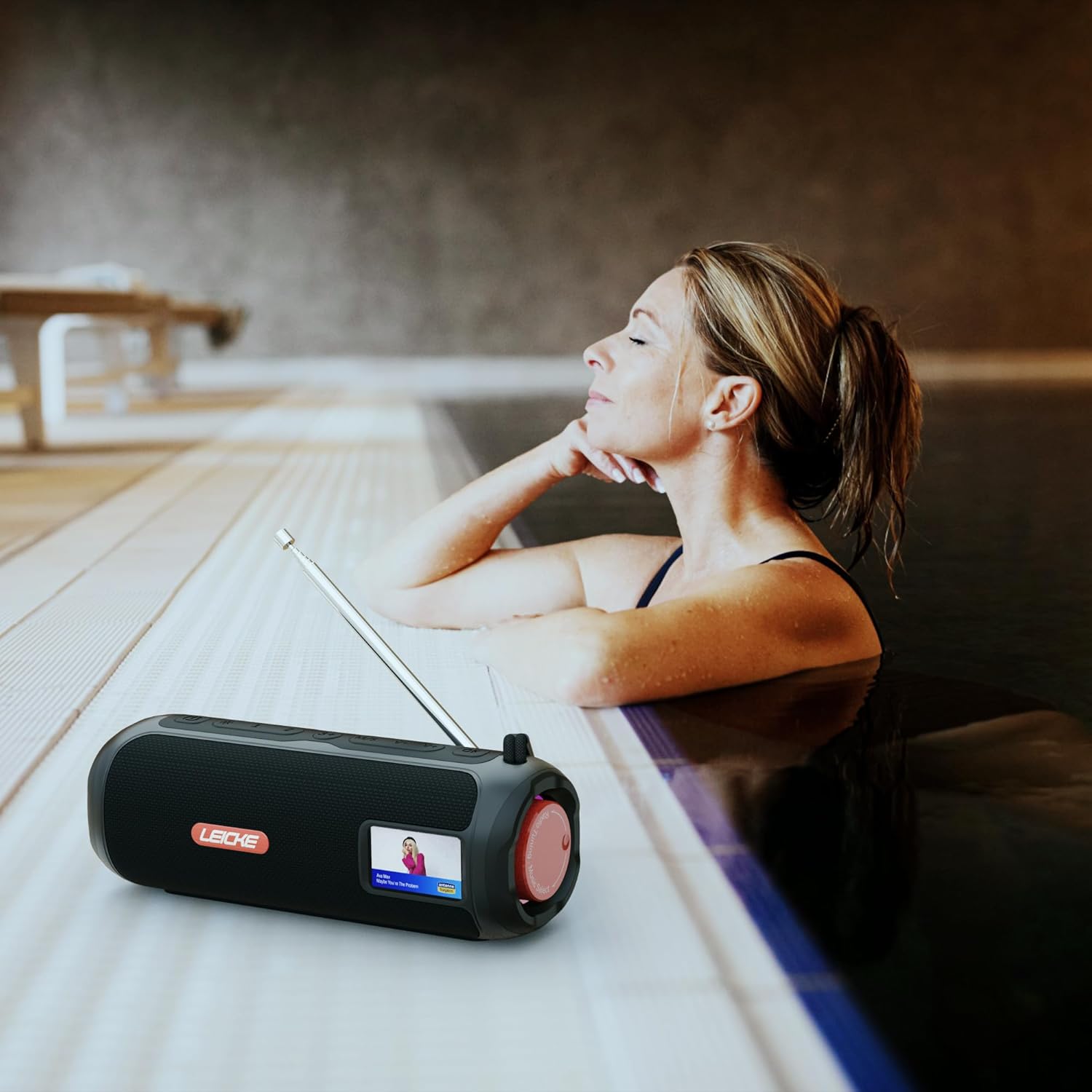
Image: The LEICKE DAB+ Radio Tube, showcasing its portable design, suitable for various environments like a poolside.
Características principais:
- Son estéreo potente: Two 5W speakers deliver rich, clear audio with dynamic effects and powerful bass.
- Duración prolongada da batería: Integrated 4500 mAh rechargeable battery provides up to 12 hours of playtime.
- DAB+ & FM Radio: Enjoy noise-free digital DAB+ and traditional FM radio with 30 station presets.
- Atmospheric RGB Lighting: Features cool color-changing LED lights for enhanced ambiance.
- Conectividade versátil: Bluetooth 5.3 for wireless streaming, Micro SD card slot, and 3.5 mm AUX-In.
- Carga conveniente: USB-C port for quick and easy charging.
- Funcións adicionais: Includes an integrated alarm clock, sleep timer, and equalizer settings.
Contido do paquete
Comprobe se o paquete contén os seguintes elementos:
- LEICKE DAB+ Radio Tube (Model EP19035)
- Cable de carga USB-C
- Manual do propietario
- (Note: Specific accessories like AUX cable may vary by region or package. Please refer to your product packaging.)
Controis e conexións
Familiarize yourself with the various buttons, ports, and indicators on your LEICKE DAB+ Radio Tube.

Imaxe: Fronte view of the LEICKE DAB+ Radio Tube, highlighting the display, SD card slot, AUX input, and USB-C port.

Imaxe: Traseira view of the LEICKE DAB+ Radio Tube, showing the extendable antenna, AUX port, USB-C port, and Micro SD slot.
Descricións dos portos:
- Ranura Micro SD: Insert a Micro SD card for playing stored audio files.
- Entrada AUX (3.5 mm): Conecta dispositivos de son externos cun cable de son de 3.5 mm.
- Porto USB-C: Úsase para cargar o dispositivo.
- Antena: Extend for optimal DAB+ and FM radio reception.
(Note: Specific button functions will be detailed in the 'Operating' section.)
Configuración
1. Carga inicial
- Antes do primeiro uso, carga completamente o dispositivo.
- Connect the provided USB-C cable to the USB-C port on the speaker and the other end to a compatible USB power adapter (not included) or a computer's USB port.
- The charging indicator on the display will show the charging status. Once fully charged, the indicator will change.
2. Acendido/apagado
- Para acender: Press and hold the Power button (usually marked with ⏻ or POTENCIA) for a few seconds until the display lights up.
- Para apagar: Press and hold the Power button again for a few seconds until the display turns off.
Instrucións de funcionamento
Selección de modo
Preme o MODO button to cycle through available modes: DAB+ Radio, FM Radio, Bluetooth, Micro SD, and AUX-In.
1. Funcionamento da radio DAB+
- Amplíe a antena completamente para obter a mellor recepción.
- Seleccione o modo DAB+ usando o botón MODO botón.
- The radio will automatically scan for available DAB+ stations on first use or if no stations are found.
- Usa o ANTERIOR / SEGUINTE buttons to navigate through the list of available stations.
- Preme o ENTER/PLAY botón para seleccionar unha emisora.
- Gardando presets: While listening to a station, press and hold the PRESET botón. Use ANTERIOR / SEGUINTE para seleccionar un número predefinido (1-30) e, a seguir, prema ENTER/PLAY para gardar.
- Recordando presets: Prema brevemente o PRESET botón e, a continuación, use ANTERIOR / SEGUINTE para seleccionar unha emisora gardada e premer ENTER/PLAY.
2. Funcionamento da radio FM
- Amplíe a antena completamente para obter a mellor recepción.
- Seleccione o modo FM usando o botón MODO botón.
- Escaneo automático: Manteña premido o REPRODUCIR/PAUSA botón para buscar e gardar automaticamente as emisoras de FM dispoñibles.
- Sintonización manual: Prema brevemente ANTERIOR / SEGUINTE para axustar con precisión a frecuencia.
- Gardando presets: Similar to DAB+ mode, press and hold PRESET to save, and briefly press to recall.
3. Emparellamento Bluetooth
- Seleccione o modo Bluetooth usando o botón MODO button. The display will show "Bluetooth" and an icon will flash, indicating it's in pairing mode.
- On your smartphone, tablet, or laptop, enable Bluetooth and search for new devices.
- Select "LEICKE DAB+ Tube" from the list of available devices.
- Unha vez emparellado, o altofalante emitirá un son de confirmación e a icona de Bluetooth da pantalla deixará de parpadear.
- Agora podes reproducir audio desde o teu dispositivo conectado a través do altofalante.
4. Micro SD Playback
- Insert a Micro SD card (with supported audio files) na ranura Micro SD.
- Select Micro SD mode using the MODO button. The device will automatically start playing music from the card.
- Use REPRODUCIR/PAUSA to control playback, and ANTERIOR / SEGUINTE para saltar pistas.
5. AUX-In Connection
- Connect one end of a 3.5mm audio cable (not included) to the AUX-In port on the speaker.
- Conecta o outro extremo á toma de auriculares ou á saída de audio do teu dispositivo externo.
- Select AUX-In mode using the MODO botón.
- Controla a reprodución e o volume desde o teu dispositivo externo.
6. Control de volume
Use the dedicated Volume Up (+) e Baixar volume (-) buttons to adjust the audio level.
7. Configuración do ecualizador
Preme o EQ button (if available) to cycle through preset equalizer modes such as Pop, Rock, Classic, Jazz, etc. There is no manual equalizer adjustment.
8. Luces LED RGB
The RGB LED lights will automatically activate when the device is powered on. There may be a dedicated button to change light modes or turn them off (refer to device specific button layout if available).
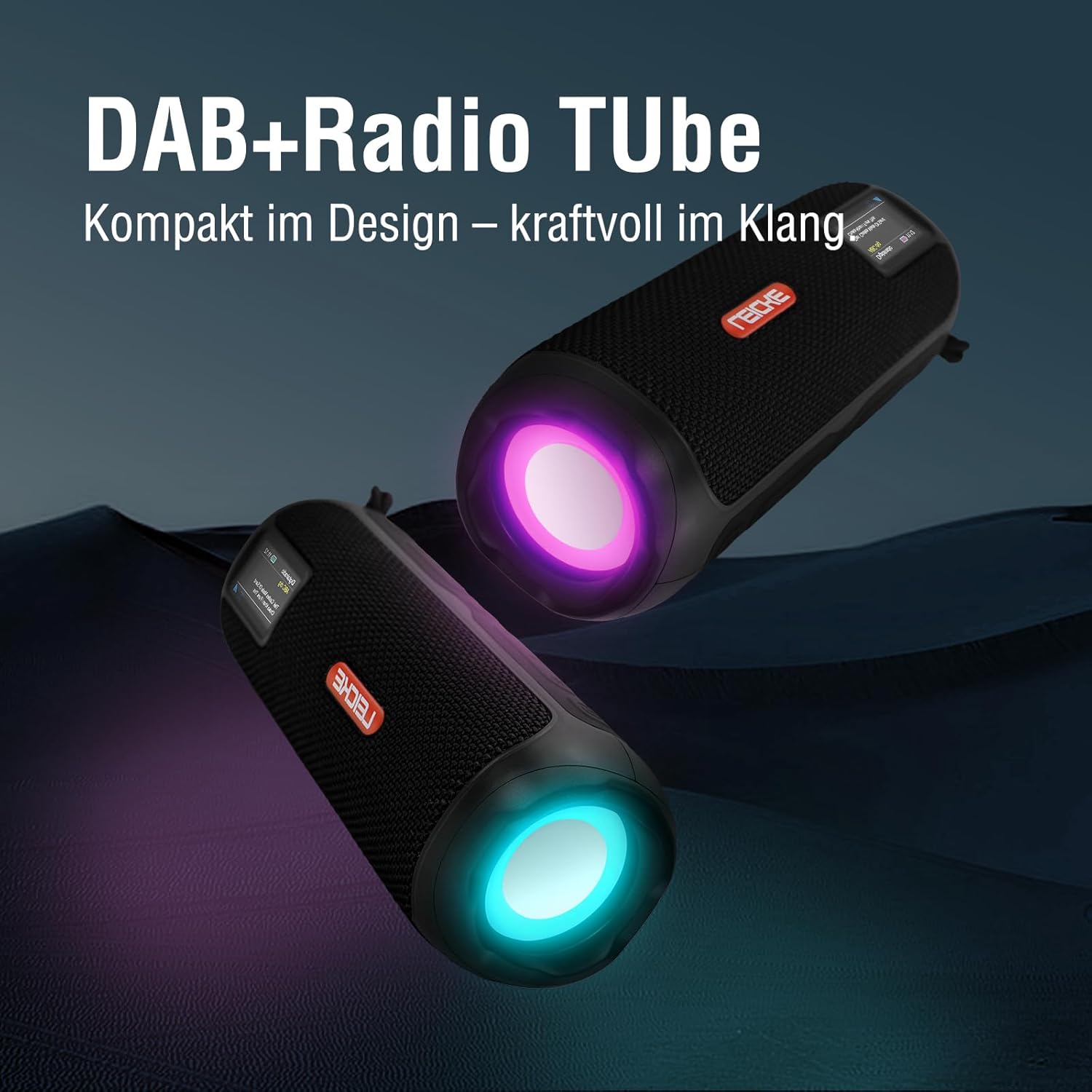
Image: Two LEICKE DAB+ Radio Tubes displaying their vibrant RGB LED lighting feature.
9. Alarm Clock and Sleep Timer
Access the menu settings (usually by pressing a MENÚ or SET button) to configure the alarm clock and sleep timer functions. Follow the on-screen prompts to set times and preferences.
Mantemento
Limpeza
- Asegúrate de que o dispositivo estea apagado e desconectado de calquera fonte de alimentación antes de limpalo.
- Use un pano suave, seco e sen fiapos para limpar as superficies exteriores.
- Non empregues produtos de limpeza abrasivos, ceras ou disolventes, xa que poden danar o acabado.
- Evite a entrada de humidade en calquera abertura.
Coidado da batería
- Para prolongar a duración da batería, evite descargala completamente con frecuencia.
- Cargue o dispositivo regularmente, mesmo se non o está a usar, para manter a batería en bo estado.
- Garde o dispositivo nun lugar fresco e seco cando non o use durante períodos prolongados.
Almacenamento
- When storing the device for a long time, ensure it is charged to about 50-70% to prevent deep discharge.
- Manteña o dispositivo lonxe de temperaturas extremas, luz solar directa e humidade elevada.
Resolución de problemas
| Problema | Causa posible | Solución |
|---|---|---|
| O dispositivo non se acende. | Batería baixa; Botón de acendido non premido correctamente. | Charge the device fully. Press and hold the Power button for a few seconds. |
| Sen son. | Volume too low; Incorrect mode selected; Device not paired (Bluetooth). | Increase volume. Ensure correct mode (DAB+, FM, BT, SD, AUX) is selected. Re-pair Bluetooth device. |
| Mala recepción de radio. | Antena non estendida; Zona de sinal débil. | Fully extend the antenna. Try moving the device to a different location. |
| O dispositivo Bluetooth non se emparella. | Speaker not in pairing mode; Device too far; Already connected to another device. | Ensure speaker is in Bluetooth pairing mode. Move devices closer. Disconnect from other devices. |
| Tarxeta micro SD non recoñecida. | Card inserted incorrectly; Unsupported file formato; Tarxeta danada. | Reinsert the card correctly. Ensure files are in a supported format. Try a different Micro SD card. |
Especificacións
| Característica | Detalle |
|---|---|
| Marca | LEICKE |
| Número de modelo | EP19035 |
| Tecnoloxía de sintonizador | DAB Plus, FM |
| Conectividade | Bluetooth 5.3, Micro SD, 3.5mm AUX-In, USB-C (charging) |
| Saída de audio | 10W Stereo Sound (2 x 5W speakers) |
| Capacidade da batería | 4500 mAh de iones de litio |
| Hora de xogo | Ata 12 horas (varía segundo o uso) |
| Características especiais | RGB LED Lights, Equalizer, Alarm Clock, Sleep Timer, 30 DAB+/FM Presets |
| Fonte de enerxía | Battery Operated, Wired (USB-C) |
| Dimensións do produto | 3.2 x 3.2 x 12 cm; 660 g |
Información da garantía
LEICKE products are designed and manufactured to the highest quality standards. This product is covered by a standard manufacturer's warranty. Please refer to the warranty card included in your package or visit the official LEICKE websitio web para obter termos e condicións de garantía detallados específicos da súa rexión.
Garda o teu recibo de compra como xustificante de compra para calquera reclamación de garantía.
Atención ao cliente
If you encounter any issues or have questions regarding your LEICKE DAB+ Radio Tube that are not covered in this manual, please contact LEICKE customer support.
- Soporte en liña: Visit the official LEICKE websitio con preguntas frecuentes, recursos de asistencia e formularios de contacto.
- Soporte por correo electrónico: Refer to your product packaging or the LEICKE websitio para obter o enderezo de correo electrónico de asistencia axeitado.
Please have your product model number (EP19035) and purchase details ready when contacting support.


