1. Introdución
This manual provides detailed instructions for the installation, operation, and maintenance of your GUOANVISION S300 6MP Dual Lens 5G Outdoor Security Camera. This camera features 6MP UHD resolution, dual lenses for comprehensive coverage, 6x manual zoom, color night vision, 5G/2.4G WiFi connectivity, IP66 waterproofing, 2-way audio, motion tracking, and multiple alarm modes. Please read this manual thoroughly before use to ensure proper functionality and safety.
2. Que hai na caixa
- Unidade de cámara
- Cable de alimentación
- Installation parts (screws, wall anchors)
- Manual de usuario
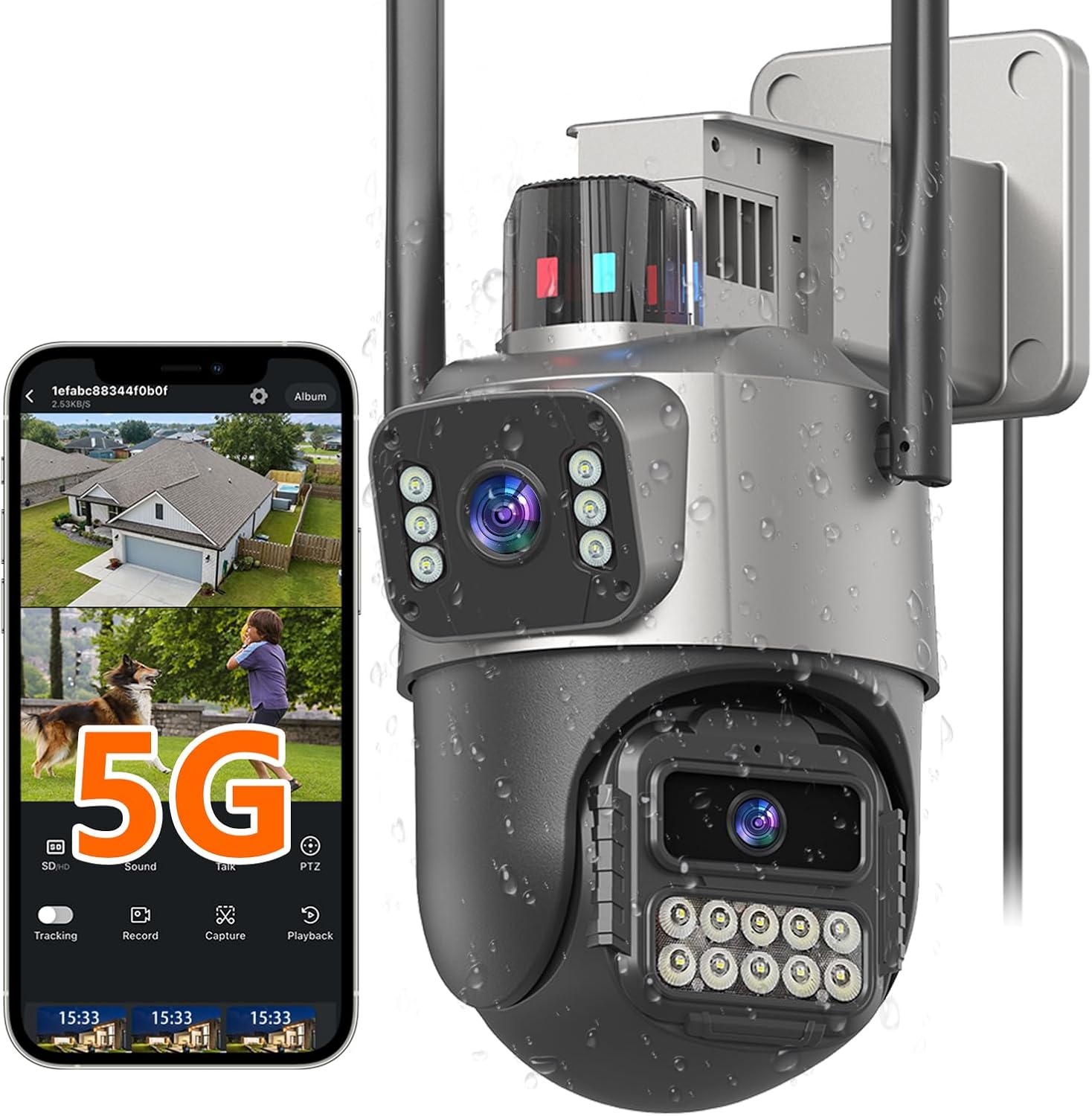
Image: The GUOANVISION S300 camera with its power cord, installation parts, and user manual.
3. Produto rematadoview
The S300 camera is designed for robust outdoor security, offering advanced features for comprehensive surveillance.
Características principais:
- 6MP UHD Dual Lens: Combines a fixed wide-angle lens with a 360° rotation lens for complete coverage and detailed tracking.
- 6X Manual Zoom: Permite unha análise detallada viewción de áreas específicas.
- Visión nocturna en cor: Captura comida clara e detalladatage in low light conditions up to 30 feet, with IR, full-color, and smart light modes.
- Stable 5G & 2.4G WiFi: Supports dual-band WiFi for a reliable connection.
- Resistente ás inclemencias do tempo IP66: Deseñado para soportar diversas condicións climáticas.
- Audio bidireccional: Built-in microphone and speaker for clear communication.
- Motion Tracking & Alarm: Automatically tracks moving objects and offers light, bell, and notification alarms.
- Almacenamento flexible: Supports up to 128GB microSD card (not included) and cloud storage.

Image: The S300 camera highlighting its 6X PTZ dual lens capability, showing both fixed and rotating lens perspectives.
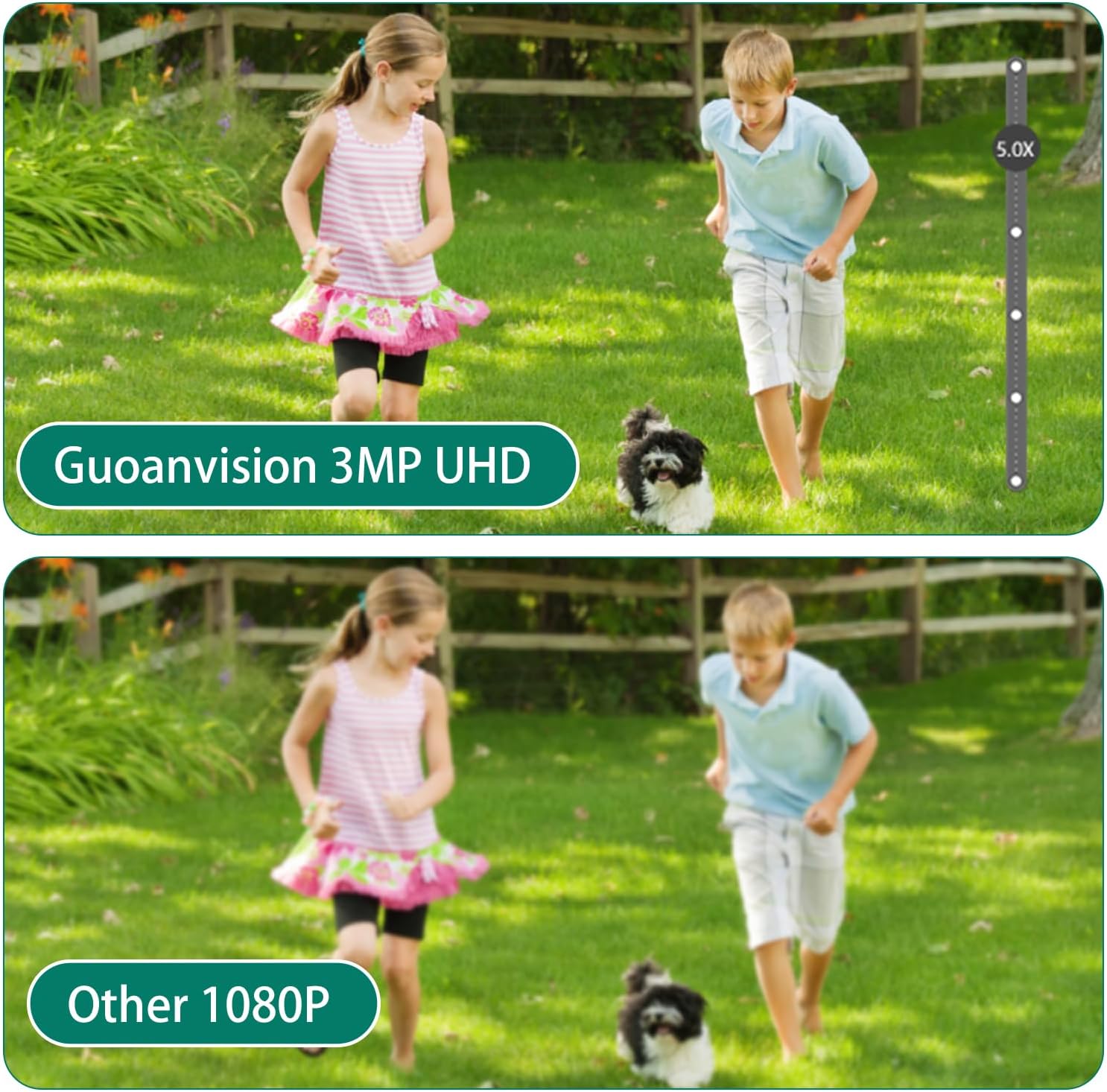
Image: A visual comparison demonstrating the superior clarity of GUOANVISION's 3MP UHD resolution compared to standard 1080P.

Image: The S300 camera shown in a rainy environment, illustrating its IP66 waterproof design.
4. Configuración
4.1 Instalación física
The camera can be mounted on a wall or ceiling. Ensure the mounting location provides a clear view and is within range of your WiFi network. Use the provided installation parts (screws and wall anchors) for secure mounting.
Video: Demonstrates how to assemble and install the camera parts, including attaching the mounting bracket and connecting cables.
4.2 Conexión de alimentación
Connect the camera to the power supply using the provided power cord. This camera is corded and cannot be charged. Ensure the connection is secure and protected from environmental elements if installed outdoors.
4.3 Conexión de rede
The S300 supports both 5G and 2.4G WiFi networks. For initial setup, download the companion application to your smartphone and follow the in-app instructions to connect the camera to your home network. Ensure your router is broadcasting a compatible WiFi signal.
5. Instrucións de funcionamento
5.1 En directo View e control PTZ
Access the live feed through the mobile application. Use the on-screen controls to pan (355°), tilt (90°), and utilize the 6X manual zoom feature to adjust the camera's view. The dual-lens system allows simultaneous monitoring of a fixed wide-angle view and a rotating, zoomed-in view.
Video: Illustrates the 6X zoom and motion tracking capabilities of the camera, showing how to zoom in on specific areas and follow movement.
5.2 Detección e seguimento de movemento
The camera features intelligent motion detection and automatic tracking. When motion is detected, the rotating lens will follow the object, and you will receive instant alerts on your smartphone. You can customize detection zones and sensitivity settings within the app.
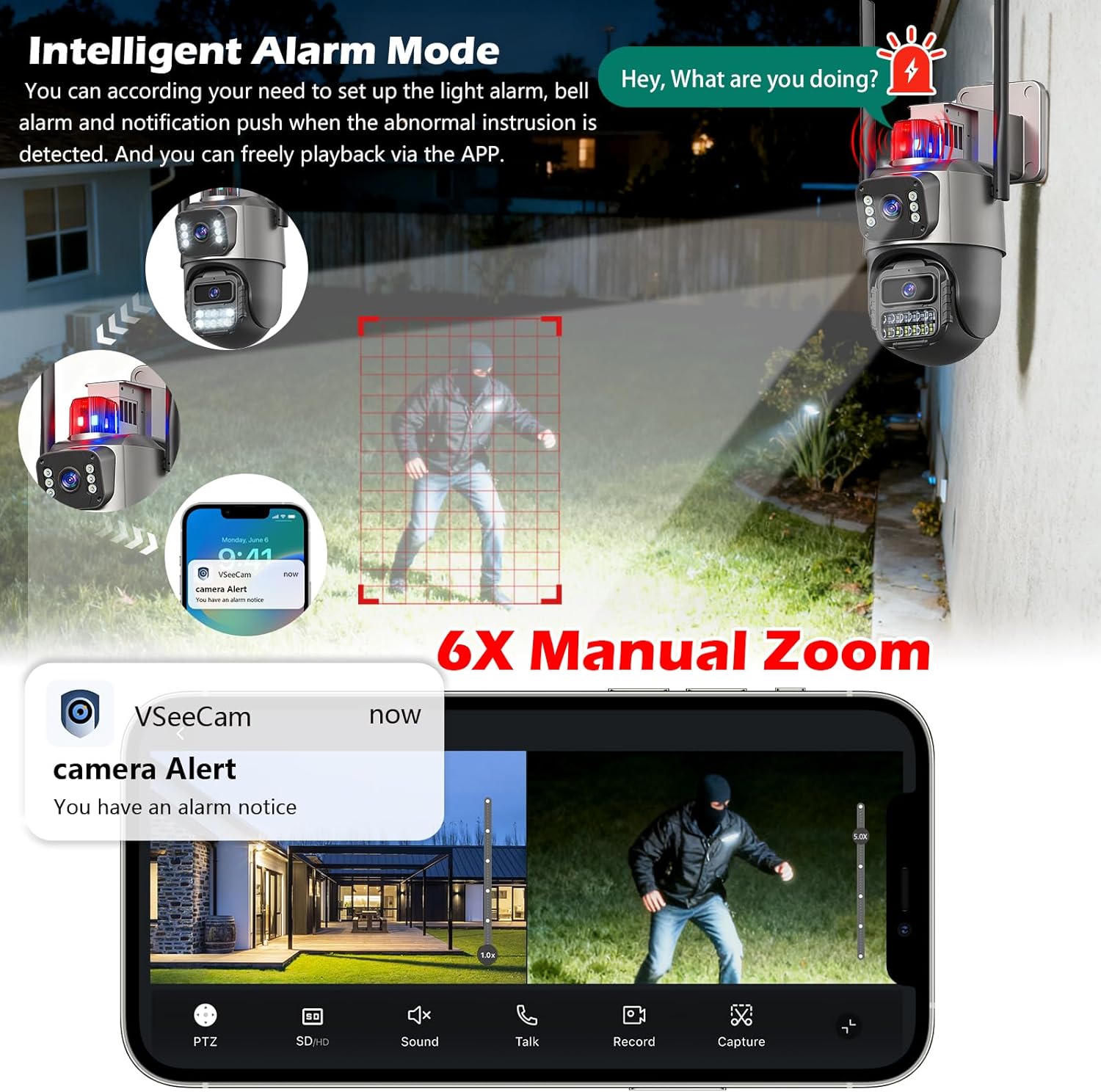
Image: Depicts the camera's AI detection and tracking in action, highlighting how it identifies and follows human movement.
5.3 Modos de visión nocturna
The S300 offers three night vision modes: IR mode (black and white), full-color mode (using built-in spotlights), and smart light mode (switches to color upon motion detection). Adjust these settings in the app based on your surveillance needs.

Image: Comparison of infrared, full-color, and double-light (smart light) night vision modes provided by the camera.
5.4 Audio bidireccional
Use the two-way audio feature to communicate with visitors or deter intruders. Activate the microphone and speaker functions within the mobile application.
5.5 Modos de alarma
Configure various alarm modes, including light alarms (flashing lights), bell alarms (audible siren), and notification pushes to your smartphone when abnormal intrusion is detected. These settings are managed through the app.

Image: Illustration of the intelligent alarm mode, showing light and bell alarms activated upon detecting an intruder, with a smartphone notification.
5.6 Gravación e almacenamento
The camera supports 24/7 continuous recording to a microSD card (up to 128GB, not included) or cloud storage (subscription may be required). Review gravado footage via the mobile application.
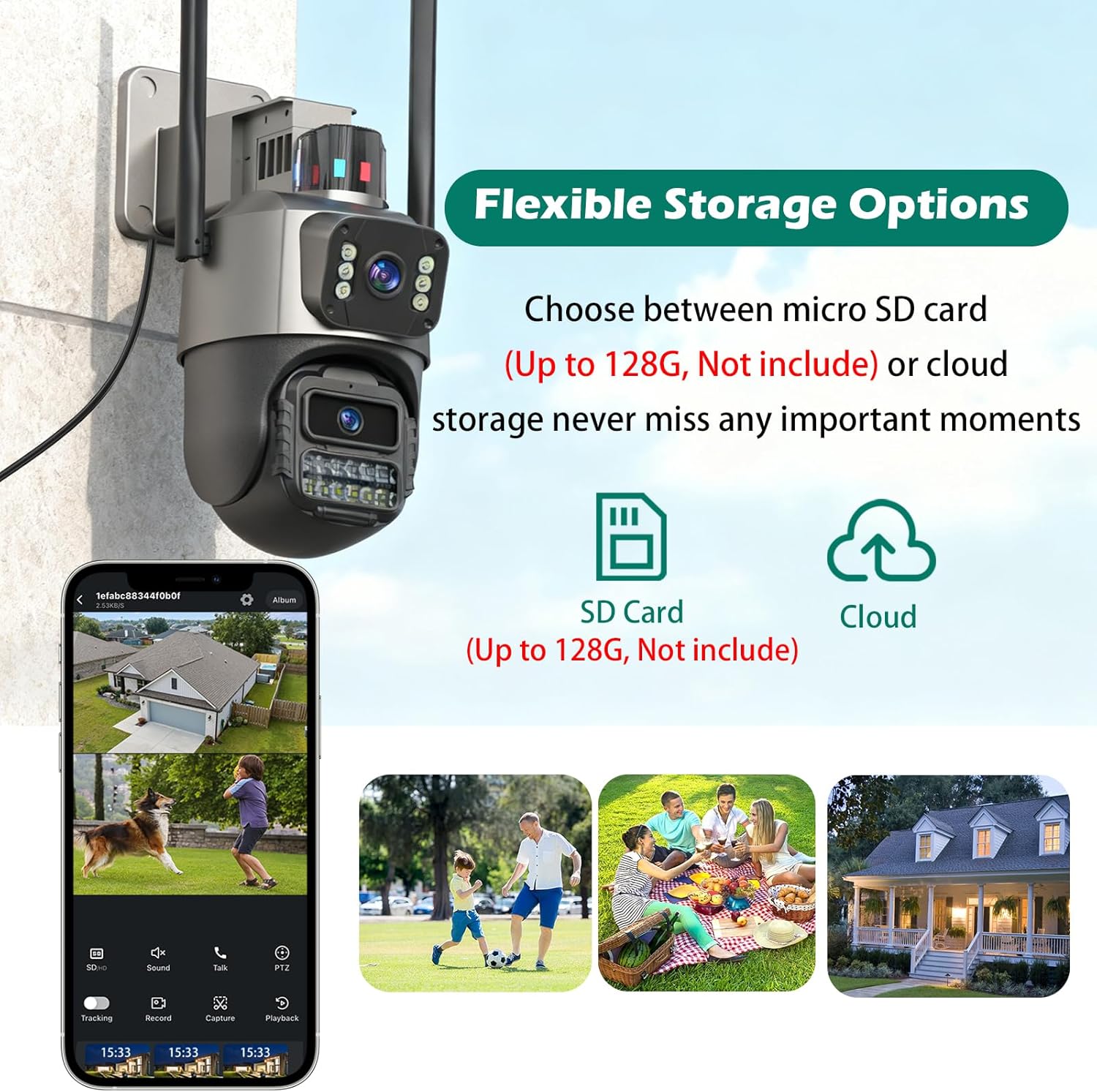
Image: Shows the flexible storage options for the S300 camera, including microSD card and cloud storage.
6. Mantemento
To ensure optimal performance and longevity of your S300 camera:
- Limpeza: Periodically wipe the camera lenses and housing with a soft, damp un pano para eliminar o po e a sucidade. Non empregues produtos químicos agresivos.
- Inspección de cables: Regularly check the power cable and any other connections for signs of wear or damage. Ensure waterproof connections are sealed properly.
- Actualizacións de software: Keep the camera's firmware and mobile application updated to the latest versions for improved features and security.
Video: Highlights the waterproof features of the security camera, demonstrating its resilience to outdoor conditions.
7 Solución de problemas
If you encounter issues with your GUOANVISION S300 camera, refer to the following common solutions:
| Problema | Causa posible | Solución |
|---|---|---|
| Camera not connecting to WiFi | Incorrect WiFi password, camera too far from router, 5G/2.4G band conflict. |
|
| Poca calidade de vídeo | Weak WiFi signal, dirty lens, insufficient lighting. |
|
| Non se recibiron alertas de movemento | Incorrect app settings, motion detection sensitivity too low, network issues. |
|
| O audio bidireccional non funciona | Micrófono/altofalante desactivado na aplicación, volume demasiado baixo, latencia de rede. |
|
8. Especificacións
| Característica | Detalle |
|---|---|
| Número de modelo | S300 |
| Resolución de captura de vídeo | 6 MP |
| Tecnoloxía de conectividade | Wired (Power), Wi-Fi (Data) |
| Tecnoloxía de comunicación sen fíos | Wi-Fi (5G/2.4G) |
| Fonte de enerxía | Eléctrico con cable |
| Zoom óptico | 6x |
| Range de visión nocturna | Up to 30 feet (Color Night Vision) |
| Clasificación de protección internacional | IP66 (Impermeable) |
| Opcións de almacenamento | Micro SD (ata 128 GB), almacenamento na nube |
| Tipo de montaxe | Montaxe no teito, montaxe na parede |
| Dimensións do artigo (L x W x H) | 4.7 x 4.3 x 7.8 polgadas |
| Peso do elemento | 1.72 libras |
9. Garantía e soporte
GUOANVISION provides a one-year warranty for the S300 camera and offers lifetime after-sales support. For any technical assistance or inquiries, please contact GUOANVISION customer service.
Hai plans de protección opcionais dispoñibles para unha cobertura ampliada:
- Plan de protección a 2 anos
- Plan de protección a 3 anos
- Protección completa (facturación mensual)
For more information and support, visit the official GUOANVISION store: GUOANVISION Store

Image: Information regarding GUOANVISION's customer service and support.


