1. Introdución
This manual provides essential information for setting up, operating, and maintaining your DOOGEE Note 56 X PRO Android 16 smartphone. Please read this guide thoroughly to ensure proper usage and to maximize the device's capabilities. Keep this manual for future reference.
2. Que hai na caixa
Ao abrir o paquete, comprobe que estean presentes todos os elementos que se indican a continuación:
- 1x DOOGEE NOTE 56 X PRO Cell Phone
- 1 cable USB tipo C
- 1 x cargador
- 1 x funda de teléfono
- 1x tarxeta de garantía
- 1x Manual de usuario (este documento)
- 1x Pin de extracción de tarxeta
- 1x Protective Film (Pre-applied)

Image: Contents of the DOOGEE Note 56 X PRO retail box.
3. Dispositivo rematadoview
Familiarize yourself with the physical components of your DOOGEE Note 56 X PRO smartphone.

Imaxe: Anverso e reverso view of the DOOGEE Note 56 X PRO.
Imaxe: Side profile of the DOOGEE Note 56 X PRO, demonstrating its slim design.

Imaxe: Arriba e abaixo view of the DOOGEE Note 56 X PRO, indicating port locations.
4. Configuración
4.1. Installing SIM and TF Cards
- Localiza a bandexa da tarxeta SIM no lateral do teléfono.
- Insert the provided card removal pin into the small hole next to the tray to eject it.
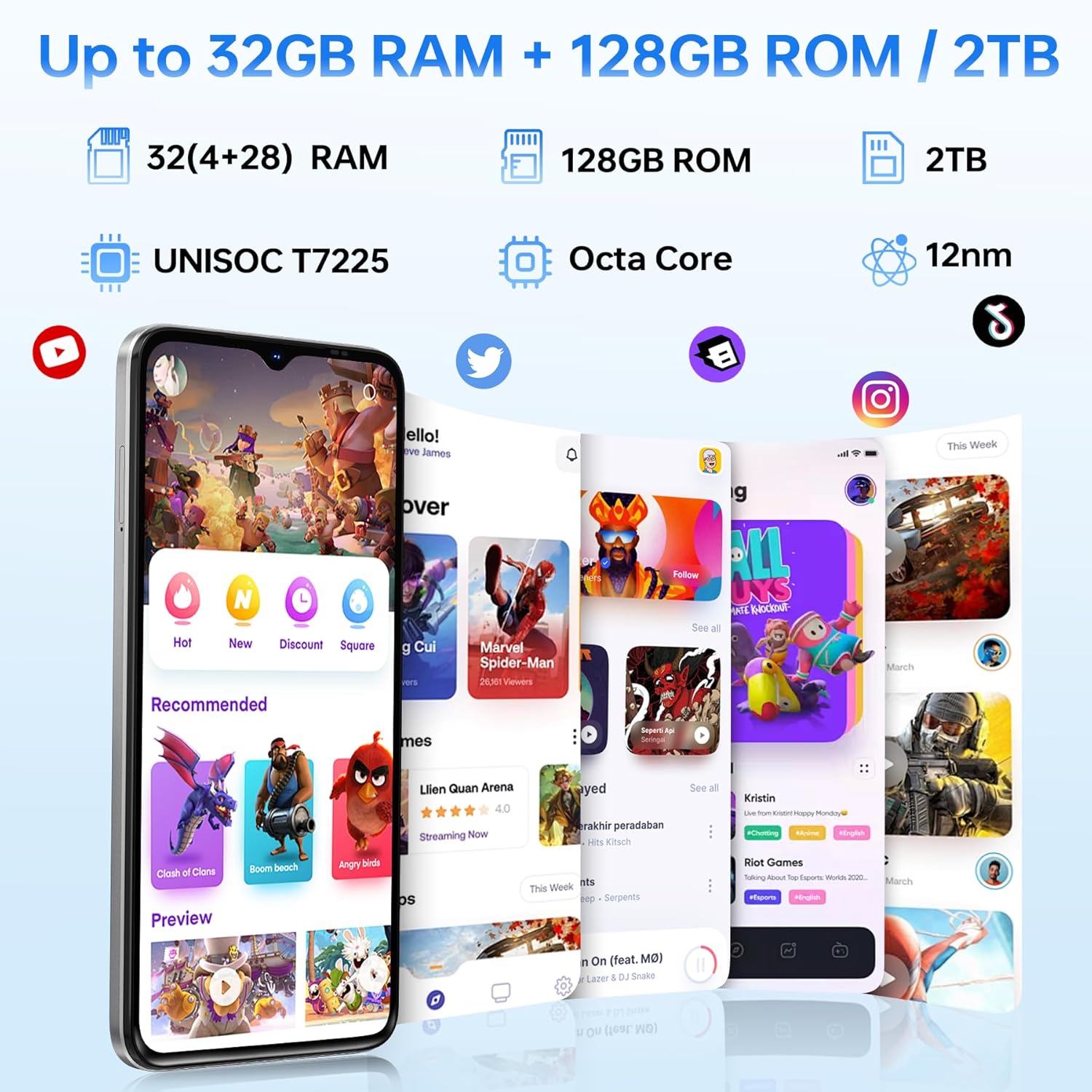
- Place your Nano-SIM card(s) and/or TF (microSD) card into the tray according to the diagram. The phone supports dual SIM (SIM1 + SIM2) or one SIM card and one TF card for expandable storage up to 2TB.
- Volva inserir a bandexa con coidado no teléfono ata que quede ao mesmo nivel que a carrocería do dispositivo.
4.2. Acendido e carga iniciais
- Mantén premido o botón de acendido (situado no lateral) ata que apareza o logotipo de DOOGEE.
- Siga as instrucións en pantalla para completar a configuración inicial, incluíndo a selección do idioma, a conexión wifi e a configuración da conta de Google.
- To charge the phone, connect the Type-C USB cable to the phone's charging port and the other end to the provided charger. Plug the charger into a power outlet. The phone supports 10W fast charging.
- Para unha duración óptima da batería, cárgueo completamente antes do primeiro uso.
5. Uso do teléfono
5.1. Sistema operativo Android 16
The DOOGEE Note 56 X PRO runs on the Android 16 operating system, offering an intuitive user experience with enhanced features:
- Game Space: Optimize gaming performance and manage notifications during gameplay.
- Smart Body Sensing: Utilize advanced sensor capabilities for various applications.
- Screen Sense: Intelligent screen features for improved interaction.
- Mellora da visualización de vídeo: Optimized visual quality for video playback.
- Live Subtitles: Real-time captioning for audio content.
- Private Space: Create a secure, isolated environment for sensitive apps and data.
- Modo de sistema dual: Run two separate system environments for enhanced privacy or work/personal separation.
- Superportapapeis: Advanced clipboard functionality for efficient copy-pasting.
- Pantalla dividida: Use two applications simultaneously on the same screen for multitasking.

Imaxe: Máis deview of Android 16 features.
5.2. Calls, Messages, and Internet
- Facer chamadas: Toca a icona do teléfono, introduce o número e toca o botón de chamada.
- Envío de mensaxes: Tap the Messages icon, start a new conversation, enter the recipient and message, then send.
- Conectividade a Internet: Connect to Wi-Fi via Settings > Network & internet > Wi-Fi. Ensure mobile data is enabled via Settings > Network & internet > Mobile network for cellular internet access.
5.3. Funcións da cámara
The phone features a 13MP main camera and an 8MP front camera, enhanced by Google intelligent camera features.
- Facendo fotos: Abre a aplicación Cámara, enmarca a túa foto e toca o botón do obturador.
- Cambio de cámara: Tap the camera switch icon to toggle between the main and front cameras.
- Cámara intelixente de Google: Utilize features like homework analysis, view search, and e-commerce search directly from the camera interface.

Image: Camera specifications and capabilities.
5.4. Características de seguridade
- Desbloqueo facial: Register your face for quick and secure unlocking.
- Recoñecemento de impresións dixitais laterais: Use the side-mounted fingerprint sensor for convenient access.
5.5. NFC and GPS
- NFC (Near Field Communication): Enable NFC in settings to use features like Google Pay for contactless payments.
- GPS: The phone supports Beidou, Galileo, Glonass, and GPS navigation systems for accurate location services.
5.6. Google Gemini AI Assistant
The integrated Google Gemini AI assistant offers advanced functionalities:
- Xemelgos en directo: Engage in real-time conversations with the AI.
- Unleash Creativity: Generate ideas and creative content.
- Smarter Insights: Gain deeper understanding from information.
- Language Partner: Assist with language learning and translation.

Image: Key connectivity and security features.
6. Mantemento
6.1. Coidado da batería
The DOOGEE Note 56 X PRO is equipped with a 6150mAh Silicon-Carbon battery.
- Use only the provided charger and cable to prevent damage.
- Evita expoñer o teléfono a temperaturas extremas.
- The phone supports OTG reverse charging, allowing it to act as a power bank for other devices.

Image: Battery capacity and usage estimates.
6.2. Limpeza do dispositivo
Gently wipe the screen and body with a soft, lint-free cloth. Avoid using harsh chemicals or abrasive materials.
7 Solución de problemas
Se tes problemas co teu dispositivo, proba as seguintes solucións habituais:
- O teléfono non se acende: Asegúrate de que a batería estea cargada. Conecta o cargador e agarda uns minutos antes de tentar acender de novo.
- Aplicacións que fallan: Pecha e reinicia a aplicación. Se o problema persiste, borra a caché da aplicación ou reinstaláa.
- Sinal de rede deficiente: Comproba a instalación da túa tarxeta SIM. Móvete a unha zona con mellor cobertura de rede.
- A pantalla non responde: Restart the phone by holding the power button.
- A batería esgotando rapidamente: Reduce screen brightness, close unused apps, or disable unnecessary features like GPS or Bluetooth when not in use.
For more complex issues, refer to the official DOOGEE support resources or contact customer service.
8. Especificacións
Key technical specifications for the DOOGEE Note 56 X PRO:
| Característica | Especificación |
|---|---|
| Nome do modelo | DOOGEE NOTE 56 X PRO |
| Sistema Operativo | Android 16 |
| Procesador | Unisoc T7225 Octa-Core Chipset |
| RAM | 32GB (4GB basic + up to 28GB extended) |
| Almacenamento interno | 128 GB |
| Almacenamento ampliable | Ata 2 TB mediante tarxeta TF |
| Tamaño da pantalla | 6.56 polgadas |
| Tipo de visualización | HD+ IPS Waterdrop Display |
| Resolución | 720*1612 |
| Taxa de actualización | 90 Hz |
| Cámara principal | 13 MP |
| Cámara frontal | 8 MP |
| Capacidade da batería | 6150mAh Silicon-Carbon |
| Cargando | Carga rápida de 10 W, carga inversa OTG |
| Conectividade | 4G, Bluetooth 5.0, NFC, Wi-Fi 2.4G/5G |
| Navegación | GPS, Glonass, Galileo, Beidou |
| Jack de audio | 3.5 mm |
| Dimensións | 8.45mm Ultra-Slim |
| Peso | 195 g |
9. Produto rematadoview Vídeo
Mira este vídeo para obter unha visión xeralview of the DOOGEE Note 56 X PRO's design and key features.
Video: DOOGEE Note 56 X PRO Android 16 Cell Phone Unlocked - Product Overview.
10. Garantía e soporte
DOOGEE provides a 30-day no-reason return policy for this product. Additionally, long-term technical support and 24-hour online customer service are available. If you have any questions or require assistance with your DOOGEE Note 56 X PRO, please contact the DOOGEE customer service team.