1. Introdución
Thank you for choosing the LG 34 Inch UltraWide WQHD Curved Monitor. This manual provides essential information for the safe and efficient use of your new monitor. Please read it thoroughly before operating the device and keep it for future reference.
Contido do paquete
- LG 34 Inch UltraWide Curved Monitor
- Soporte para monitor (base e pescozo)
- Cable de alimentación
- Cable HDMI
- Cable DisplayPort
- Cable USB-C
- Manual de usuario e tarxeta de garantía
2. Características clave
- 34-inch WQHD UltraWide Curved Display: Expansive 21:9 screen (3440 x 1440) for enhanced productivity and immersive viewing.
- HDR Display with 99% sRGB: Delivers vibrant, natural colors and distinct image layers, supporting HDR brightness performance.
- Alta taxa de actualización de 120 Hz: Ensures fluid scrolling and dynamic content for a comfortable visual experience.
- 5ms (GTG) Response Time: Provides quick pixel response for smooth motion.
- LG Switch for Multitasking & Eye Care: Enables quick split-screen functionality, customizable layouts, and Reader Mode to reduce eye strain.
- Soporte axustable: Supports height, tilt, and swivel adjustments for optimal viewángulos de inflexión.
- Altofalantes incorporados: Audio integrado para maior comodidade.
- Múltiples opcións de conectividade: Includes DisplayPort and HDMI inputs.
3. Configuración
3.1 Montaxe do soporte
Carefully remove the monitor and stand components from the packaging. Follow the instructions below to attach the stand to the monitor.
- Coloque o monitor boca abaixo sobre unha superficie suave e limpa para evitar rabuñaduras.
- Fixe o colo do soporte ao panel traseiro do monitor. Asegúrate de que encaixa firmemente no seu lugar.
- Attach the stand base to the bottom of the stand neck. Tighten the screw(s) firmly to secure the base.
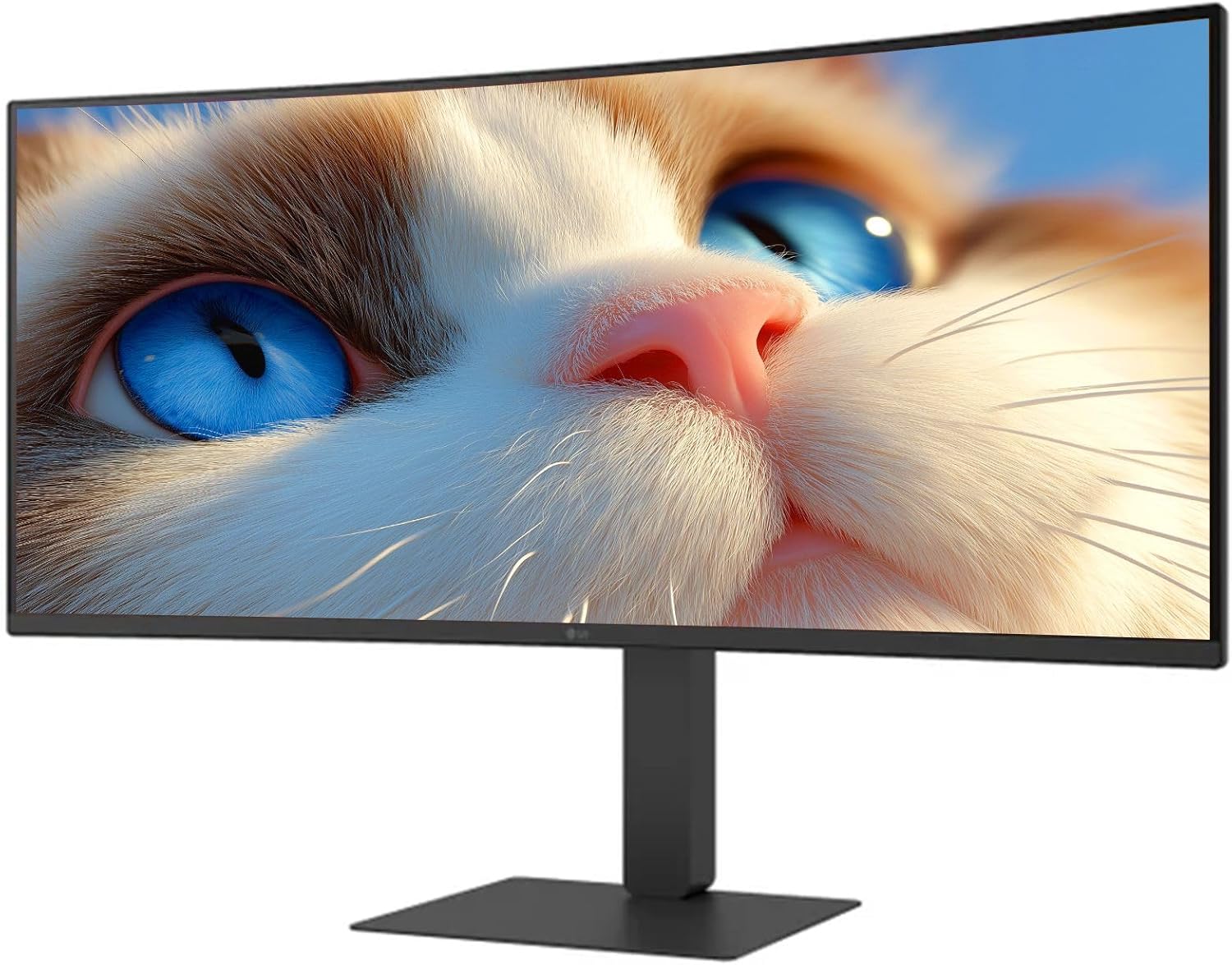
Figura 1: Fronte view of the LG 34 Inch UltraWide Curved Monitor with stand.

Figura 2: Lateral view of the LG 34 Inch UltraWide Curved Monitor with stand.
3.2 Conectar o monitor
Conecte o monitor ao seu ordenador ou a outros dispositivos utilizando os cables axeitados.
- Conecta o cable de alimentación á entrada de alimentación do monitor e despois a unha toma de corrente.
- For video input, connect either an HDMI cable or a DisplayPort cable from your computer's graphics card to the corresponding port on the monitor.
- If your computer supports USB-C, you can use the provided USB-C cable for video, audio, and data transfer.

Figura 3: Traseira view of the monitor showing available ports for connectivity.
4. Funcionamento do monitor
4.1 Encendido/apagado
Press the power button, usually located on the bottom center of the monitor, to turn the monitor on or off. The power indicator light will illuminate when the monitor is on.
4.2 Menú de visualización en pantalla (OSD).
The OSD menu allows you to adjust various monitor settings. Use the joystick button (typically located on the bottom center) to navigate the menu.
- Modo de imaxe: Select from various preset modes (e.g., Custom, Reader, HDR Effect) or customize settings like brightness, contrast, and sharpness.
- Entrada: Selecciona manualmente a fonte de entrada (HDMI, DisplayPort, USB-C).
- Xeral: Access settings for language, OSD transparency, and power-saving options.
4.3 Axustar o soporte
The monitor stand offers ergonomic adjustments for your comfort:
- Axuste de altura: Gently push or pull the monitor up or down to your desired height.
- Axuste de inclinación: Hold both sides of the monitor and tilt it forwards or backwards.
- Axuste de xiro: Xire o monitor á esquerda ou á dereita sobre a súa base.
5. Mantemento
5.1 Limpeza do monitor
Para garantir a lonxevidade e o rendemento óptimo do monitor, siga estas pautas de limpeza:
- Desconecte sempre o monitor da toma de corrente antes de limpalo.
- Use un pano suave e sen pelusa lixeiramente damplavado con auga ou cun limpador de pantallas especializado.
- Non pulverices o limpador directamente sobre a pantalla.
- Avoid using abrasive cleaners, solvents, or ammonia-based products.
6 Solución de problemas
Se tes problemas co teu monitor, consulta as seguintes solucións habituais:
- Sen enerxía: Asegúrate de que o cable de alimentación estea conectado correctamente tanto ao monitor como á toma de corrente. Comproba se a toma de corrente funciona.
- Sen sinal: Verify that the video cable (HDMI, DisplayPort, or USB-C) is correctly connected to both the monitor and your computer. Ensure the correct input source is selected in the OSD menu.
- Pantalla parpadeante: Check the video cable connection. Try adjusting the refresh rate in your computer's display settings.
- Distorsión da imaxe: Reset the monitor to factory settings via the OSD menu. Ensure your computer's display resolution matches the monitor's native resolution (3440 x 1440).
- No Sound from Built-in Speakers: Check the volume settings on both the monitor and your computer. Ensure the audio output is correctly routed to the monitor.
If the problem persists after trying these steps, please contact LG customer support.
7. Especificacións
| Característica | Especificación |
|---|---|
| Marca | LG |
| Número de modelo | 195174134092 |
| Tamaño da pantalla | 34 polgadas |
| Resolución máxima | WQHD (3440 x 1440) |
| Taxa de actualización | 120 Hz |
| Tempo de resposta | 5 ms (GTG) |
| Relación de aspecto | 21:9 |
| Gama de cores | sRGB 99 % |
| Soporte HDR | HDR10 |
| Viewángulo ing | 178 degrees (R/L), 178 degrees (U/D) |
| Conectores de visualización | 1 x HDMI, 1 x DisplayPort |
| Eye Relief Features | Low blue light, Flicker-free, Anti-glare, Reader Mode |
| Altofalantes incorporados | Si |
| Dimensións do produto (con soporte) | 8.7" D x 32.1" W x 19.2" H |
| Peso do produto (con soporte) | 16.8 libras |
8. Garantía e soporte
Your LG 34 Inch UltraWide Curved Monitor comes with a standard manufacturer's warranty. Please refer to the warranty card included in your package for detailed terms and conditions.
For technical support, service, or further inquiries, please visit the official LG website or contact their customer service hotline. Keep your purchase receipt and product serial number (located on the back of the monitor) handy when contacting support.