1. Introdución
This manual provides essential information for the proper setup, operation, and maintenance of your MESWAO 15.6-inch Android 14 Tablet (Model MES-B3). Please read this manual thoroughly before using the device to ensure optimal performance and longevity. Keep this manual for future reference.
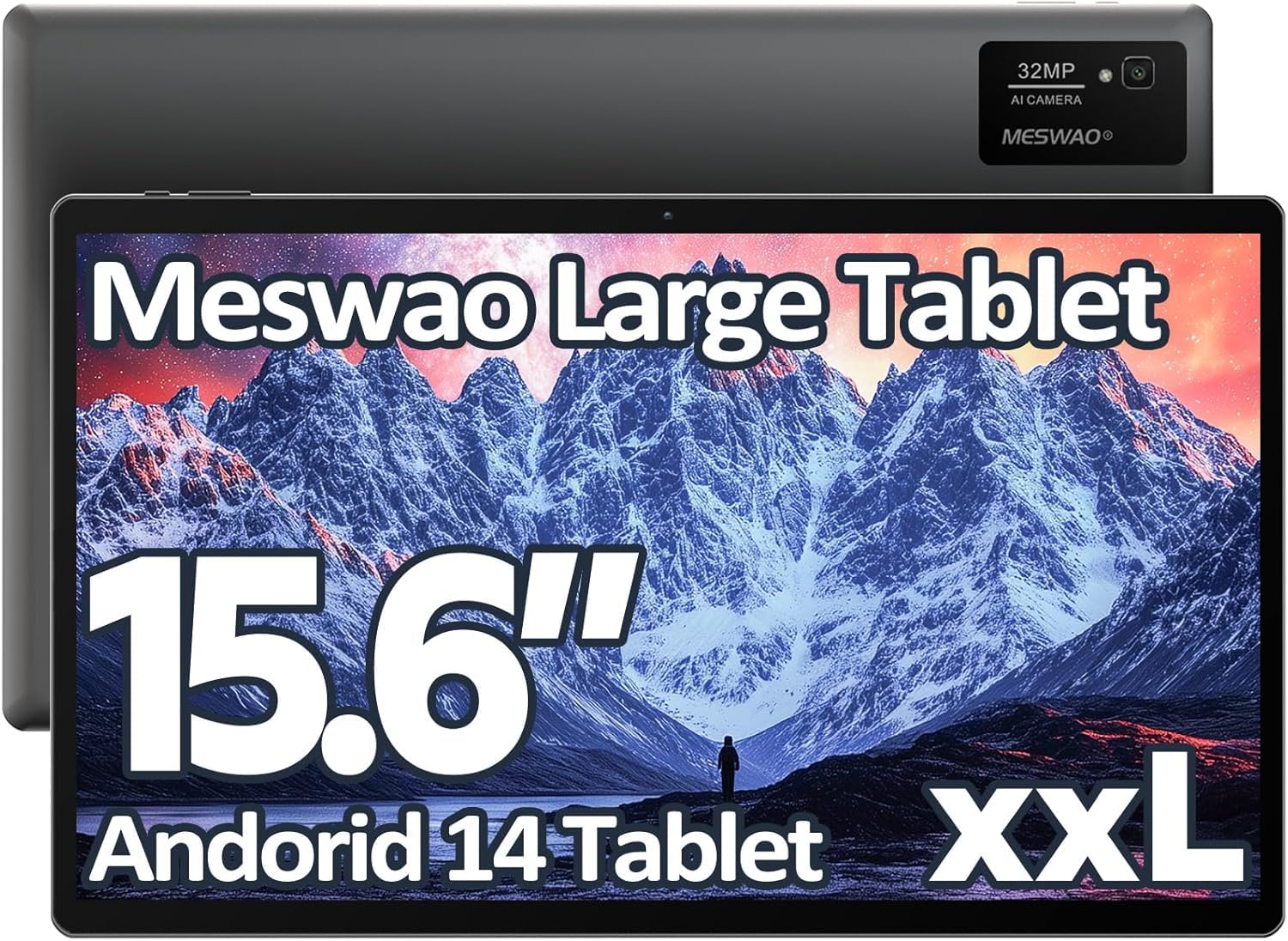
Image: The MESWAO 15.6-inch Android 14 Tablet, showcasinpola súa gran pantalla e o seu elegante deseño.
2. Configuración
2.1 Desembalaxe e inspección inicial
Carefully remove all components from the packaging. Verify that all items listed in the package contents are present and undamaged. If any items are missing or damaged, contact customer support immediately.
2.2 Cargar a tableta
Before first use, fully charge the tablet. Connect the provided USB-C cable to the tablet's charging port and the other end to the power adapter. Plug the power adapter into a wall outlet. The charging indicator will illuminate. A full charge typically takes approximately 3 hours with the 30W fast charging capability.
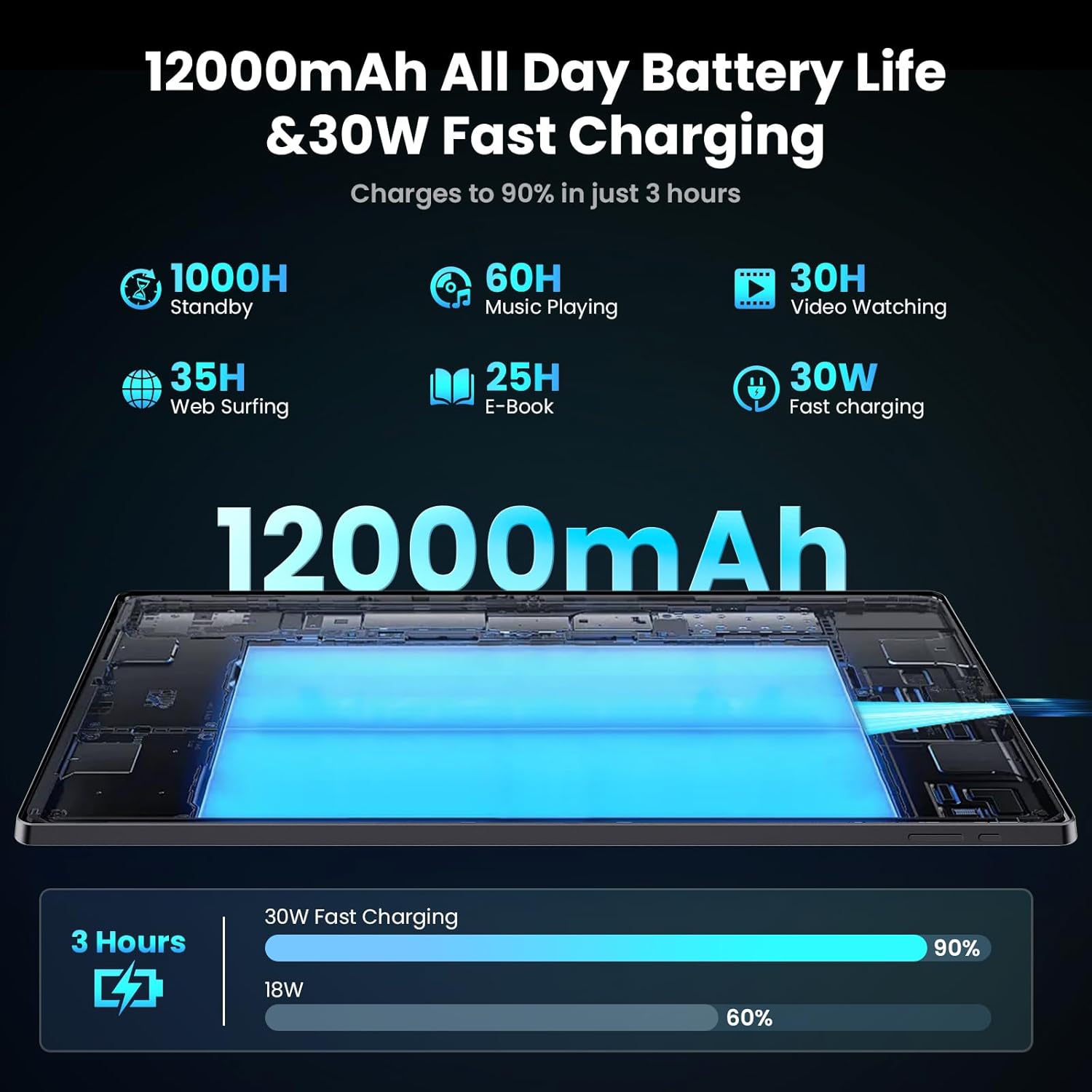
Image: Diagram illustrating the 12000mAh battery capacity and 30W fast charging feature, showing a charge to 90% in 3 hours.
2.3 Acendido e configuración inicial
- Press and hold the Power button until the MESWAO logo appears.
- Sigue as instrucións na pantalla para seleccionar o teu idioma, rexión e conectarte a unha rede wifi.
- Inicia sesión coa túa conta de Google ou crea unha nova para acceder a Google Play Store e outros servizos.
- Complete any remaining setup steps, such as setting up a screen lock (PIN, pattern, or password) and reviewconfiguración da configuración de privacidade.
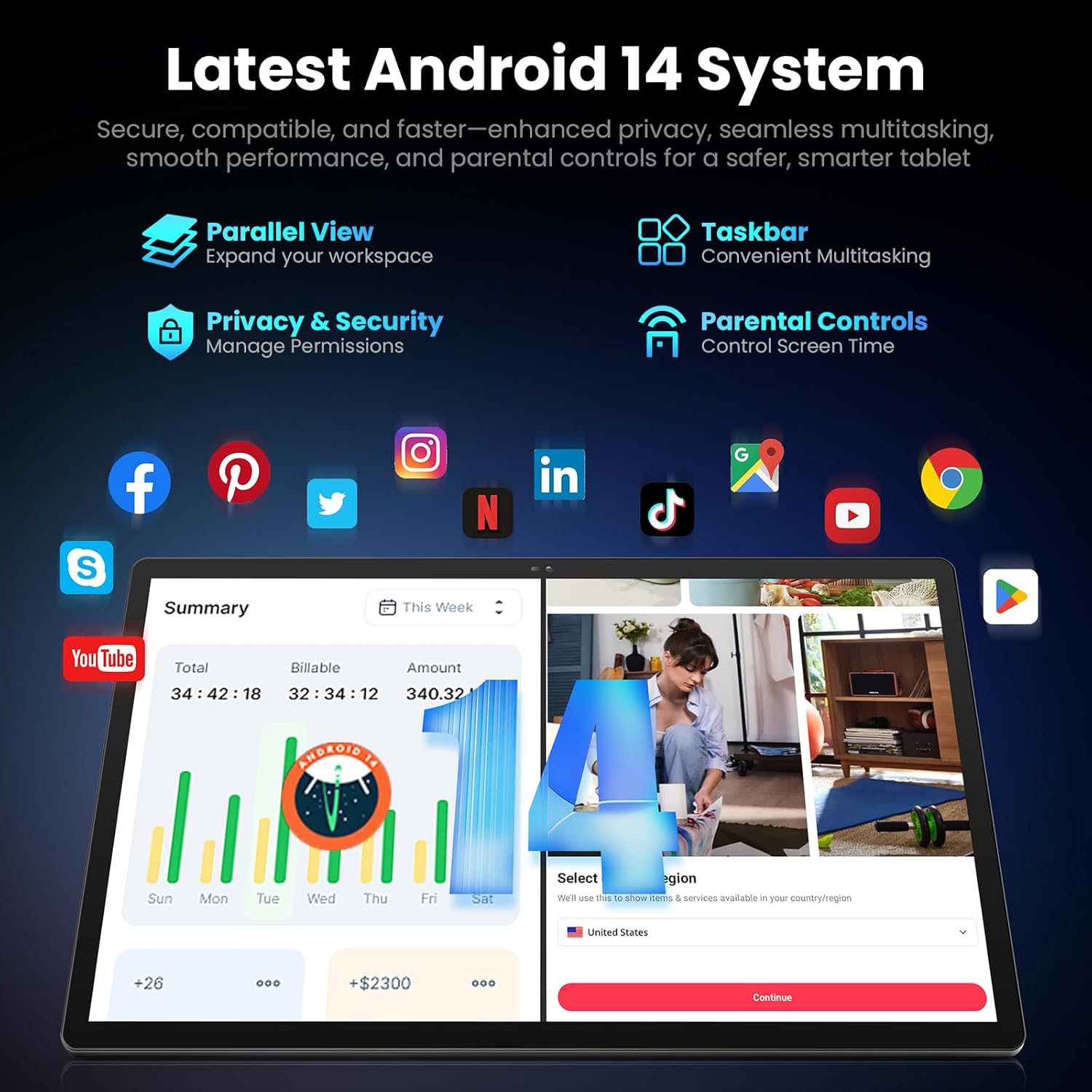
Image: Screenshot of the Android 14 system interface on the MESWAO tablet, highlighting features like Parallel View, Taskbar, Privacy & Security, and Parental Controls.
3. Instrucións de funcionamento
3.1 Navegación básica
- Xestos táctiles: Toca para seleccionar, desliza para desprazarte, belisca para ampliar.
- Pantalla de inicio: Accede a aplicacións, widgets e notificacións.
- Panel de notificacións: Pasa o dedo cara abaixo desde a parte superior da pantalla ata view notificacións e configuracións rápidas.
- Caixón de aplicacións: Desliza o dedo cara arriba desde a parte inferior da pantalla para acceder a todas as aplicacións instaladas.
3.2 Pantalla e experiencia visual
The 15.6-inch Full HD (1920x1080) IPS display offers vivid colors and wide viewing angles. Adjust brightness and display settings in the Settings menu under "Display" for optimal viewing comfort. The large screen is ideal for multitasking and immersive media consumption.

Image: The MESWAO tablet displaying a high-definition image, emphasizing the 1920x1080P Full HD IPS display with eye protection features.
3.3 Rendemento e almacenamento
Equipped with an Octa-Core Helio G99 processor and Android 14, the tablet provides smooth performance for various applications. It includes 8GB RAM and 256GB internal storage, expandable up to 1TB via a TF (microSD) card. To insert a TF card, locate the card slot on the side of the tablet, open the tray, and carefully place the card into the designated slot before reinserting the tray.
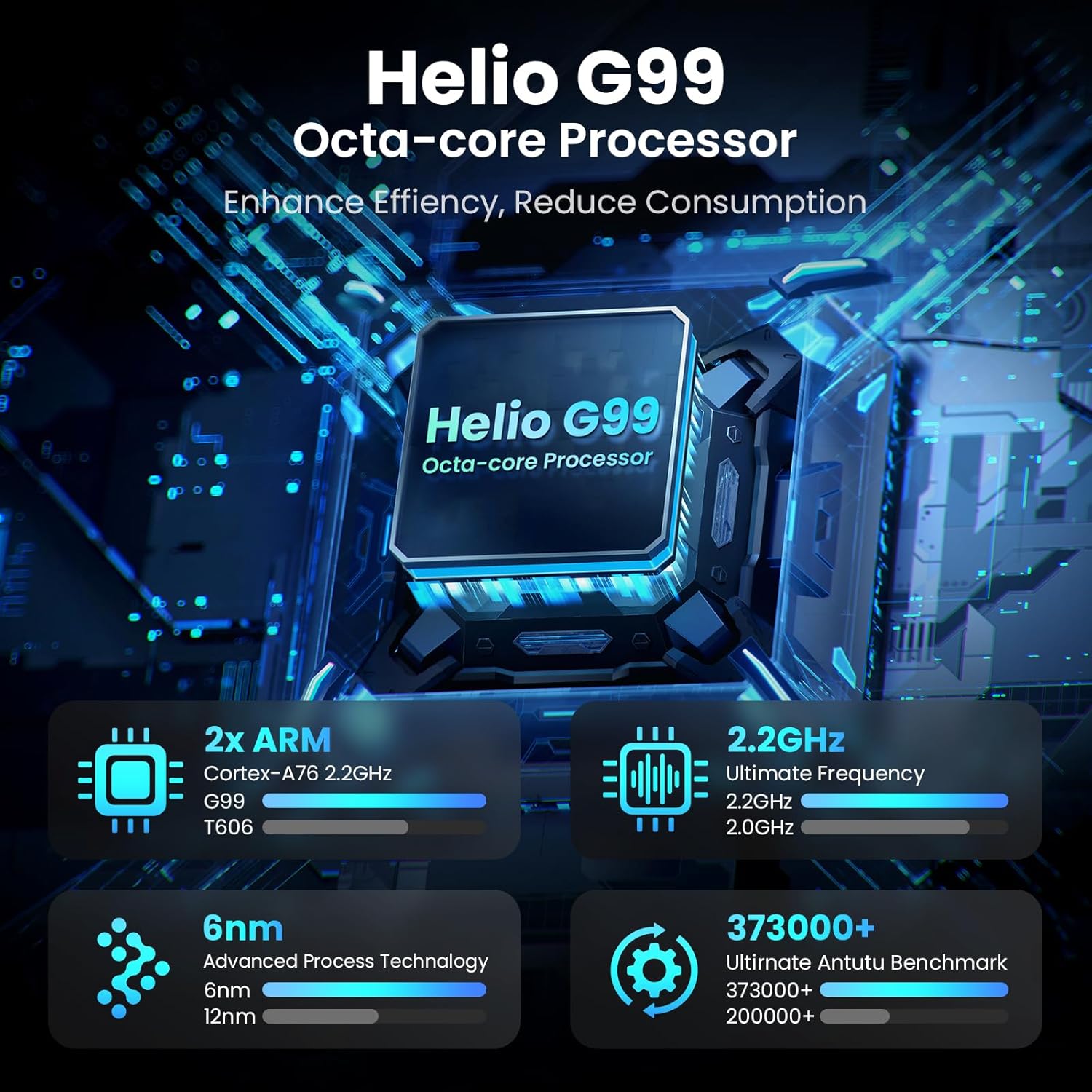
Image: Visual representation of the Helio G99 Octa-core Processor, detailing its architecture and performance metrics like 2.2GHz frequency and 6nm process technology.

Image: The MESWAO tablet screen showing multiple open applications and storage capacity details: 8GB RAM, 256GB ROM, and support for up to 1TB external storage.
3.4 Uso da cámara
The tablet features a 32MP rear camera with flash and a 5MP front camera. Open the Camera application to capture photos, record videos, or engage in video calls. Ensure good lighting for best results.

Image: A visual demonstrating the MESWAO tablet's 5MP front camera and 32MP rear camera, showing a family photo being taken and a video call in progress.
3.5 Conectividade
The tablet supports dual-band Wi-Fi (2.4GHz & 5GHz) for stable internet connectivity. Bluetooth is also available for connecting wireless accessories. Access these settings via the Notification Panel or the main Settings app.
4. Mantemento
4.1 Limpeza da tableta
Usa un pano suave e sen pelusa para limpar a pantalla e o corpo da tableta. Para manchas difíciles, lixeiramenteampLimpa o pano con auga ou cunha solución de limpeza apta para pantallas. Evita o uso de produtos químicos agresivos ou materiais abrasivos.
4.2 Actualizacións de software
Comproba e instala regularmente actualizacións do sistema para garantir que a túa tableta teña as últimas funcións, parches de seguridade e melloras de rendemento. Vai a Configuración > Sistema > Actualización do sistema para comprobar as actualizacións.
4.3 Coidado coa batería
- Evita as temperaturas extremas, xa que poden reducir a duración da batería.
- Non deixes que a batería se descargue completamente con frecuencia.
- Empregue só o cargador fornecido ou un cargador compatible certificado.
5 Solución de problemas
A tableta 5.1 non se acende
- Ensure the tablet is sufficiently charged. Connect it to the charger for at least 30 minutes before attempting to power on again.
- Manteña premido o botón de acendido durante 10-15 segundos para realizar un reinicio forzado.
5.2 Problemas de conectividade Wi-Fi
- Check if Wi-Fi is enabled in the Quick Settings or Settings menu.
- Reinicia o teu enrutador Wi-Fi e a tableta.
- Esquece a rede na configuración do wifi e volve conectar.
- Asegúrate de estar dentro do alcance do sinal Wi-Fi.
5.3 Rendemento lento
- Pecha as aplicacións en segundo plano innecesarias.
- Borrar os datos da caché das aplicacións usadas con frecuencia (Configuración > Aplicacións > [Nome da aplicación] > Almacenamento e caché > Borrar caché).
- Ensure sufficient free storage space. Delete unused files ou aplicacións.
- Reinicie a tableta periodicamente.
5.4 A pantalla non responde
- Realizar un reinicio forzado (manteña premido o botón de acendido durante 10-15 segundos).
- Asegúrate de que a pantalla estea limpa e libre de humidade ou residuos.
6. Especificacións
| Característica | Detalle |
|---|---|
| Nome do modelo | MES-B3 |
| Tamaño de visualización | 15.6 polgadas |
| Resolución máxima de pantalla | 1920 x 1080 Pixels (Full HD IPS) |
| Sistema Operativo | Android 14 |
| Procesador | Octa-Core Helio G99 (up to 2.2 GHz) |
| RAM | 8 GB |
| Almacenamento interno (ROM) | 256 GB |
| Almacenamento ampliable | Ata 1 TB (tarxeta TF) |
| Capacidade da batería | 12000 mAh |
| Cargando | Carga rápida de 30 W |
| Cámara traseira | 32MP con flash |
| Cámara frontal | 5 MP |
| Conectividade | Dual-band Wi-Fi (2.4GHz & 5GHz), Bluetooth |
| Dimensións (LxWxH) | 14.53 x 8.78 x 0.43 polgadas |
| Peso do elemento | 3.84 libras |
7. Garantía e soporte
7.1 Información da garantía
MESWAO products are covered by a limited warranty. Please refer to the warranty card included in your product packaging for specific terms and conditions. Keep your proof of purchase for warranty claims.
7.2 Atención ao cliente
For technical assistance, troubleshooting, or warranty inquiries, please contact MESWAO customer support. Contact information can typically be found on the official MESWAO websitio web ou na tarxeta de garantía.
Online resources such as FAQs and support forums may also be available on the MESWAO websitio.


