Manuais e guías do usuario de Trudian
Trudian specializes in smart community and security solutions, manufacturing advanced access control systems, smart locks, video intercoms, and PoE switches.
Acerca dos manuais de Trudian en Manuals.plus
Trudian (Guangdong Trudian Technology Co., Ltd.) is a leading provider of smart community and home security hardware. The company specializes in developing integrated access control ecosystems that combine robust hardware with intelligent software management.
As principais liñas de produtos inclúen:
- Fechaduras intelixentes: Biometric solutions utilizing fingerprint, palm vein, and facial recognition technology.
- Control de acceso: Standalone terminals and networked Wiegand controllers for secure building entry.
- Video Intercoms: IP and 2-wire master stations and outdoor units for visitor management.
- Equipamento de rede: Industrial PoE and non-PoE switches designed for security surveillance networks.
Trudian emphasizes user-friendly experiences, with many devices supporting the Tuya Smart app for remote unlocking, monitoring, and dynamic password generation.
Manuais de Trudian
Manuais máis recentes de manuals+ elaborado para esta marca.
Manual de usuario del controlador de acceso Trudian TD-8701 Wiegand
Manual de usuario Trudian TD-Q5-B Palm Vein Smart Lock
Trudian TD-X2-B Guía de usuario de bloqueo de perilla con impresión dixital
Manual de usuario de videoportero de Trudian Master Station
Manual de usuario Trudian Palm Vein Smart Lock
Manual de usuario del kit de videoportero analógico de 3 cables Trudian TD-D36R4
Manual de usuario del sistema de videoportero digital para edificios inteligentes Trudian TD-R39
Manual de usuario del lector de control de acceso Trudian 26 Wiegand
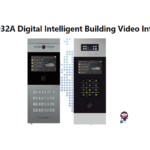
Manual de usuario del sistema de videoportero digital para edificios inteligentes Trudian TD-D32A
Trudian TD-IS3216GF Industrial Ethernet Switch Quick Start Guide
Trudian TD-K1 Pro-B Smart Door Lock Quick Start Guide
Trudian TD-P3324 and TD-P3316 POE Switch Quick Start Guide
Trudian TD-D1R88 Videoportero de red Manual de instrucciones
Trudian Digital Intelligent Building Video Intercom System User Manual
2-Wire IP Video Intercom Kit User Manual
Trudian TD-F2-B Tuya Smart Fingerprint Lock Manual de usuario
Trudian TD-P3316 and TD-P3324 PoE Switch Quick Start Guide
Trudian Digital Intelligent Building Video Intercom System Outdoor Station User Manual
Trudian Digital Intelligent Building Video Intercom System: Linux Outdoor Station User Manual
Wiegand Access Control Reader User Manual - Trudian
2-Wire IP Video Intercom Kit User Manual - Trudian
Manuais Trudian de tendas en liña
Manual do usuario do sistema de intercomunicador con timbre de vídeo Tuya de 2 cables con LCD de 10 polgadas
Guías en vídeo de Trudian
Mira vídeos de configuración, instalación e resolución de problemas desta marca.
Trudian support FAQ
Preguntas frecuentes sobre manuais, rexistro e asistencia técnica para esta marca.
-
How do I reset my Trudian smart lock to factory settings?
Typically, you can reset a Trudian smart lock by pressing and holding the setting key (often located on the rear panel or battery compartment) for about 5 seconds. Follow the voice prompts to confirm the reset. This will clear all user data and restore the default administrator password.
-
What app does the Trudian video intercom system use?
Many Trudian video intercoms and smart locks are compatible with the Tuya Smart app. Users can download the app, connect their device via 2.4GHz Wi-Fi, and use it for remote unlocking, monitoring, and receiving visitor notifications.
-
How do I add a new user card to the Trudian access control terminal?
To add a user card, enter the programming mode (default code is often *#88888888# or similar), then enter the command for adding a user (e.g., press '1'), and swipe the new card. Refer to your specific model's manual for exact programming codes.
-
What should I do if my Trudian smart lock battery is low?
When the battery is below 25%, the lock will issue a 'Low Battery' voice prompt. You should replace the batteries immediately. In an emergency, most models feature a Micro-USB or USB-C port for external emergency power supply to unlock the door temporarily.